> ## Documentation Index
> Fetch the complete documentation index at: https://arize-ax.mintlify.site/docs/llms.txt
> Use this file to discover all available pages before exploring further.
# Export Data API
> Export production data from Arize AX into notebooks and Phoenix for further analysis using the Python export client.
API reference [here](https://arize-client-python.readthedocs.io/en/latest/llm-api/exporter.html). ML Version [here](https://arize-client-python.readthedocs.io/en/latest/ml-api/exporter.html).
Arize AX enables teams to continue analysis of their production data in notebooks.
With a few lines of Python code, users can export their data into Phoenix or a Jupyter notebook for further analysis.
There are two ways to do this:
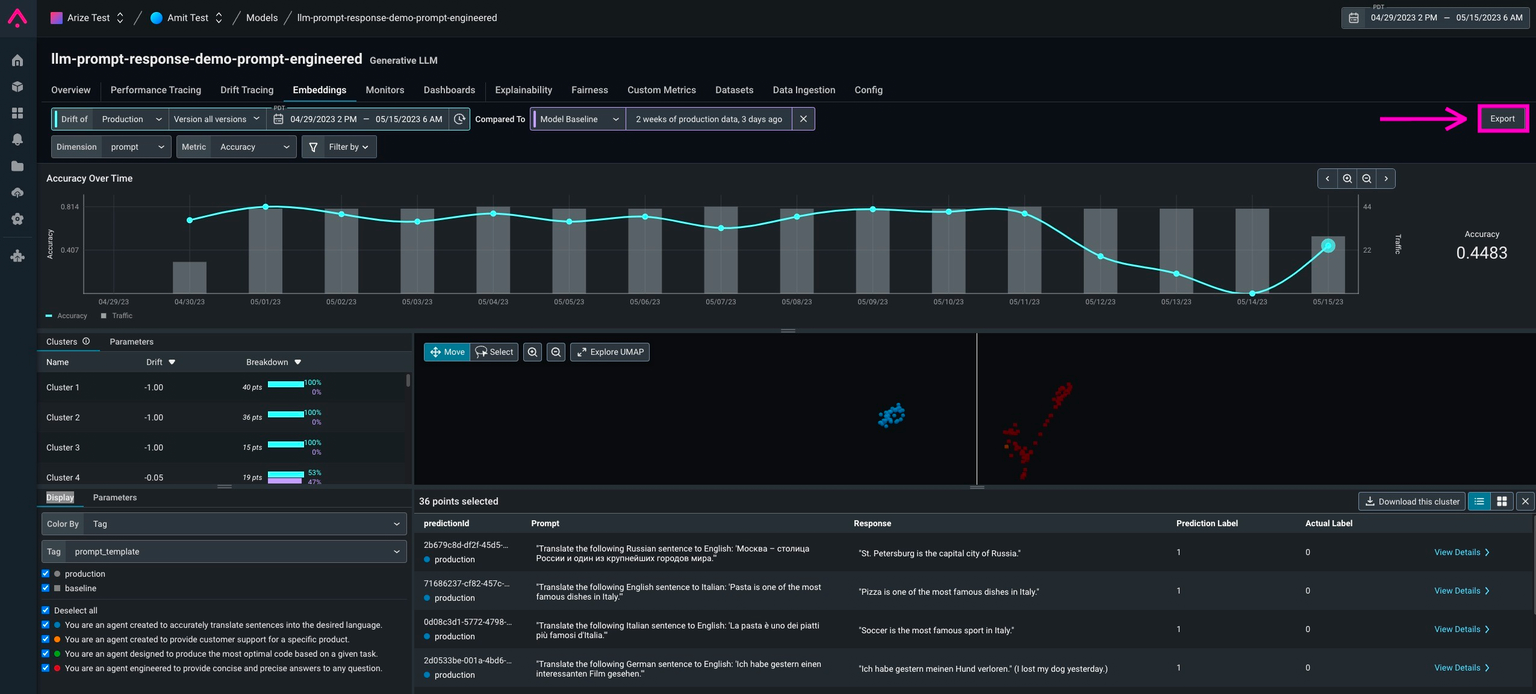
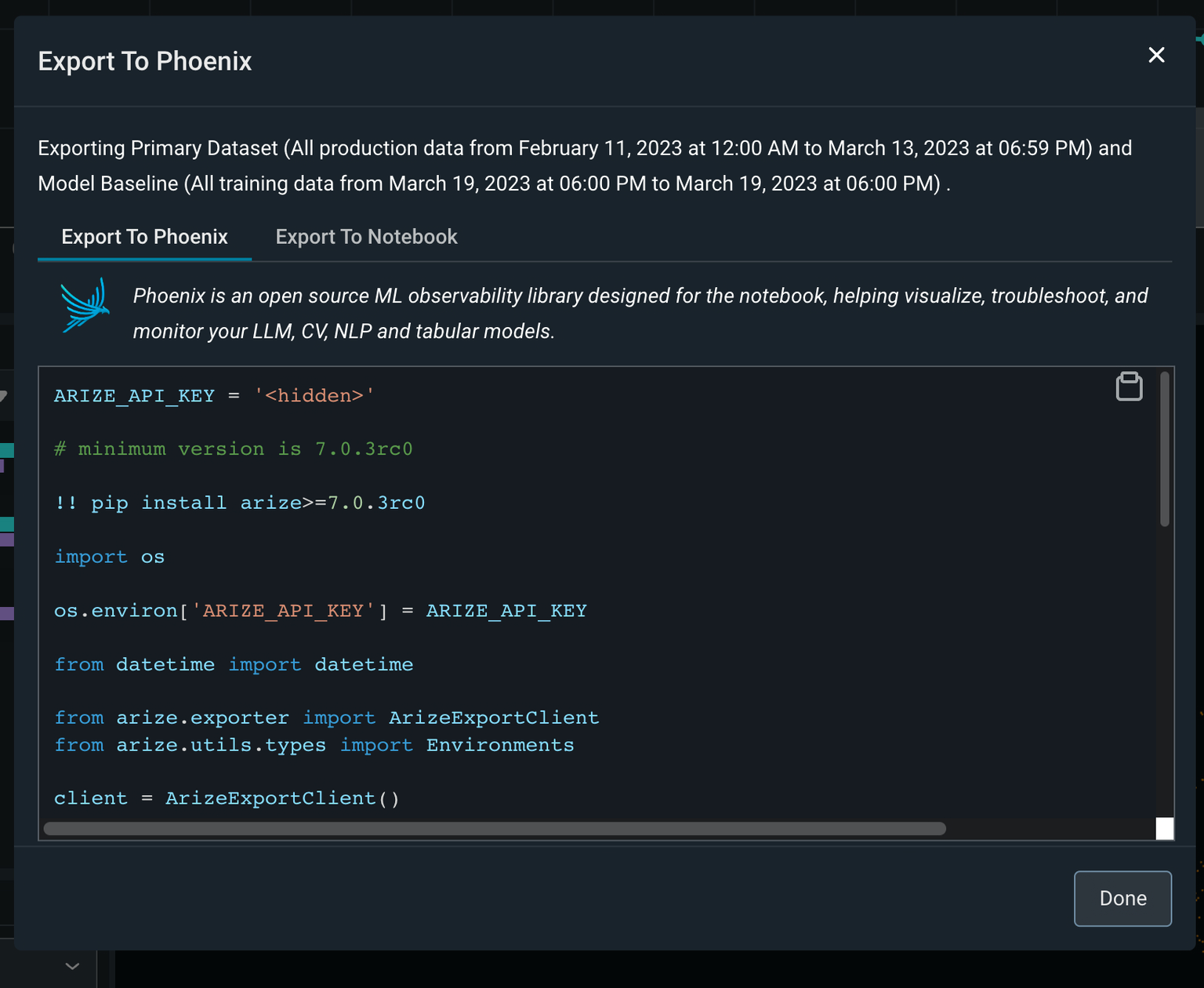
1. The easiest way is to click the export button on the Embeddings, Datasets, or Performance tracing pages. This will produce a code snippet that you can copy into a Python environment. This code snippet will include the date range you have selected in Arize AX, in addition to the datasets you have selected.

 2. Users can also query Arize AX for data directly using the Arize Python export client. We recommend doing this once you're more comfortable with the in-platform export functionality, as you will need to manually enter in the data ranges and datasets you want to export.
```python theme={null}
os.environ['ARIZE_API_KEY'] = ARIZE_API_KEY
from datetime import datetime
from arize.exporter import ArizeExportClient
from arize.utils.types import Environments
client = ArizeExportClient()
primary_df = client.export_model_to_df(
space_id='U3BhY2U6NzU0',
model_id='test_home_prices_LLM',
environment=Environments.PRODUCTION,
start_time=datetime.fromisoformat('2023-02-11T07:00:00.000+00:00'),
end_time=datetime.fromisoformat('2023-03-14T00:59:59.999+00:00'),
# Optionally specify columns to improve query performance
# columns=['context.span_id', 'attributes.llm.input']
)
```
Questions? Email us at [support@arize.com](mailto:support@arize.com) or [Slack us](https://arize-ai.slack.com/) in the #arize-support channel
2. Users can also query Arize AX for data directly using the Arize Python export client. We recommend doing this once you're more comfortable with the in-platform export functionality, as you will need to manually enter in the data ranges and datasets you want to export.
```python theme={null}
os.environ['ARIZE_API_KEY'] = ARIZE_API_KEY
from datetime import datetime
from arize.exporter import ArizeExportClient
from arize.utils.types import Environments
client = ArizeExportClient()
primary_df = client.export_model_to_df(
space_id='U3BhY2U6NzU0',
model_id='test_home_prices_LLM',
environment=Environments.PRODUCTION,
start_time=datetime.fromisoformat('2023-02-11T07:00:00.000+00:00'),
end_time=datetime.fromisoformat('2023-03-14T00:59:59.999+00:00'),
# Optionally specify columns to improve query performance
# columns=['context.span_id', 'attributes.llm.input']
)
```
Questions? Email us at [support@arize.com](mailto:support@arize.com) or [Slack us](https://arize-ai.slack.com/) in the #arize-support channel