> ## Documentation Index
> Fetch the complete documentation index at: https://arize-ax.mintlify.site/docs/llms.txt
> Use this file to discover all available pages before exploring further.
# Cost Agent
> Breaks down spend by model, task, and time window, finds expensive models doing low-complexity work, and recommends cheaper routing with quantified savings.
The Cost Agent is part of managed agents on **Enterprise**. Through **September 15, 2026**, Signal and managed agents are included at no additional charge for Enterprise. See [Pricing and usage](/docs/ax/security-and-settings/pricing-and-usage).
The **Cost Agent** breaks down spend by model, task, and time window, finds expensive models doing low-complexity work, and recommends cheaper routing with quantified savings.
Run as an automation, it files ranked **cost issues** in the same place [Signal](/docs/ax/observe/signal) files its own — scoped to spend rather than correctness. Run as a session, it returns the analysis in the transcript.
## What it finds
| Pattern | Quantified as |
| -------------------------------------------------------------------------- | -------------------------------------------------------------- |
| **Over-provisioned model tier** — a costly model doing low-complexity work | Current spend vs. spend at a cheaper tier, on that call volume |
| **Redundant or duplicate calls** | Duplicate count and summed wasted cost |
| **Runaway retries** — repeated calls after a failure in one trace | Retries per trace and their cost |
| **Expensive prompts** — usually unbounded context stuffing | Prompt-token percentiles and marginal cost |
It clusters by cause, so one finding covers a recurring pattern rather than a single expensive call, and each carries the numbers behind it plus a proposed fix.
 **Every figure comes from your span data; the agent never estimates.** It reads an explicit cost attribute where one exists, otherwise multiplies token counts by the model's published price, and excludes any span with neither — reporting how many it dropped. So accuracy depends on your spans carrying tokens or costs: if token columns show `n/a`, fix instrumentation first with [Track costs](/docs/ax/instrument/track-costs).
## Run it
**Signal & Agents → + New Agent → Cost Agent.**
**Every figure comes from your span data; the agent never estimates.** It reads an explicit cost attribute where one exists, otherwise multiplies token counts by the model's published price, and excludes any span with neither — reporting how many it dropped. So accuracy depends on your spans carrying tokens or costs: if token columns show `n/a`, fix instrumentation first with [Track costs](/docs/ax/instrument/track-costs).
## Run it
**Signal & Agents → + New Agent → Cost Agent.**
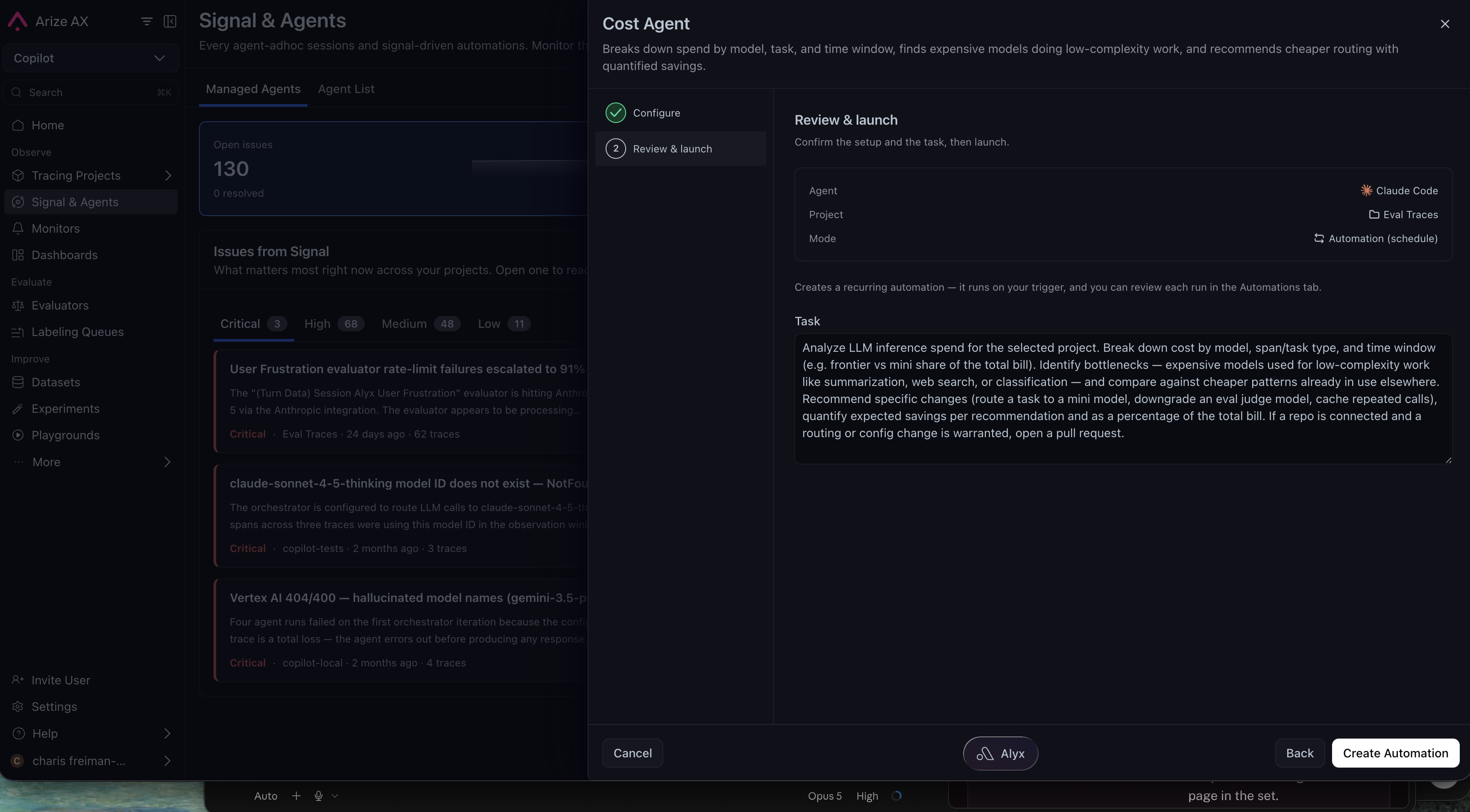 | Setting | Default |
| ---------------- | ---------------------------------------------------------------------------- |
| **Mode** | Automation, weekly on a cron trigger. A one-off session also works. |
| **Project** | Required — one project per run. Trace access is provisioned for you. |
| **GitHub skill** | Optional. Add one to let the agent open a PR for a routing or config change. |
You can add context about your cost constraints and approved models; it refines the analysis without overriding the rules above.
Most runs reconfirm existing issues and file nothing new, so a run that reports nothing is a valid result rather than a failure.
## Related docs
* [Signal](/docs/ax/observe/signal) — Ranked correctness and reliability issues
* [Build your own agent](/docs/ax/agents/build-your-own-agent) — The gallery, presets, and customization
* [Connect your harness](/docs/ax/agents/connect-your-harness) — Credentials, skills, and permissions
* [Track costs](/docs/ax/instrument/track-costs) — Get token and cost attributes onto your spans
| Setting | Default |
| ---------------- | ---------------------------------------------------------------------------- |
| **Mode** | Automation, weekly on a cron trigger. A one-off session also works. |
| **Project** | Required — one project per run. Trace access is provisioned for you. |
| **GitHub skill** | Optional. Add one to let the agent open a PR for a routing or config change. |
You can add context about your cost constraints and approved models; it refines the analysis without overriding the rules above.
Most runs reconfirm existing issues and file nothing new, so a run that reports nothing is a valid result rather than a failure.
## Related docs
* [Signal](/docs/ax/observe/signal) — Ranked correctness and reliability issues
* [Build your own agent](/docs/ax/agents/build-your-own-agent) — The gallery, presets, and customization
* [Connect your harness](/docs/ax/agents/connect-your-harness) — Credentials, skills, and permissions
* [Track costs](/docs/ax/instrument/track-costs) — Get token and cost attributes onto your spans