> ## Documentation Index
> Fetch the complete documentation index at: https://arize-ax.mintlify.site/docs/llms.txt
> Use this file to discover all available pages before exploring further.
# Versioning and Tags
> How Arize AX versions Prompt Objects — immutable hashed versions plus mutable tags — and what that buys you: rollback, reproduction, deploy-without-redeploy.
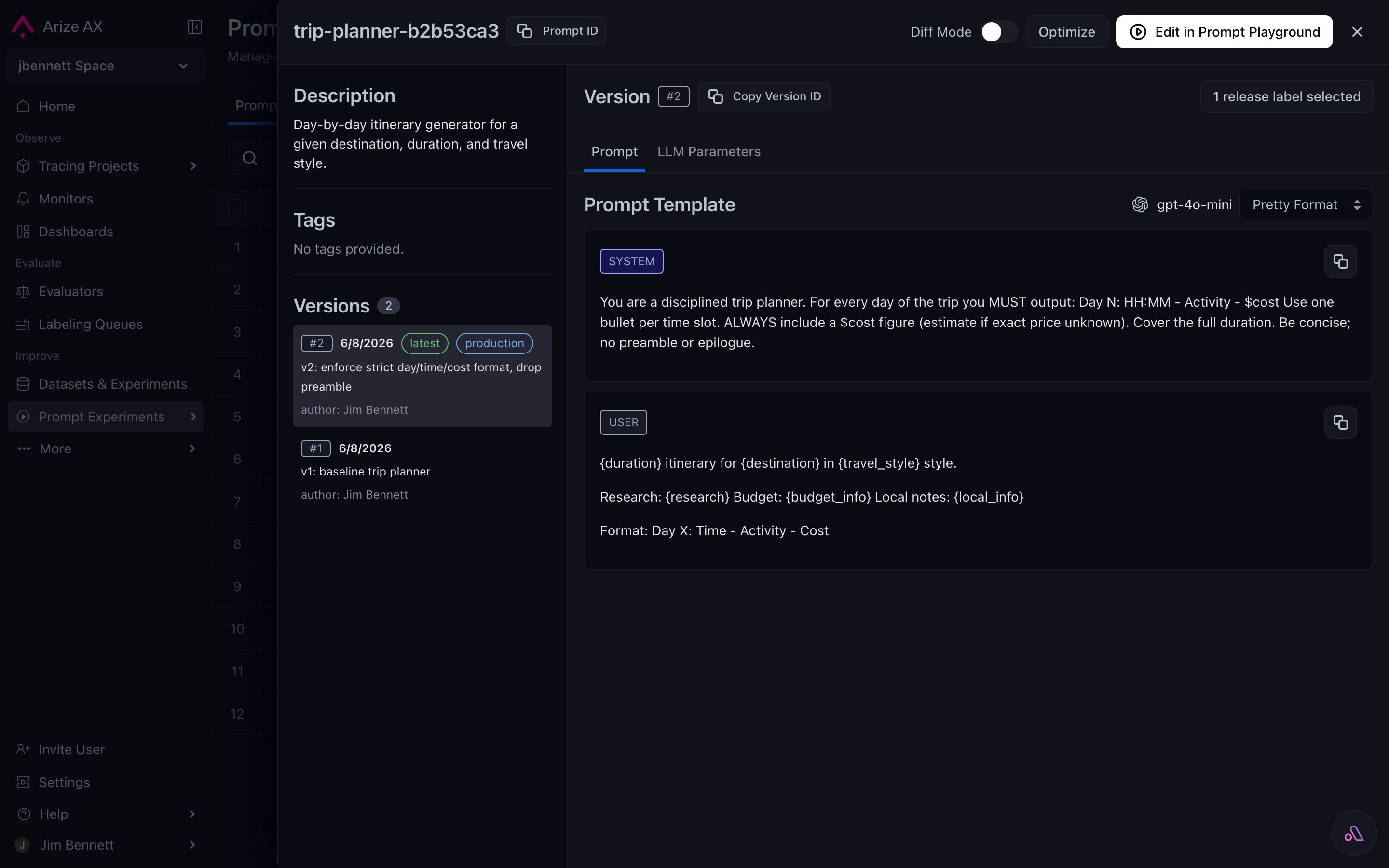
Every time you save a [Prompt Object](/docs/ax/concepts/prompts/prompt-object), Arize AX writes a new version. Versions are **immutable** — once saved, that exact content is permanent and content-addressed by a hash. Tags are **mutable** — they're moving labels that point at specific versions and can be repositioned over time.
The model is the same one Git uses: immutable commits, mutable branches and tags pointing at them. If you've used Git, you already know how to think about this.
# Immutable versions
Each save creates a hashed, immutable record of the whole Prompt Object — template, model, invocation params, tools, response format. Some properties of immutable versions:
* **Permanent.** Once a version exists, its content never changes. The hash is the version's identity.
* **Recoverable.** Every past version is loadable — into the Playground, into your application via the SDK, into a comparison view.
* **Diffable.** Any two versions can be compared side-by-side to see exactly what changed (template text, model, parameter values, tool definitions).
* **Append-only history.** Saves accumulate. Bad versions don't get overwritten; they stay in history alongside the good ones, available for postmortem.
This is what makes "rollback" cheap. Rolling back to a previous prompt isn't restoring from backup or hand-editing the template — it's pointing a tag at an older version that's still right there.
# Mutable tags
Tags are labels you control. The platform doesn't dictate what tags mean — you do. Common patterns:
| Tag | Conventional meaning |
| :---------------- | :----------------------------------------------------------------- |
| `production` | The version your live application reads via the SDK |
| `staging` | The next-to-promote version, being validated |
| `dev` | Whatever is currently being iterated on |
| `prod-v1.2` | A named milestone you might pin to for a customer or for a CI test |
| `experiment-temp` | Short-lived flag while a single experiment runs |
A tag points at exactly one version at any moment. When you move a tag, the previous version it pointed at doesn't change — only the tag's pointer does. The application reading `production` immediately starts seeing the new version on its next SDK fetch.
This is what makes "deploy without redeploy" work. You don't ship code to change which prompt is in production; you move the `production` tag in the Hub and the application picks it up.
 # The versioning timeline
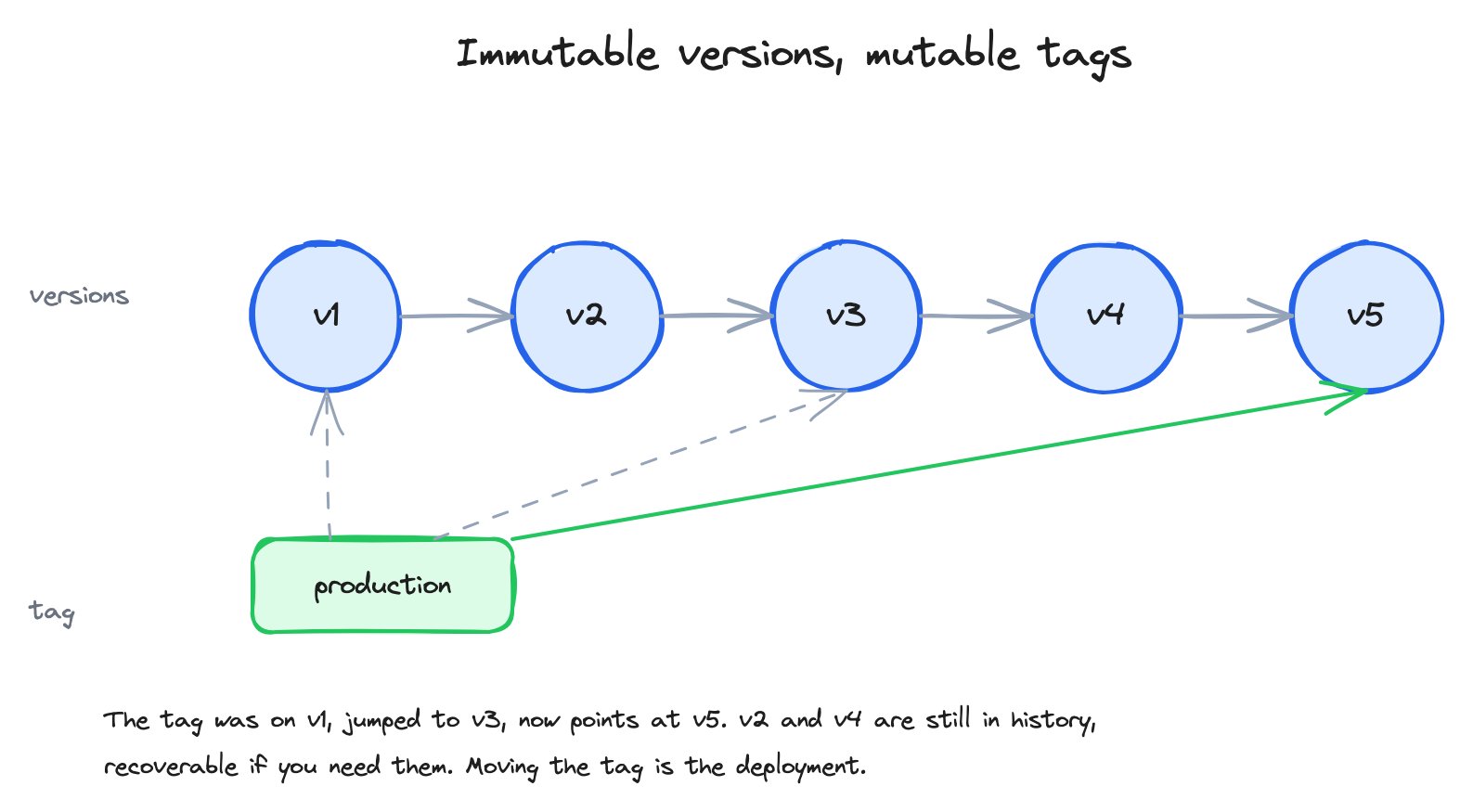 In the diagram, the timeline shows five immutable versions. The `production` tag starts pointing at v1, jumps to v3 after a successful experiment, then jumps to v5 after the next iteration. v2 and v4 are still in history — they were intermediate iterations that didn't get promoted. They're recoverable if you need them.
# Diff mode
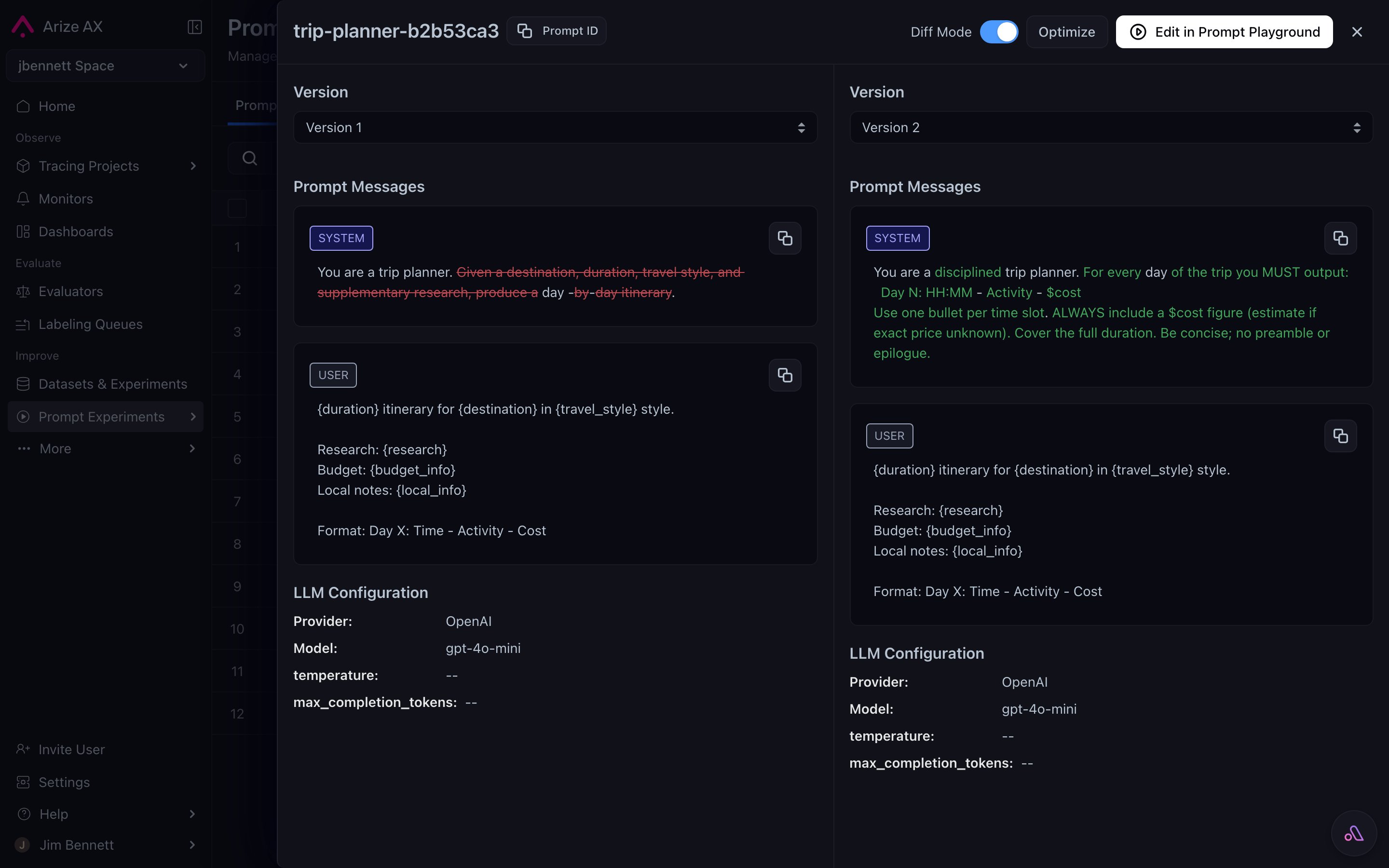
Any two versions of the same prompt can be diffed in the Hub UI. Diff mode highlights:
* **Template text changes** — added / removed words highlighted inline, the same way a code review tool shows them.
* **Parameter changes** — temperature went from 0.7 to 0.3, max tokens changed.
* **Model swaps** — `gpt-5.4` → `gpt-5.4-mini`.
* **Tool additions or removals** — a function definition appeared or vanished.
When you're trying to understand why version N behaves differently from version N-1, diff mode is the fastest way to spot the cause.
In the diagram, the timeline shows five immutable versions. The `production` tag starts pointing at v1, jumps to v3 after a successful experiment, then jumps to v5 after the next iteration. v2 and v4 are still in history — they were intermediate iterations that didn't get promoted. They're recoverable if you need them.
# Diff mode
Any two versions of the same prompt can be diffed in the Hub UI. Diff mode highlights:
* **Template text changes** — added / removed words highlighted inline, the same way a code review tool shows them.
* **Parameter changes** — temperature went from 0.7 to 0.3, max tokens changed.
* **Model swaps** — `gpt-5.4` → `gpt-5.4-mini`.
* **Tool additions or removals** — a function definition appeared or vanished.
When you're trying to understand why version N behaves differently from version N-1, diff mode is the fastest way to spot the cause.
 # What this buys you
The version + tag model is what makes the rest of the prompt workflow possible:
* **Safe rollback** — bad version shipped? Move the tag back. Seconds, not a redeploy.
* **Reproducible past results** — a bug report from last month references a version hash you can load exactly.
* **Unambiguous deployment** — *"use the `production`-tagged version"* is precise; *"use whatever's latest"* is not.
* **Auditable history** — who saved what, when, with what description. Useful for compliance and for postmortems.
* **Concurrent collaboration** — two teammates can iterate on the same prompt by saving new versions; nobody's edit overwrites anybody else's.
The next page covers the Hub itself — the centralized repository these versions live in.
***
## Next step
Versions and tags are the units. The Prompt Hub is where they live.
# What this buys you
The version + tag model is what makes the rest of the prompt workflow possible:
* **Safe rollback** — bad version shipped? Move the tag back. Seconds, not a redeploy.
* **Reproducible past results** — a bug report from last month references a version hash you can load exactly.
* **Unambiguous deployment** — *"use the `production`-tagged version"* is precise; *"use whatever's latest"* is not.
* **Auditable history** — who saved what, when, with what description. Useful for compliance and for postmortems.
* **Concurrent collaboration** — two teammates can iterate on the same prompt by saving new versions; nobody's edit overwrites anybody else's.
The next page covers the Hub itself — the centralized repository these versions live in.
***
## Next step
Versions and tags are the units. The Prompt Hub is where they live.