> ## Documentation Index
> Fetch the complete documentation index at: https://arize-ax.mintlify.site/docs/llms.txt
> Use this file to discover all available pages before exploring further.
# February 2025
> New Releases, Enhancements, + Changes
## What's New
February 27, 2025
#### Labeling Queues
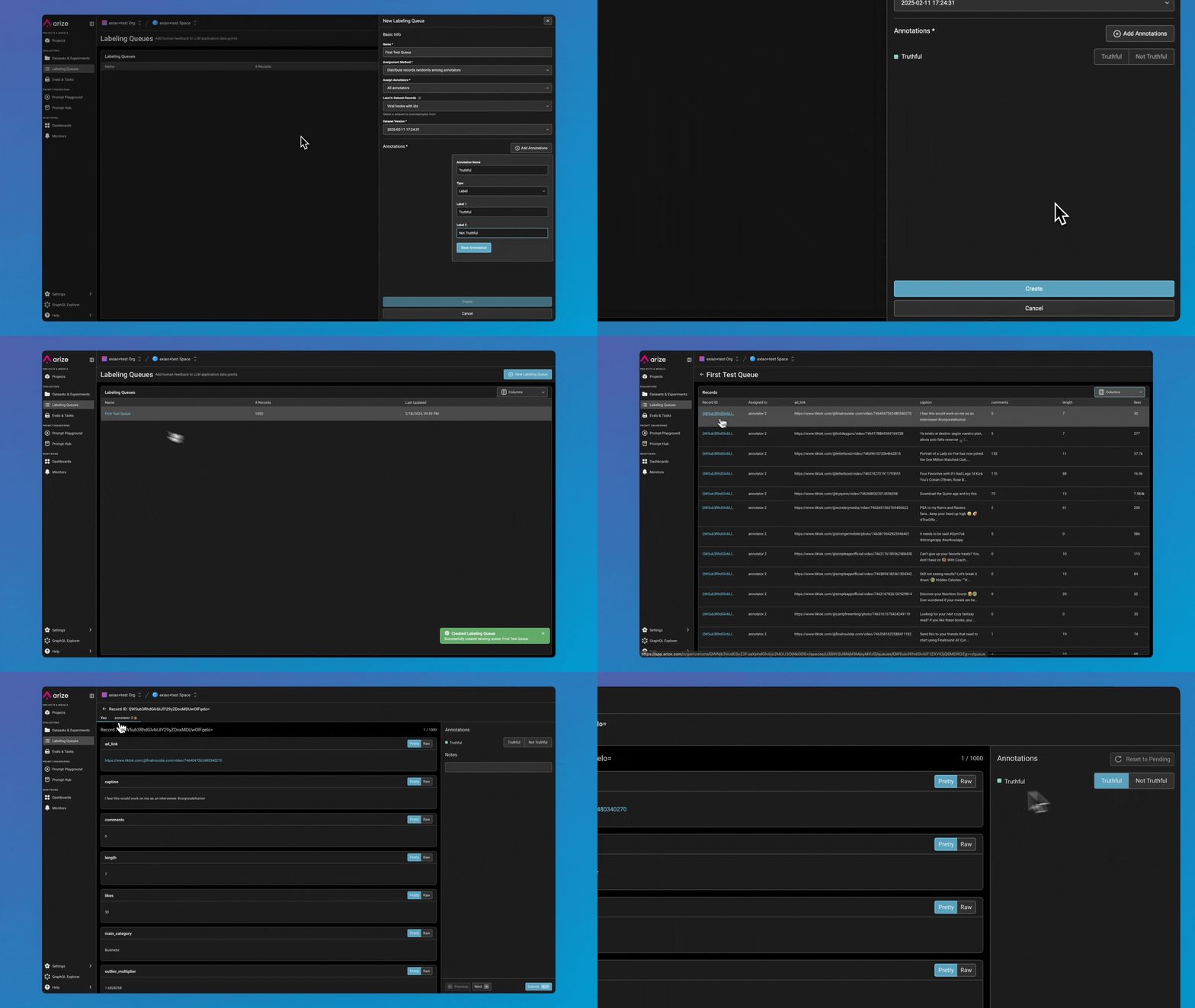
Labeling Queues are now live, making dataset annotation more scalable and efficient with features such as:
* **New Annotator Role** – A dedicated RBAC role with focused permissions, ensuring annotators only see assigned records while keeping other data secure.
* **Seamless Queue Creation** – Create Labeling Queues directly from dataset records, with annotations automatically written back for easy tracking.
* **Annotation Resets** – AI Engineers can reset annotations, allowing re-labeling when needed.
* **Flexible Assignment Methods** – Choose between Random or All assignments for annotators in a queue.
* **Fast & Streamlined UI** – Optimized for quick labeling workflows with: Hotkey support, background data fetching & pagination, and background submissions.
[Learn more →](/docs/ax/evaluate/labeling-queues)
 ## Enhancements
February 14, 2025
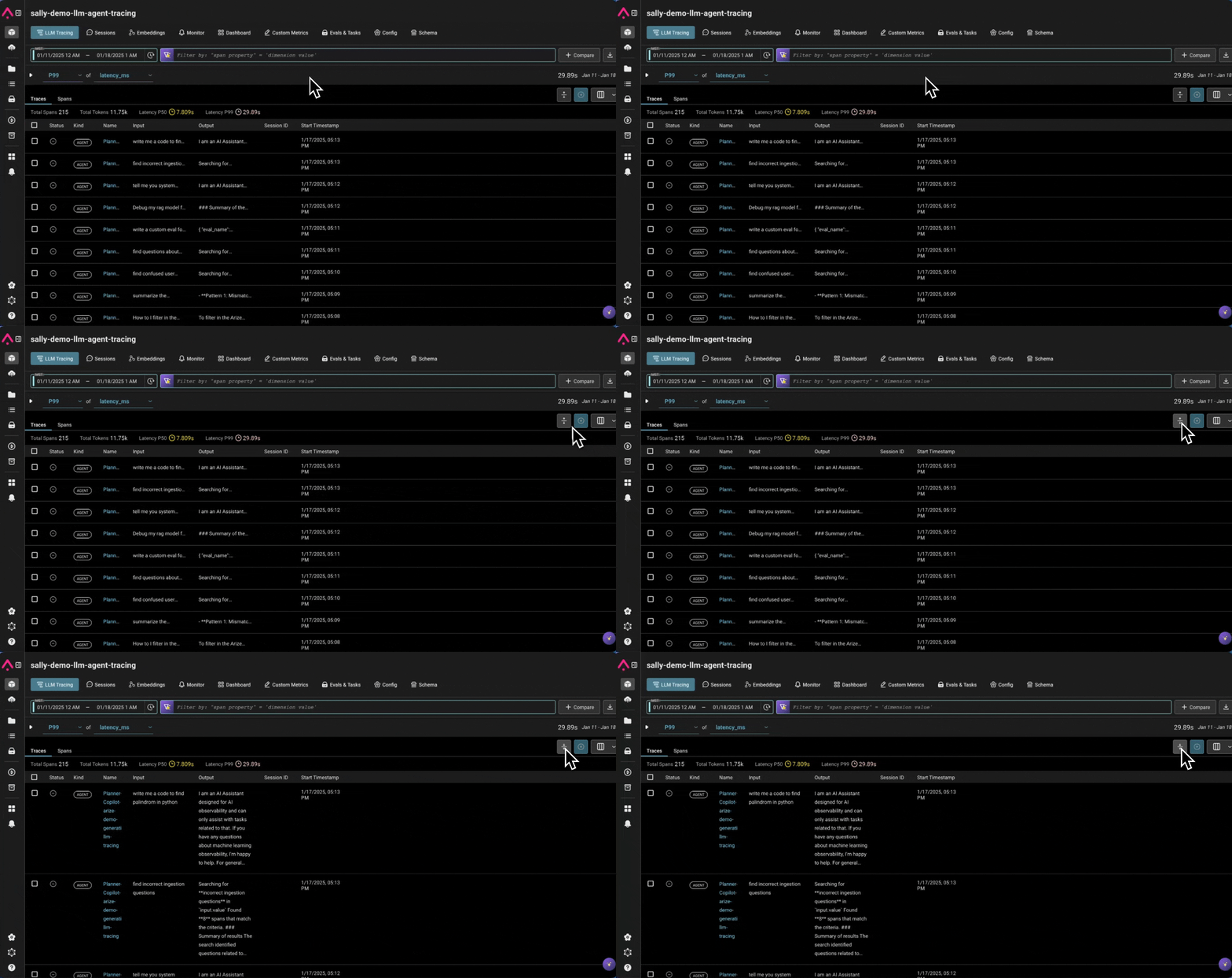
#### Expand/Collapse Rows in the Trace Table
You can now collapse rows to see more data at a glance or expand them to view more text.
## Enhancements
February 14, 2025
#### Expand/Collapse Rows in the Trace Table
You can now collapse rows to see more data at a glance or expand them to view more text.
 #### Monitor Runtime
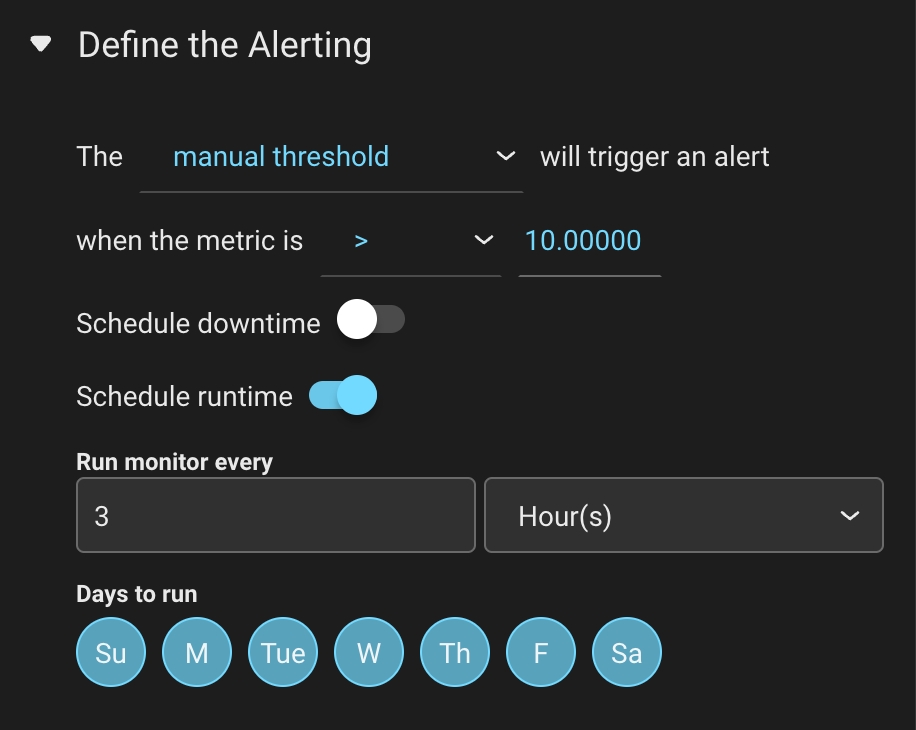
Users can now schedule when monitors run. Users can configure their monitors to run:
* Hourly & Daily: Select specific days of the week.
* Daily, Weekly & Monthly: Runs at 12 AM UTC after creation.
* Default Behavior: Monitors will continue running every 3 hours, 7 days a week unless configured otherwise.
#### Monitor Runtime
Users can now schedule when monitors run. Users can configure their monitors to run:
* Hourly & Daily: Select specific days of the week.
* Daily, Weekly & Monthly: Runs at 12 AM UTC after creation.
* Default Behavior: Monitors will continue running every 3 hours, 7 days a week unless configured otherwise.
 #### Column Specification With Exporting Data
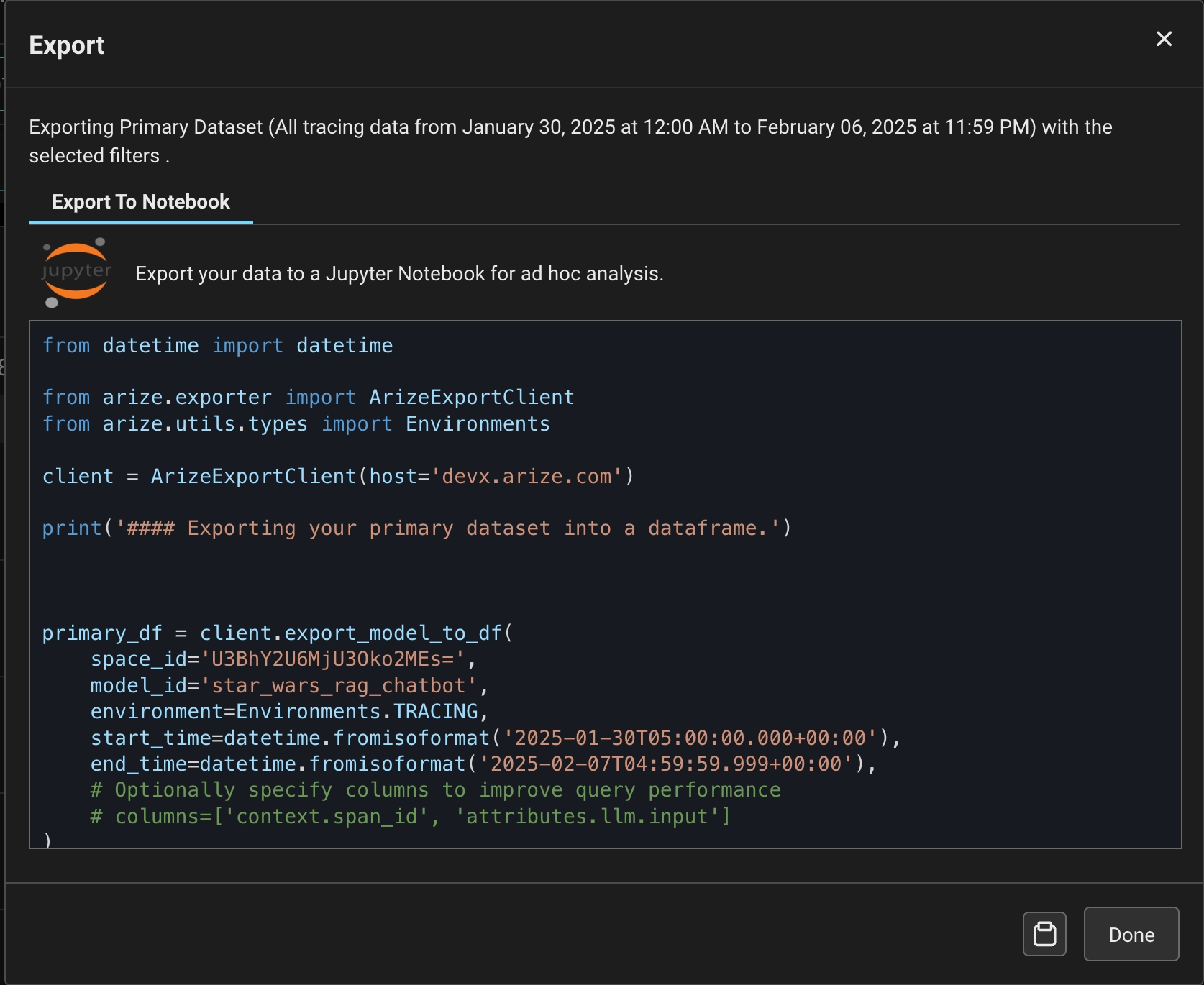
Users can now export only the columns they care about for large datasets, reducing SDK export time by up to 95%.
* Specify which columns of data you'd like to export when exporting data via the [ArizeExportClient](https://arize-client-python.readthedocs.io/en/latest/llm-api/exporter.html)
* When using the `export_model_to_df` function, users can specify the `columns` parameter to only export specific columns.
#### Column Specification With Exporting Data
Users can now export only the columns they care about for large datasets, reducing SDK export time by up to 95%.
* Specify which columns of data you'd like to export when exporting data via the [ArizeExportClient](https://arize-client-python.readthedocs.io/en/latest/llm-api/exporter.html)
* When using the `export_model_to_df` function, users can specify the `columns` parameter to only export specific columns.
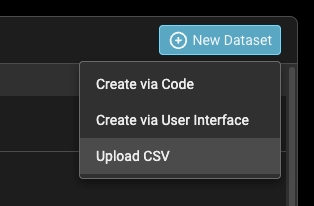
 #### Create a Dataset from CSV
Users can now upload CSVs as a dataset in Arize. Columns in the file will be attributes that users can access in Experiments or in Prompt Playground. [Learn more →](/docs/ax/develop/datasets/how-to-datasets)
#### Create a Dataset from CSV
Users can now upload CSVs as a dataset in Arize. Columns in the file will be attributes that users can access in Experiments or in Prompt Playground. [Learn more →](/docs/ax/develop/datasets/how-to-datasets)
 #### Monitor Improvements
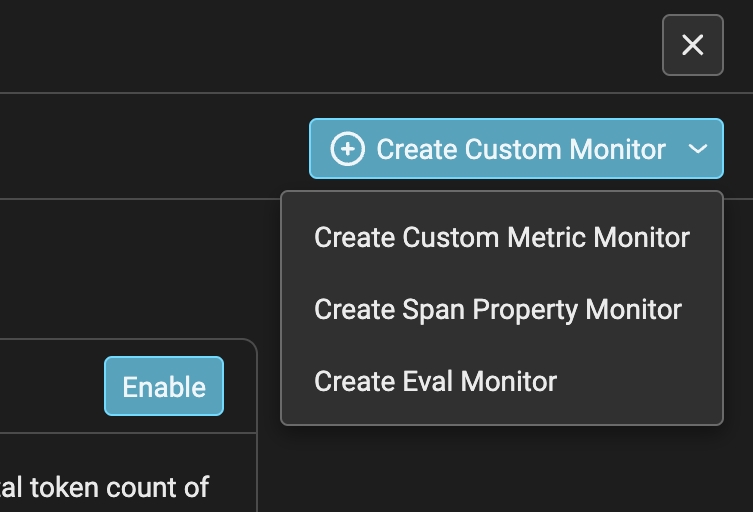
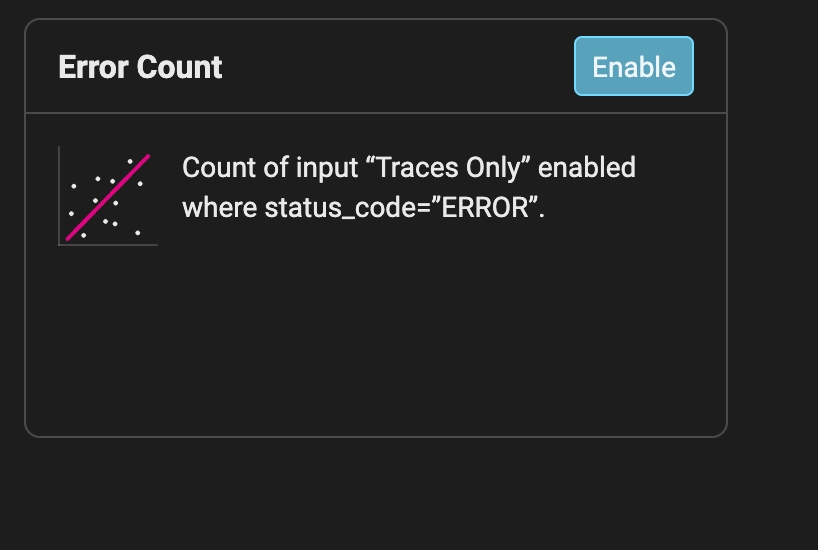
We've made some updates to make monitors more organized, searchable, and user-friendly. Here's what's new:
* Cardless Design – A sleek, modern table view for better readability.
* Project-Level Monitors – LLM and ML monitors now have separate tabs.
* Search & Sort – Find monitors by name or dimension, plus sort by any column.
* Summary Stats – See how many monitors triggered in the last 24 hours
* New LLM Monitor Types – Clearer categories:
* Custom Metric Monitor → Performance Monitor with a custom metric preselected.
* Span Property Monitor → Data Quality Monitor for span properties.
* Evaluation Monitor → Data Quality Monitor for evaluations.
* Quick Monitor for Errors – Easily enable error count monitoring (count, status\_code = ERROR).
#### Monitor Improvements
We've made some updates to make monitors more organized, searchable, and user-friendly. Here's what's new:
* Cardless Design – A sleek, modern table view for better readability.
* Project-Level Monitors – LLM and ML monitors now have separate tabs.
* Search & Sort – Find monitors by name or dimension, plus sort by any column.
* Summary Stats – See how many monitors triggered in the last 24 hours
* New LLM Monitor Types – Clearer categories:
* Custom Metric Monitor → Performance Monitor with a custom metric preselected.
* Span Property Monitor → Data Quality Monitor for span properties.
* Evaluation Monitor → Data Quality Monitor for evaluations.
* Quick Monitor for Errors – Easily enable error count monitoring (count, status\_code = ERROR).
 #### OTEL Tracing Via HTTP
We've added support for HTTP protocol when sending traces to Arize through an OTEL tracer.
* To use:\* S\*pecify `/v1/traces` as the endpoint and `Transport.HTTP` as the transport in our `register` helper
```csharp theme={null}
// tracer_provider = register(
endpoint="https://otlp.arize.com/v1/traces", # NEW
transport=Transport.HTTP, # NEW
space_id=SPACE_ID,
api_key=API_KEY
project_name="test-project-http",
)
```
### 📚 New Content
The latest video tutorials, paper readings, ebooks, self-guided learning modules, and technical posts:
🐳 [DeepSeek Deep Dive](https://arize.com/blog/how-deepseek-is-pushing-the-boundaries-of-ai-development/)
🤖 [How to Build an AI Agent](https://arize.com/blog/how-to-build-an-ai-agent/)
🎉 [We Raised \$70M: A Note from our Founders](https://arize.com/blog/arize-ai-raises-70m-series-c-to-build-the-gold-standard-for-ai-evaluation-observability/)
💯 [How 100X AI Uses Phoenix to Supercharge AI-Driven Troubleshooting](https://arize.com/blog/how-100x-ai-uses-phoenix-to-supercharge-ai-driven-troubleshooting/)
🤖 [Understanding Agentic RAG](https://arize.com/blog/understanding-agentic-rag/)
⚙️ [Multiagent Finetuning: A Conversation with Researcher Yilun Du](https://arize.com/blog/multiagent-finetuning-a-conversation-with-researcher-yilun-du/)
#### OTEL Tracing Via HTTP
We've added support for HTTP protocol when sending traces to Arize through an OTEL tracer.
* To use:\* S\*pecify `/v1/traces` as the endpoint and `Transport.HTTP` as the transport in our `register` helper
```csharp theme={null}
// tracer_provider = register(
endpoint="https://otlp.arize.com/v1/traces", # NEW
transport=Transport.HTTP, # NEW
space_id=SPACE_ID,
api_key=API_KEY
project_name="test-project-http",
)
```
### 📚 New Content
The latest video tutorials, paper readings, ebooks, self-guided learning modules, and technical posts:
🐳 [DeepSeek Deep Dive](https://arize.com/blog/how-deepseek-is-pushing-the-boundaries-of-ai-development/)
🤖 [How to Build an AI Agent](https://arize.com/blog/how-to-build-an-ai-agent/)
🎉 [We Raised \$70M: A Note from our Founders](https://arize.com/blog/arize-ai-raises-70m-series-c-to-build-the-gold-standard-for-ai-evaluation-observability/)
💯 [How 100X AI Uses Phoenix to Supercharge AI-Driven Troubleshooting](https://arize.com/blog/how-100x-ai-uses-phoenix-to-supercharge-ai-driven-troubleshooting/)
🤖 [Understanding Agentic RAG](https://arize.com/blog/understanding-agentic-rag/)
⚙️ [Multiagent Finetuning: A Conversation with Researcher Yilun Du](https://arize.com/blog/multiagent-finetuning-a-conversation-with-researcher-yilun-du/)