> ## Documentation Index
> Fetch the complete documentation index at: https://arize-ax.mintlify.site/docs/llms.txt
> Use this file to discover all available pages before exploring further.
# TypeSafe AI
> Add a TypeSafe AI API key to run Jev-as-a-Judge (System One) evaluations in Arize AX
Add your TypeSafe AI API key so Arize AX can call **Jev** when you run [Jev-as-a-Judge](/docs/ax/evaluate/jev-as-a-judge) evaluators.
TypeSafe is **eval-only**: it powers System One / Jev evaluators and does not appear in the prompt playground or managed-agent model pickers. There is no base URL or model list to configure — Arize always calls `jev-latest`.
By adding this integration, your data may be sent to TypeSafe AI when your System One evaluators run, and your TypeSafe AI account will be billed for usage.
## Add the Integration from Arize AX
**Navigate to Settings → AI Providers**, then select **TypeSafe AI**.
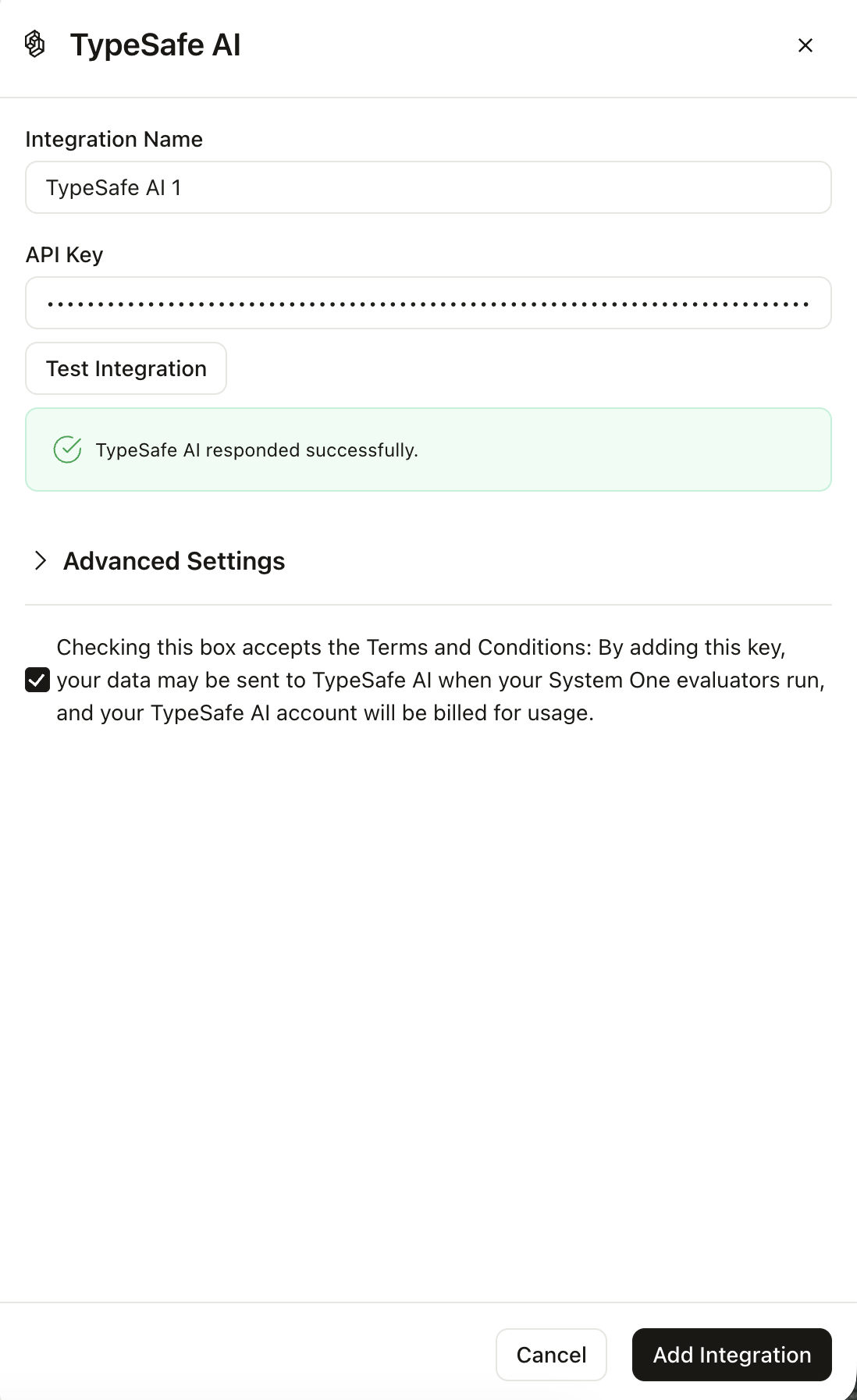 1. Give the integration a **name** and paste your TypeSafe **API key**.
2. Accept the terms checkbox.
3. Optionally click **Test Integration** (billable). A successful test shows **TypeSafe AI responded successfully.**
4. Save the integration.
Creating AI Providers requires Organization Admin or Account Admin access. After saving, create a [Jev-as-a-Judge](/docs/ax/evaluate/jev-as-a-judge) evaluator and select this integration.
1. Give the integration a **name** and paste your TypeSafe **API key**.
2. Accept the terms checkbox.
3. Optionally click **Test Integration** (billable). A successful test shows **TypeSafe AI responded successfully.**
4. Save the integration.
Creating AI Providers requires Organization Admin or Account Admin access. After saving, create a [Jev-as-a-Judge](/docs/ax/evaluate/jev-as-a-judge) evaluator and select this integration.