

Two Ways to Evaluate
Client-Side Evals (SDK)
Python and TypeScript SDKs for running evaluations against Phoenix traces, datasets, or any data source. Full control over evaluation logic, judge models, and pipelines.
Server-Side Evals (UI)
Configure evaluators in the Phoenix UI and attach them to your datasets. Phoenix scores experiment results automatically — no code required.
Features
- Model Agnostic via adapters (for OpenAI, LiteLLM, LangChain, AI SDK, and more) — so you can easily switch judge models, or stick to your preferred provider.
- Powerful input mapping system for working with complex data structures — easily map nested data and complex inputs to evaluator requirements.
- Pre-built metrics for common evaluation tasks and use cases like RAG and tool-calling agents.
- Evaluators are natively instrumented via OpenTelemetry tracing for observability and dataset curation.
- Blazing fast performance — achieve up to 20x speedup with built-in concurrency and batching.
- Built-in Explanations — language-model evaluations return an explanation by default for better results and richer signals. Decision-model evaluations return a label with per-label probabilities with no explanation.
Structured Output via Tool Calling
LLM evaluators use function calling (tool use) to extract structured judgments rather than parsing freeform text. Phoenix generates a tool from the evaluator’s output config — for example:Executors

- Rate limit handling: automatically retries when LLM providers throttle requests
- Error management: distinguishes between temporary failures and permanent errors so retries don’t waste API budget
- Dynamic concurrency: adjusts parallelism based on provider performance to maximize throughput without triggering rate limits
Evaluator Tracing

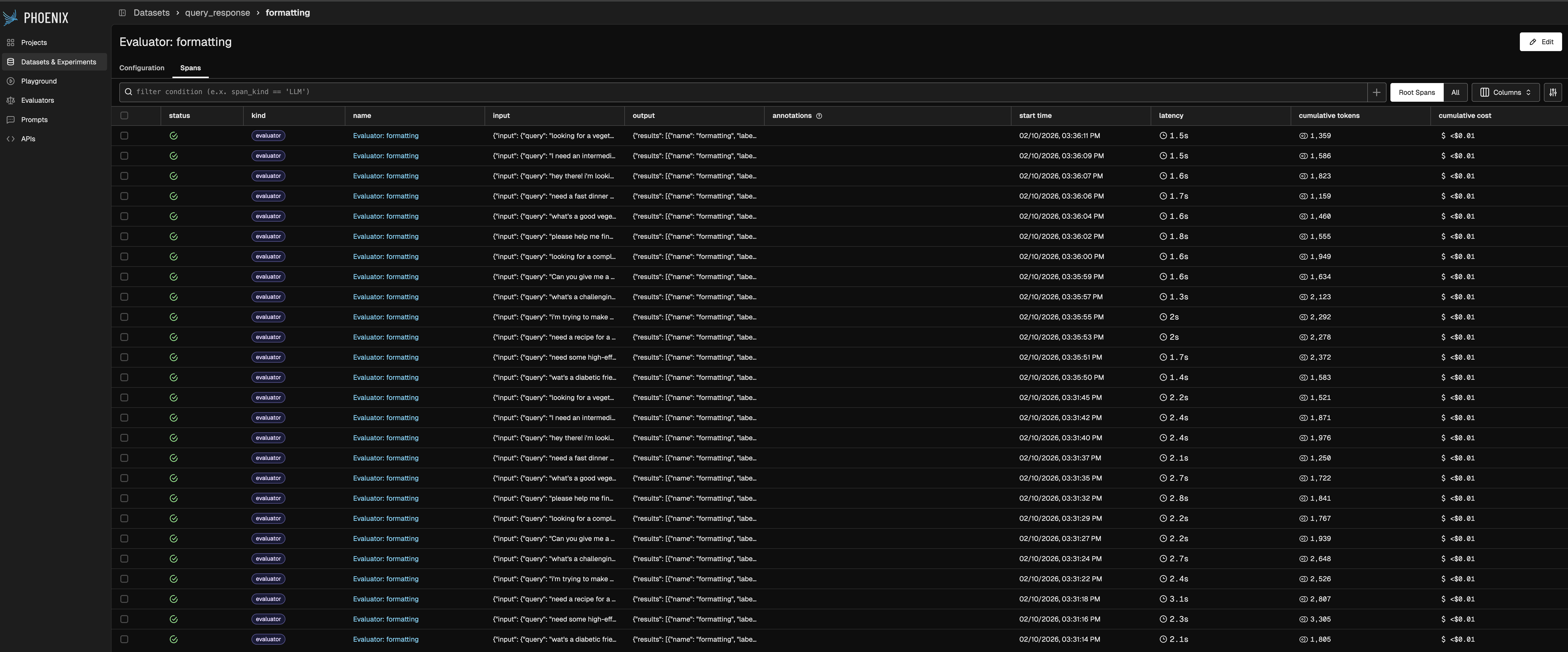
Evaluator traces list view
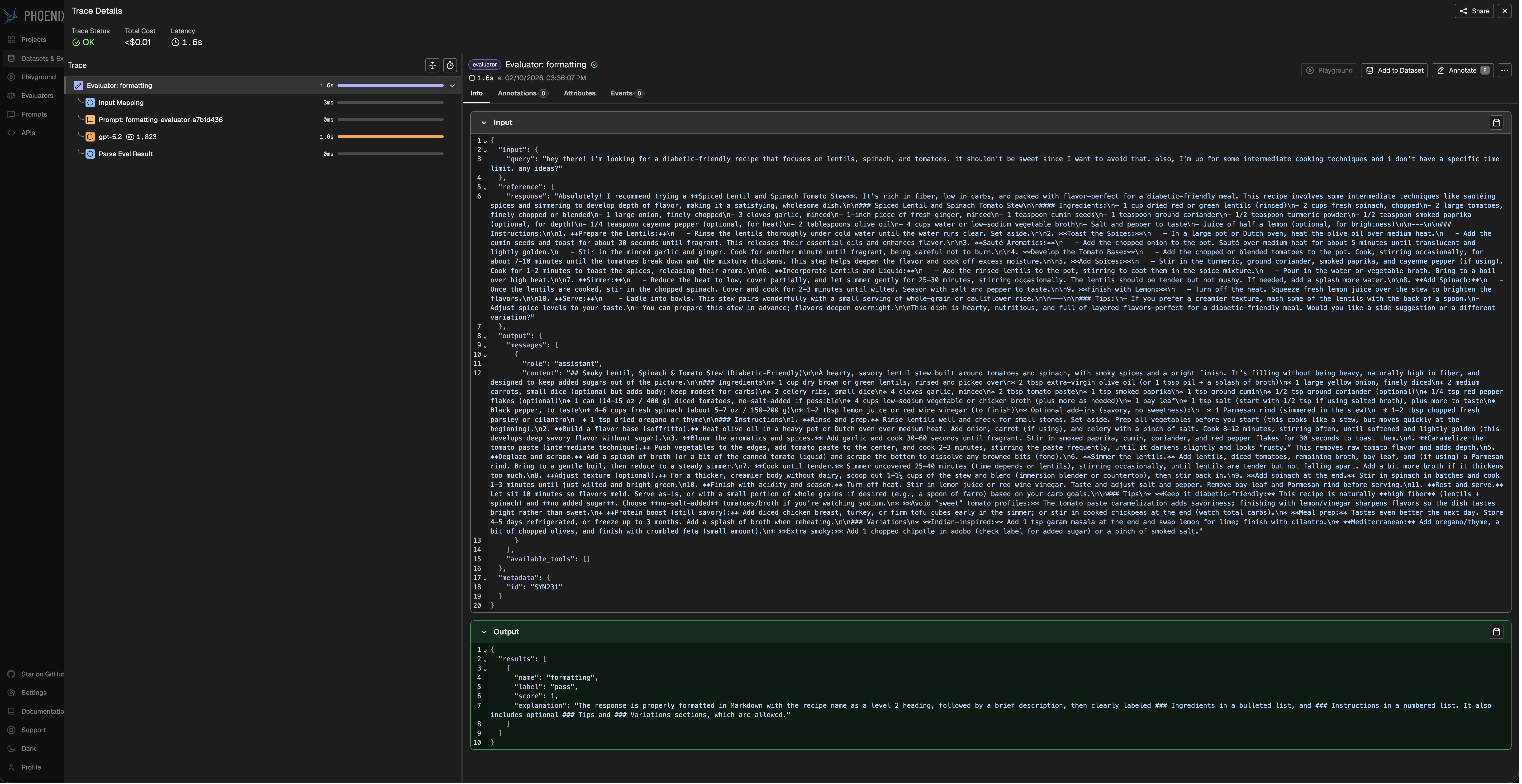
Evaluator trace detail view
For continuous monitoring of application performance — evals on production traffic with alerting and threshold-based triggers — see Arize AX Online Evals.