

Dataset evaluators currently run automatically only for experiments executed from the Phoenix UI (e.g., the Playground). For programmatic experiments, pass evaluators explicitly to
run_experiment. See Using Evaluators for details.Why Use Dataset Evaluators
When iterating on prompts in the Playground, dataset evaluators eliminate the need to manually configure evaluators each time. Attach them once to your dataset, and they run automatically on every experiment.- Consistent evaluation: The same criteria applied every time you test
- Faster iteration: No setup required when running experiments from the UI
- Built-in tracing: Each evaluator captures traces for debugging and refinement
Creating a Dataset Evaluator
- Navigate to your dataset and click the Evaluators tab
- Click Add evaluator and choose:
- LLM evaluator: Use an LLM to judge outputs (e.g., correctness, relevance)
- Built-in code evaluator: Use deterministic checks (e.g., exact match, regex, contains)
- Configure the input mapping to connect evaluator variables to dataset fields
- Test with an example, then save
Input Mapping Reference
Dataset evaluators use the same input mapping concepts as the evals library, but the UI exposes them as dataset field paths. You can map evaluator inputs from any of these sources:input: the example input payloadoutput: the example output payloadreference: the expected output valuemetadata: example metadata for filtering, grouping, or scoring context
input.query, output.response, metadata.intent). For additional mapping patterns and transformation examples, see Input Mapping.
Built-In Code Evaluators
Built-in evaluators are designed for fast, deterministic checks and are configured directly in the UI. Available built-ins and their key settings:
You can map evaluator inputs from dataset fields or supply literal values (for example, a fixed regex pattern). For full parameter details, defaults, and behavior notes, see Built-in Evaluators.
Evaluator Traces
Each dataset evaluator has its own project that captures traces. Use these traces to:- Debug unexpected evaluation results
- Identify where your evaluator prompt needs refinement
- Track how evaluator behavior changes over time
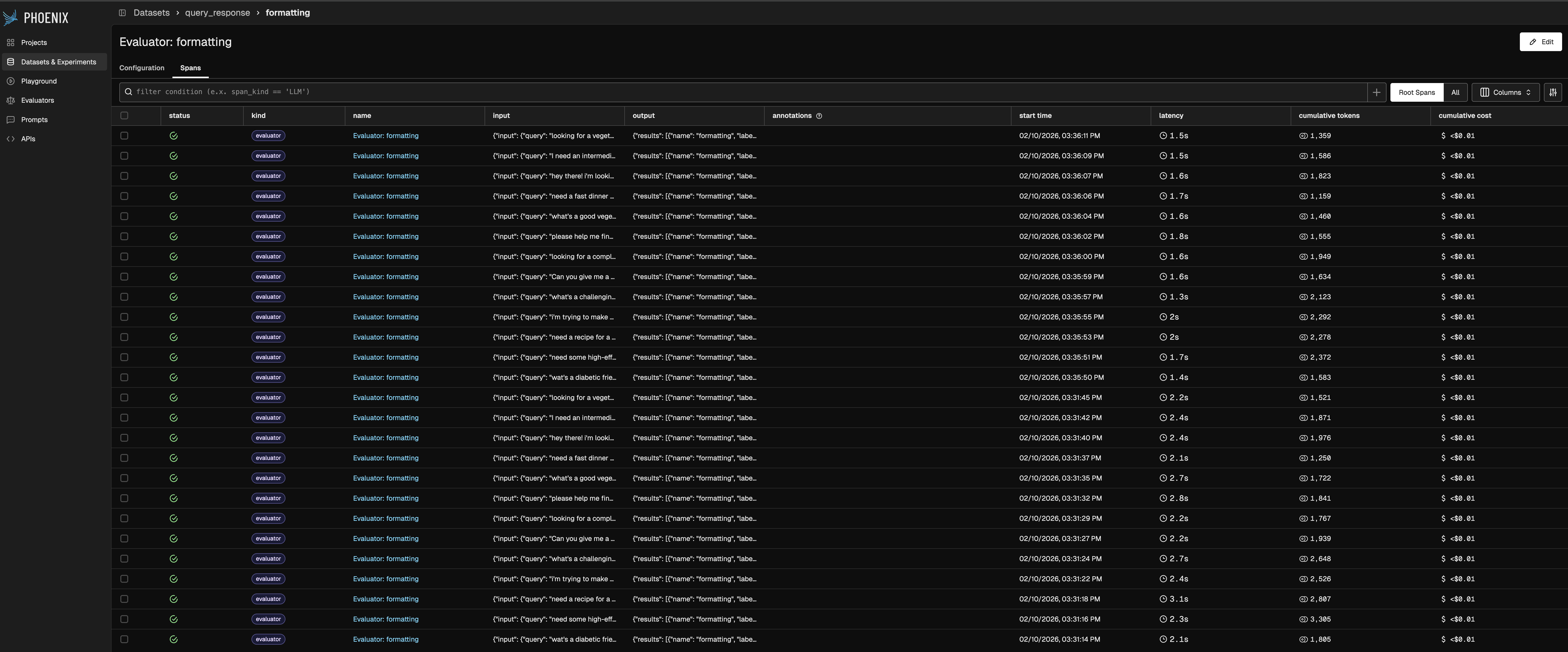
Evaluator traces overview