

For the most up-to-date annotation workflow and a simpler implementation, use our Annotations SDK. On the Human review page, open the By Code tab under Annotate your data for the Annotations Dataframe Schema reference.
Overview
Some users have internal workflows for annotating LLM data and need to streamline the process of exporting those annotated examples to the Arize AX platform. An example scenario involves non-technical subject matter experts using tools like Google Sheets to label LLM output with evaluation metrics. These labels can then be reviewed and analyzed by the technical team within the Arize AX platform. The GraphQL API enables users to programmatically export these annotation labels to Arize AX, facilitating further analysis and deeper insights. For additional details around how to use annotations in the Arize AX platform, refer to Human review.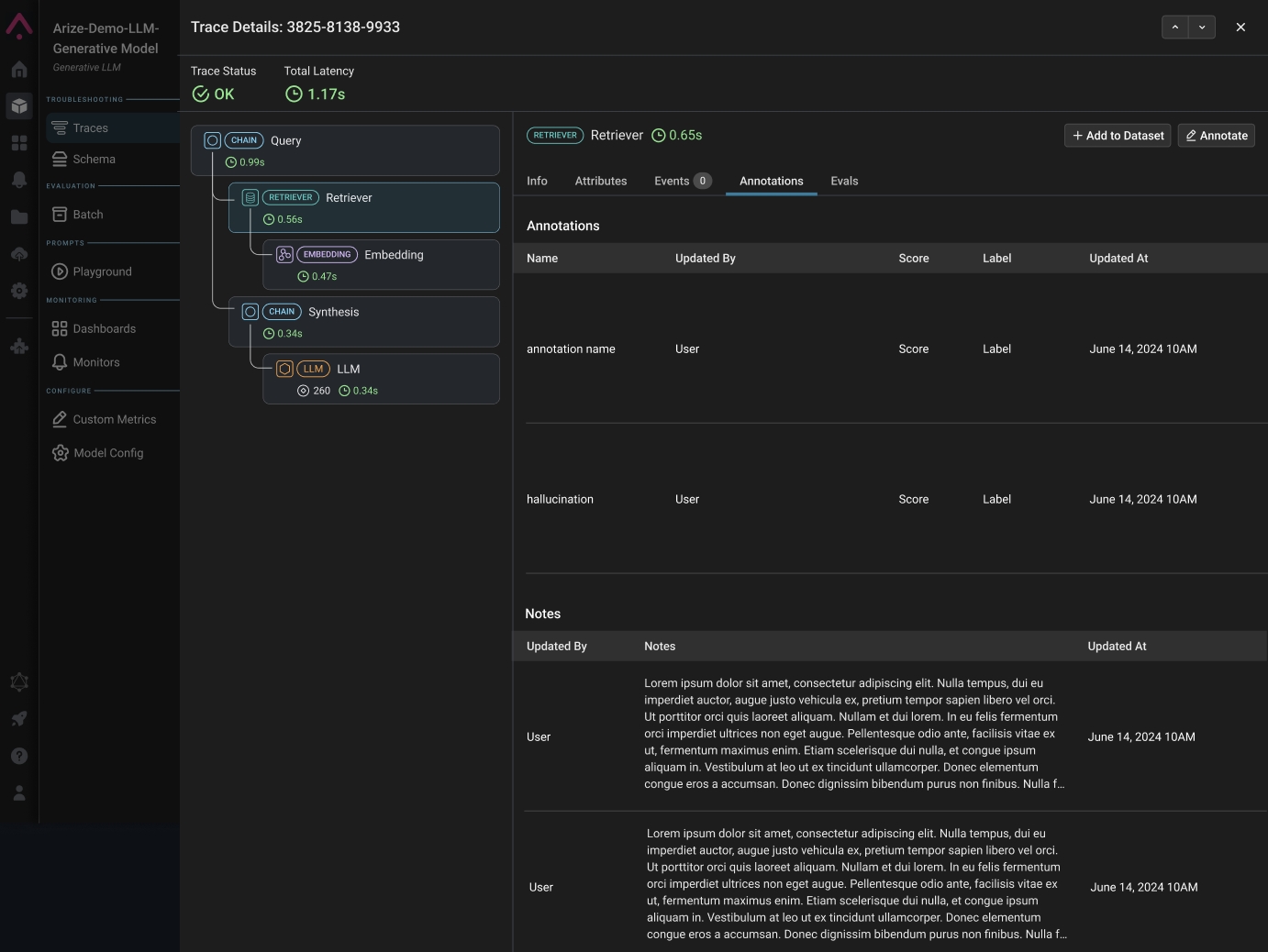
Example of Annotations Data
Testing the GraphQL API Call
Users can test the annotations API call by navigating to https://app.arize.com/graphql.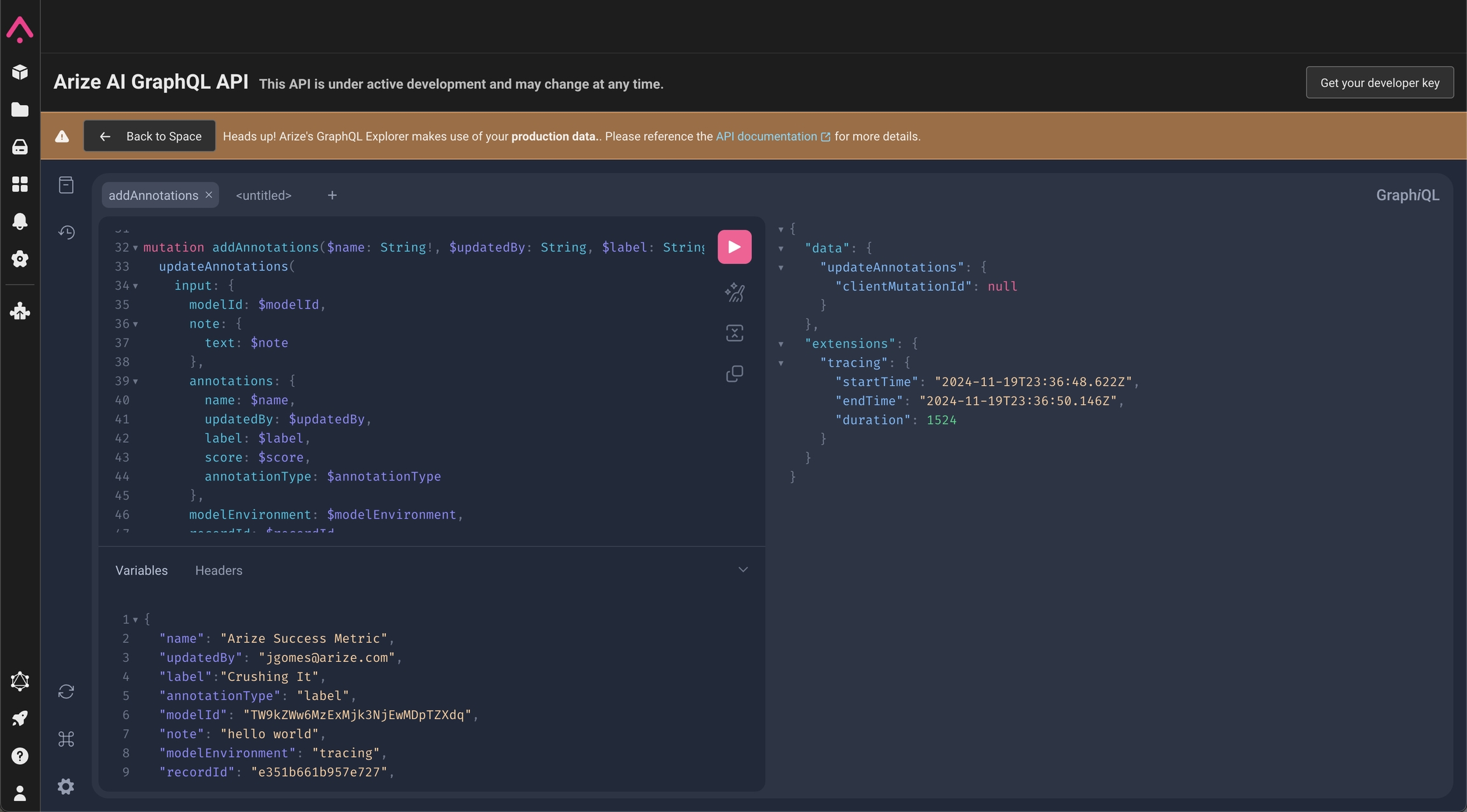
UI to test GraphQL Calls
Mutation API to Add Annotations
Users can use a GraphQL mutation to add an annotation programmatically.Variables section contains the metadata that needs to be passed in: