


How data reaches an LLM judge and where its result lands
What to evaluate
Start where problematic traces cluster: repeated confusion or dissatisfaction in user messages is a good cue to build a user frustration eval and measure how often it fires. Your eval input can be any mix of the agent’s inputs, outputs, metadata, and prompt variables, pulled from whole traces or from the specific spans that show the behavior you care about.Arize eval templates
If you don’t want to start from scratch, Arize AX has predefined evaluation templates for common response-quality, agent, RAG, and security checks. Select one in the evaluator gallery to start with its prompt, labels, scores, optimization direction, and default scope already configured.
The default scope follows the template’s intended unit of analysis. You can customize the generated evaluator after selecting a template.
Custom eval templates
Custom evaluation criteria and prompt templates let you measure what actually matters for your agent - going beyond what generic templates can assess. For example, you might create a custom eval to check for regulatory compliance, tone consistency, or task completion accuracy. For multimodal applications, map the image or audio reference alongside the text output. The receipt image judge cookbook shows a span-level evaluator that labels structured receipt extraction asgrounded, not_grounded, or needs_review based on the source image.
In the guide below, we walk through how to build three types of custom LLM-as-a-Judge evaluators:
- Categorical Classification Evaluator – for labelling outputs (ex: “Compliant” vs. “Non-compliant”).
- Numeric Classification Evaluator – for scoring responses (ex: rating helpfulness from 1-10).
- Fully Custom LLM Evaluator – for more complex evaluations such as multi-step reasoning or domain-specific accuracy.
How to configure
Set up an AI provider integration, write your eval template, map variables to your data, and save it to the Eval Hub. For when to use span, trace, or session scope, see Eval scope. You can create an LLM-as-a-judge directly in the UI, or have Alyx or Arize Skills do it for you.- By Arize Skills
- By Alyx
- By UI
Use the Arize skills plugin in your coding agent and the arize-evaluator skill to create evaluators via the 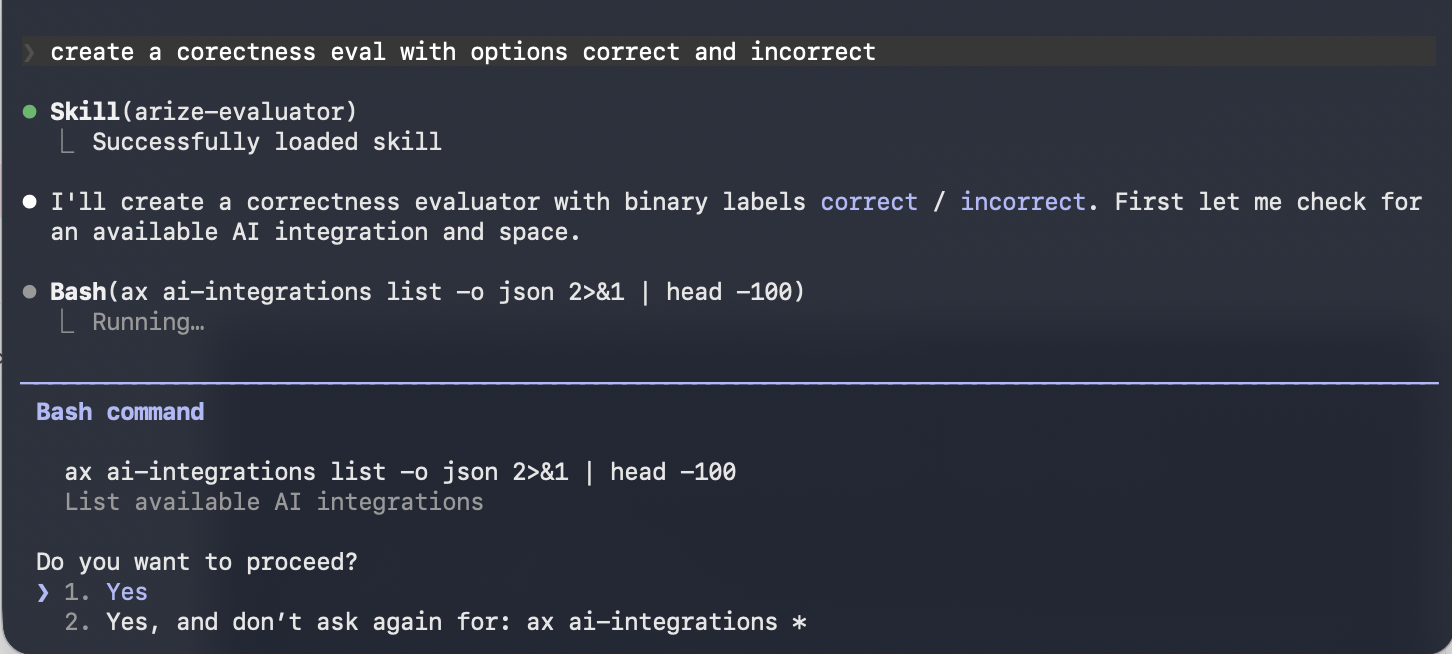

ax CLI without leaving your editor. See the skill doc for supported commands. Then ask your agent:- “Create a hallucination evaluator for my project”
- “Create an evaluator from blank with correct/incorrect labels”
- “Update the prompt on my correctness evaluator”


