

Using OpenAI with Phoenix Evals
Requires openai>=1.0.0pip install "arize-phoenix-evals>=3" openai
Create an LLM instance with the OpenAI provider:
from phoenix.evals import LLM
llm = LLM(provider="openai", model="gpt-4o")
The LLM wrapper reads your API key from the OPENAI_API_KEY environment variable, or you can pass it directly:
llm = LLM(provider="openai", model="gpt-4o", api_key="sk-...")
Using with evaluators
from phoenix.evals import LLM, evaluate_dataframe
from phoenix.evals.metrics import FaithfulnessEvaluator
llm = LLM(provider="openai", model="gpt-4o")
evaluator = FaithfulnessEvaluator(llm=llm)
results_df = evaluate_dataframe(dataframe=df, evaluators=[evaluator])
Custom parameters
Pass additional parameters to the OpenAI client:
llm = LLM(
provider="openai",
model="gpt-4o",
temperature=0.0,
sync_client_kwargs={"timeout": 60.0},
async_client_kwargs={"timeout": 120.0},
)
Azure OpenAI
Use the "azure" provider for Azure OpenAI deployments:
llm = LLM(
provider="azure",
model="gpt-4o", # This is the deployment name
api_key="your-api-key",
api_version="2024-02-01",
base_url="https://your-resource.openai.azure.com/",
)
The model parameter is the deployment name in Azure. You can find it in the Azure OpenAI playground.
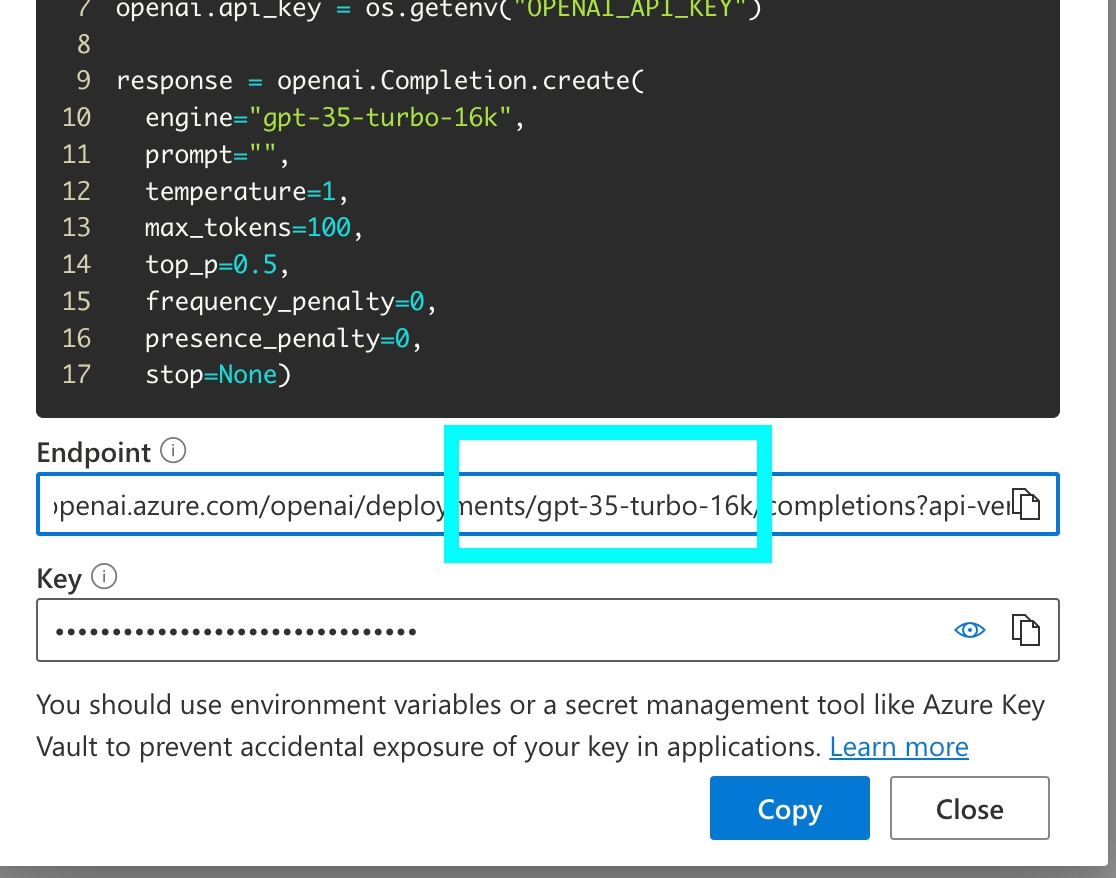
For full details on Azure OpenAI, check out the OpenAI Documentation.