

Why Trace Hybrid Search
Hybrid search does not always make results more relevant. It helps when dense and sparse retrieval complement each other, and only when they are tuned well. Qdrant returns a fused set of candidates, and your code then selects the final results. Without observability, both stages look like one call. Hybrid search runs two queries and merges them into one ranking. A dense query matches documents by meaning. A sparse query matches documents by exact words. Qdrant fuses the two lists with Reciprocal Rank Fusion (RRF). When a document appears near the top of either list, it ranks higher.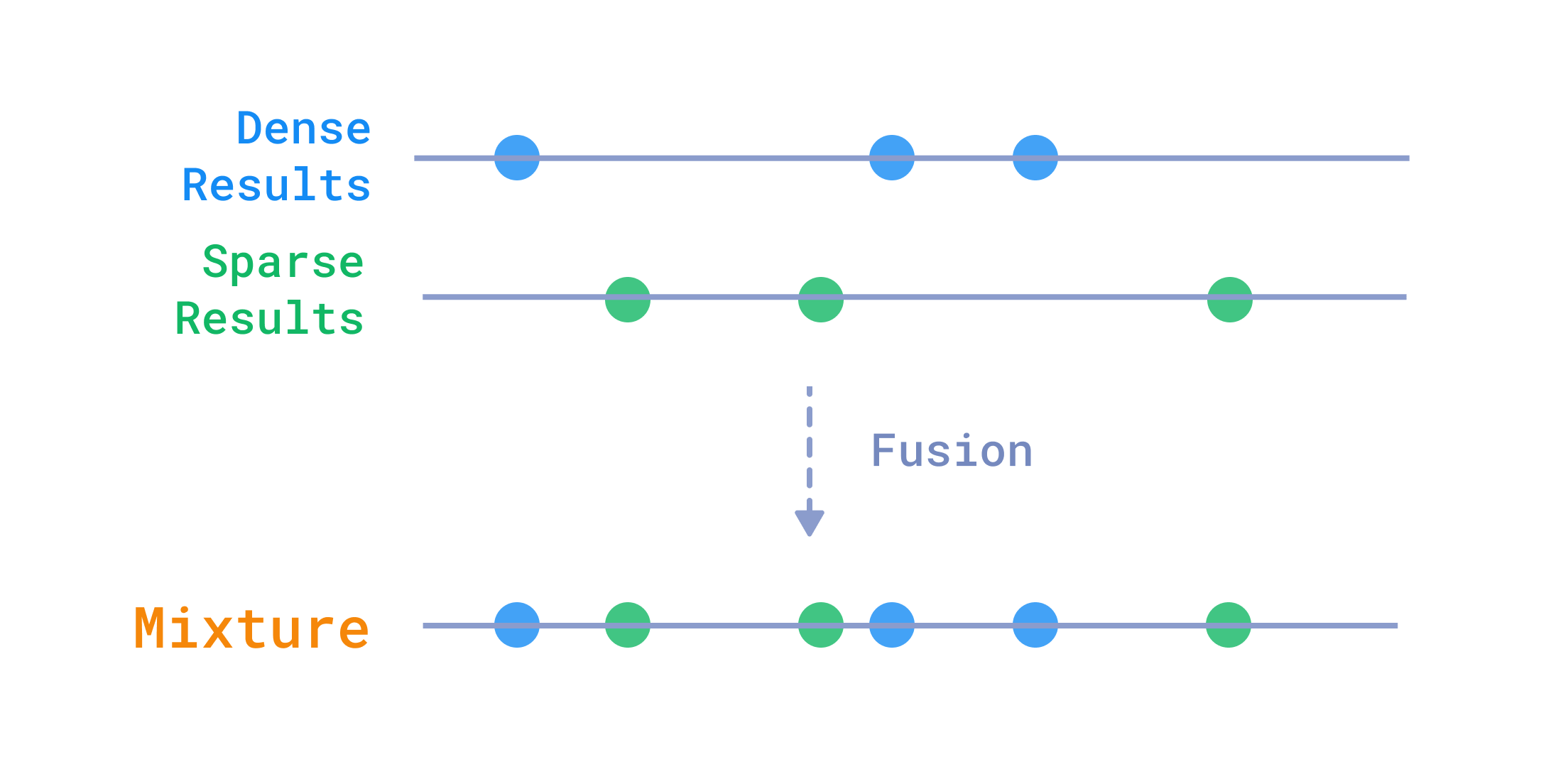
One Search, Two Stages
A hybrid search makes two decisions that usually run as one block of code:- Retrieval. Qdrant fuses the dense and sparse results and returns a candidate set (
candidate_limitdocuments). - Selection. Your code keeps a smaller slice (
result_limitdocuments), or reranks and filters them.
qdrant_hybrid_retrieval records what Qdrant returned. select_results records what your code kept. Compare the document IDs of the two spans to find the stage to fix.
Qdrant’s Query API returns only the final fused results, not the raw dense and sparse prefetch candidates. This guide traces the stages you can observe: the fused candidates and the final selected results.
Prerequisites
Qdrant Cloud with Cloud Inference
This guide uses Qdrant Cloud Inference so you don’t need a local embedding server. Create a Qdrant Cloud cluster and enable Cloud Inference. Once the cluster is ready, store the URL and API key as environment variables:Install
Install Python 3.11 or later, then install the packages:Launch Phoenix
Start Phoenix in a separate terminal:http://localhost:6006. The script exports OTLP traces to http://localhost:6006/v1/traces.
Implementation
The full script is at the end of this section.Set Up Tracing and Constants
Define the collection and the inference models. All spans use OpenInference attributes so Phoenix renders them the same way.main(), register a tracer provider that points at the Phoenix OTLP endpoint, and create a Qdrant client with Cloud Inference enabled:
registercreates aTracerProviderthat batches and exports spans to Phoenix.cloud_inference=Truedelegates embedding generation to Qdrant Cloud Inference.
Define the Span Helper
A small context manager sets status, attributes, and error handling consistently, sosearch, qdrant_hybrid_retrieval, and select_results stay uniform.
- Status: marks a span
OKon success. On failure, marks itERRORwith the exception message. - Attributes: sets
SpanAttributes.INPUT_VALUE,OUTPUT_VALUE, and custom keys such assearch.candidate_limitwhen the span starts.
Load AG News
Load 200 documents with stable IDs. Theid is stored in the payload for later diagnosis.
Index Documents with Dense and Sparse Vectors
Create one collection with a dense vector and a sparse vector. Then upsert withmodels.Document so Qdrant Cloud Inference embeds the text server-side. The span records document.count.
- Vectors:
text-dense(384 dimensions, cosine) andtext-sparse(BM25). - Document API:
models.Document(text=..., model=...)triggers Cloud Inference, so you don’t download embedding models locally.
Run Staged Hybrid Retrieval
Thesearch function creates three nested spans. qdrant_hybrid_retrieval fuses dense and sparse prefetch results with RRF. select_results slices the fused list to result_limit.
- Prefetch + RRF: each
Prefetchretrievescandidate_limithits from one vector type.Fusion.RRFmerges them without additional scoring logic. candidate_limitvs.result_limit:candidate_limitcontrols how many fused candidates Qdrant returns.result_limitcontrols how many documents remain after selection.- Span attributes:
retrieval.document_idsandselection.document_idslet you compare the two stages in Phoenix.INPUT_VALUEandOUTPUT_VALUEfollow OpenInference conventions and populate the Phoenix detail panes.
Full Script
qdrant_trace.py
qdrant_trace.py
Run
Run the script with the Qdrant environment variables set:ag-news-hybrid-tracing collection, and runs a sports query with candidate_limit=12 and result_limit=6. It prints a JSON object with the two ID lists:
candidate_ids holds the fused RRF candidates. result_ids is the slice after selection.
Observe
Openhttp://localhost:6006. Every span from this guide is in the qdrant-staged-retrieval project.
Locate a Trace
Select theqdrant-staged-retrieval project, then open the Spans view.
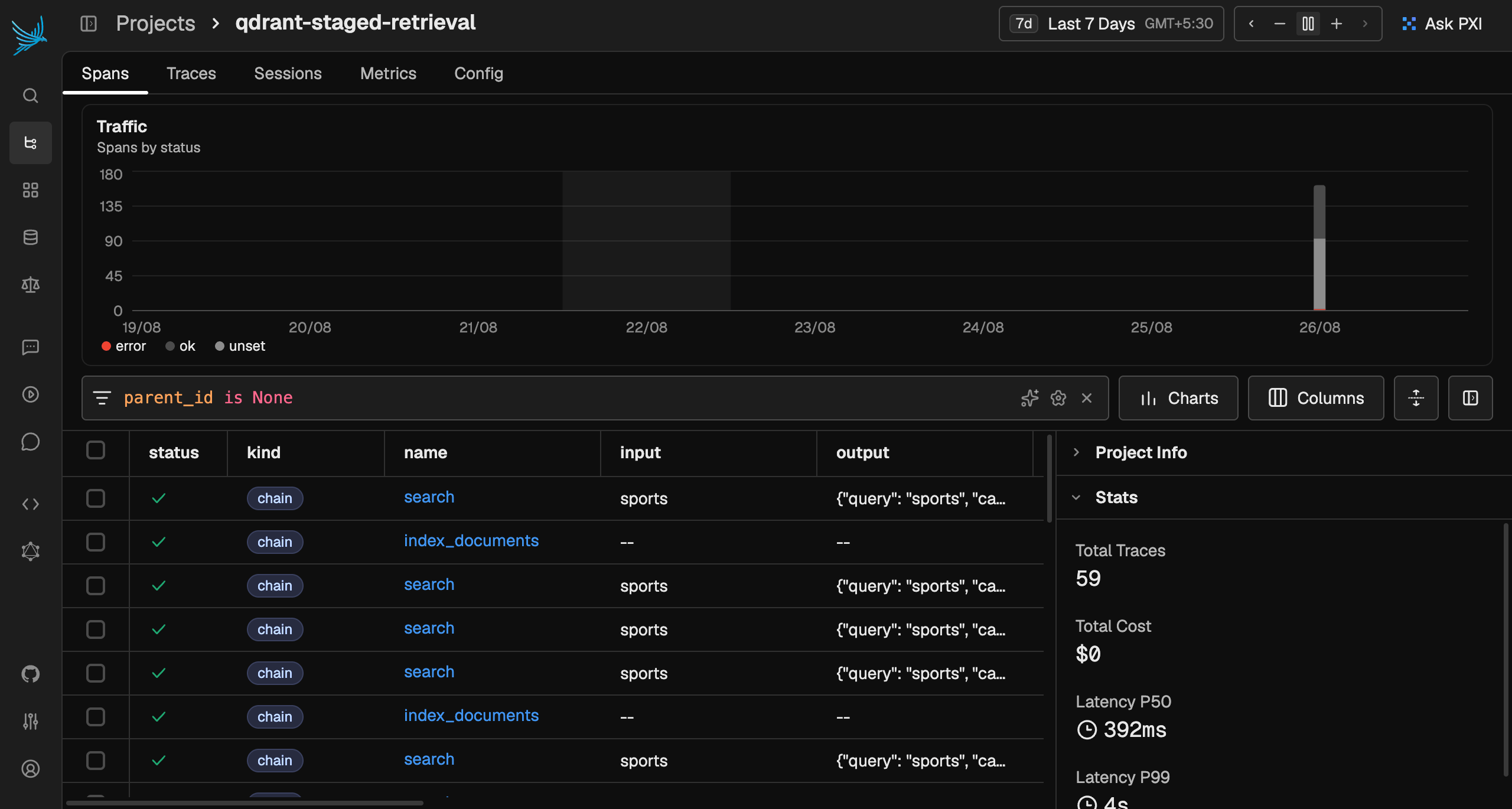
index_documents: records the indexing step.search: the root of the search trace, with inputsports.
search) or by input (sports) to find these spans.
Read the Span Tree
Select the rootsearch span. Phoenix shows the span tree on one side and a detail pane on the other.
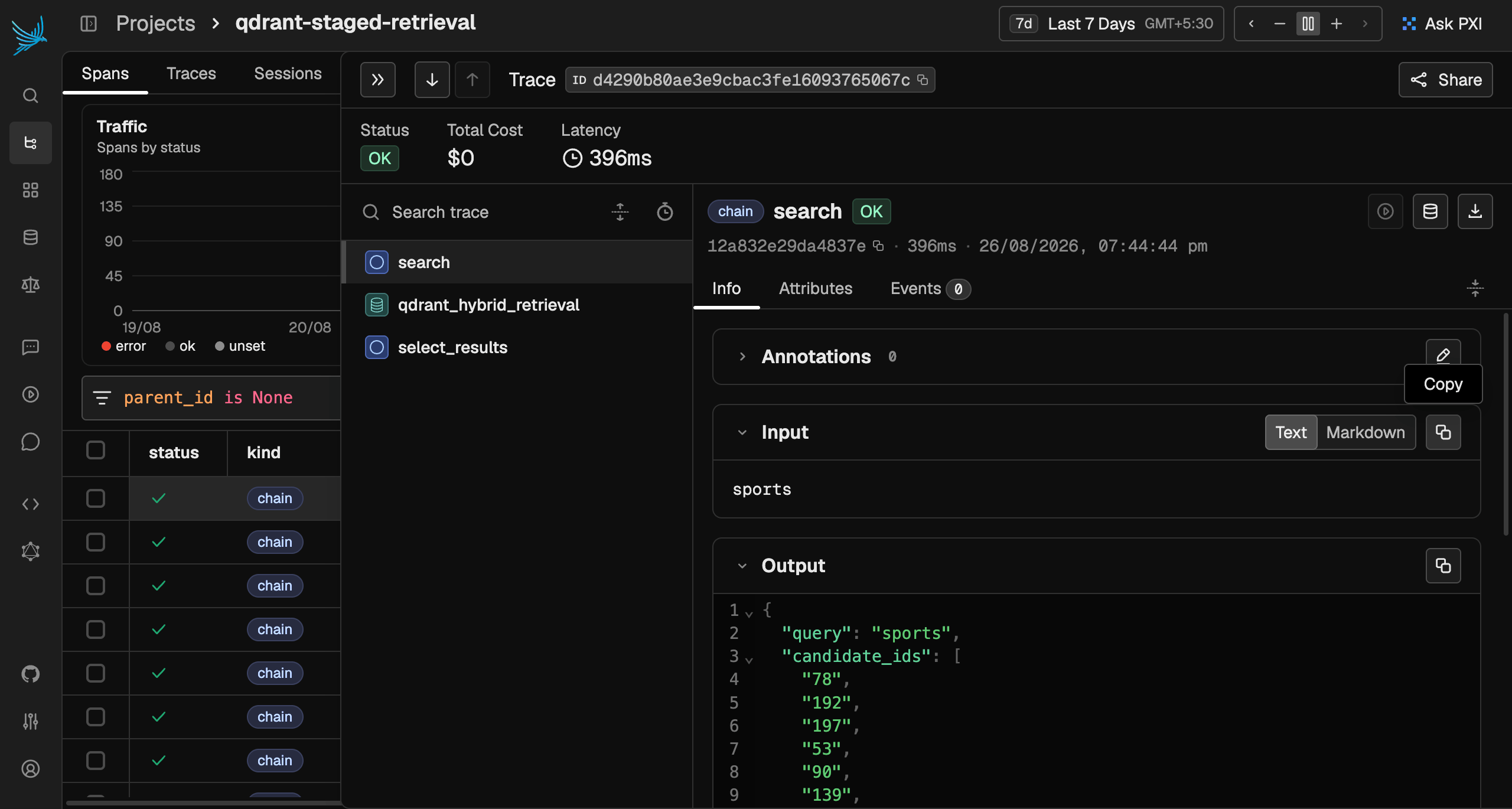
qdrant_hybrid_retrieval runs the dense and sparse prefetch queries and the RRF fusion, so it is usually the slowest span. select_results only slices a list and has almost no latency.
Read a Span’s Attributes
Select a span to open its detail pane. Phoenix lists the attributes the code set, along with the OpenInference input and output. Selectqdrant_hybrid_retrieval first. Its detail pane shows a RETRIEVER span kind and these attributes:
retrieval.document_ids: IDs Qdrant returned after RRFretrieval.candidate_limit: the prefetch and fused limit sent to Qdrantinput.value: the query text (sports)output.value: the full candidate payloads (JSON)
select_results. Its detail pane shows a CHAIN span kind and these attributes:
selection.document_ids: IDs kept aftercandidates[:result_limit]selection.result_limit: the slice limitinput.value: the candidate list that entered selectionoutput.value: the final result payloads (JSON)
select_results matches the output of qdrant_hybrid_retrieval, which links the two stages into one flow.
Every span also carries a status. OK means success. ERROR means failure and includes the exception message, so a red ERROR badge shows which span failed.
Find the Stage to Fix
The retrieval span shows what Qdrant found. The selection span shows what you kept. For thesports query:
retrieval.document_idsholds up tocandidate_limit(12) IDs in RRF order.selection.document_idsholds up toresult_limit(6) IDs: the first six of the fused list.
- If it is in
retrieval.document_idsbut not inselection.document_ids, raiseresult_limitor add a reranker instead of a hard slice. - If it is in neither list, raise
candidate_limitor tune the dense and sparse queries (a different embedding model, BM25 parameters, or fusion).
Next Steps
You now have a minimal staged tracing pattern for Qdrant hybrid search. Extend it by:- Adding a reranking span between retrieval and selection.
- Recording scores as
retrieval.scores. - Wrapping the inference calls in spans.