Multi-Span Filters
December 18, 2025 Filter traces using multiple span conditions with:- AND, OR, NOT operators for combining conditions
- Indirectly Calls (->) and Directly Calls (=>) relationship filters
- Up to 5 filters to find complex patterns like “spans where A calls B, but not C” or “traces containing both X and Y”
- Parentheses to build complex queries and pinpoint the traces that matter
Support for Opus & Haiku 4.5
December 15, 2025 Expanded LLM model support to include Opus & Haiku 4.5 models in the playground and online tasks.Support for GPT-5.2 and GPT-5.2 Pro
December 12, 2025 Expanded LLM model support to include GPT-5.2 models in the playground and online tasks.Improved Playground Views
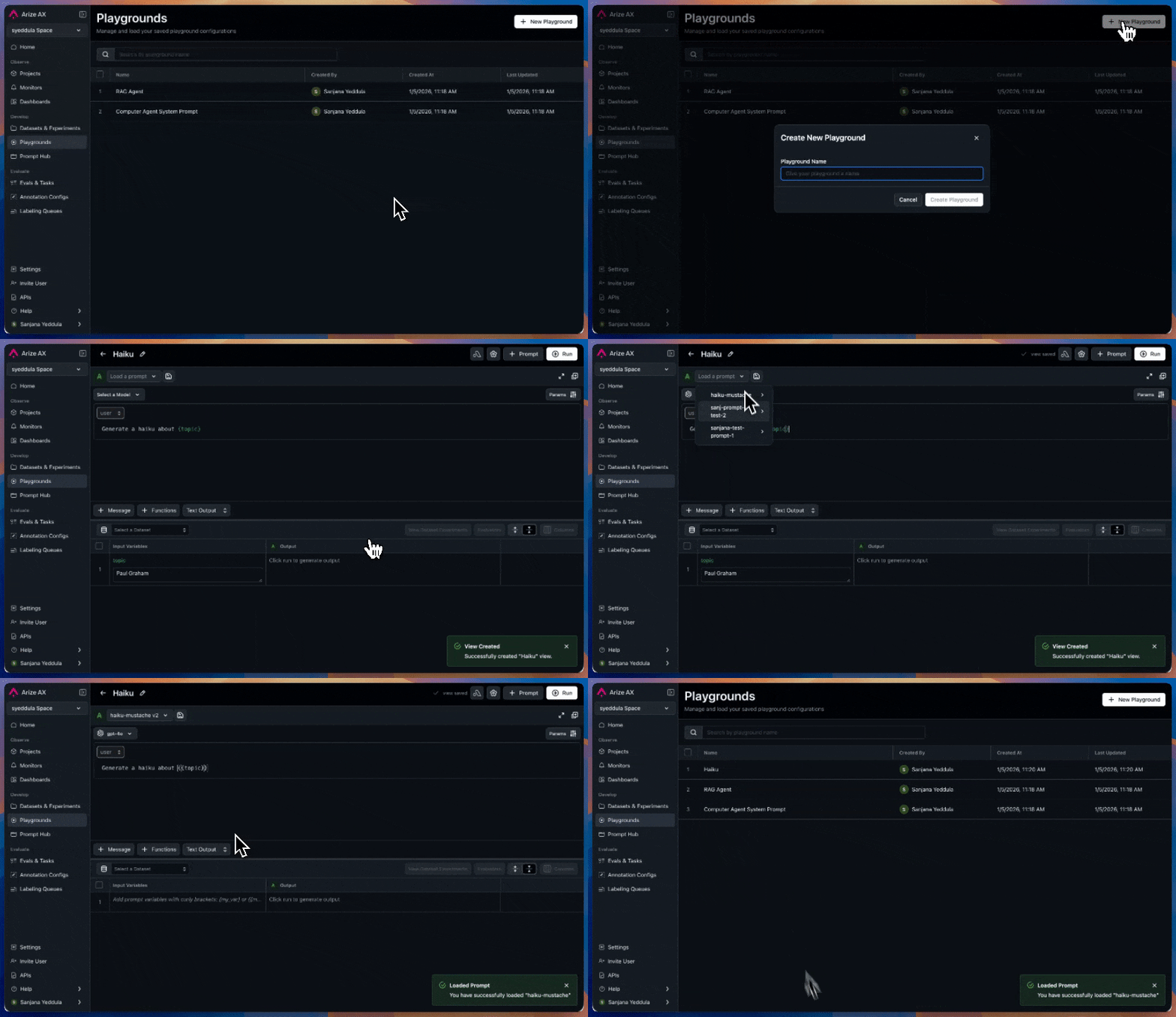
December 10, 2025 The Prompt Playground page is now Playgrounds, where you can use your Playground Views! This change allows you to easily navigate to a configuration of the prompt playground you’ve saved. A playground view saves a complete snapshot of your current prompt playground session, allowing you to preserve your work, share configurations with teammates, or return to previous experiments. Here’s what’s saved in a view:- LLM Config (provider, model selection, model params, custom endpoint settings)
- Prompt Setup (messages, roles, message content, tool and function calls)
- Generated Results (when setup with datasets)
- Connected Datasource (dataset or span)