

What’s New
October 3, 2024Embedding Traces
With Embeddings Tracing, you can effortlessly select embedding spans and dive straight into the UMAP visualizer, simplifying troubleshooting for your genAI applications. How this works:- Users can now select embedding spans and go to the embedding visualizer (also available on project level nav for all generative models)
- All embedding spans get pulled over for UMAP + clustering
- Users can select an individual point/cluster and the embedding span attributes get pulled over
- “Color by” span attributes is also available, and whichever attribute users “color by” can also be viewed as a column in the table
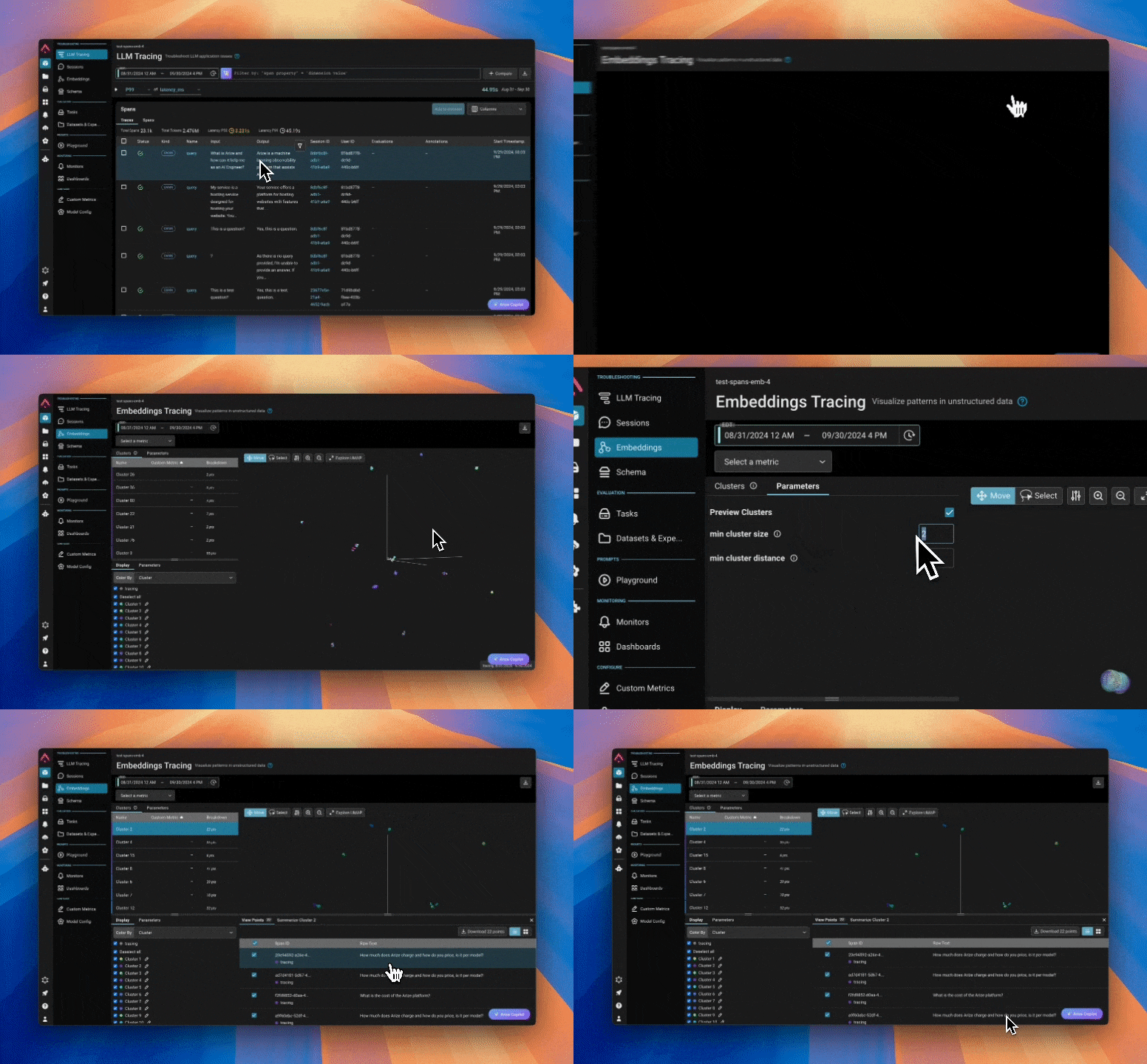
Embedding traces in action
Experiments Details Visualization
Users can now view a detailed breakdown of labels for their experiments on the Experiments Details page. Note: this feature is currently only available for label-based evaluations. Support for score-exclusive evaluations will be coming in a future update.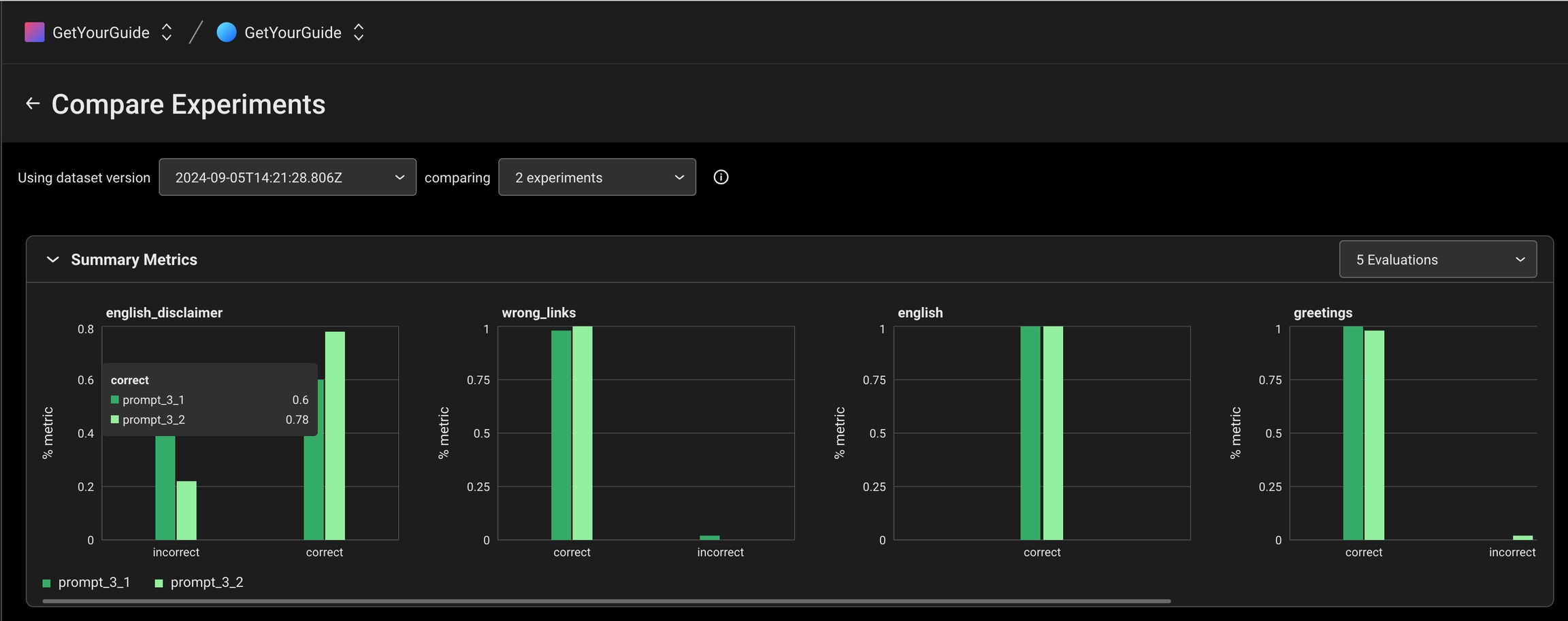
Experiments details visualization
Enhancements
October 24, 2024Run Task Once
Users now have the option to test a task, such as online eval, by running it once on existing data, or apply evaluation labels to older traces. To use the feature, simply select “Run once on historical data” in the new Schedule Run component of Tasks, and choose the time range for the data you wish to run evaluations on. In the Task Details pane, you can view logs and check if a task is set to run continuously or just once. Learn more →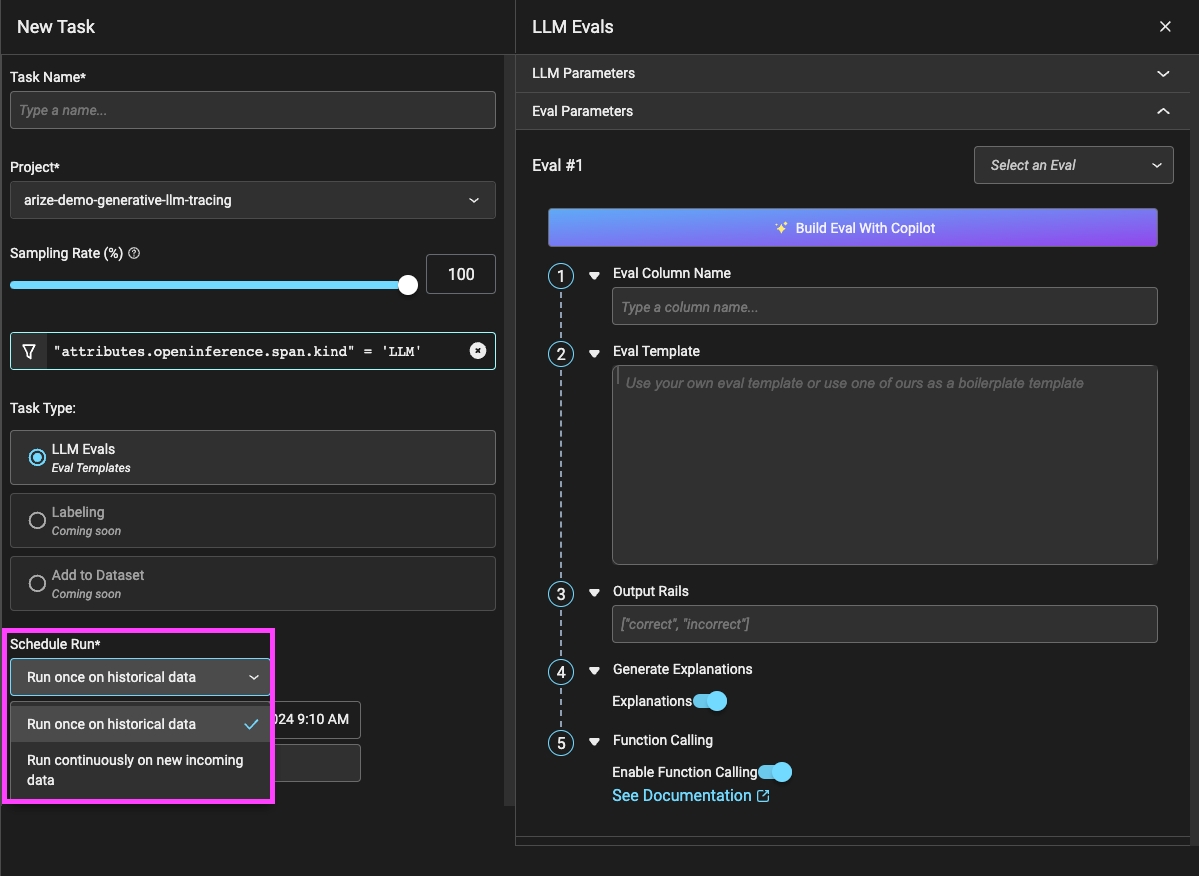
Experiment Filters
Users can now filter experiments based on dataset attributes or experiment results, making it easy to identify areas for improvement and track their experiment progress with more precision. Learn more →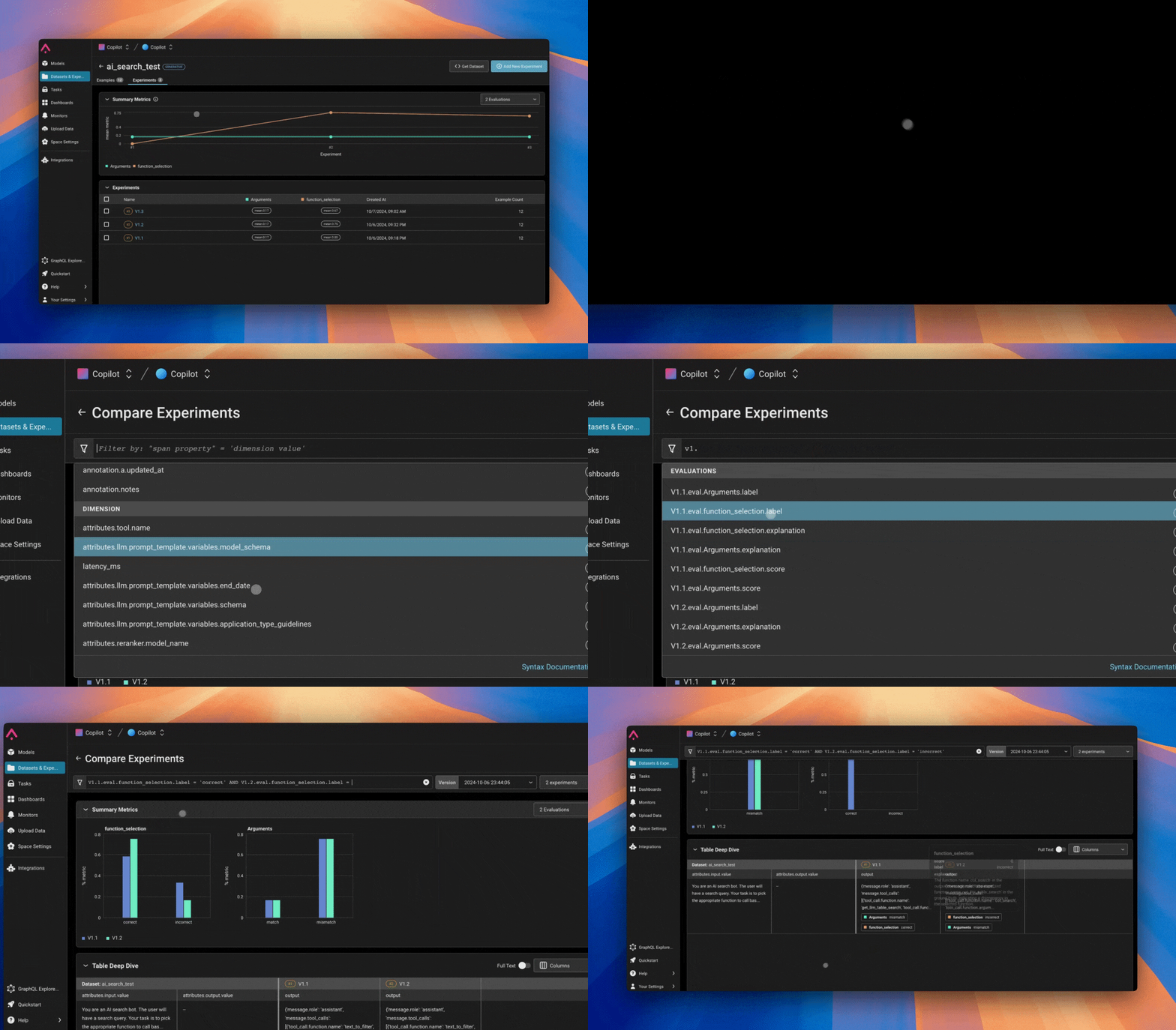
Filtering experiments by experiment name
Prompt Playground Improvements
October 3, 2024-
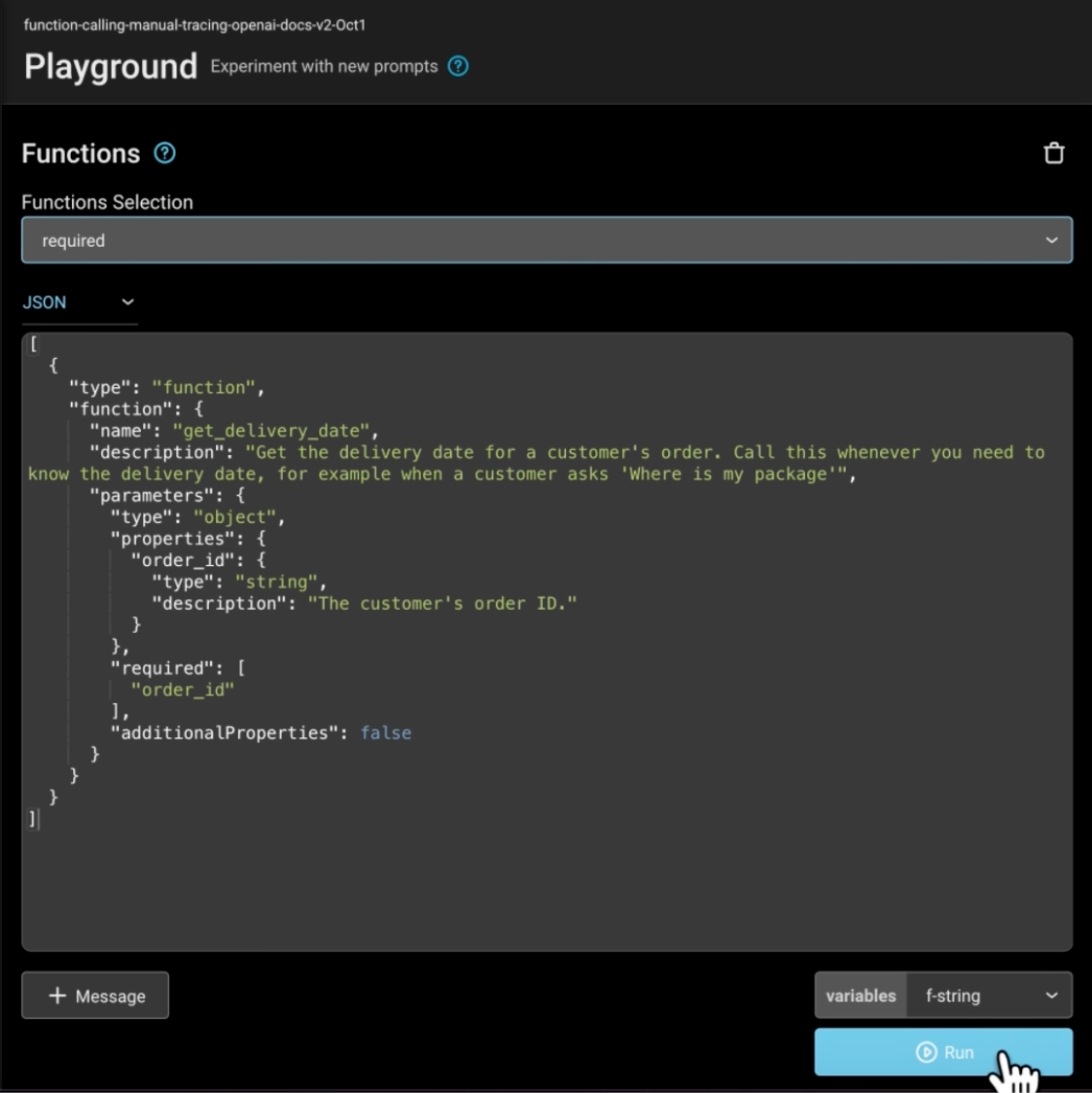
Full OpenAI Models Support: We’ve added full support for all available OpenAI models in the playground including the
o1-miniando1-preview. - OpenAI Function/Tool Calls: With OpenAI’s addition of function calling in their models, we have added support in Arize starting from the trace all the way to the playground. View function/tool calls in your traces, and open the playground to further experiment and test.
- Full-screen Data Mode: Enter full screen mode to view your data more easily.
-
Features For Datasets:
- Prompt Overriding: When using a dataset to test out different prompts, users can now replace the prompt template with the dataset.
- Pop Up Windows for Long Outputs & Variables: Viewing longer outputs is now easier with pop up windows.
Filters Updates
- Filter History: We now store the last three filters used by a user! Users can easily access their filter history in the query filters dropdown, making it simpler to reuse filters for future queries.
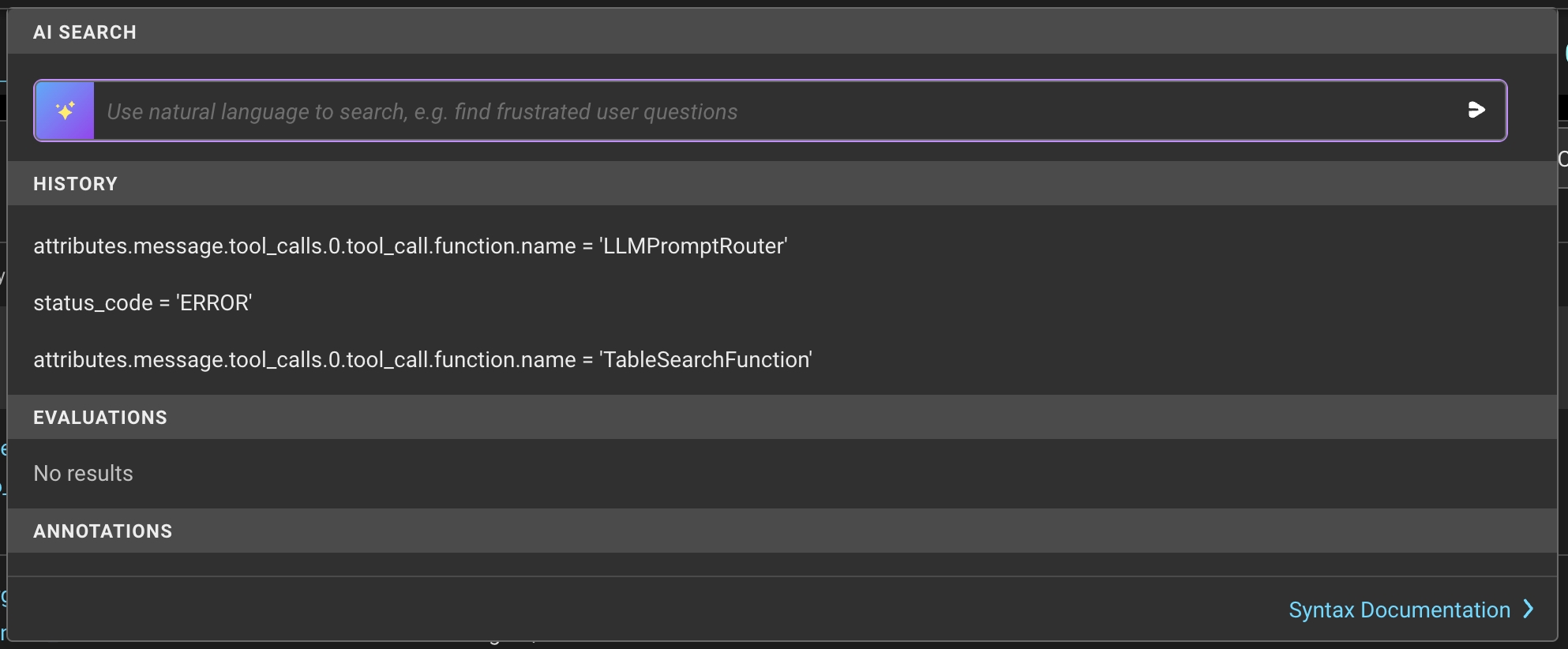
Filters history
Traces Page Updates
- Parent Spans: We’ve enhanced the Traces page to give users a better experience when filtering spans. Now, even if the filter doesn’t match the parent span, users will still see the parent span with the relevant spans nested under it.
- Quick Filters: We’ve introduced quick filters, allowing users to apply filters directly from the table by hovering over the text to reveal the filter icon.
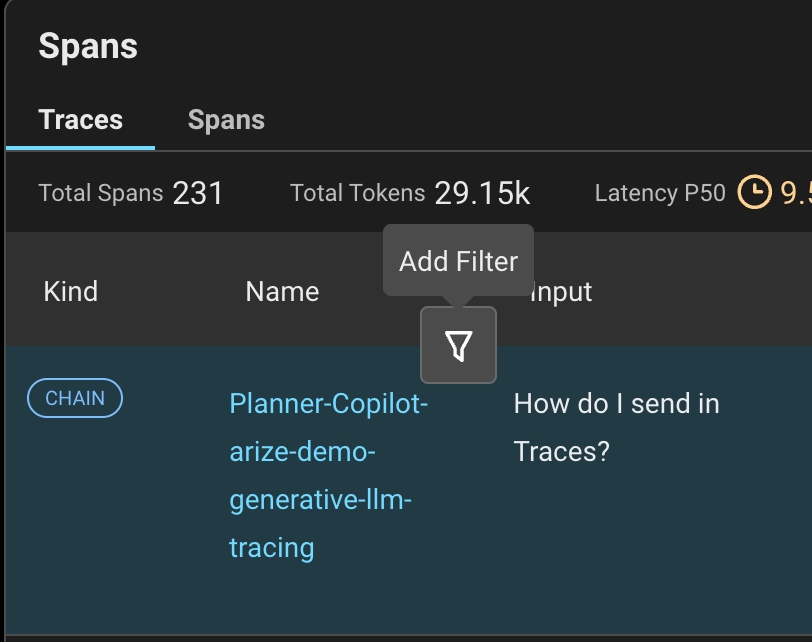
Quick filters
New Arize-Otel Package for LLM App Tracing
We heard you, and we made it much simpler to add automatic tracing to your applications! It’s now just a few lines of code to use OpenTelemetry to trace your LLM application. Check out our new quickstart guide which uses our arize-otel package.Workflow Improvements
- Support for new line creation while reviewing prompts.
- Easily add spans to a dataset from the Traces page using the “Add to Dataset” button.
- Quickly create an evaluation task within a trace if no evaluations currently exist using the “Setup Task” button.
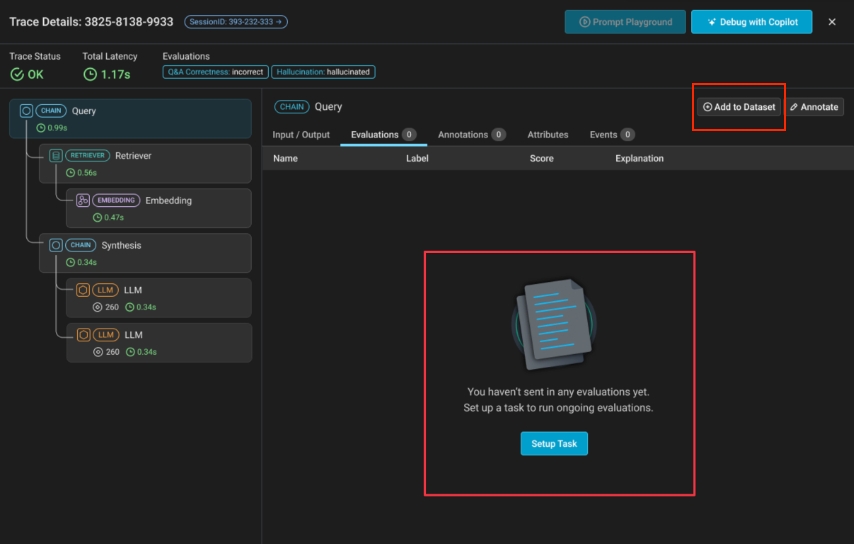
"Add to Dataset" & "Setup Task" buttons