import { createClient } from "@arizeai/phoenix-client";
import { createDataset } from "@arizeai/phoenix-client/datasets";
import {
  asExperimentEvaluator,
  runExperiment,
} from "@arizeai/phoenix-client/experiments";
import type { Example } from "@arizeai/phoenix-client/types/datasets";

const client = createClient();

const dataset = await createDataset({
  client,
  name: "support-quickstart",
  description: "Support reply examples from the Phoenix quickstart.",
  examples: [
    {
      id: "invoice-change",
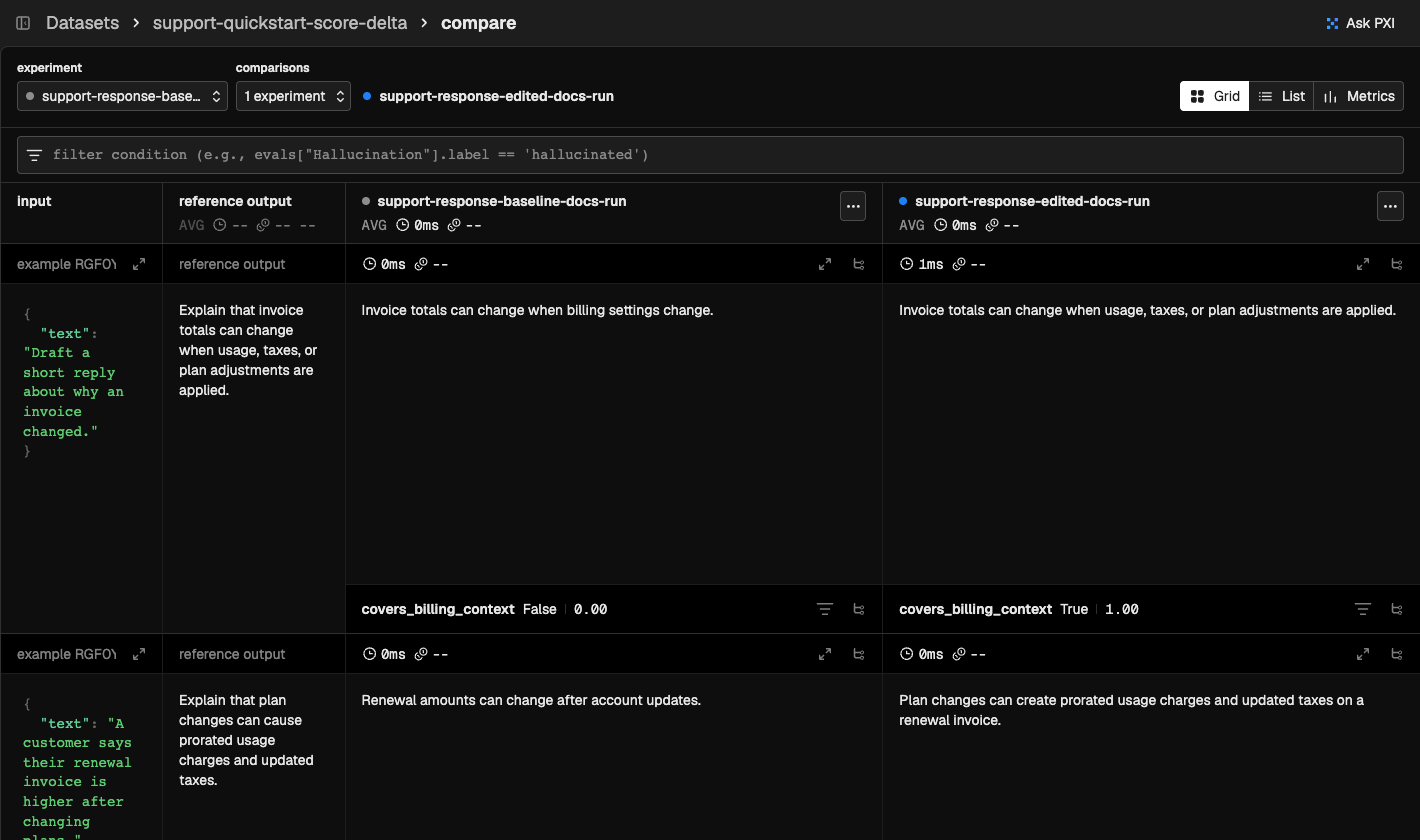
      input: { text: "Draft a short reply about why an invoice changed." },
      output: {
        text: "Explain that invoice totals can change when usage, taxes, or plan adjustments are applied.",
      },
      metadata: { kind: "billing" },
    },
    {
      id: "renewal-plan-change",
      input: {
        text: "A customer says their renewal invoice is higher after changing plans.",
      },
      output: {
        text: "Explain that plan changes can cause prorated usage charges and updated taxes.",
      },
      metadata: { kind: "billing" },
    },
  ],
});

const baselineTask = (example: Example): string => {
  const input = example.input as { text: string };

  if (input.text.includes("renewal")) {
    return "Renewal amounts can change after account updates.";
  }
  return "Invoice totals can change when billing settings change.";
};

const editedTask = (example: Example): string => {
  const input = example.input as { text: string };

  if (input.text.includes("renewal")) {
    return "Plan changes can create prorated usage charges and updated taxes on a renewal invoice.";
  }
  return "Invoice totals can change when usage, taxes, or plan adjustments are applied.";
};

const coversBillingContext = asExperimentEvaluator({
  name: "covers_billing_context",
  kind: "CODE",
  evaluate: ({ output }) => {
    const text = String(output).toLowerCase();
    const hasUsage = text.includes("usage") || text.includes("prorat");
    const hasTaxes = text.includes("tax");
    const hasPlan = text.includes("plan");
    const passes = hasUsage && hasTaxes && hasPlan;
    return {
      label: passes ? "True" : "False",
      score: passes ? 1 : 0,
    };
  },
});

await runExperiment({
  client,
  dataset,
  task: baselineTask,
  evaluators: [coversBillingContext],
  experimentName: "support-response-baseline",
});

await runExperiment({
  client,
  dataset,
  task: editedTask,
  evaluators: [coversBillingContext],
  experimentName: "support-response-edited",
});