Last week we launched Alyx 2.0, the in-app AI engineering agent for Arize AX.
Alyx replaced clicking through the UI with natural language intent. The AX CLI takes it a step further: making that same data machine readable so your coding agent can work with it directly.
Here’s a quick demo of what that looks like in practice.
In the Arize UI, Alyx can surface things like “what are the most common questions users are asking?” or “which tool calls are failing?” It’s powerful, but you have to be in the browser to use it.
We dogfood everything. Alyx is traced to Arize. I used the CLI to pull recent spans into a local file:
“Hey Claude, can you use the ax cli to figure out what are the most common questions asked in the project [id]?”
Then I dropped that file into Cursor and asked: “Look at spans.csv and surface what the most common questions users are asking.”
Same analysis Alyx does in the UI, but now it’s running inside my editor against a local file using whatever coding agent I want: Cursor, Claude Code, Codex, whatever.
This is the idea behind the AX CLI. The data in Arize is valuable. The CLI makes it programmable. Your coding agent does the rest.
Build better agents with Arize
Trace, evaluate, and learn. Build agents that work with Arize AX and start tracing your runs today.
Prefer open source? Try Arize Phoenix for self-hosted, open source agent observability.

What’s available
pip install arize-ax-cli
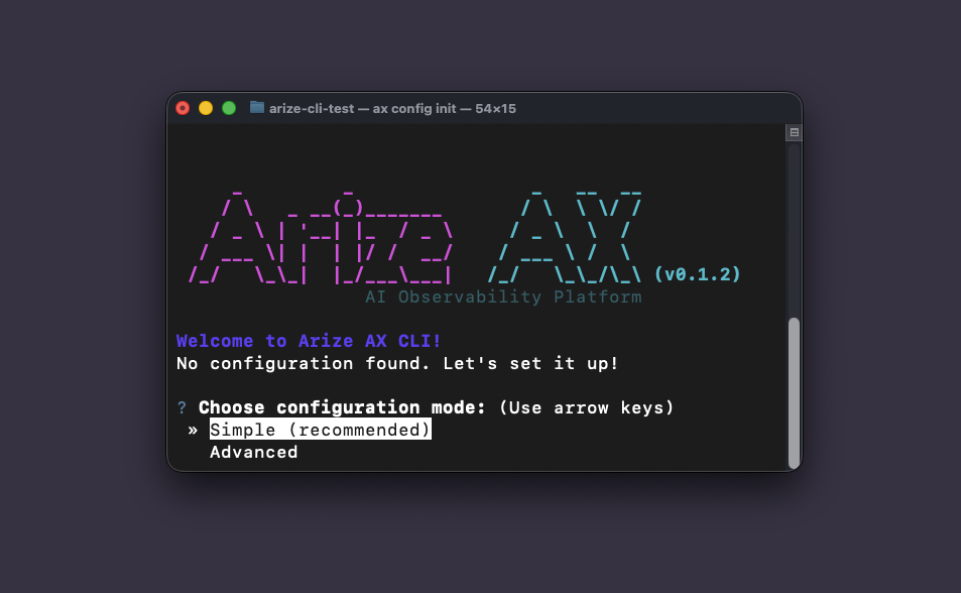
ax config init
The developer preview ships with spans, experiments, datasets, and projects. Every command supports structured output (JSON, CSV, Parquet) ready for agents and automation, because it’s time that humans stop writing syntax by hand.
What’s next
We’re building toward full headless debugging: traces, experiments, prompts, and higher-level skills that bundle common workflows like “instrument my app,” “debug my traces,” “help me build an eval.” Think of today as the wiring. The workflows come next.
Try it. Pull spans for your own project. Run an analysis in your editor. Tell us what workflows you’d want as built-in skills.
Get started

