

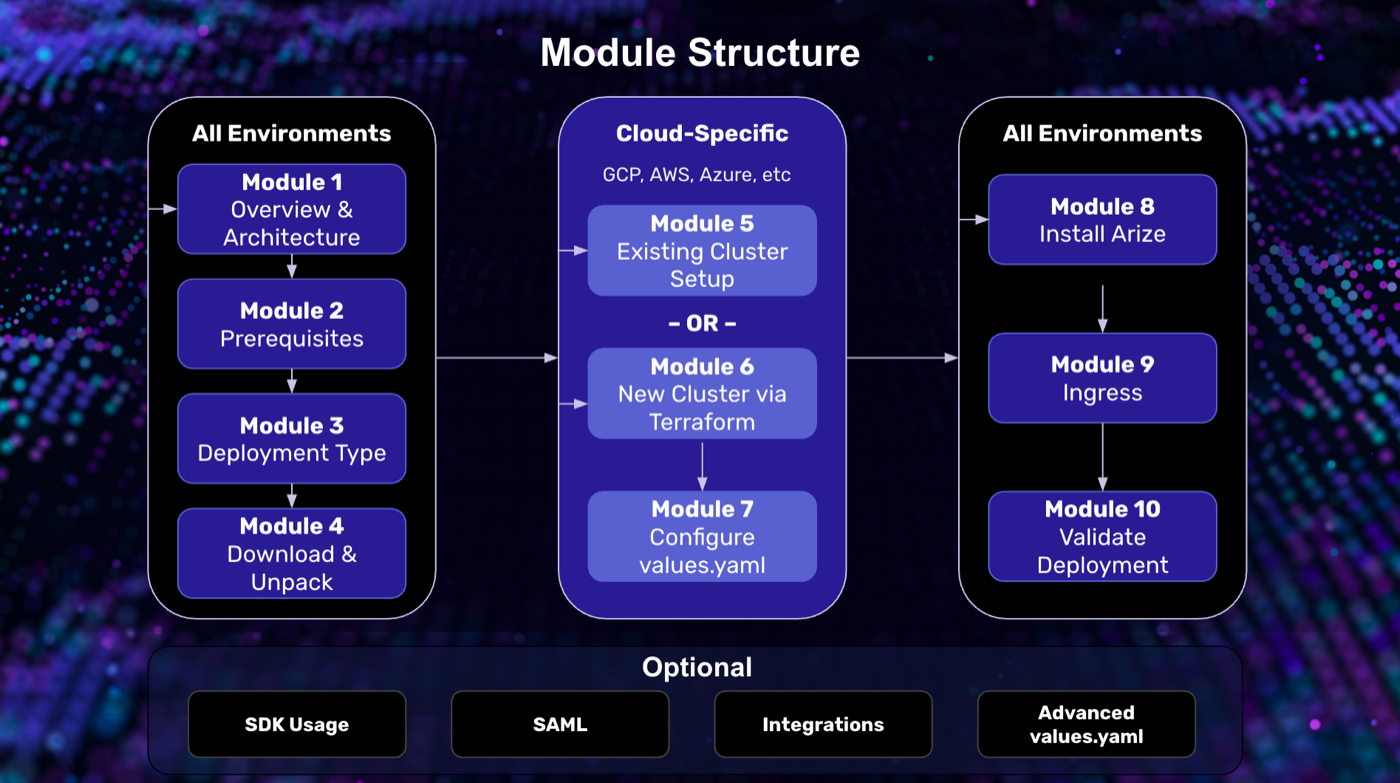
 Each module walks through one step of the install. The videos are hosted in the Self-Hosted Resource Center.
Watch in the Self-Hosted Resource Center
Access requires a password from your Arize account team.
Available Videos
| Module | What it covers |
|---|---|
| 1. Program Overview and Architecture | Core components, platform architecture, Helm-based install, and program structure |
| 2. Prerequisites | Infrastructure requirements, node pool sizing, node labels, workstation tooling, and cloud CLI verification |
| 3. Deployment Types | Connected, Semi-restricted, and Air-gapped network paths |
| 4. Download and Unpack | Downloading the distribution archive with your JWT, pinning versions, and a tour of the extracted directory |
| 5. Existing Cluster Setup (GCP) | Node pools, node labels, storage buckets, and IAM |
| 5. Existing Cluster Setup (AWS) | Node pools, node labels, storage buckets, and IAM |
| 6. New Cluster via Terraform (GCP) | Provisioning a cluster with the included Terraform modules |
| 6. New Cluster via Terraform (AWS) | Provisioning an AWS cluster and supporting infrastructure with the Terraform modules included in the distribution archive |
| 7. Configure values.yaml (GCP) | Building the configuration file that drives the install, covering storage, authentication, networking, and cluster sizing on GCP |
| 7. Configure values.yaml (AWS) | Building the configuration file that drives the install, covering storage, authentication, networking, and cluster sizing on AWS |
| 8. Install Arize AX | Running the install with the operator Helm chart, from the Quick Start path to the detailed walkthrough |
| 9. Ingress | Exposing the UI and APIs outside the cluster with the cloud load balancer or alternative controllers (NGINX, Istio, Kong) |
| 10. Validate Deployment | Pod health checks, ingress and DNS validation, UI access, and confirming the cluster receives data |