

ℹ️ A caution about using prompts inside your application code
ℹ️ A caution about using prompts inside your application code
When integrating Phoenix prompts into your application, it’s important to understand that prompts are treated as code and are stored externally from your primary codebase. This architectural decision introduces several considerations:Key Implementation Impacts
- Network dependencies for prompt retrieval
- Additional debugging complexity
- External system dependencies
- Caching mechanisms
- Fallback systems
- Implement robust caching strategies
- Develop comprehensive fallback mechanisms
- Consider the impact on your application’s reliability requirements
Pulling a prompt
There are three major ways pull prompts, pull by name or ID (latest), pull by version, and pull by tag.Pulling a prompt by Name or ID
Pulling a prompt by name or ID (e.g. the identifier) is the easiest way to pull a prompt. Note that since name and ID doesn’t specify a specific version, you will always get the latest version of a prompt. For this reason we only recommend doing this during development.- Python
- TypeScript
Pulling a prompt by Version ID
Pulling a prompt by version retrieves the content of a prompt at a particular point in time. The version can never change, nor be deleted, so you can reasonably rely on it in production-like use cases.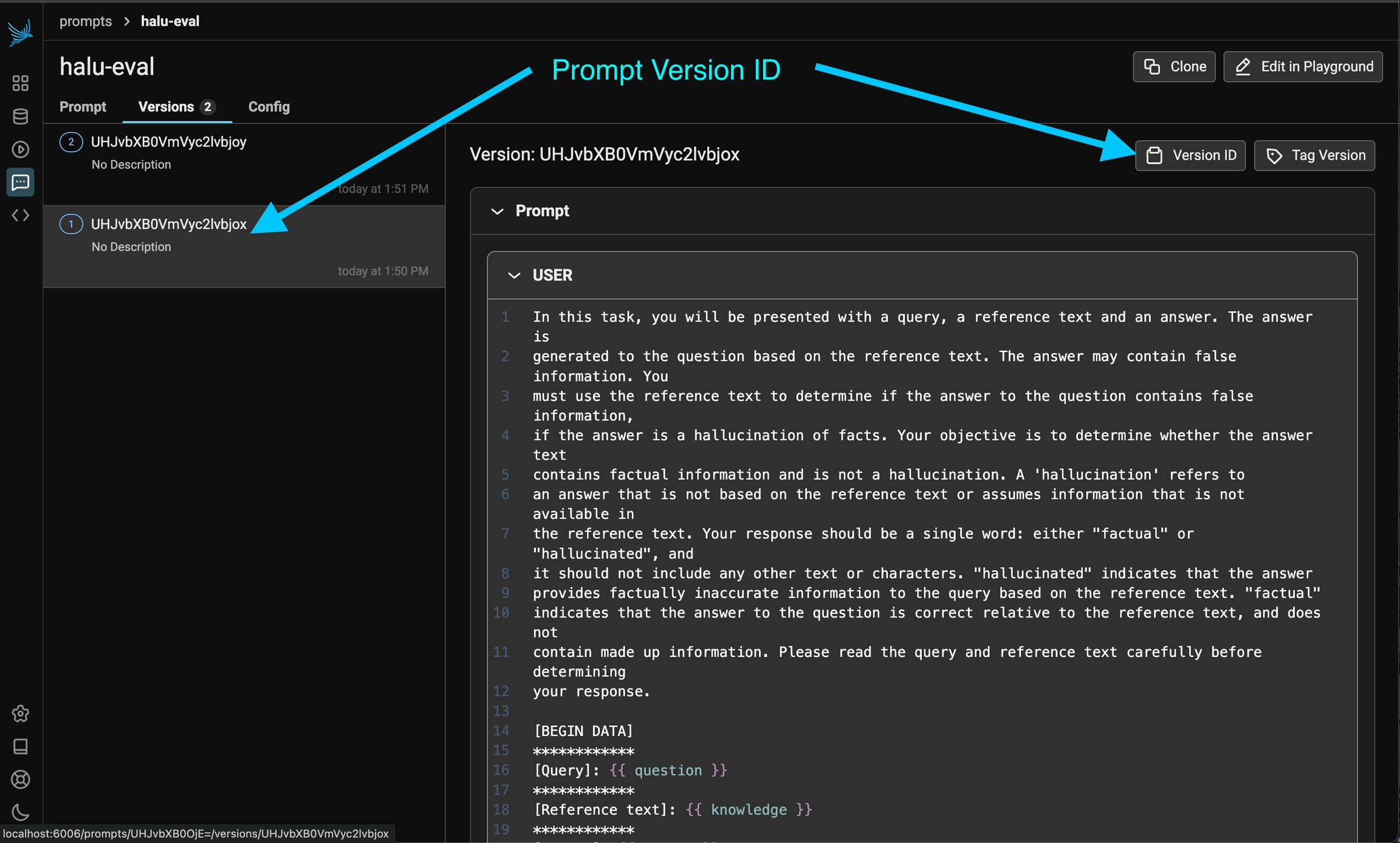
The ID of a specific prompt version can be found in the prompt history.
- Python
- TypeScript
Pulling a prompt by Tag
Pulling by prompt by tag is most useful when you want a particular version of a prompt to be automatically used in a specific environment (say “staging”). To pull prompts by tag, you must Tag a prompt in the UI first.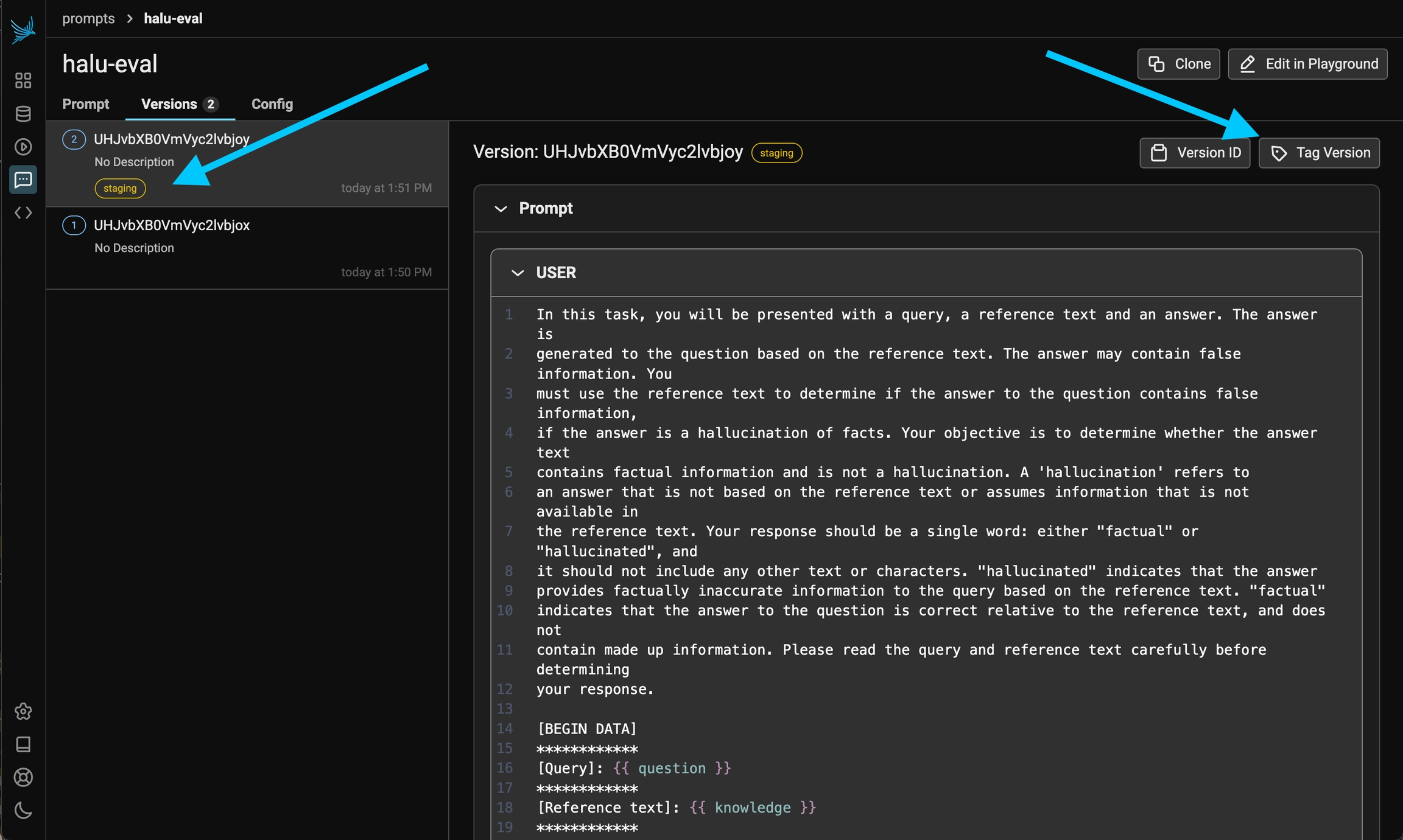
You can control the prompt version tags in the UI.
- Python
- TypeScript
Using a prompt
The phoenix clients support formatting the prompt with variables, and providing the messages, model information, tools, and response format (when applicable). The Phoenix Client libraries make it simple to transform prompts to the SDK that you are using (no proxying necessary!)- Python
- TypeScript
- Python - support for OpenAI, Anthropic, Gemini
- TypeScript - support for OpenAI, Anthropic, and the Vercel AI SDK