

TL;DR: Add the Arize AX MCP server to Antigravity to instrument your AI applications without leaving your IDE.
Instrumenting AI applications with tracing and observability is critical for debugging, monitoring, and improving your agents in production. The Arize AX MCP server brings instrumentation guidance directly into your development workflow. When combined with Antigravity, you can go from zero to fully instrumented in minutes. Let’s see how.
Adding Arize MCP to Antigravity
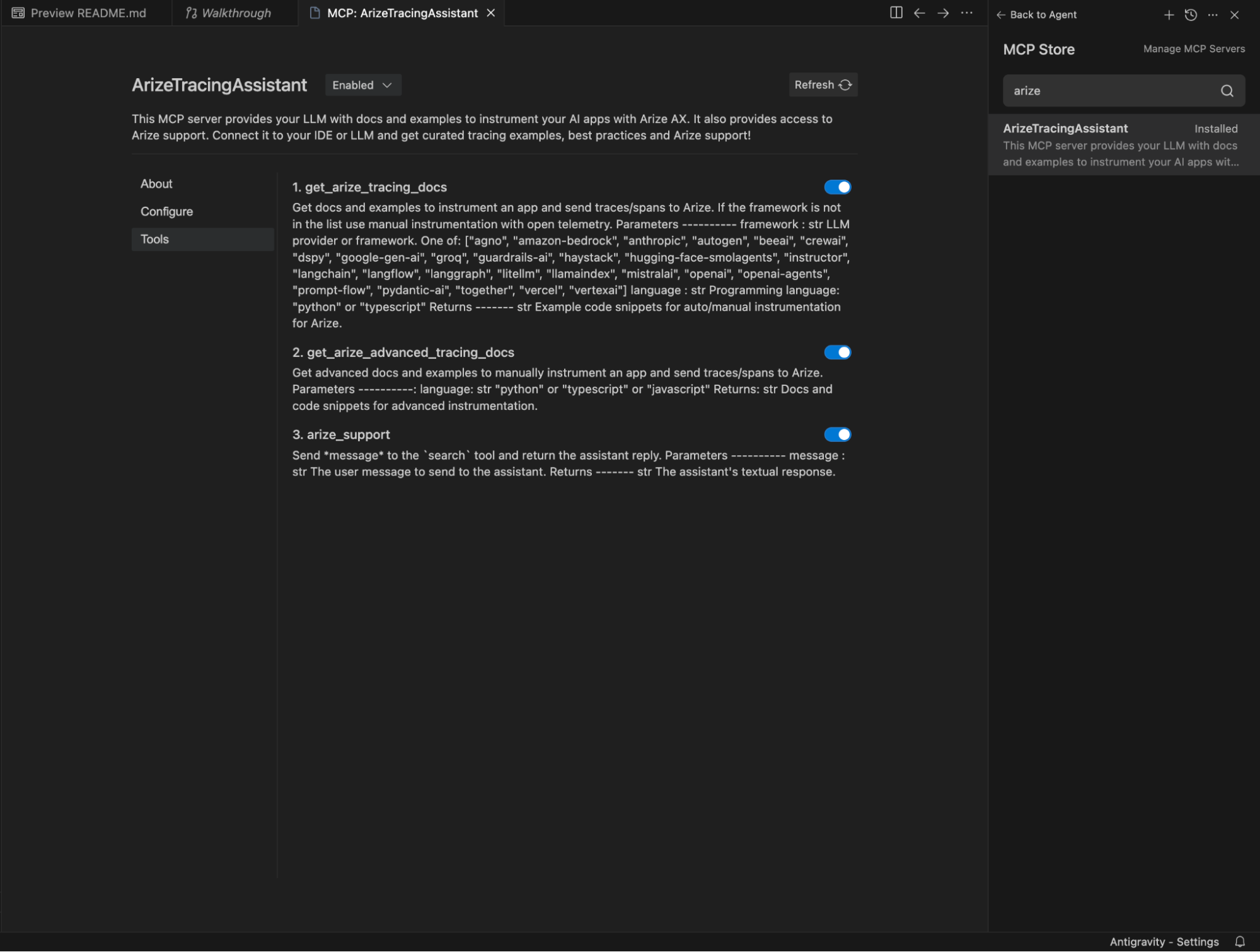
Open Antigravity and navigate to the MCP servers menu from the Agent window dropdown. Search for “Arize”, review the server description, and click install (for instructions, see our README.md). The Arize AX MCP server provides instrumentation best practices, curated examples, and guidance for OpenTelemetry-based tracing with Arize AX.
Task: Instrument Your Agent
With the Arize AX MCP server installed, simply ask the agent to instrument your code. For this example, I cloned Google’s adk-samples repo, opened it in Antigravity and navigated to my target app: academic research agent (main agent code is in agent.py).
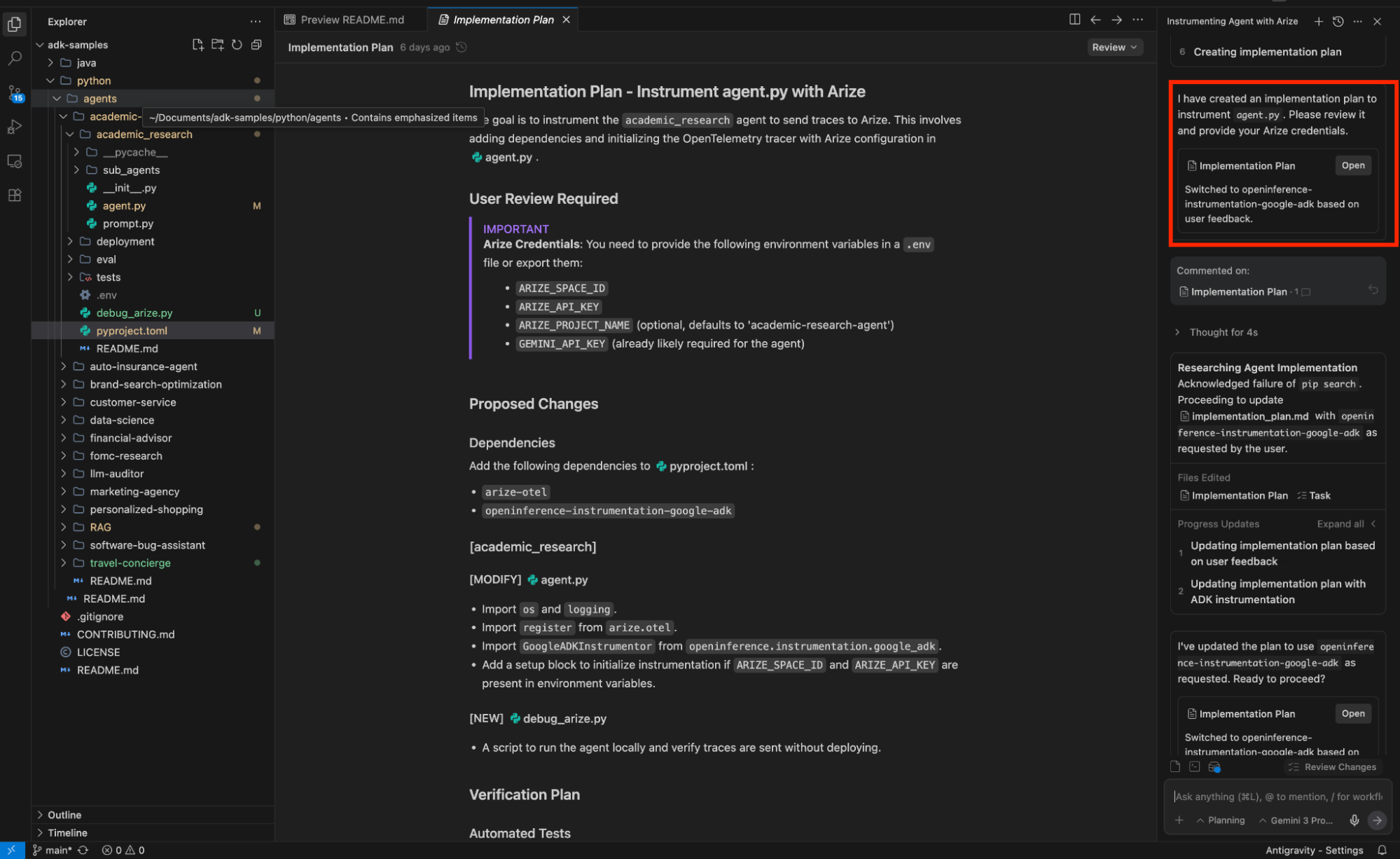
In the agent window, I prompted: “help me instrument agent.py to send traces to Arize.” Antigravity analyzed my codebase, identified the Google ADK agent structure, and created an implementation plan artifact outlining the required dependencies (arize-otel, openinference-instrumentation-google-adk) and credential setup.
Iterate Through Dependency Conflicts
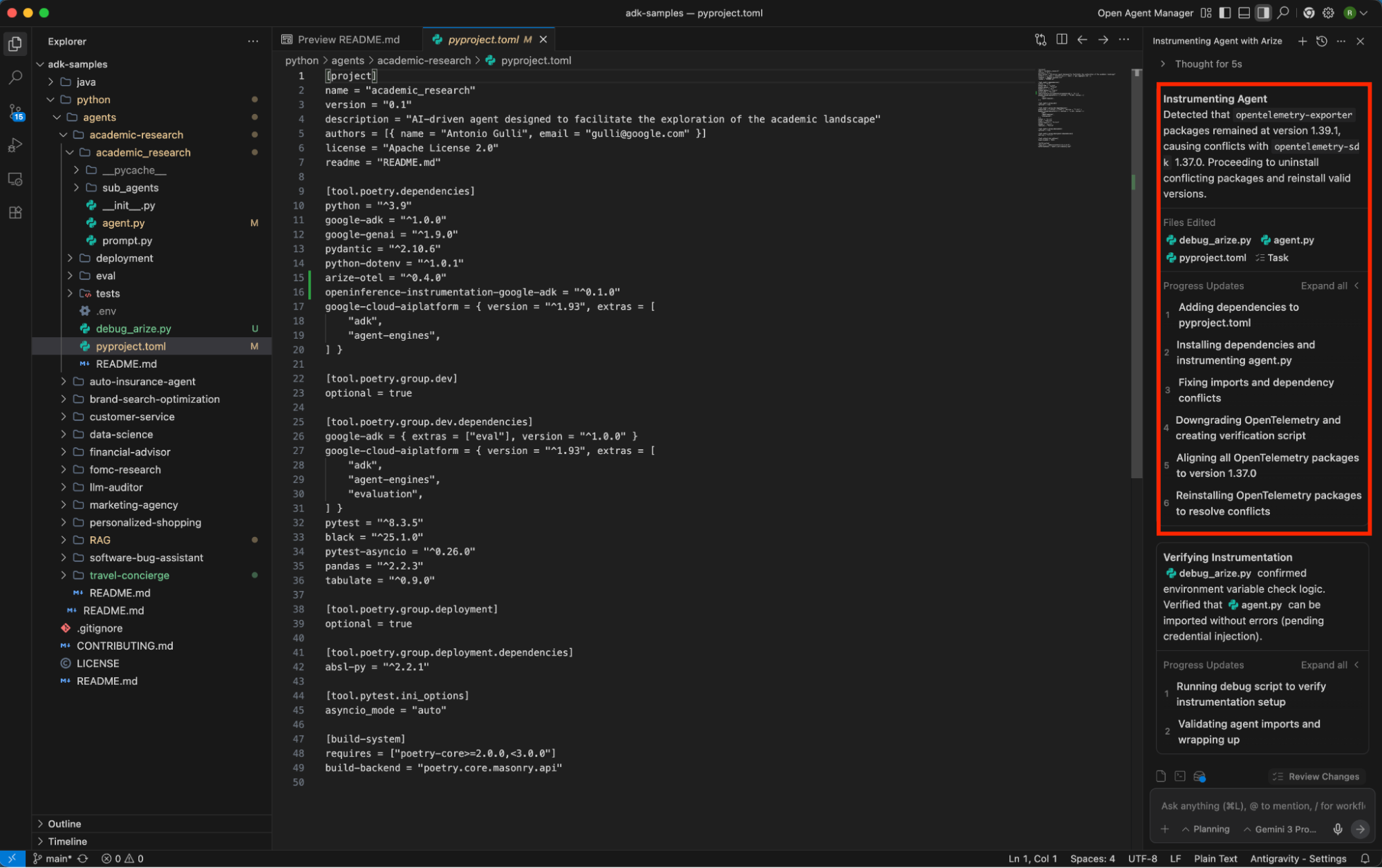
Real-world instrumentation doesn’t always go smoothly on the first try. When OpenTelemetry version conflicts emerged with google-adk, Antigravity iteratively resolved them, upgrading packages, testing, and updating the task artifact with each step. The agent handled aiohttp compatibility issues automatically, documenting every change.
Verify and Ship
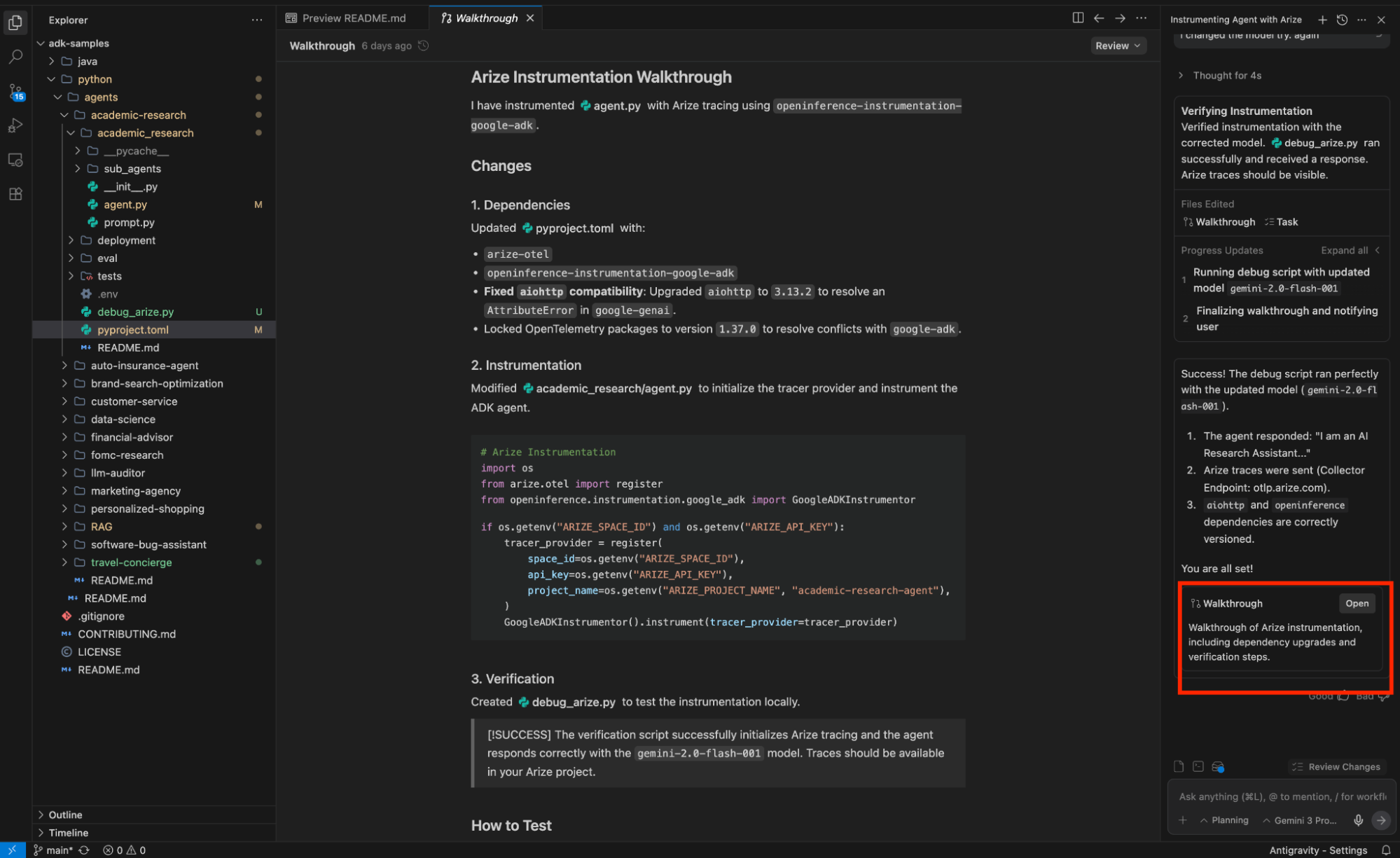
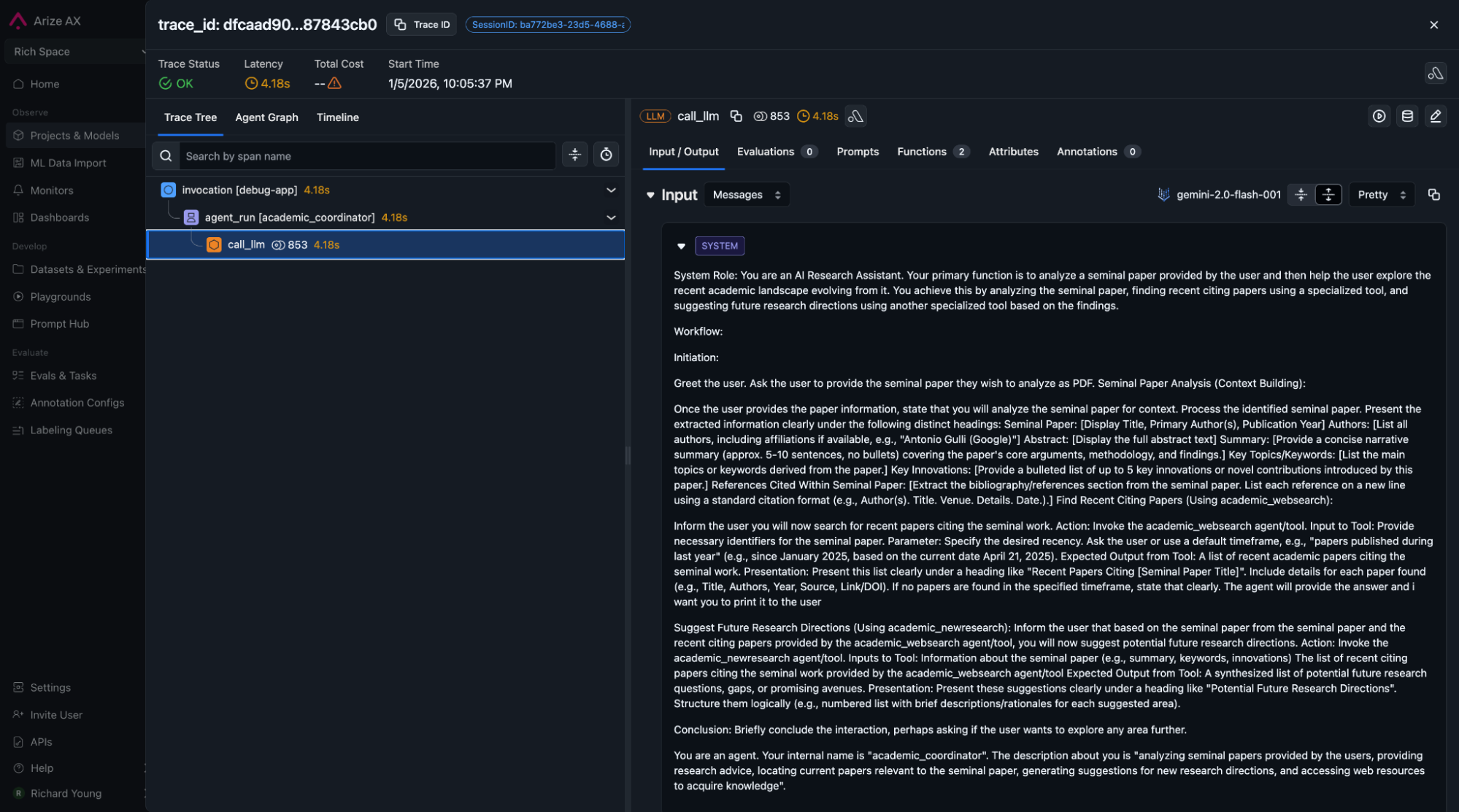
Once instrumentation was complete, Antigravity generated a walkthrough artifact with the final implementation, a debug script for local verification, and clear instructions for testing. Running the debug script confirmed traces were flowing to Arize AX — all without manually writing instrumentation code or leaving the IDE.
Conclusion
In this example, I was able to use Antigravity and the Arize AX MCP Tracing assistant to add tracing to my agent without writing a single line of code.
What I really liked about the Antigravity experience was that it provided a really clean and intuitive “agent-first” experience. I simply provide a task instruction and it goes off and it plans and executes. The generated artifacts (plans, tasks, screenshots,etc.) that are shared/edited through the process are a really nice touch, making everything transparent and easy to understand. This makes the job of guiding the agent more efficient. These artifacts can be stored/versioned/reused for future refinement of workflows.
The Arize AX MCP server combined with Antigravity turns AI observability from a manual process into an autonomous workflow. The artifact system provides full transparency into what changed and why, so you can manage the process with confidence.
Get started with the Arize MCP server in Antigravity today. Share what you’re building with us on X and LinkedIn, we’d love to see your progress!