

This guide compares Braintrust alternatives by the work teams need to do after an AI system ships: observe what happened, evaluate whether it was good, debug the root cause, and turn real failures into better test coverage.
Braintrust is a strong LLM evaluation platform for teams that want to build datasets, run experiments, compare prompts, create scorers, and catch regressions before release. That workflow matters because prompt, model, retriever, and agent changes can break behavior in ways ordinary tests miss.
The harder question starts after release. Once an AI application is in production, failures show up across traces, sessions, retrieval calls, tool calls, latency, token spend, user segments, and model behavior. A prompt can pass an offline eval and still fail inside a live workflow.
Security and deployment architecture have also become part of the evaluation process for enterprise AI teams. In May 2026, Braintrust confirmed a security breach and instructed customers to rotate sensitive keys after unauthorized access to internal systems. For teams in regulated industries like healthcare, finance, insurance, or government, incidents like this reinforce the importance of evaluating air-gapped deployment support, infrastructure isolation, and where traces, prompts, retrieval payloads, and customer data are processed and stored.
| Platform | Best fit | Use when |
|---|---|---|
| Arize AI | Production AI observability and evaluation | Use when you need traces, sessions, online evals, monitoring, alerting, annotations, and root-cause workflows across live AI systems. |
| LangSmith | LangChain and LangGraph teams | Use when your application is built around LangChain or LangGraph and you want tracing, debugging, evals, and deployment workflows close to that ecosystem. |
| Langfuse | Open source LLM observability | Use when you want tracing, prompt management, evals, datasets, experiments, and self-hosting control. |
| Helicone | Lightweight logging and cost tracking | Use when you need quick visibility into requests, latency, usage, provider behavior, and spend. |
| Fiddler AI | Enterprise AI governance and risk | Use when you need model monitoring, explainability, guardrails, governance, and audit-oriented workflows. |
| Braintrust | Pre-release LLM evaluation workflows | Use when your main job is prompt experiments, datasets, scorers, regression checks, and evaluation-driven release decisions. |
Why teams look for Braintrust alternatives
Eval-first workflows depend on known failure modes
Braintrust is built around an eval-first workflow: define test cases, run experiments, score outputs, compare versions, and decide whether a model, prompt, or agent change is ready to ship. That is useful when the team already knows what it wants to test.
Production systems expose a different class of problem. Real users do not exercise an AI system like a clean test set. They create runtime, orchestration, and semantic failures that controlled evals often miss.
Production failures rarely arrive as clean eval cases
When a bad answer reaches a user, the team usually has to answer operational questions before it can write a better eval:
- Which sessions failed?
- Did the issue come from retrieval, the model, a tool call, routing logic, or user context?
- Did latency spike because of retries, longer outputs, or a slow external tool?
- Did a failure appear across one user segment, one customer account, or one agent path?
- Can reviewers label the failure and turn it into a future eval case?
- Can the team see whether the same issue is already recurring in live traffic?
That is why Braintrust alternatives are often evaluated less as “eval tools” and more as production feedback-loop systems.
Security and deployment constraints have also become a larger part of the evaluation process for enterprise AI teams. In May 2026, Braintrust confirmed a security breach and instructed customers to rotate sensitive keys after unauthorized access to internal systems was discovered (TechCrunch).
For teams operating in regulated industries like healthcare, finance, defense, or government, the incident reinforced the importance of evaluating deployment architecture, air-gapped support, data isolation, and operational controls alongside evaluation features. Teams should review whether a platform can fully operate inside their own environment and whether sensitive traces, prompts, retrieval payloads, or customer data ever leave their security boundary.
Agents fail across the full task path
For agentic systems, the unit of quality is often the full task path. A single response can look acceptable while the session still fails. The agent may recover too slowly, repeat work, lose context, choose the wrong tool, or complete the wrong version of the task.
That makes the trace, session, tool path, and final outcome part of the same debugging problem. A useful platform should help you evaluate the trajectory, not only the final message.
AI failures create cross-functional cleanup
Production failures also spread beyond just the engineering team. Support teams want to see unresolved tickets. Product teams want to see task abandonment.
The root cause may sit inside a prompt, model, retriever, tool, memory layer, or routing decision, but the organization experiences it as a product failure.
How to compare Braintrust alternatives
Most LLM evaluation platforms now claim support for evals, traces, prompts, datasets, and experiments. Those labels are useful, but they do not show how the platform behaves when a team has to debug a real production failure.
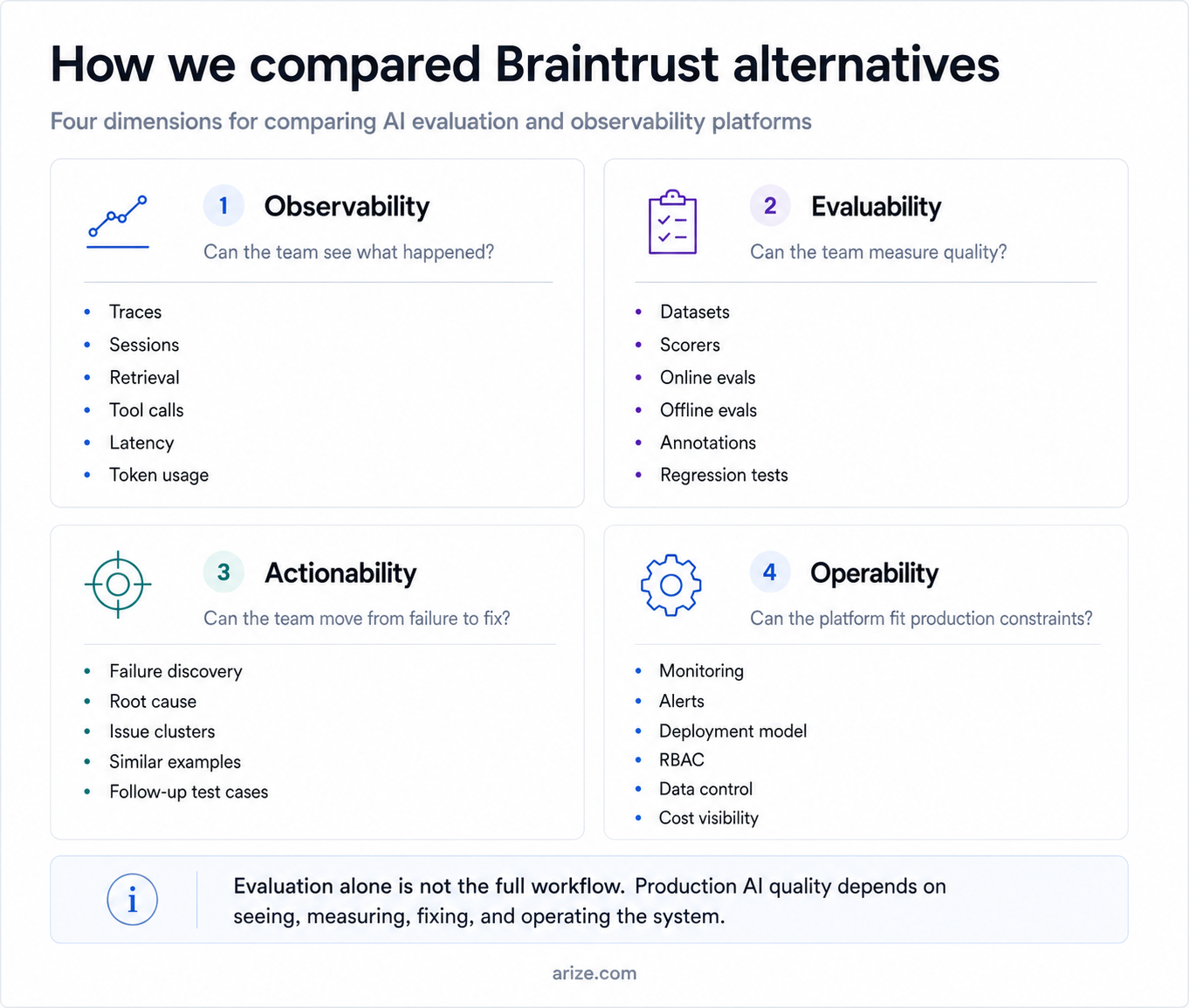
We compared Braintrust alternatives across four practical dimensions. The four dimensions are:
- Observability: can the team see what happened?
- Evaluability: can the team measure behavior at the output, span, trace, and session level?
- Actionability: how quickly can the team move from a failed run to a fix?
- Operability: can the platform fit the way the company runs production AI systems?
For larger teams, these dimensions usually collapse into one operating question: when a bad answer reaches a user, can the team find the session, inspect the path, score the behavior, assign the failure, and make sure the same pattern is caught next time?
Build better agents with Arize
Trace, evaluate, and learn. Build agents that work with Arize AX and start tracing your runs today.
Prefer open source? Try Arize Phoenix for self-hosted, open source agent observability.

Best alternatives for Braintrust
Before comparing alternatives, it helps to look at Braintrust packaging. The pricing model matters because eval and trace data can grow quickly once a team moves from prompt experiments to live agent traffic.
Braintrust pricing includes:
- Starter: free plan with 1 GB of processed data, 10k scores, and 14 days of retention.
- Pro: $249/month with 5 GB of processed data, 50k scores, and 30 days of retention.
- Enterprise: custom pricing, with custom retention and export, RBAC, premium support, and hosted or on-prem deployment options for higher-volume or privacy-sensitive use cases.
The score limit is the part teams should look at closely. Pricing against eval or score volume is uncommon in this category, where many platforms focus pricing around seats, traces, usage units, or infrastructure footprint.
For production agents, this can become a scaling issue because one user session can generate many scored units across the final answer, retrieved context, tool calls, intermediate steps, trace-level evals, and session-level evals.
For a small offline eval workflow, score limits may be easy to forecast.
For production agents, score usage grows with traffic and with the depth of evaluation coverage. Teams should model Braintrust pricing around how many traces they keep, how many scores they run, and how long they need production history available for debugging.
1. Arize AI: best for production AI observability and evaluation
Best for: Teams that need evaluation, tracing, debugging, monitoring, annotations, experiments, and production feedback loops across the full AI development lifecycle.
Arize AI is the strongest Braintrust alternative for teams that want evaluation across the complete AI lifecycle. Teams can use it while building, before release, after release, and during ongoing improvement.
Arize has two connected offerings. Arize AX is the enterprise platform for teams that need production monitoring, online evals, dashboards, governance, and cross-team review. Phoenix is the open source path for developers who want to trace, evaluate, experiment, and debug agents locally or in their own environment.
Developers can set up tracing, inspect the request path across prompts, retrieval, tool calls, routing decisions, and outputs, then evaluate behavior at the span, trace, and session level. A failed run becomes something the team can inspect, score, label, and turn into future test coverage.
Teams can build datasets from traces or curated examples, then run experiments to compare prompt, model, retriever, tool, or policy changes before they ship.
Arize connects release testing to live production evidence, which gives it a broader workflow than Braintrust, where the strongest fit is known datasets, scorers, and pre-release experiments.
Arize gives teams role-specific views over the same quality signal. Engineers can work from raw execution details and evaluator outputs. Product, support, operations, finance, and GTM teams can work from dashboards, labels, examples, scores, explanations, and recurring failure patterns.
Teams can evaluate agent quality across the full run. When a run fails, they can inspect the exact step that broke: the tool call, retrieval result, routing decision, retry pattern, latency spike, cost jump, or missed instruction. The broken step can then become a labeled example, a dataset item, or a regression test for the next release.
Arize’s CLI and Skills make eval workflows easier to run alongside existing developer tools. Teams can trigger checks from local development, CI jobs, coding-agent workflows, or lightweight deployments, then use the results to debug production issues from the same engineering loop.
These harness-style workflows stay connected to production traces, sessions, online evals, and monitoring, so teams can validate fixes against real behavior instead of keeping evals as a separate pre-release step.
LLM traces help teams inspect retrieval and generation together. Teams can separate retrieval failures, context problems, and answer-quality failures instead of treating the final response as the whole issue.
Teams can annotate traces and sessions, add useful examples to datasets, test changes, compare experiments, and monitor whether the same issue returns. Evals stay tied to real user behavior instead of becoming a static pre-release checklist.
Where Arize AI works best:
| Dimension | Assessment |
|---|---|
| Observability | Strong for traces, sessions, spans, retrieval, tool calls, latency, tokens, cost, embeddings, drift, and production monitoring |
| Evaluability | Strong for online evals, offline evals, span-level evals, trace-level evals, session-level evals, datasets, experiments, annotations, LLM-as-judge workflows, RAG evals, and agent metrics |
| Actionability | Strong for trace-level debugging, span-level scoring, failed-session review, Alyx-assisted issue discovery, alerting, root-cause analysis, and trace-to-dataset workflows |
| Operability | Best for teams that need open-source developer workflows, CLI and Skills workflows, enterprise UI, governance, dashboards, and cross-team production controls |
2. LangSmith: best for LangChain and LangGraph teams
Best for: Teams already building with LangChain or LangGraph that want tracing, evals, and debugging close to that stack.
LangSmith is the natural Braintrust alternative for teams already committed to LangChain.
The product sits close to the LangChain and LangGraph development loop, so it works well when the application already follows those orchestration patterns.
Its main advantage is the LangChain ecosystem. LangChain has a large developer base, a lot of examples, and broad documentation coverage.
The tradeoff is ecosystem gravity. LangSmith is less compelling when a team wants a neutral observability layer across custom agents, direct provider calls, retrieval systems, and production services.
The closer the platform sits to one orchestration stack, the more it inherits that stack’s assumptions.
A framework-native tool can help inside its own stack, but it may become less clean when the production architecture spans multiple frameworks, services, and agent runtimes.
LangChain’s size also brings operational overhead. A large ecosystem means more integrations and community support, but also more dependency surface, version churn, and security review.
Teams building deeply on the stack need disciplined patching and dependency hygiene.
Where LangSmith works best:
| Dimension | Assessment |
|---|---|
| Observability | Strong for LangChain and LangGraph traces |
| Evaluability | Useful for framework-native evals and datasets |
| Actionability | Good inside LangChain workflows, weaker across mixed stacks |
| Operability | Best when the team already accepts LangChain ecosystem gravity |
Pricing:
- Developer: Free plan for individual developers, with 5k base traces per month and access to tracing, evals, prompts, monitoring, and annotation workflows.
- Plus: $39 per seat per month for teams, with 10k base traces per month, unlimited seats, up to 3 workspaces, email support, and dev-sized agent deployment.
- Enterprise: Custom pricing for larger teams that need hybrid or self-hosted deployment, SSO/RBAC, support SLAs, training, and custom usage packages.
3. Langfuse: best open source Braintrust alternative
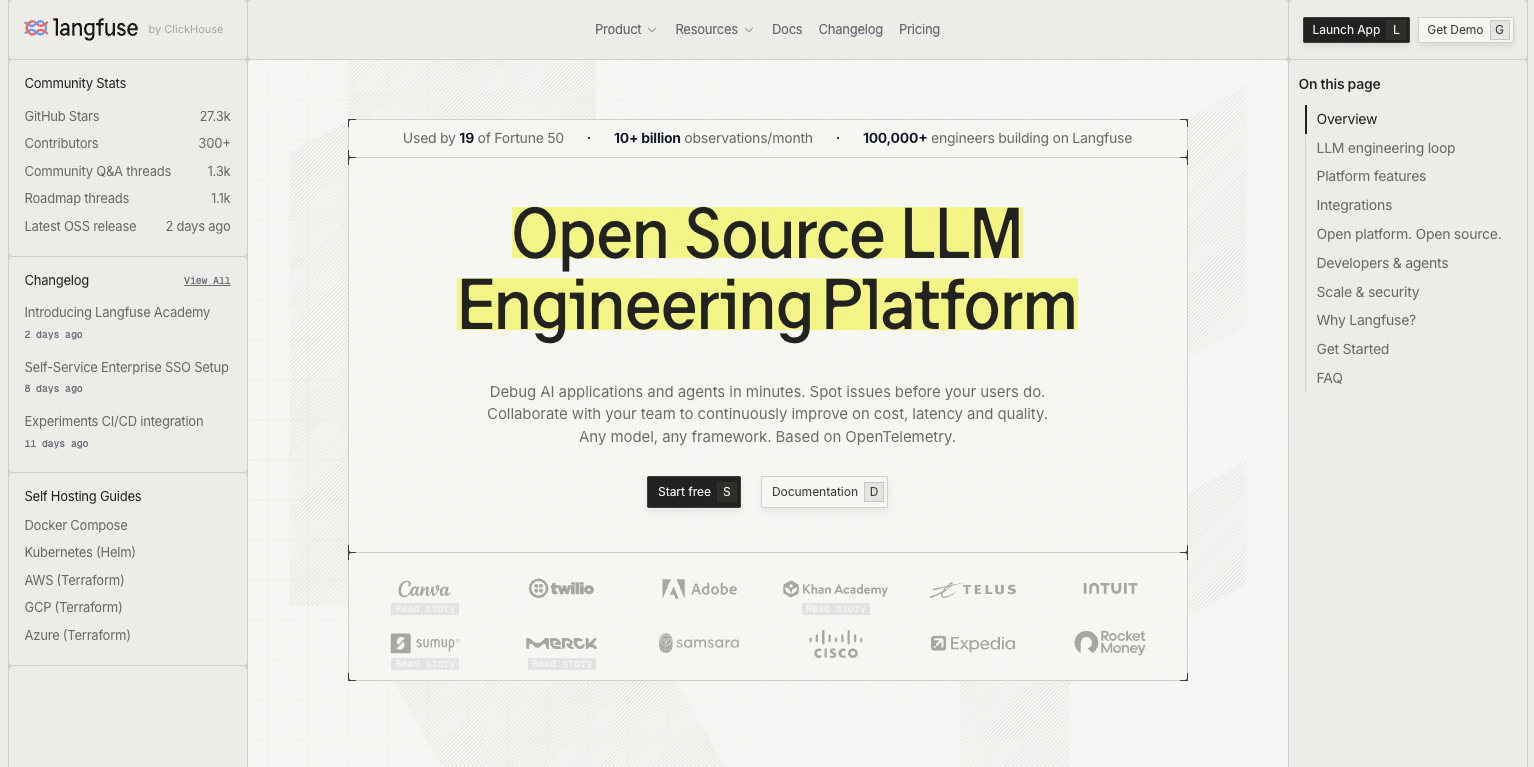
Best for: Teams that want open-source LLM observability, prompt management, evaluations, and self-hosting control.
Langfuse is one of the strongest Braintrust alternatives for teams that want to own more of the eval and observability workflow.
It gives developers a practical open-source path for tracing live calls, managing prompts, collecting datasets, running experiments, reviewing annotations, and scoring outputs with custom or LLM-as-judge evaluators.
Langfuse is especially useful for the prompt-to-production loop. A team can version prompts, compare behavior across releases, and evaluate production examples instead of keeping prompt work separate from runtime evidence.
Langfuse also fits mixed-stack teams. It supports OpenTelemetry, SDK instrumentation, framework integrations, LiteLLM, and custom API ingestion, so the workflow does not have to live inside one orchestration framework.
The limit shows up after adoption. Langfuse gives teams more control over the workflow, but that control comes with infrastructure work.
The open-source model is useful when the team wants ownership. It becomes heavier when the team also has to own uptime, retention, access control, upgrades, and internal support.
Langfuse becomes less natural when the buyer wants managed issue discovery, cross-functional review, governance, alerting, and root-cause workflows without adding more operational surface area.
Where Langfuse works best:
| Dimension | Assessment |
|---|---|
| Observability | Strong for traces, sessions, users, cost, latency, and agent graphs |
| Evaluability | Strong for datasets, experiments, annotations, custom scores, and LLM-as-judge |
| Actionability | Strong for prompt-to-trace review, weaker for managed issue discovery |
| Operability | Best for teams that want open-source control and can own the platform |
Pricing:
- Hobby: Free cloud plan for hobby projects and POCs, with 50k units per month, 30 days of data access, and 2 users.
- Core: $29 per month for production projects, with 100k units per month, 90 days of data access, unlimited users, and paid overages.
- Pro: $199 per month for scaling projects, with 3 years of data access, retention management, higher limits, and unlimited annotation queues.
- Enterprise: $2,499 per month for large teams, with audit logs, SCIM, custom limits, SLAs, and dedicated support.
4. Helicone: best for lightweight logging and cost tracking
Best for: Teams that want fast request visibility, provider usage analytics, latency tracking, and cost monitoring without setting up a heavier eval platform.
Helicone is the lightweight option in this list. It is useful when a team needs to see LLM traffic quickly: requests, responses, latency, token usage, cost, cache behavior, errors, and provider-level patterns.
The product fits teams that want a gateway-style view of production usage. Instead of starting with datasets and scorers, Helicone starts with the request stream.
That makes it useful for teams trying to answer basic operational questions: which models are being used, which requests are expensive, which users or endpoints are driving, and where latency is coming from.
Helicone also has a good developer adoption path.
Teams can route traffic through the proxy or use integrations, then get visibility into usage without designing a full evaluation workflow first. For early production systems, that can be enough.
The ceiling appears when quality work gets more complex. Logging requests is useful, but production AI debugging needs more than a searchable request history.
Teams still need session-level analysis, eval coverage, annotations, failure clustering, alerting, and root-cause workflows when the issue is semantic quality rather than raw usage.
Helicone works best as an LLM analytics and cost-control layer.
It becomes less complete when the buyer wants the quality loop to connect production behavior with online evals, reviewer workflows, regression tests, and long-term monitoring.
| Dimension | Assessment |
|---|---|
| Observability | Strong for request logs, latency, token usage, cost, and provider behavior |
| Evaluability | Useful for feedback and basic eval workflows, weaker for deeper eval management |
| Actionability | Good for finding expensive, slow, or failed requests |
| Operability | Best for teams that want lightweight usage visibility before a full observability stack |
Pricing:
- Hobby: Free plan for small projects, with 10k free requests, 1 GB storage, 1 seat, and 1 organization.
- Pro: $79 per month for growing teams, with unlimited seats, alerts, reports, HQL, and usage-based pricing.
- Team: $799 per month for scaling companies, with 5 organizations, SOC 2/HIPAA support, and a dedicated Slack channel.
- Enterprise: Custom pricing for custom MSAs, SAML SSO, on-prem deployment, and bulk cloud discounts.
5. Fiddler AI: best for enterprise model governance
Best for: Teams that need model monitoring, explainability, fairness tracking, governance, and risk reporting across regulated or high-stakes AI systems.
Fiddler AI is the enterprise governance pick in this list. It is less of a Braintrust-style eval workspace and more of a monitoring and risk platform for teams that need oversight across models, data, predictions, drift, fairness, explainability, and compliance workflows.
Fiddler makes the most sense when AI quality is tied to formal risk management. A bank, insurer, healthcare company, or large enterprise may care about auditability, model behavior over time, explainability, and policy review as much as prompt iteration.
The platform’s center of gravity is broader than LLM evals. It fits teams that need monitoring across predictive models and generative AI systems, not only prompt tests, datasets, and scorers.
Fiddler’s limitation is usage rhythm. The platform is more natural for long-term model monitoring, fairness tracking, explainability, and governance reporting than for daily LLM engineering work.
A risk team may care about trends, thresholds, audits, and reports. An AI engineering team usually needs faster loops: trace inspection, session review, prompt comparison, annotation, eval iteration, and root-cause debugging which are lacking in this offering.
Where Fiddler AI works best:
| Dimension | Assessment |
|---|---|
| Observability | Strong for model monitoring, drift, explainability, and risk signals |
| Evaluability | Useful for governance-oriented checks, weaker for fast LLM eval iteration |
| Actionability | Strong for compliance and model-risk workflows, weaker for agent debugging |
| Operability | Best for enterprises with formal AI governance and audit requirements |
Pricing:
- Free: Free guardrails for hallucinations, toxicity, PII/PHI, prompt injection, and jailbreak attempts.
- Developer: $0.002 per trace for AI observability, tests, experiments, custom evaluators, bring-your-own-judge workflows, RBAC, SSO, and SaaS deployment.
- Enterprise: Custom pricing for enterprise guardrails, larger scale, SaaS/VPC/on-prem deployment, dedicated support, and customized onboarding.
Other Braintrust alternatives worth considering
Some tools come up in Braintrust alternative research because they sit near the evaluation workflow, even if they are not direct replacements for a full AI observability and evaluation platform.
| Tool | Best fit | Why consider it |
|---|---|---|
| Ragas | RAG evaluation | Useful for teams that mainly need retrieval and generation metrics for RAG systems, especially during experimentation. |
| TruLens | RAG and app-level evaluation | Useful for evaluating groundedness, context relevance, and answer quality in LLM apps. |
| OpenAI Evals | Custom eval harnesses | Useful when teams want to write their own eval logic around OpenAI models and keep the workflow code-first. |
| Promptfoo | Prompt regression testing | Useful for lightweight prompt testing, CI checks, and model comparison before release. |
How to choose the right Braintrust alternative
The right Braintrust alternative depends on how far your team has moved beyond pre-release evals.
Braintrust can be a good fit when the main workflow is prompt testing: build datasets, run scorers, compare versions, and catch known regressions before release. If that is the whole problem, a focused eval tool may be enough.
The replacement question changes when production behavior becomes the problem. If your team is debugging failed sessions, tracing agent paths, reviewing retrieval quality, monitoring live traffic, annotating examples, and turning failures into future test coverage, Arize is the stronger fit.
Arize is the best replacement when the team wants one AI quality workflow across development and production. It covers the small eval jobs, but it also handles the larger loop: trace the system, evaluate behavior, inspect failures, build datasets from real examples, compare changes, and monitor whether the issue returns.
Some teams only need a narrower tool. LangSmith can make sense when the app is already built around LangChain or LangGraph. Fiddler AI can make sense when the buyer is focused on governance, explainability, and long-term risk reporting.
For small targeted evals, a lighter tool can be enough. If the team only needs prompt regression tests, RAG metrics, or a code-first eval harness, tools like Promptfoo, Ragas, TruLens, or OpenAI Evals may solve the immediate problem.
For teams replacing Braintrust because the workflow has expanded, Arize should be the default comparison. It can support targeted eval work, but it also gives teams the production layer that eval-only workflows eventually need: traces, sessions, annotations, online evals, dashboards, alerts, root-cause workflows, and feedback loops from live failures.
Braintrust alternatives FAQ
Is Braintrust open source?
Braintrust is not fully open source. Its AI proxy is open source, but the main eval platform, product UI, and Brainstore backend are proprietary.
That becomes important when evals and traces become production infrastructure. Teams that need full code inspection, free self-hosting, or clean data portability usually compare Braintrust with open-source options like Arize Phoenix and Langfuse.
Can Braintrust be fully self-hosted?
Braintrust supports enterprise deployment options, but teams should check what runs in their environment and what stays managed by Braintrust.
The practical review is simple: where does the data plane run, where does the control plane run, where does metadata live, how is auth handled, and what tier is required? For air-gapped or regulated environments, those details matter more than the self-hosting checkbox.
Does Braintrust work for production agent debugging?
Braintrust supports traces, sessions, tool calls, and multi-turn workflows. That covers part of the agent debugging problem.
Production agents fail across full task paths. A bad run may come from routing, retrieval, stale memory, retries, a malformed tool call, or an intermediate decision several steps before the final answer. Teams should compare tools by how well they inspect trajectories, cluster failures, and turn bad sessions into future eval coverage.
What should teams look for in Braintrust pricing?
Braintrust pricing should be modeled against production trace and score volume, not a small prompt experiment.
Agent traces, retrieval steps, tool calls, online evals, and retention can grow quickly after launch. The important question is how much it costs to keep enough traces, scores, and history to debug failures weeks or months after they happen.

