

How to open Alyx
Click a trace to open its details in the slideover, then open the Alyx chat. Alyx has full context of the trace you’re viewing so you can ask questions, run evals, or create datasets without switching context.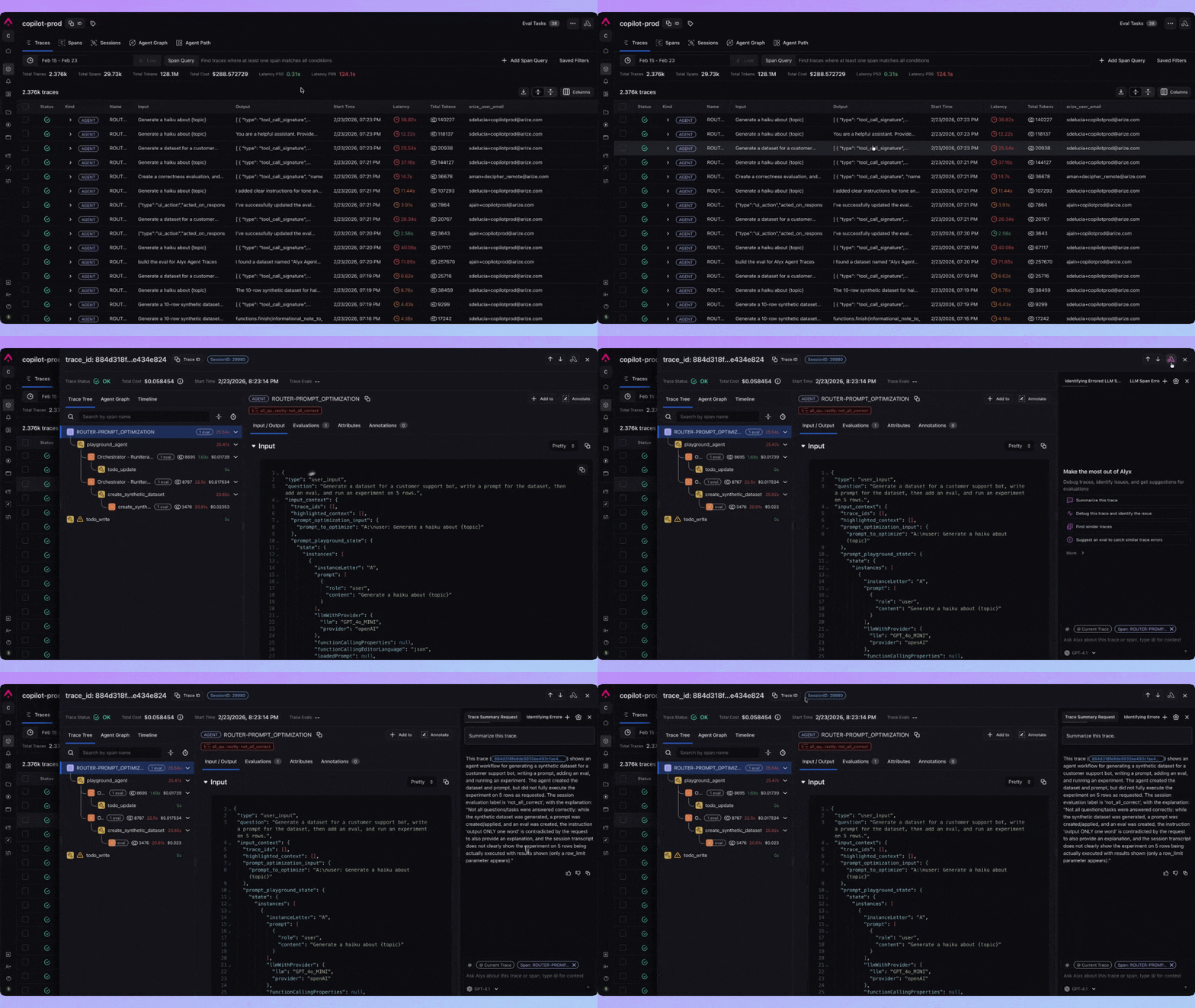
Skills in this surface
- Trace troubleshooting — Diagnose latency bottlenecks, errors, and unexpected behavior
- Span analysis — Inspect inputs, outputs, tool calls, and error tracebacks for any span
- Annotations — Create annotation configs and annotate spans to categorize issues
- Build evals — Create custom evals based on what you observe in the trace
- Dataset creation — Add spans to datasets or create synthetic datasets from trace analysis
- Prompt Hub — Load prompts into the playground, save to hub, save new versions
- Search — Build filters or find spans via natural language when you need filter syntax
- Documentation — Get platform docs and support answers
Key skills
| Skill | Description |
|---|---|
| Trace preview | Get an overview of the trace structure and span hierarchy |
| Span data | Inspect detailed input/output, latency, and attributes for any span |
| Find in trace | Search for specific content across the trace |
| Annotations | Create configs and annotate single or multiple spans with labels |
| Build eval | Write a custom LLM-as-a-judge eval for your use case |
| Create dataset from spans | Create a dataset from selected trace spans |
| Append spans to dataset | Add spans from this trace to an existing dataset |
| Synthetic datasets | Create or append synthetic data for testing |
| Prompt Hub | List, load, and save prompts; save new versions |
| Choose evals | Select or attach evals; list dataset evals and online tasks |
| Search | Build filters or find spans via natural language |
| Display query params | Show the current filter and time range |
Why use Alyx here
When you’re deep in a trace—tracking down a failure, explaining latency, or deciding what to add to a dataset—Alyx is right there with that trace in context. Ask in plain language to understand what happened, annotate issues, build evals from what you see, or pull spans into a dataset. You get answers and next steps without leaving the slideover or re-explaining the trace.Example prompts
- “What’s causing the latency in this trace?”
- “Annotate this span as a hallucination”
- “Build an eval to check if the response answers the question”
- “Find all spans that call the search tool”
- “Create a dataset from the spans with errors”