

The Cost Agent is part of managed agents on Enterprise. Through September 15, 2026, Signal and managed agents are included at no additional charge for Enterprise. See Pricing and usage.
What it finds
It clusters by cause, so one finding covers a recurring pattern rather than a single expensive call, and each carries the numbers behind it plus a proposed fix.

A session run: total spend for the window, a per-model breakdown, and ranked bottlenecks with a costed fix for each.
Every figure comes from your span data; the agent never estimates. It reads an explicit cost attribute where one exists, otherwise multiplies token counts by the model’s published price, and excludes any span with neither — reporting how many it dropped. So accuracy depends on your spans carrying tokens or costs: if token columns show
n/a, fix instrumentation first with Track costs.Run it
Signal & Agents → + New Agent → Cost Agent.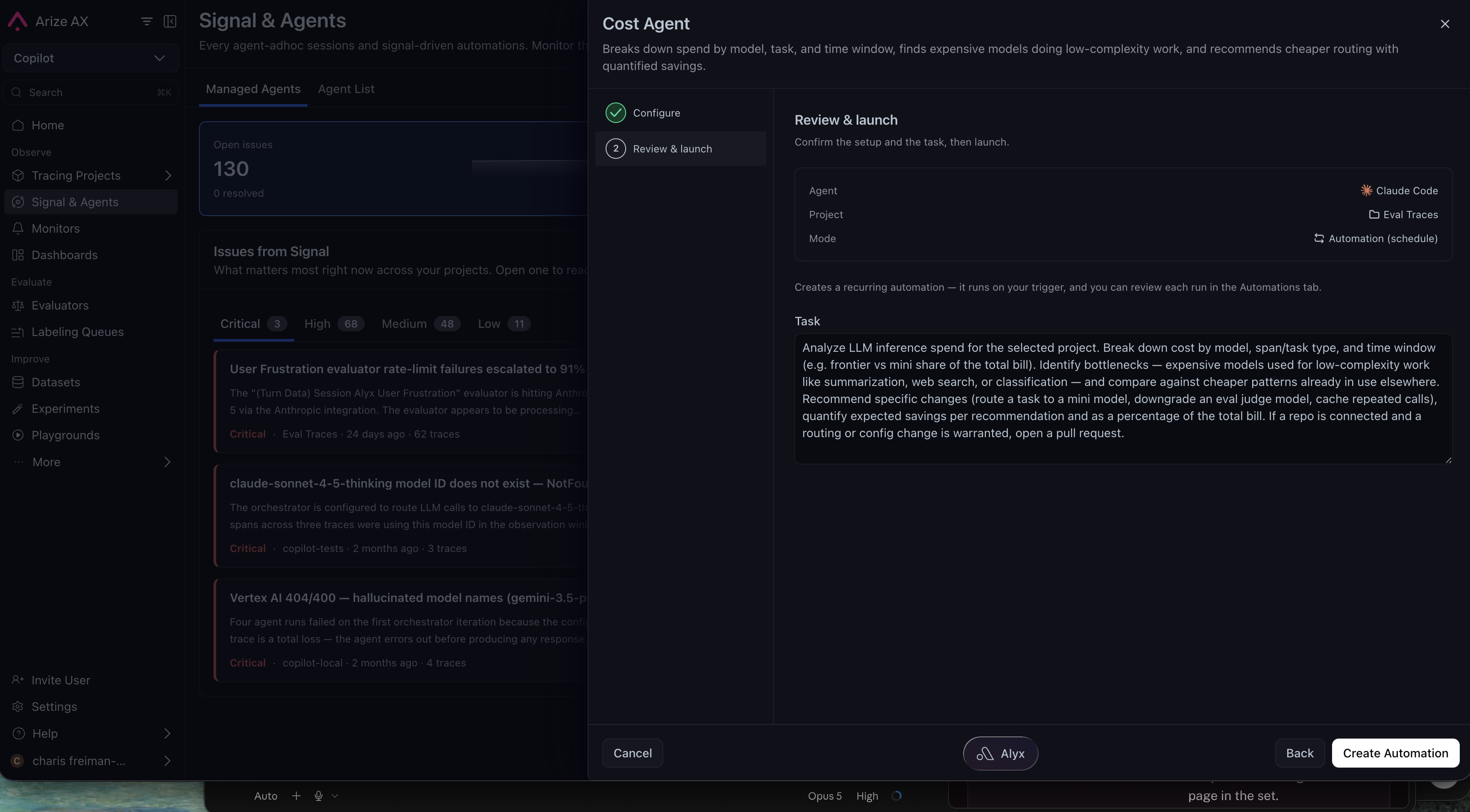
Review & launch: the harness, the project it will read, and the run mode, with the task prompt editable before you create the automation.
You can add context about your cost constraints and approved models; it refines the analysis without overriding the rules above.
Most runs reconfirm existing issues and file nothing new, so a run that reports nothing is a valid result rather than a failure.
Related docs
- Signal — Ranked correctness and reliability issues
- Managed agents: the gallery, agent configs, and customization
- Connect your harness — Credentials, skills, and permissions
- Track costs — Get token and cost attributes onto your spans