

AX Agent Improvement Loop is available in closed Enterprise beta. Contact your Arize account team for access.
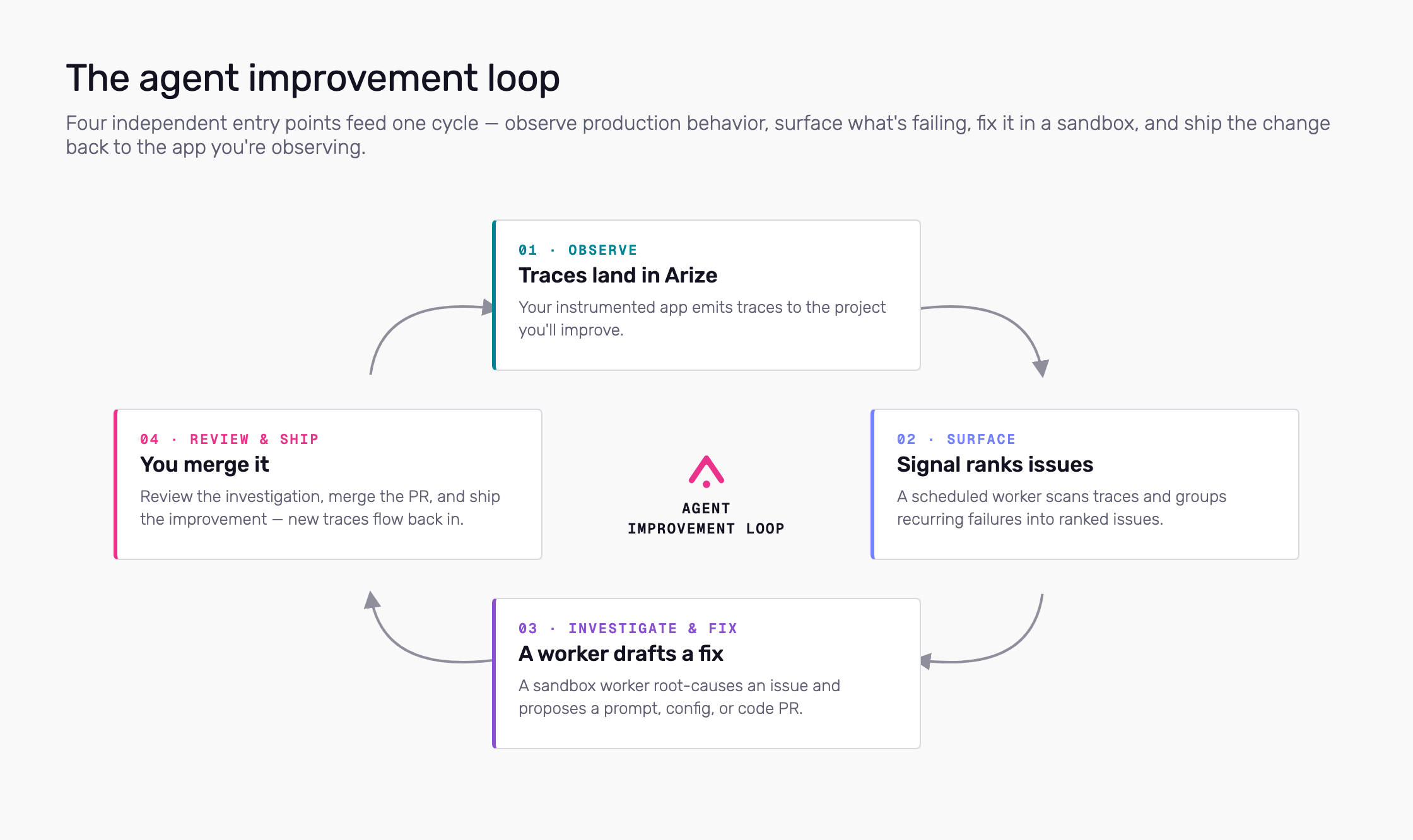
The improvement loop: observe, surface, fix, and ship — with Signal, Agent Studio, Agent Swarms, and Agent Presets as entry points
Where to start
Use any combination—these are separate entry points, not steps in a pipeline.- Signal — Turn on per tracing project. A scheduled worker scans traces and surfaces ranked issues with investigations.
- Agent Swarms — Monitor active workers, browse sessions and automations, and open run detail. Start new work with + New Agent → Agent Studio.
- Agent Presets — Save reusable harness, sandbox, repo, and skill settings under More → Agent Presets.
- How it works — Sandboxes, security, and data access; skills and RBAC.
Terms
- Agent preset — Saved harness, sandbox, optional repo, and skills. Managed under More → Agent Presets.
- Session — One interactive run from Agent Studio; follow the transcript and send follow-ups.
- Automation — Same worker configuration on a cron or metric trigger. Requires a preset.
Related docs
- Agent trajectory / tracing — Instrument the app that produces traces
- Agent Insights — Manual or Alyx-assisted analysis across traces
- Alyx — In-product copilot
- Arize Skills — Run Arize workflows in your local coding agent