

- Understand failures and behavior: Follow the agent’s actions, tool results, and responses throughout a session.
- Understand and optimize cost: Identify expensive sessions and the model calls or repeated work driving token usage.
- Support governance and accountability: Review recorded activity, attribute sessions using available metadata, and control what content is captured.
- Find performance bottlenecks: Locate slow operations and repeated attempts that prolong tasks.
- Improve instructions and tools: Use observed behavior to guide changes and evaluate subsequent runs.
Connect your coding agent
A tracing integration sends your coding agent’s activity to an AX project. Follow the guide for your agent to install the integration, configure credentials, and choose what content to capture: Run a coding task after setup, then open the project you configured in AX. The following workflow uses an example session in which an agent repeatedly attempts to fix a failing test.Find a session
Open the project’s Sessions tab. Each session groups related traces bysession.id, letting you follow the conversation across turns. Narrow the time range and use the session ID or captured user ID to find the work you want to investigate. Sort by duration or token count to find sessions that merit a closer look.
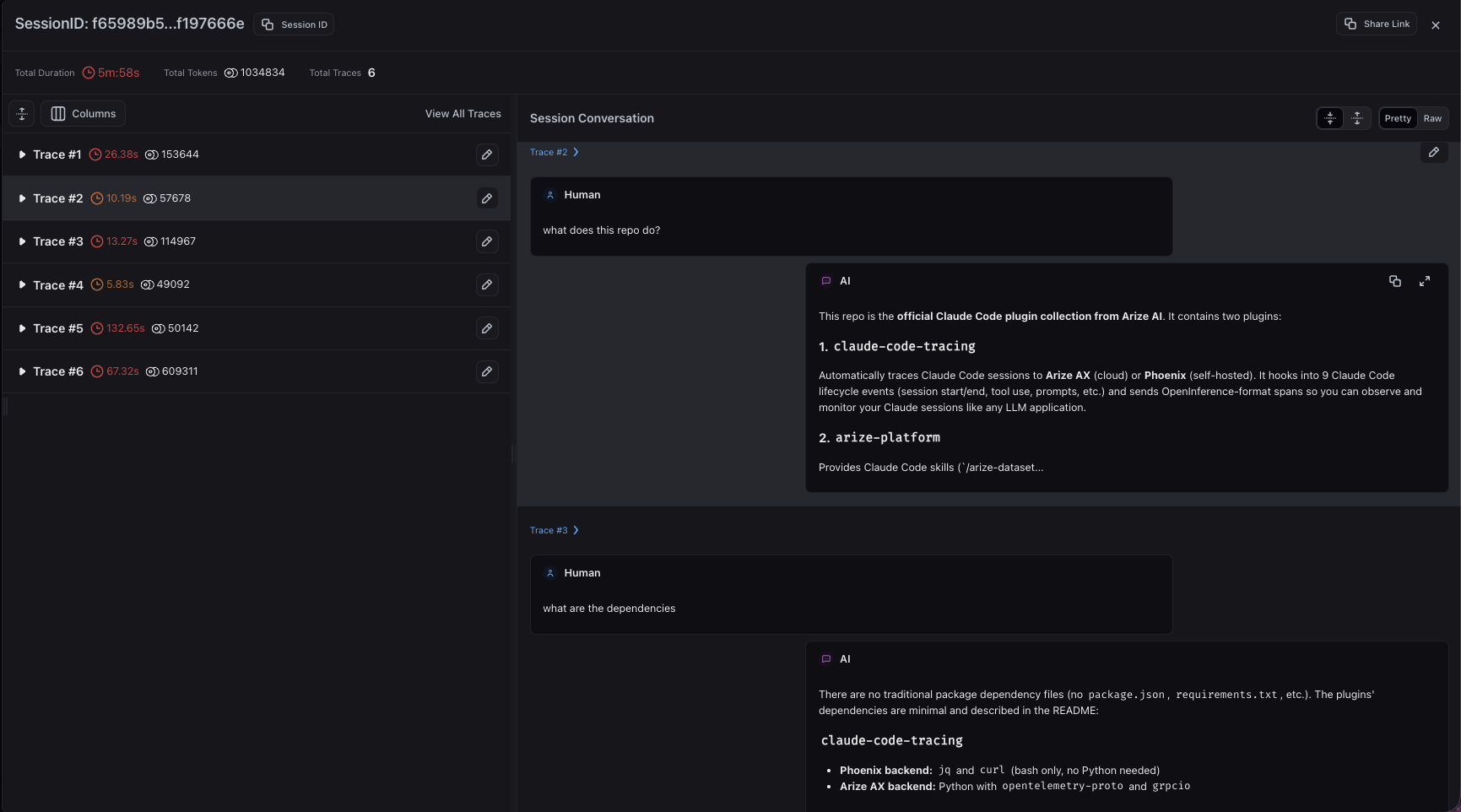
Claude Code turns grouped in a session in Arize AX
Understand behavior and investigate failures
A trace contains spans for recorded operations, such as model calls and tool executions. Expand the span tree to follow their relationships and inspect inputs, outputs, duration, and status.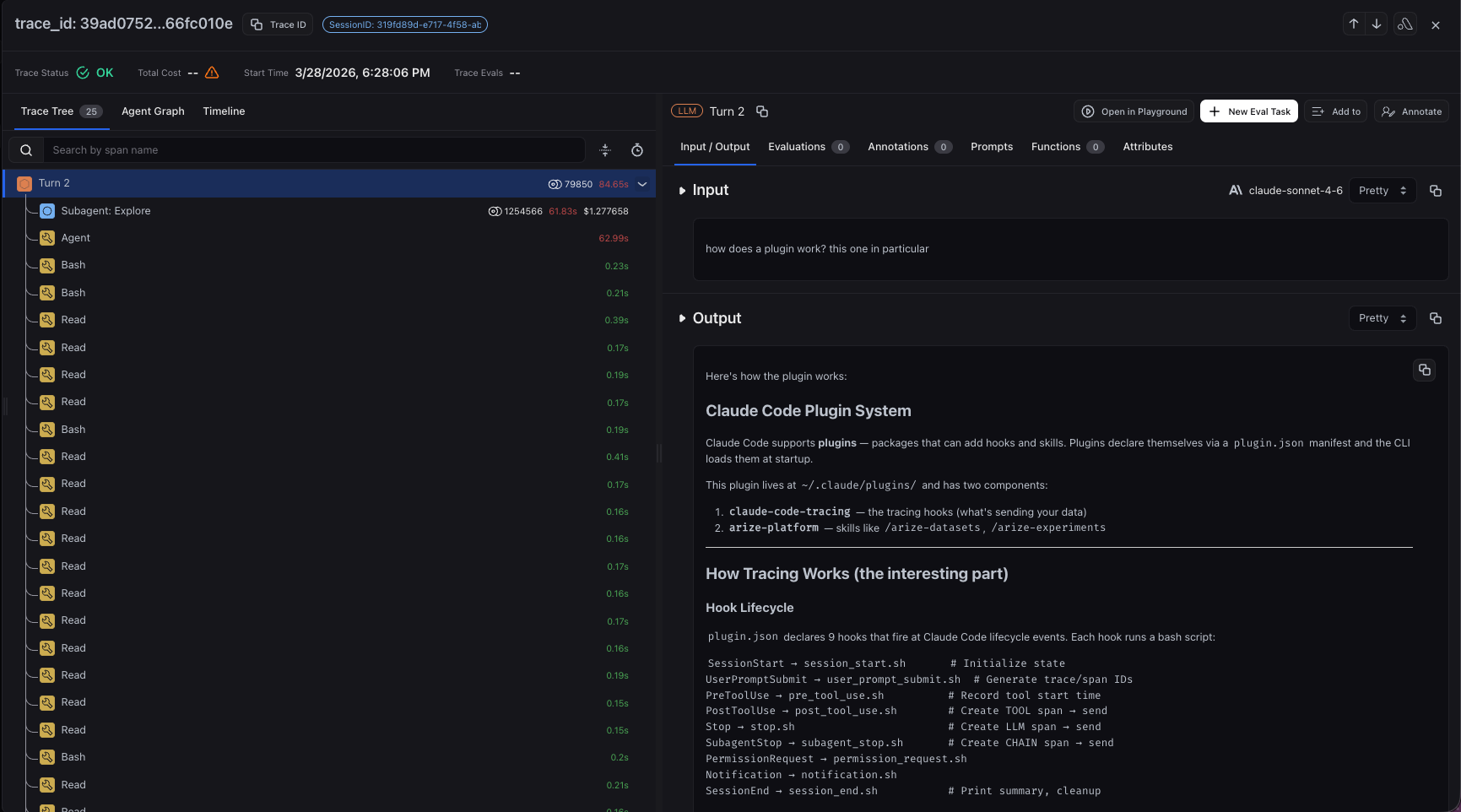
Inspect model calls and tool activity inside a Claude Code turn
- Read the tool input. Check which test command ran and which files or arguments it used.
- Inspect the result. Read the failure output and any recorded error status. A command’s output can reveal a failed test even when the enclosing tool span is not marked as an error.
- Follow the next action. Did the agent edit the relevant code, inspect more context, or rerun the same command?
- Continue through later turns. Determine whether the task progressed or the same failure kept recurring. Inspect subagent activity where the integration captures it.
Investigate cost and performance
Use session token counts and duration to locate expensive or slow work, then inspect individual traces and spans to understand the contributors. Look for repeated file reads, redundant model calls, long-running tools, and unsuccessful retries. In the example, compare the test executions with the model calls between them. Is time spent running tests, or does the agent repeatedly gather the same context before each attempt? Are token counts growing while the failure remains unchanged? AX uses reported cost attributes or calculates model-call costs from token counts and the matching model pricing configuration. Available detail depends on the integration and captured attributes. These costs describe recorded model usage; they may differ from a coding tool’s subscription bill. See Track costs for configuration and breakdowns. Use trace and span filters to investigate similar operations across sessions and identify recurring patterns.Review activity and support governance
Recorded sessions give teams evidence for reviewing how coding agents are used. Where user metadata is available, attribute activity to a user and inspect the tools, commands, and outputs associated with their session. Bring the relevant traces into a review so others can examine the same sequence. Choose capture settings that fit that review process. The integrations provide controls for prompt and response text, tool details such as arguments and paths, and tool output such as file contents. Follow your integration guide to configure those controls before collecting sessions. Tracing supports accountability for captured activity. Permission enforcement and hard spending limits require separate controls, and locally configured tracing does not guarantee that every action is recorded.Improve and monitor across sessions
Turn the investigation into a specific change. For the failing-test example, you might clarify the test command in the agent’s instructions or fix a tool that returns incomplete error output. Run comparable tasks again and check whether the repeated attempts decrease while the tests actually pass.- Use trace and session evaluations to assess outcomes and behavior across runs. Include test results or other outcome evidence when assessing correctness.
- Save custom views for recurring investigations, such as tool errors or high-token traces.
- Build dashboards and monitors to track latency, token usage, and recurring errors.
- Review usage across instrumented agents and users where metadata permits, identifying workflows that need further investigation or support.