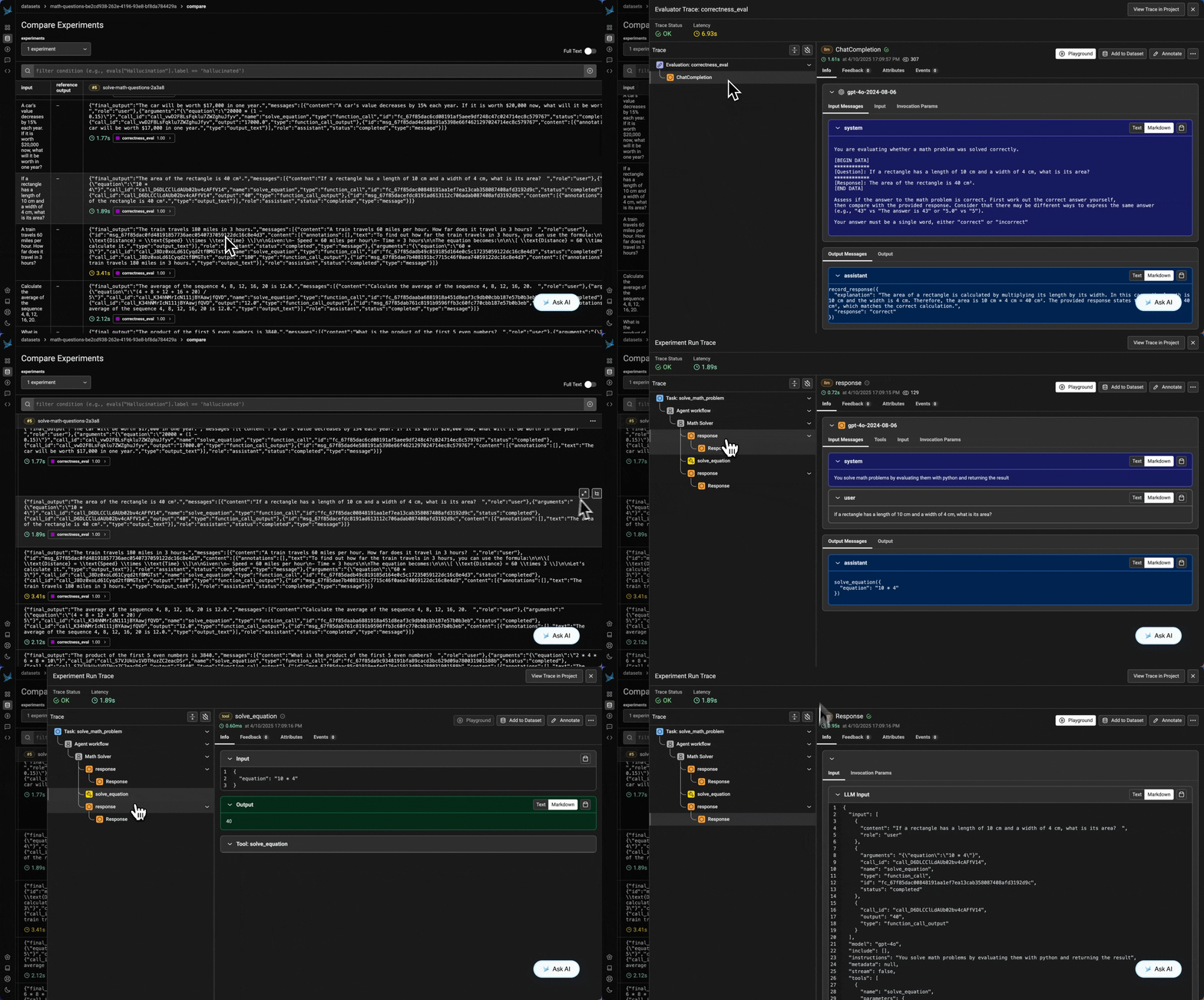
Here we’ve setup a basic agent that can solve math problems. We have a function tool that can solve math equations, and an agent that can use this tool.We’ll use the Runner class to run the agent and get the final output.
from agents import Runner, function_tool@function_tooldef solve_equation(equation: str) -> str: """Use python to evaluate the math equation, instead of thinking about it yourself. Args: equation: string which to pass into eval() in python """ return str(eval(equation))
from agents import Agentagent = Agent( name="Math Solver", instructions="You solve math problems by evaluating them with python and returning the result", tools=[solve_equation],)
result = await Runner.run(agent, "what is 15 + 28?")# Run Result objectprint(result)# Get the final outputprint(result.final_output)# Get the entire list of messages recorded to generate the final outputprint(result.to_input_list())
Now we have a basic agent, let’s evaluate whether the agent responded correctly!
Tool call accuracy - did our agent choose the right tool with the right arguments?
Tool call results - did the tool respond with the right results?
Agent goal accuracy - did our agent accomplish the stated goal and get to the right outcome?
We’ll setup a simple evaluator that will check if the agent’s response is correct, you can read about different types of agent evals here.Let’s setup our evaluation by defining our task function, our evaluator, and our dataset.
import asyncio# This is our task function. It takes a question and returns the final output and the messages recorded to generate the final output.async def solve_math_problem(dataset_row: dict): result = await Runner.run(agent, dataset_row.get("question")) return { "final_output": result.final_output, "messages": result.to_input_list(), }dataset_row = {"question": "What is 15 + 28?"}result = asyncio.run(solve_math_problem(dataset_row))print(result)
Next, we create our evaluator.
from phoenix.evals import LLM, ClassificationEvaluator, bind_evaluator# Template for evaluating math problem solutionsMATH_EVAL_TEMPLATE = """You are evaluating whether a math problem was solved correctly.[BEGIN DATA]************[Question]: {question}************[Response]: {response}[END DATA]Assess if the answer to the math problem is correct. First work out the correct answer yourself,then compare with the provided response. Consider that there may be different ways to express the same answer(e.g., "43" vs "The answer is 43" or "5.0" vs "5").Your answer must be a single word, either "correct" or "incorrect""""# Run the evaluationllm = LLM(provider="openai", model="gpt-4.1")correctness_evaluator = ClassificationEvaluator( name="math_correctness", prompt_template=MATH_EVAL_TEMPLATE, llm=llm, choices={"correct": 1.0, "incorrect": 0.0},)correctness_eval = bind_evaluator( correctness_evaluator, input_mapping={ "question": "input.question", "response": "output.final_output", },)
Using the template below, we’re going to generate a dataframe of 25 questions we can use to test our math problem solving agent.
MATH_GEN_TEMPLATE = """You are an assistant that generates diverse math problems for testing a math solver agent.The problems should include:Basic Operations: Simple addition, subtraction, multiplication, division problems.Complex Arithmetic: Problems with multiple operations and parentheses following order of operations.Exponents and Roots: Problems involving powers, square roots, and other nth roots.Percentages: Problems involving calculating percentages of numbers or finding percentage changes.Fractions: Problems with addition, subtraction, multiplication, or division of fractions.Algebra: Simple algebraic expressions that can be evaluated with specific values.Sequences: Finding sums, products, or averages of number sequences.Word Problems: Converting word problems into mathematical equations.Do not include any solutions in your generated problems.Respond with a list, one math problem per line. Do not include any numbering at the beginning of each line.Generate 25 diverse math problems. Ensure there are no duplicate problems."""
During development, experimentation helps iterate quickly by revealing agent failures during evaluation. You can test against datasets to refine prompts, logic, and tool usage before deploying.In this section, we run our agent against the dataset defined above and evaluate for correctness using LLM as Judge.
With our dataset of questions we generated above, we can use our experiment feature to track changes across models, prompts, parameters for our agent.Let’s create this dataset and upload it into the platform.
import uuidfrom phoenix.client import AsyncClientunique_id = uuid.uuid4()# Upload the dataset to Phoenix# Use AsyncClient here because the agent task is asynchronous.px_client = AsyncClient()dataset = await px_client.datasets.create_dataset( dataframe=math_problems_df, input_keys=["question"], name=f"math-questions-{unique_id}",)print(dataset)
In production, evaluation provides real-time insights into how agents perform on user data.This section simulates a live production setting, showing how you can collect traces, model outputs, and evaluation results in real time.Another option is to pull traces from completed production runs and batch process evaluations on them. You can then log the results of those evaluations in Phoenix.
!pip install openinference-instrumentation
from opentelemetry.trace import StatusCode, format_span_id
After importing the necessary libraries, we set up a tracer object to enable span creation for tracing our task function.
tracer = tracer_provider.get_tracer(__name__)
Next, we define our correctness evaluator. In the task function below, we call evaluator.evaluate() directly to get both a label and an explanation, enabling metadata to be captured during tracing.We also revise the task function to include with clauses that generate structured spans in Phoenix. These spans capture key details such as input values, output values, and the results of the evaluation.
from phoenix.evals import LLM, ClassificationEvaluator# Template for evaluating math problem solutionsMATH_EVAL_TEMPLATE = """You are evaluating whether a math problem was solved correctly.[BEGIN DATA]************[Question]: {question}************[Response]: {response}[END DATA]Assess if the answer to the math problem is correct. First work out the correct answer yourself,then compare with the provided response. Consider that there may be different ways to express the same answer(e.g., "43" vs "The answer is 43" or "5.0" vs "5").Your answer must be a single word, either "correct" or "incorrect""""# Run the evaluationllm = LLM(provider="openai", model="gpt-4.1")correctness_evaluator = ClassificationEvaluator( name="math_correctness", prompt_template=MATH_EVAL_TEMPLATE, llm=llm, choices={"correct": 1.0, "incorrect": 0.0},)
# This is our modified task function.async def solve_math_problem(dataset_row: dict): with tracer.start_as_current_span(name="agent", openinference_span_kind="agent") as agent_span: question = dataset_row.get("question") agent_span.set_input(question) agent_span.set_status(StatusCode.OK) result = await Runner.run(agent, question) agent_span.set_output(result.final_output) task_result = { "final_output": result.final_output, "messages": result.to_input_list(), } # Evaluation span for correctness — use direct single-record eval with tracer.start_as_current_span( "correctness-evaluator", openinference_span_kind="evaluator", ) as eval_span: evaluation_result = correctness_evaluator.evaluate( eval_input={"question": question, "response": result.final_output} ) eval_span.set_attribute("eval.label", evaluation_result[0].label) if evaluation_result[0].explanation: eval_span.set_attribute("eval.explanation", evaluation_result[0].explanation) # Logging our evaluation span_id = format_span_id(eval_span.get_span_context().span_id) eval_data = { "span_id": span_id, "label": evaluation_result[0].label, "score": evaluation_result[0].score, } if evaluation_result[0].explanation: eval_data["explanation"] = evaluation_result[0].explanation df = pd.DataFrame([eval_data]) from phoenix.client import AsyncClient px_client = AsyncClient() await px_client.spans.log_span_annotations_dataframe( dataframe=df, annotation_name="correctness", annotator_kind="LLM", ) return task_resultdataset_row = {"question": "What is 15 + 28?"}result = asyncio.run(solve_math_problem(dataset_row))print(result)
Finally, we run an experiment to simulate traces in production.
initial_experiment = await px_client.experiments.run_experiment( dataset=dataset, task=solve_math_problem, experiment_description="Solve Math Problems", experiment_name=f"solve-math-questions-{str(uuid.uuid4())[:5]}",)