Google Colab
colab.research.google.com
- Examine how different prompting techniques influence reasoning by evaluating model performance on a dataset.
- Refine prompting strategies, progressing from basic approaches to structured reasoning.
- Utilize Phoenix to assess accuracy at each stage and explore the model’s thought process.
- Learn how to apply CoT prompting effectively in real-world tasks.
Set up Dependencies and Keys
phoenix serve; for a deployment running elsewhere, use its hostname instead.
Load Dataset Into Phoenix
This dataset includes math word problems, step-by-step explanations, and their corresponding answers. As we refine our prompt, we’ll test it against the dataset to measure and track improvements in performance. Here, we also import the Phoenix Client, which enables us to create and modify prompts directly within the notebook while seamlessly syncing changes to the Phoenix UI.Zero-Shot Prompting - Baseline
Zero-shot prompting is the simplest way to interact with a language model—it involves asking a question without providing any examples or reasoning steps. The model generates an answer based solely on its pre-trained knowledge. This serves as our baseline for comparison. By evaluating its performance on our dataset, we can see how well the model solves math word problems without explicit guidance. In later sections, we’ll introduce structured reasoning techniques like Chain of Thought (CoT) to measure improvements in accuracy and answers.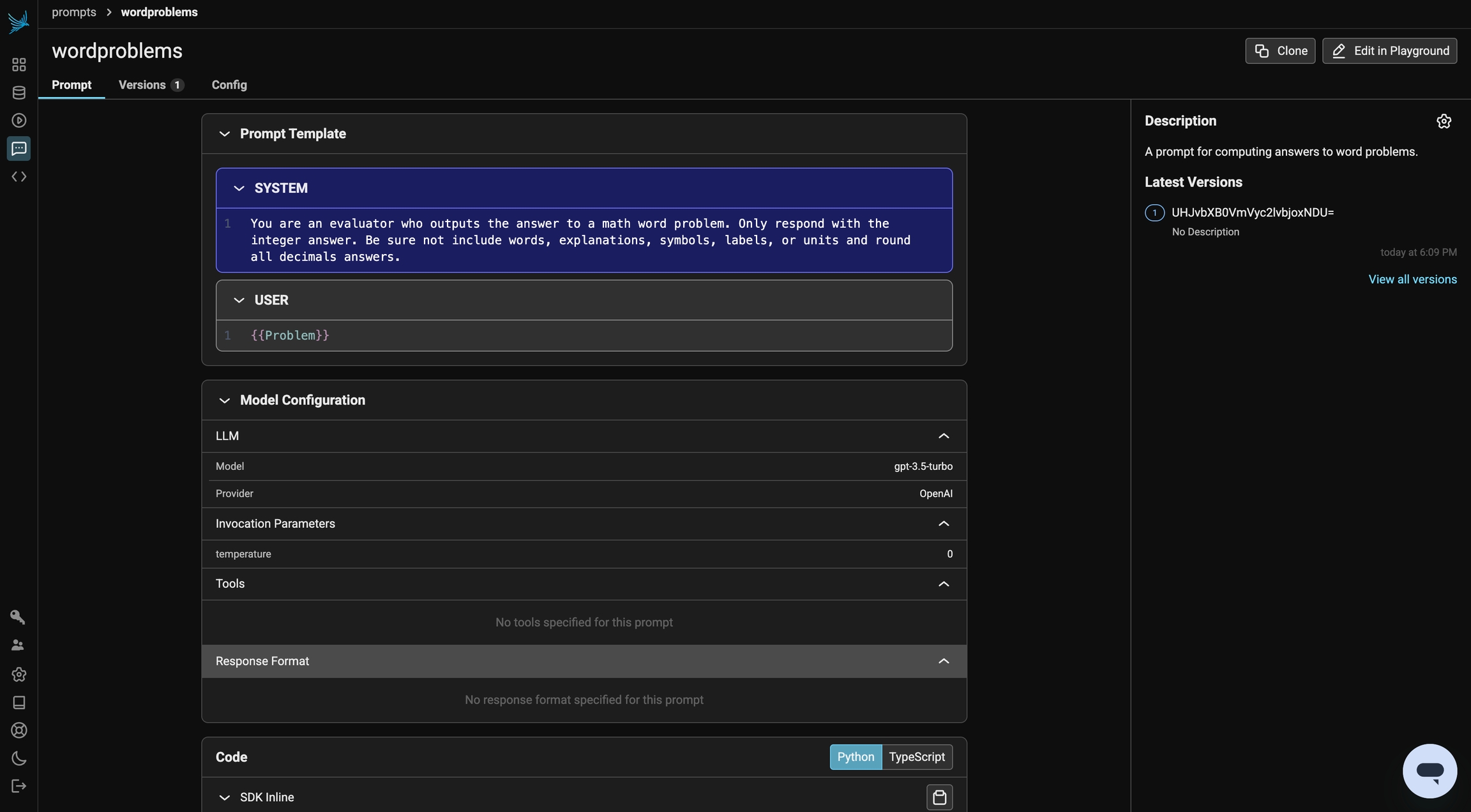
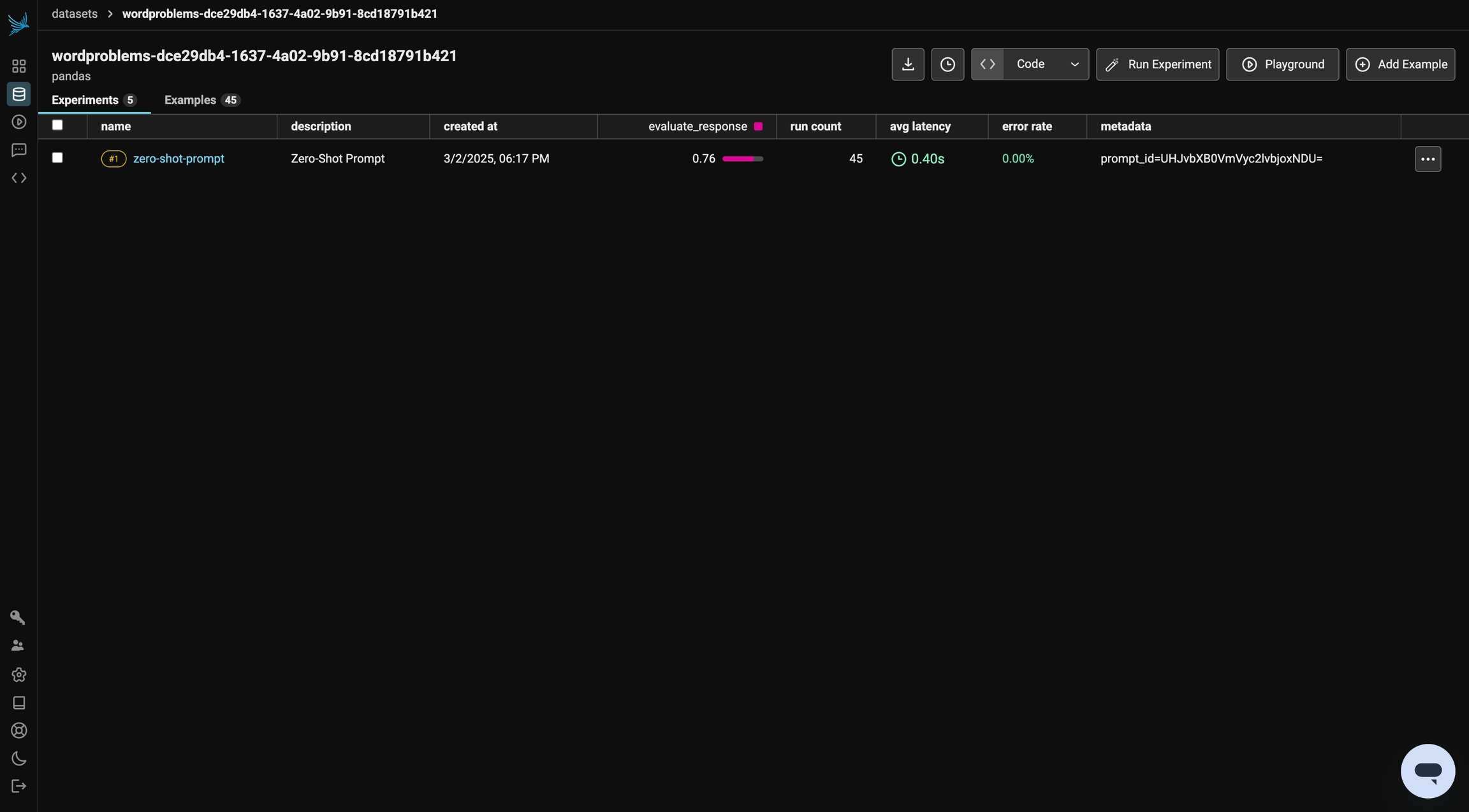
Zero-Shot CoT Prompting
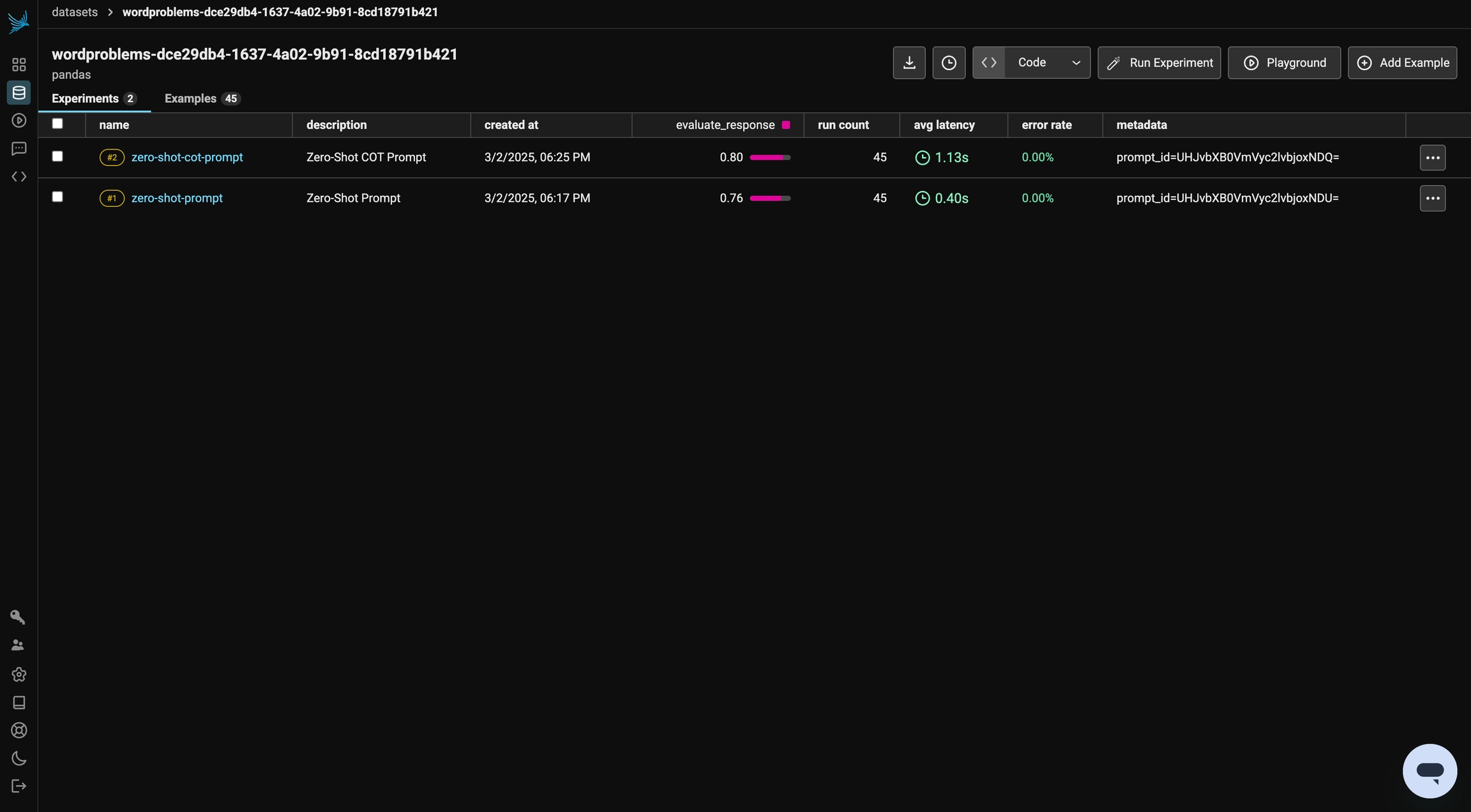
Zero-shot prompting provides a direct answer, but it often struggles with complex reasoning. Zero-Shot Chain of Thought (CoT) prompting improves this by explicitly instructing the model to think step by step before arriving at a final answer. By adding a simple instruction like “Let’s think through this step by step,” we encourage the model to break down the problem logically. This structured reasoning can lead to more accurate answers, especially for multi-step math problems. In this section, we’ll compare Zero-Shot CoT against our baseline to evaluate its impact on performance. First, let’s create the prompt.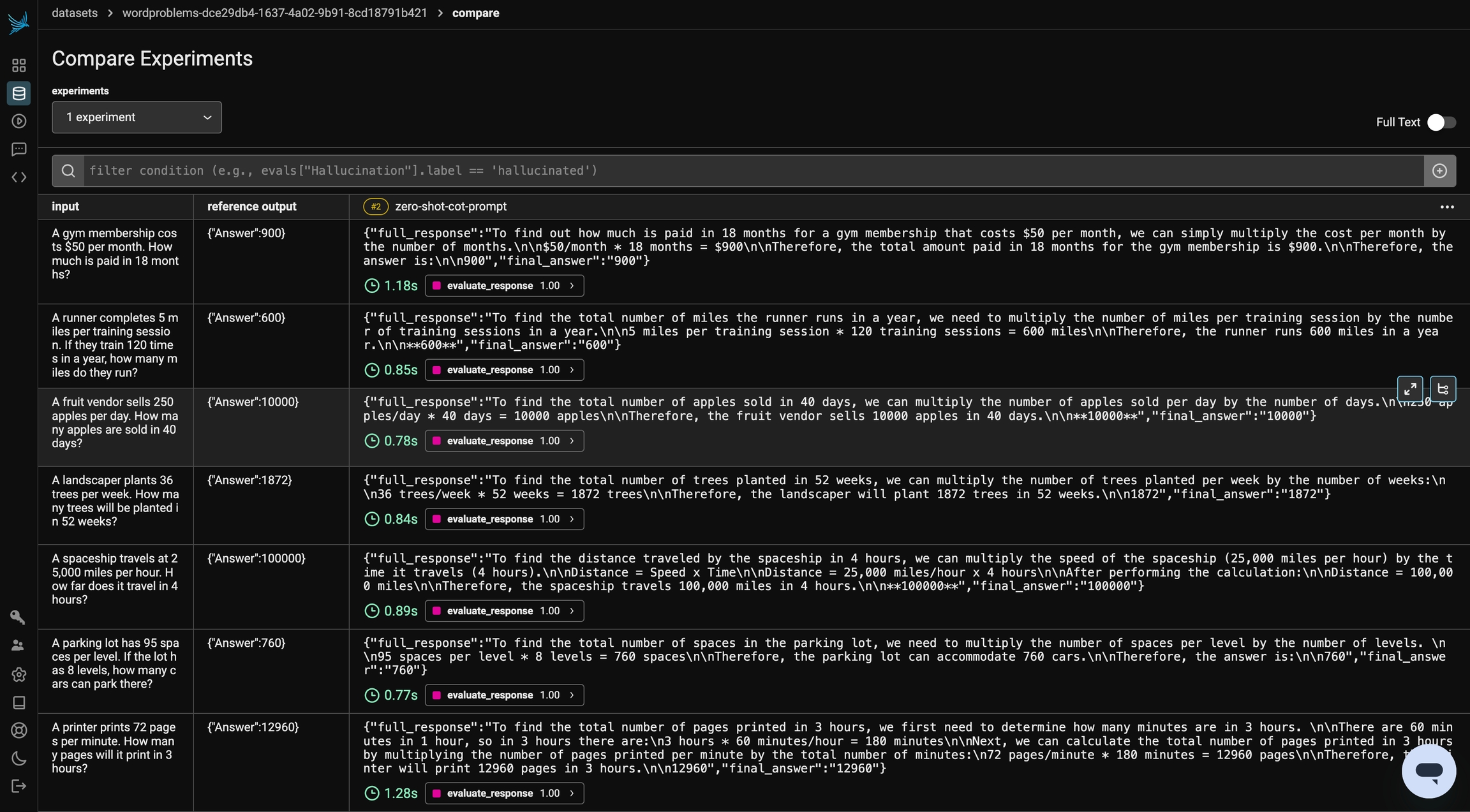
Self-Consistency CoT Prompting
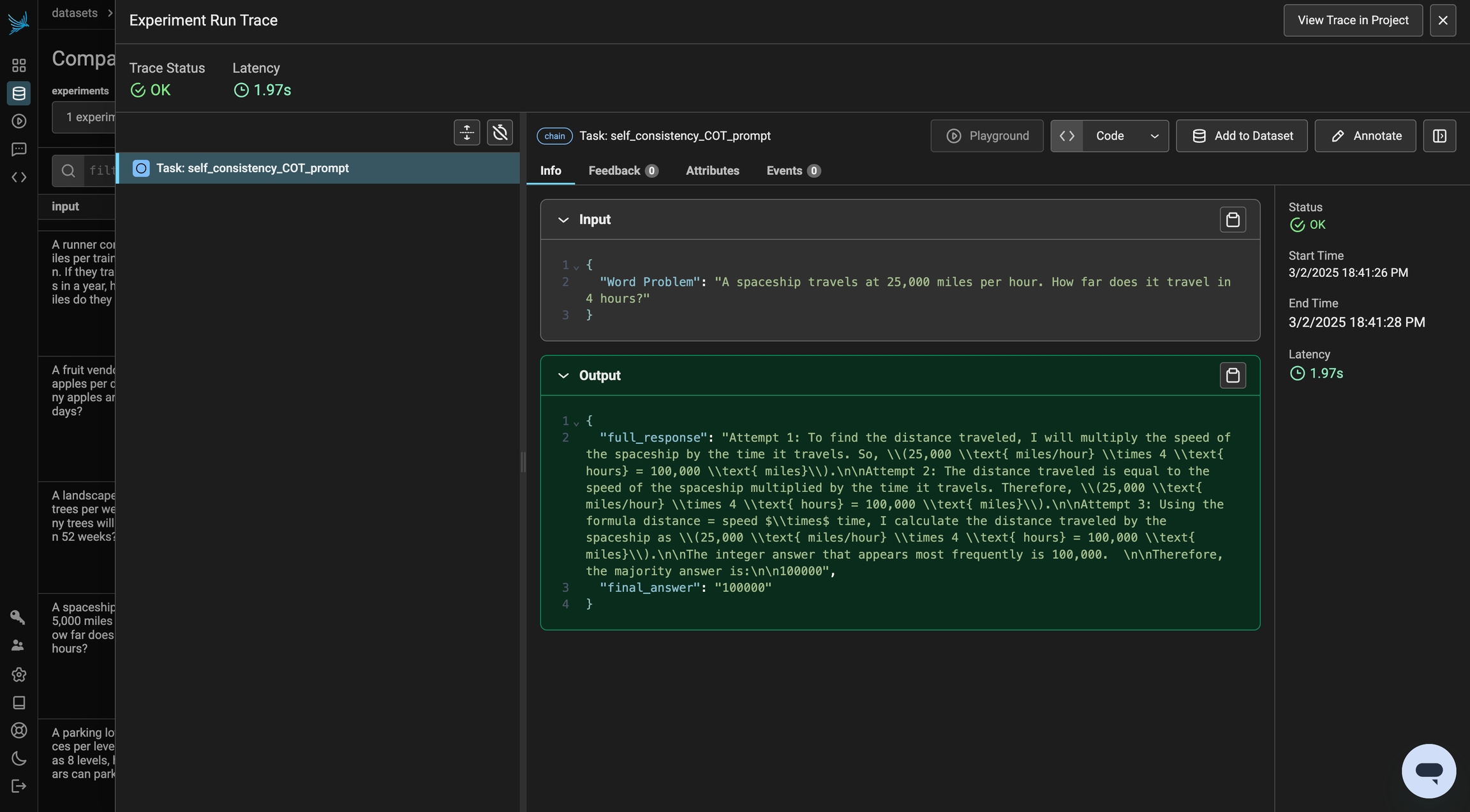
Even with Chain of Thought prompting, a single response may not always be reliable. Self-Consistency CoT enhances accuracy by generating multiple reasoning paths and selecting the most common answer. Instead of relying on one response, we sample multiple outputs and aggregate them, reducing errors caused by randomness or flawed reasoning steps. This method improves robustness, especially for complex problems where initial reasoning steps might vary. In this section, we’ll compare Self-Consistency CoT to our previous prompts to see how using multiple responses impacts overall performance. Let’s repeat the same process as above with a new prompt and evaluate the outcome.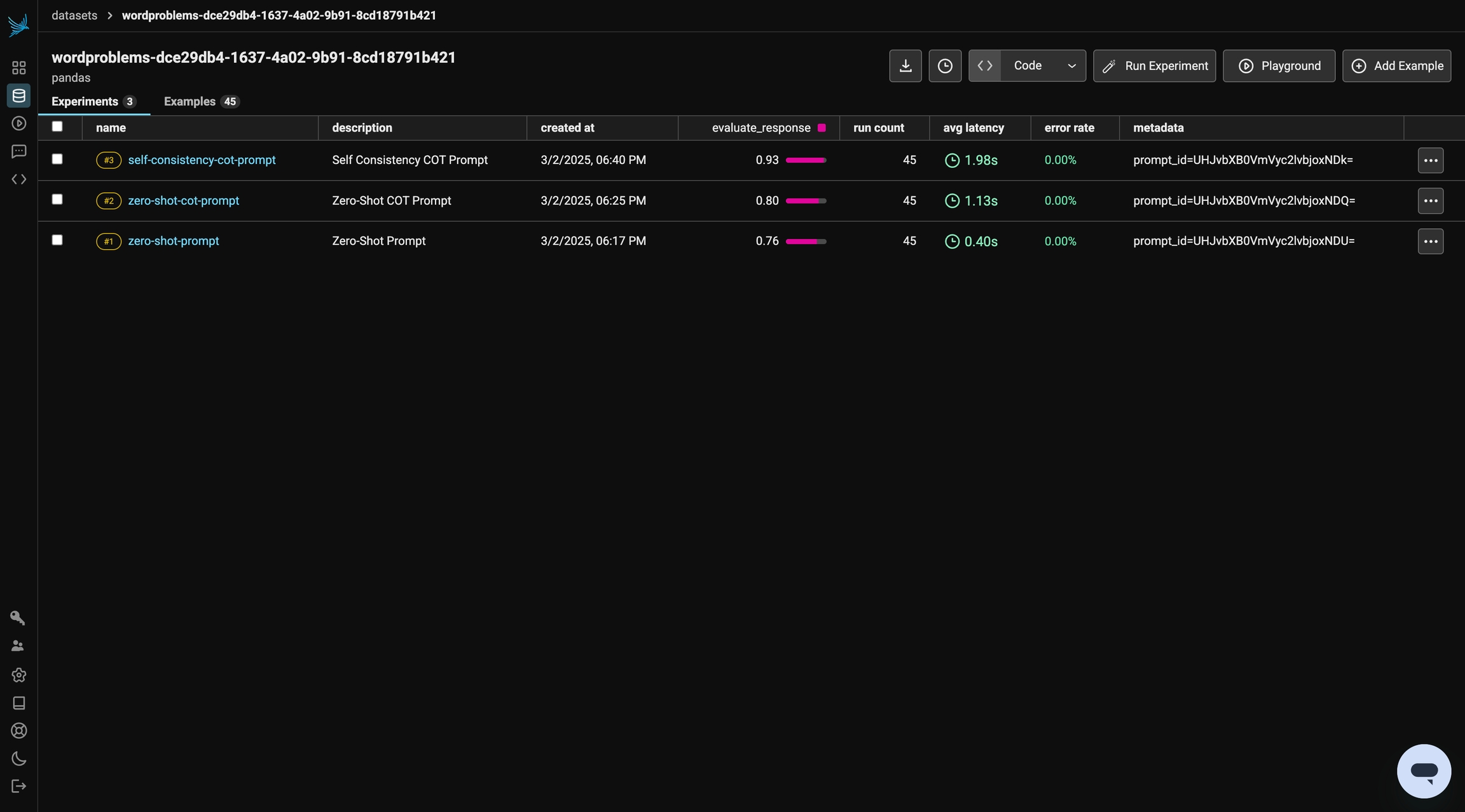
Few Shot CoT Prompting
Few-shot CoT prompting enhances reasoning by providing worked examples before asking the model to solve a new problem. By demonstrating step-by-step solutions, the model learns to apply similar logical reasoning to unseen questions. This method leverages in-context learning, allowing the model to generalize patterns from the examples. In this final section, we’ll compare Few-Shot CoT against our previous prompts. First, let’s construct our prompt by sampling examples from a test dataset.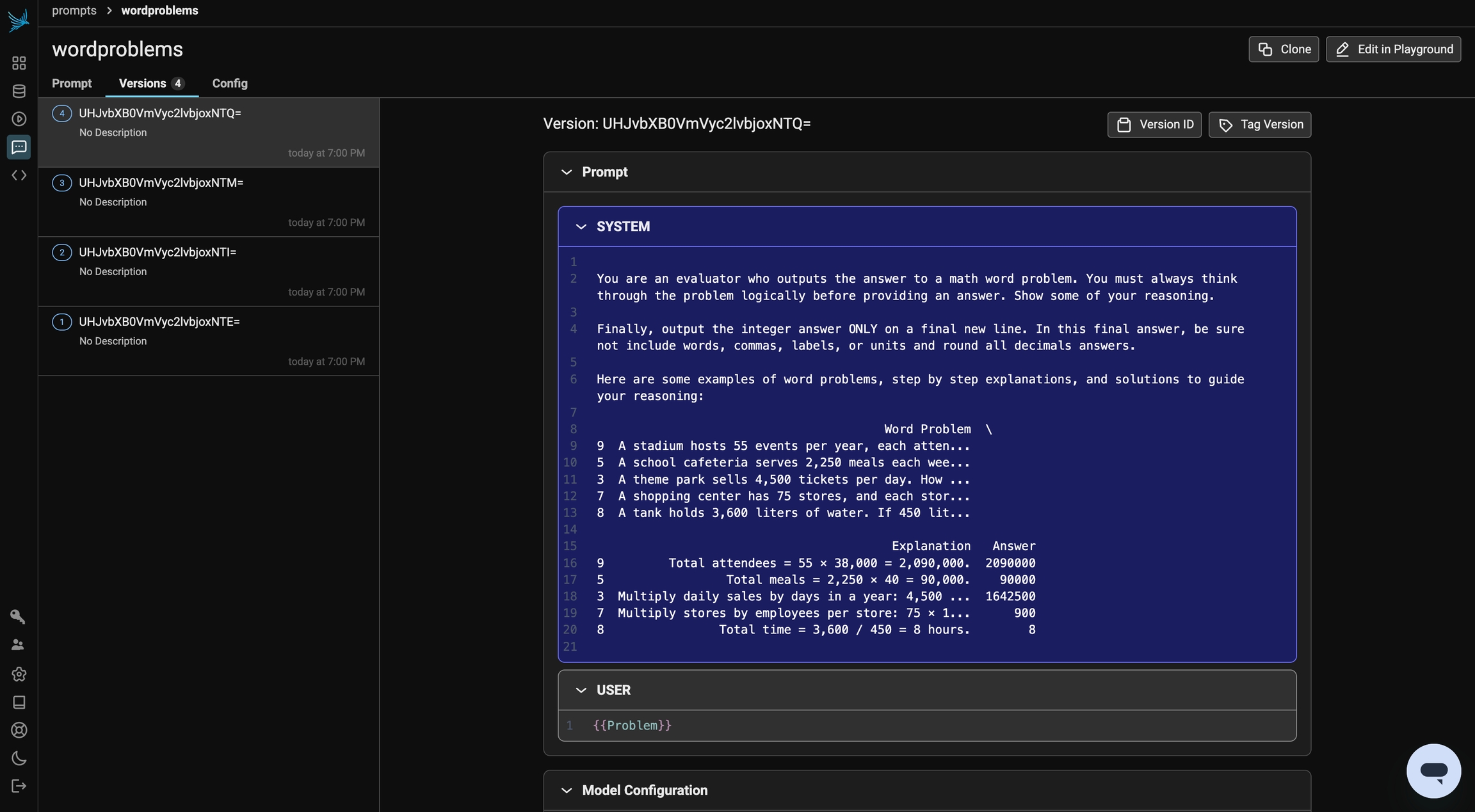
Final Results
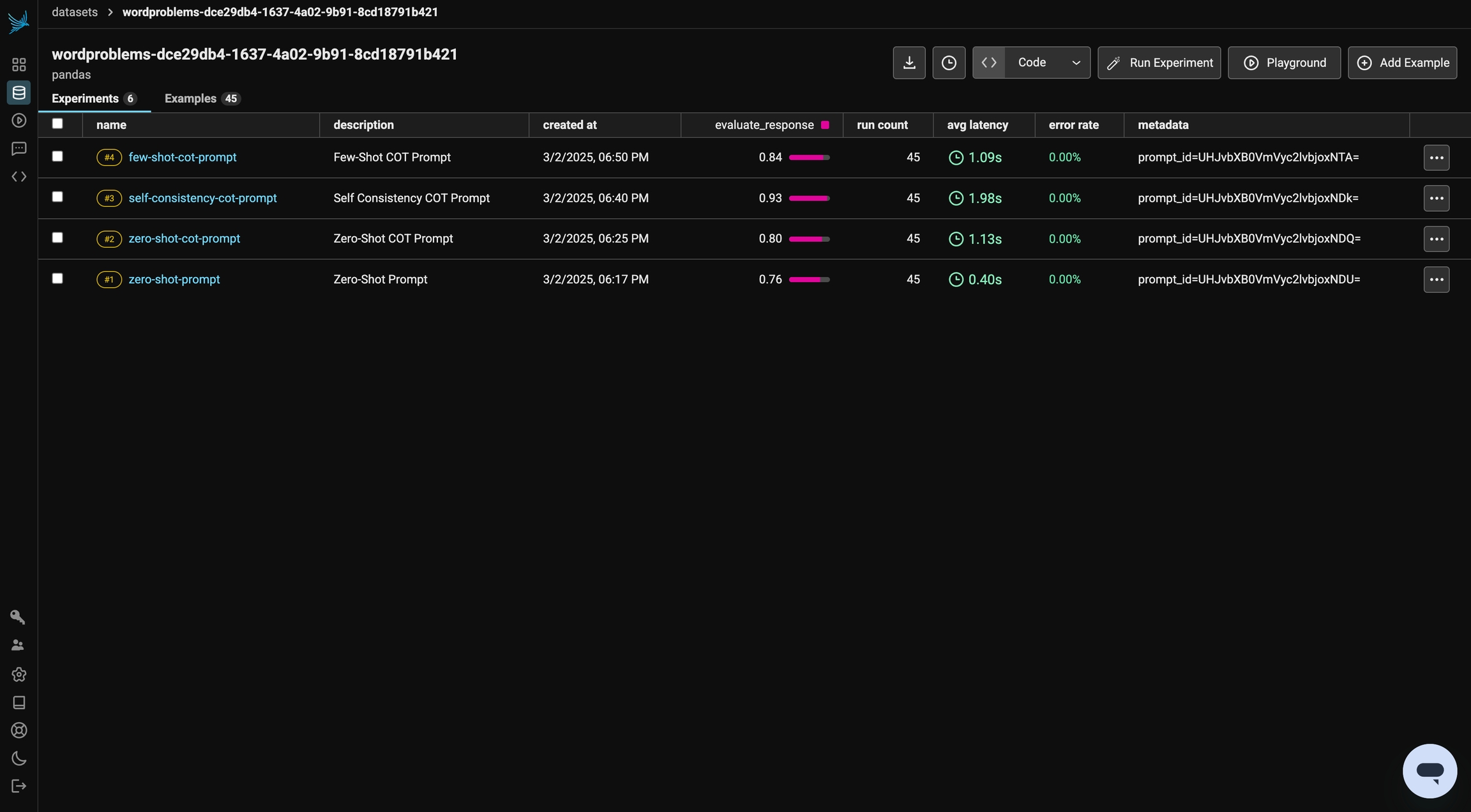
After running all of your experiments, you can compare the performance of different prompting techniques. Keep in mind that results may vary due to randomness and the model’s non-deterministic behavior. You can review your prompt version history in the Prompts tab and explore the Playground to iterate further and run additional experiments. To refine and test these prompts against other datasets, experiment with Chain of Thought (CoT) prompting to see its relevance to your specific use cases. With Phoenix, you can seamlessly integrate this process into your workflow using the TypeScript and Python Clients.