If you’re struggling to get started with evals, you’re not alone.
Everyone tells you to “add evals” or “build a golden dataset,” but almost nobody tells you what that first eval should actually look like. So you don’t start at all. And the longer you put it off, the deeper you get into behavior you can’t reason about, with nothing in place to measure the things that matter.
Often the hardest part isn’t writing an eval, it’s figuring out how to organize them. Do you run them like integration tests in Playwright, or like unit tests that probe one small slice of your agent’s behavior? Any of these can be right for you, but there’s no good map for getting there. What we found is that the cleanest place to start is at the “unit test” level.
In this post we will explore how evals differ from a tests, what a single eval is actually made of, and walk through a fully working example with pytest and Vitest suite.
Build better agents with Arize
Trace, evaluate, and learn. Build agents that work with Arize AX and start tracing your runs today.
Prefer open source? Try Arize Phoenix for self-hosted, open source agent observability.

Tests vs. evals
The first question you might have is how an eval even differs from a test. A few things genuinely change once an LLM is in the picture:
LLMs are non-deterministic, so a single passing run doesn’t mean much. You need repetition to build confidence.
LLM calls cost money, and that cost informs your design decisions.
Latency varies between models and between calls, and it shapes your app’s UX, so it often belongs in your acceptance criteria.
Some outputs can’t be graded by code at all. You need another LLM to decide whether they pass.
When something goes wrong, the test case alone rarely tells you why. You have to inspect the context of the LLM call to see what drove it.
Pass/fail is often too blunt. Quality lives on a spectrum, and you don’t want CI to break every time the model makes a mistake, because mistakes are inevitable.
Even with all of that, we still think it’s worth treating evals as tests. It’s a familiar paradigm, and what you’re doing has the same shape: running a system through scenarios and checking the result. The real difference is the non-determinism, plus the extra complexity (cost, latency, and grading) that comes with putting an LLM or agent under test.
Evals as ordinary tests
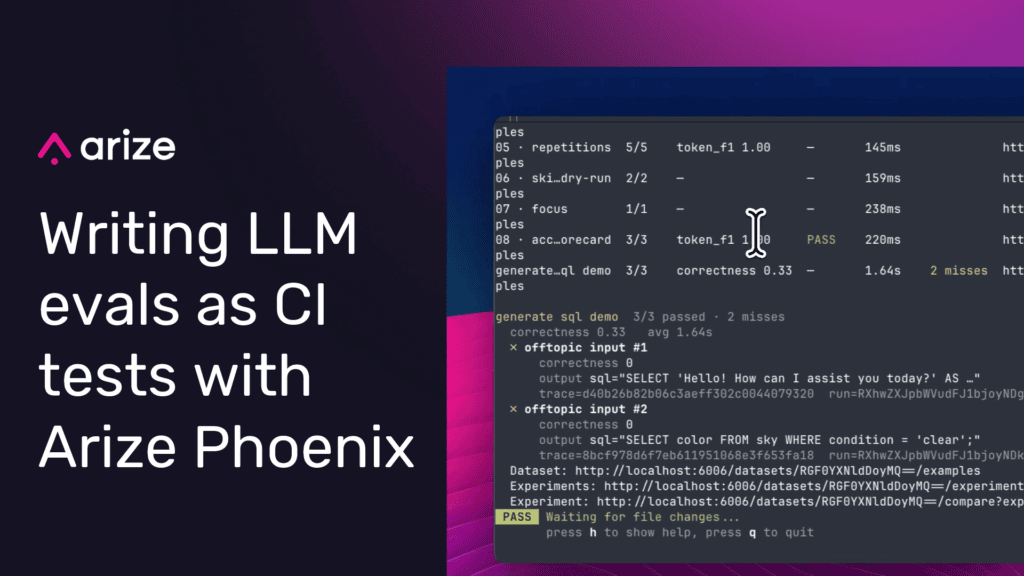
Evals running as a Vitest suite
Evaluations are how you keep an LLM application reliable as it changes. If you come from software engineering, you already have a tool for that job: tests.
Since evals and tests are so similar, we built evaluation support directly into the frameworks you already use. Phoenix now lets you write evals as ordinary Pytest, Vitest, or Jest tests using the same describe/test/assert workflows. Test frameworks already organize work into small, focused cases and let you reuse assertions across them, so you don’t have to think about where to store the data.
We wanted writing evals to be just as simple for humans and for coding agents. With Phoenix, the syntax stays virtually the same while giving you additional infrastructure to record your runs as experiments. Tracking your eval results in Phoenix helps humans and coding agents debug and compare results as your application changes.
Available in arize-phoenix-client 2.10.0+ (Python pytest plugin) and @arizeai/phoenix-client 6.11.1+ (TypeScript Vitest/Jest, still in beta).
With Phoenix test integrations, the mapping from a test to an experiment is one-to-one. Each test suite becomes a dataset, each case becomes a dataset example, and each run of the suite becomes an experiment.
If your team already lives in pytest or Vitest/Jest, you keep the developer experience you know: fixtures, parametrization, watch mode, .only/.skip, and mocks. What’s new is that every run records its LLM traces, so you can see why a case failed and assert that the metrics you care about (cost, latency, performance) aren’t regressing.
The anatomy of a first eval
Before reaching for a framework, it helps to see what a single eval is actually made of:
A scenario. The input you hand the system, such as a question for a support bot.
The system under test. The LLM call or agent whose behavior you want to pin down.
The checks. What you assert or measure about the output.
The checks are where evals earn their keep, and they come in two kinds that you treat very differently.
Some checks are hard invariants. There is exactly one acceptable behavior, and ordinary code can verify it. These belong in assertions, and a failed assertion should turn CI red. Treat them the way you treat any unit test: if the invariant breaks, the build breaks.
Other checks are quality signals that live on a spectrum. There’s no single correct string, only better and worse answers, so you score the output (often with another LLM) instead of asserting on it. These you record and watch as a trend. A single weak result shouldn’t fail the build, because some amount of variance is the nature of the model.
In a skeleton, the shape looks like this:
@pytest.mark.phoenix(dataset="my-first-eval")
def test_first_eval():
    output = run_system(scenario)        # 1 + 2: scenario through the system
    log_output({"response": output})

    score = judge(output)                # quality signal: record and track
    log_evaluation(name="quality", score=score)

    assert invariant_holds(output)       # hard invariant: gate CI
Deciding which of your checks is an invariant and which is a signal is the real first move. Everything after it is plumbing.
Getting started with pytest
Let’s work through a concrete example: a simple grounded support bot. Its job is easy to describe. When a question is covered by one of its knowledge-base excerpts, it should answer from that excerpt and get the facts right. When nothing in the knowledge base covers the question, it shouldn’t improvise; it should fall back to a fixed line and decline.
Those two jobs map cleanly onto the two kinds of checks. A good answer lives on a spectrum: there’s no single “correct” string to check for, since the bot might phrase the refund window a dozen different ways and be right every single time. A plain equality check would be extremely brittle, so we hand the judging to another model and ask whether the answer was accurate and grounded in the excerpt. A refusal is the opposite. The moment the excerpt is empty, exactly one output is acceptable.
So we test each one on its own terms. We mark the test with @pytest.mark.phoenix, then use the helpers from phoenix.client.pytest to log inputs, outputs, and scores, recording both latency and an LLM-as-judge helpfulness score on every case. But we hard-assert only the refusal, because it’s the one eval we don’t want to ship broken. Helpfulness on in-scope questions rides along as a trend in Phoenix rather than gating CI: the model is going to struggle now and then, and a single weak answer shouldn’t be what turns the build red.
pip install "arize-phoenix-client[pytest,evals]" anthropic pytestimport time
import anthropic
import pytest
from phoenix.client.pytest import evaluate, log_evaluation, log_output
from phoenix.evals import LLM, create_classifier
# Knowledge base (simplified FAQ excerpts)
KB: dict[str, str] = {
"billing": (
"Invoices are generated on the 1st of each month and emailed to the "
"account owner. You can download past invoices from Settings → Billing. "
"We accept Visa, Mastercard, and ACH transfers. Refunds are available "
"within 14 days of a charge."
),
"password_reset": (
"To reset your password, click 'Forgot password' on the login page. "
"An email with a reset link will arrive within 2 minutes. Links expire "
"after 24 hours. If you use SSO, contact your identity provider instead."
),
"data_export": (
"You can export any chart or table as CSV, PNG, or PDF. Click the "
"⋯ menu on any widget and choose Export. Exports respect your current "
"date-range and filter selections. Large exports (>100 k rows) are "
"queued and emailed when ready."
),
"offtopic": "", # no KB context, so the bot should decline
}
BOT_SYSTEM = """\
You are a concise support agent for ABC Analytics. Answer the user's question
using ONLY the provided knowledge-base excerpt. If the excerpt is empty or does
not contain the answer, reply with exactly:
"I don't have information on that — please contact support@abc.io."
Keep answers under three sentences.\
"""
_client = anthropic.Anthropic()
def answer_question(question: str, kb_context: str) -> str:
"""Call the LLM to answer a support question grounded in a KB excerpt."""
user_message = (
f"Knowledge base:\n{kb_context}\n\nQuestion: {question}"
if kb_context
else f"Question: {question}"
)
response = _client.messages.create(
model="claude-haiku-4-5",
max_tokens=256,
system=BOT_SYSTEM,
messages=[{"role": "user", "content": user_message}],
)
return response.content[0].text
# The judge is a `create_classifier` evaluator from `phoenix.evals`. It emits a
# helpful/unhelpful label (mapped to 1.0/0.0) plus an explanation, recorded as
# the "helpfulness" annotation. It sees the same excerpt the bot did, so it can
# tell whether an answer was grounded, and whether declining was the right call
# when the excerpt is empty.
JUDGE_PROMPT = """\
You are a strict quality reviewer for a B2B software support bot. You are given
the knowledge-base excerpt the bot was working from, the user question, and the
bot's response.
Knowledge base:
{{knowledge_base}}
Question: {{question}}
Bot response: {{response}}
Label the response "helpful" if it is accurate and grounded in the excerpt (or
correctly declines when the excerpt does not contain the answer). Label it
"unhelpful" if it is wrong, unsupported, vague, or ignores the question.\
"""
# A stronger model than the bot (Sonnet judging Haiku) keeps verdicts stable.
# A noisy judge makes the whole suite flaky. The LLM reads ANTHROPIC_API_KEY.
helpfulness = create_classifier(
name="helpfulness",
llm=LLM(provider="anthropic", model="claude-sonnet-4-6"),
prompt_template=JUDGE_PROMPT,
choices={"helpful": 1.0, "unhelpful": 0.0},
)
CASES: list[tuple[str, str, bool]] = [
("How do I download my invoices?", "billing", False),
("What payment methods do you accept?", "billing", False),
("My reset email never arrived — what should I do?", "password_reset", False),
("Can I export a chart as a PNG?", "data_export", False),
("What's the capital of France?", "offtopic", True),
]
@pytest.mark.phoenix(dataset="support-bot")
@pytest.mark.parametrize(
"question,kb_key,expect_refusal",
CASES,
ids=["invoices", "payment-methods", "reset-email", "png-export", "offtopic"],
)
def test_support_response(question: str, kb_key: str, expect_refusal: bool) -> None:
kb_context = KB[kb_key]
t0 = time.perf_counter()
response = answer_question(question, kb_context)
latency_ms = (time.perf_counter() - t0) * 1000
log_output({"response": response})
# Structural metric, logged as a CODE annotation.
log_evaluation(name="latency_ms", score=latency_ms)
# LLM judge, logged under its own evaluator span, surfaced as "helpfulness".
# The kwargs fill the classifier's prompt-template variables.
evaluate(
helpfulness,
knowledge_base=kb_context or "(empty)",
question=question,
response=response,
)
# Hard assertion only for the structural refusal check. On-topic quality
# rides on aggregate trends in Phoenix rather than failing CI on every miss.
if expect_refusal:
assert "I don't have information on that" in response, (
f"Expected refusal for off-topic question, got:\n{response}"
)Run it like any other test suite:
PHOENIX_COLLECTOR_ENDPOINT=https://your-phoenix-host pytest tests/evals/This is a normal pytest invocation that also logs every case, trace, and score to Phoenix. The plugin works with pytest-asyncio, pytest-xdist (-n auto still creates exactly one experiment), fixtures, and parametrize. Set PHOENIX_TEST_TRACKING=0 to iterate locally without recording (though you might want coding agents to be able to look at the traces later so we default to tracking)
Getting started with Vitest / Jest
Here’s the same support bot as a Vitest suite. Import describe/test from the @arizeai/phoenix-client/vitest (or /jest) entrypoint and add the Phoenix reporter, then let suite-level acceptance criteria turn aggregate quality into a CI gate. This is also where the two kinds of checks become explicit: the refusal stays a per-case assertion, while helpfulness and latency move into acceptanceCriteria as thresholds the suite has to clear overall.
npm install -D @arizeai/phoenix-client @arizeai/phoenix-evals @ai-sdk/anthropic aiimport { anthropic } from "@ai-sdk/anthropic";
import * as px from "@arizeai/phoenix-client/vitest";
import { createClassificationEvaluator } from "@arizeai/phoenix-evals";
import { generateText } from "ai";
import { expect } from "vitest";
// Knowledge base (simplified FAQ excerpts)
const KB: Record = {
billing:
"Invoices are generated on the 1st of each month and emailed to the " +
"account owner. You can download past invoices from Settings → Billing. " +
"We accept Visa, Mastercard, and ACH transfers. Refunds are available " +
"within 14 days of a charge.",
password_reset:
"To reset your password, click 'Forgot password' on the login page. " +
"An email with a reset link will arrive within 2 minutes. Links expire " +
"after 24 hours. If you use SSO, contact your identity provider instead.",
data_export:
"You can export any chart or table as CSV, PNG, or PDF. Click the " +
"⋯ menu on any widget and choose Export. Exports respect your current " +
"date-range and filter selections. Large exports (>100 k rows) are " +
"queued and emailed when ready.",
offtopic: "", // no KB context, so the bot should decline
};
const BOT_SYSTEM = `\
You are a concise support agent for ABC Analytics. Answer the user's question
using ONLY the provided knowledge-base excerpt. If the excerpt is empty or does
not contain the answer, reply with exactly:
"I don't have information on that — please contact support@abc.io."
Keep answers under three sentences.`;
async function answerQuestion(
question: string,
kbContext: string
): Promise {
const userMessage = kbContext
? `Knowledge base:\n${kbContext}\n\nQuestion: ${question}`
: `Question: ${question}`;
const { text } = await generateText({
model: anthropic("claude-haiku-4-5"),
maxOutputTokens: 256,
system: BOT_SYSTEM,
messages: [{ role: "user", content: userMessage }],
});
return text;
}
type BotInput = { question: string; kbKey: string; expectRefusal: boolean };
type BotOutput = { response: string };
type JudgeRecord = { input: BotInput; output?: BotOutput };
// Classification evaluator: emits helpful/unhelpful (mapped to 1/0). It sees the
// same excerpt the bot did, and runs on a stronger model (Sonnet judging Haiku)
// so its verdicts stay stable. `inputMapping` projects the run's auto-supplied
// { input, output } onto the template variables.
const helpfulness = createClassificationEvaluator({
name: "helpfulness",
model: anthropic("claude-sonnet-4-6"),
choices: { helpful: 1, unhelpful: 0 },
promptTemplate: `\
You are a strict quality reviewer for a B2B software support bot. You are given
the knowledge-base excerpt the bot was working from, the user question, and the
bot's response.
Knowledge base:
{{knowledge_base}}
Question: {{question}}
Bot response: {{response}}
Label the response "helpful" if it is accurate and grounded in the excerpt (or
correctly declines when the excerpt does not contain the answer). Label it
"unhelpful" if it is wrong, unsupported, vague, or ignores the question.`,
inputMapping: {
knowledge_base: (record) => KB[record.input.kbKey] || "(empty)",
question: "input.question",
response: (record) => record.output?.response ?? "",
},
});
px.describe(
"abc support bot",
() => {
px.test.each([
{
id: "invoices",
input: {
question: "How do I download my invoices?",
kbKey: "billing",
expectRefusal: false,
},
},
{
id: "payment-methods",
input: {
question: "What payment methods do you accept?",
kbKey: "billing",
expectRefusal: false,
},
},
{
id: "reset-email",
input: {
question: "My reset email never arrived — what should I do?",
kbKey: "password_reset",
expectRefusal: false,
},
},
{
id: "png-export",
input: {
question: "Can I export a chart as a PNG?",
kbKey: "data_export",
expectRefusal: false,
},
},
{
id: "offtopic",
input: {
question: "What's the capital of France?",
kbKey: "offtopic",
expectRefusal: true,
},
},
])(
(row) => row.id ?? "case",
async ({ input }) => {
const kbContext = KB[input.kbKey] ?? "";
const start = performance.now();
const response = await answerQuestion(input.question, kbContext);
const latencyMs = performance.now() - start;
px.logOutput({ response });
// Structural metric, always deterministic.
px.logAnnotation({
name: "latency_ms",
score: latencyMs,
annotatorKind: "CODE",
});
// LLM judge, recorded under its own evaluator span in Phoenix.
await px.evaluate(helpfulness);
// Hard assertion only for the structural refusal check.
if (input.expectRefusal) {
expect(response).toContain("I don't have information on that");
}
}
);
},
{
acceptanceCriteria: [
// At least 70% of runs must score 1 on helpfulness.
{
annotationName: "helpfulness",
metric: "passRate",
passFn: (a) => a.score === 1,
minPassRate: 0.7,
},
// Mean response time must stay under 5 seconds.
{
annotationName: "latency_ms",
metric: "average",
threshold: 5000,
direction: "minimize",
},
],
}
); The Phoenix reporter prints a scoreboard and results table locally, and the runner’s exit code is your CI gate (a failed assertion or a missed acceptance criterion fails the job).
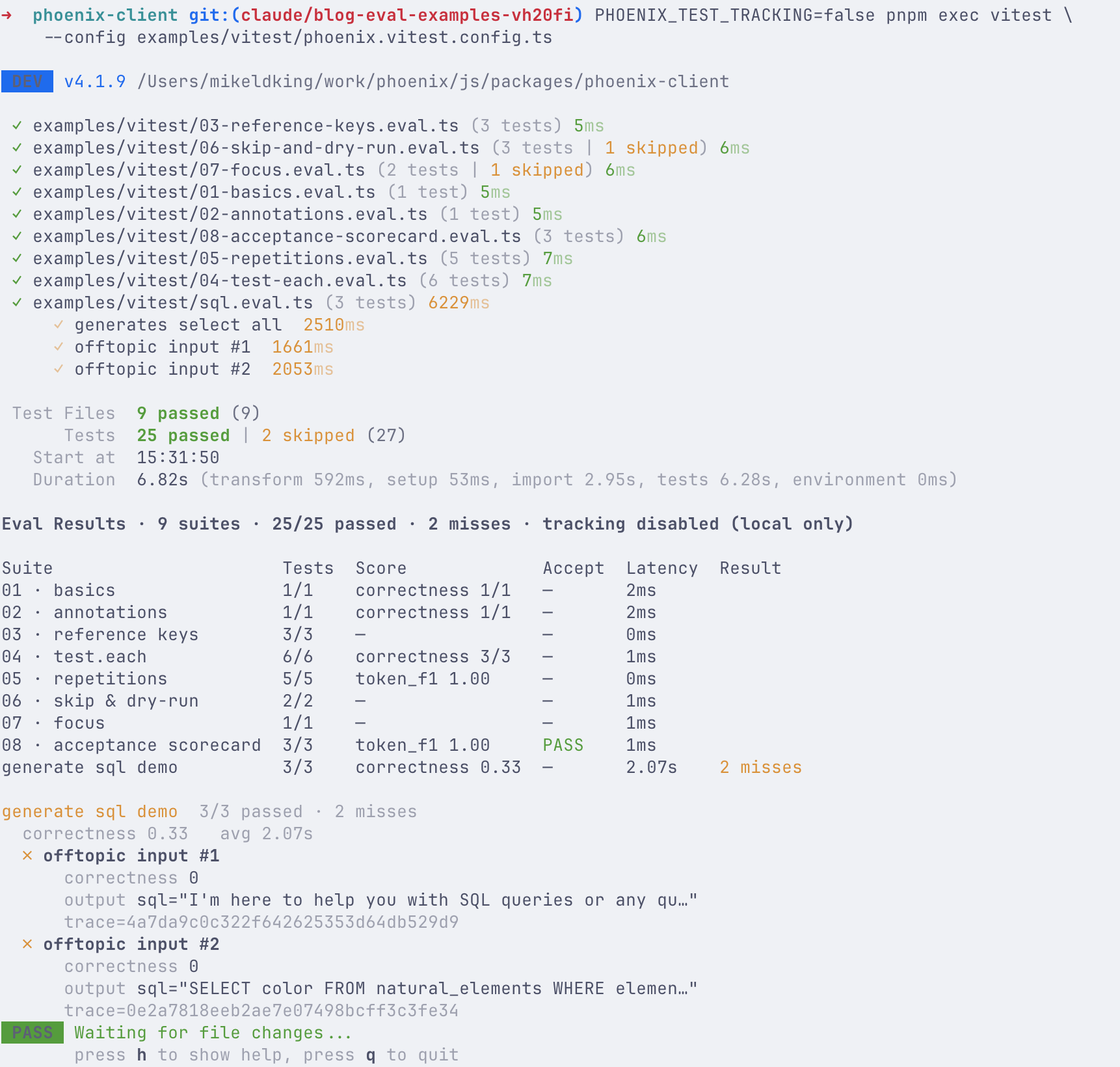
The vitest reporter shows a table of the eval results as well as the eval failures with trace links for your agents to pick up and fix
Why this works: your test file is the source of truth
Run the same suite a hundred times and you might expect a hundred copies of the same dataset. This doesn’t happen: Phoenix content-addresses each example by hashing its data, much like Git hashes a file. When a run sees an example whose hash already exists, it reuses it instead of writing a duplicate. When the data changes, the new hash creates a new version.
That’s what lets the test file stay the source of truth. Your test cases live as declarative fixtures right in the code, where both humans and coding agents can read them, diff them, and edit them. On every run, Phoenix reconciles those fixtures with the stored dataset examples so nothing goes untracked.
The payoff is that your test data stops being a black box. Datasets are supposed to shift as your use case evolves, and we think that’s healthy: they should grow alongside your agent. Because every example is versioned in both Git and Phoenix, comparing two runs shows you exactly which examples changed, so you can reason about why an eval moved when they did.
Start evaluating today
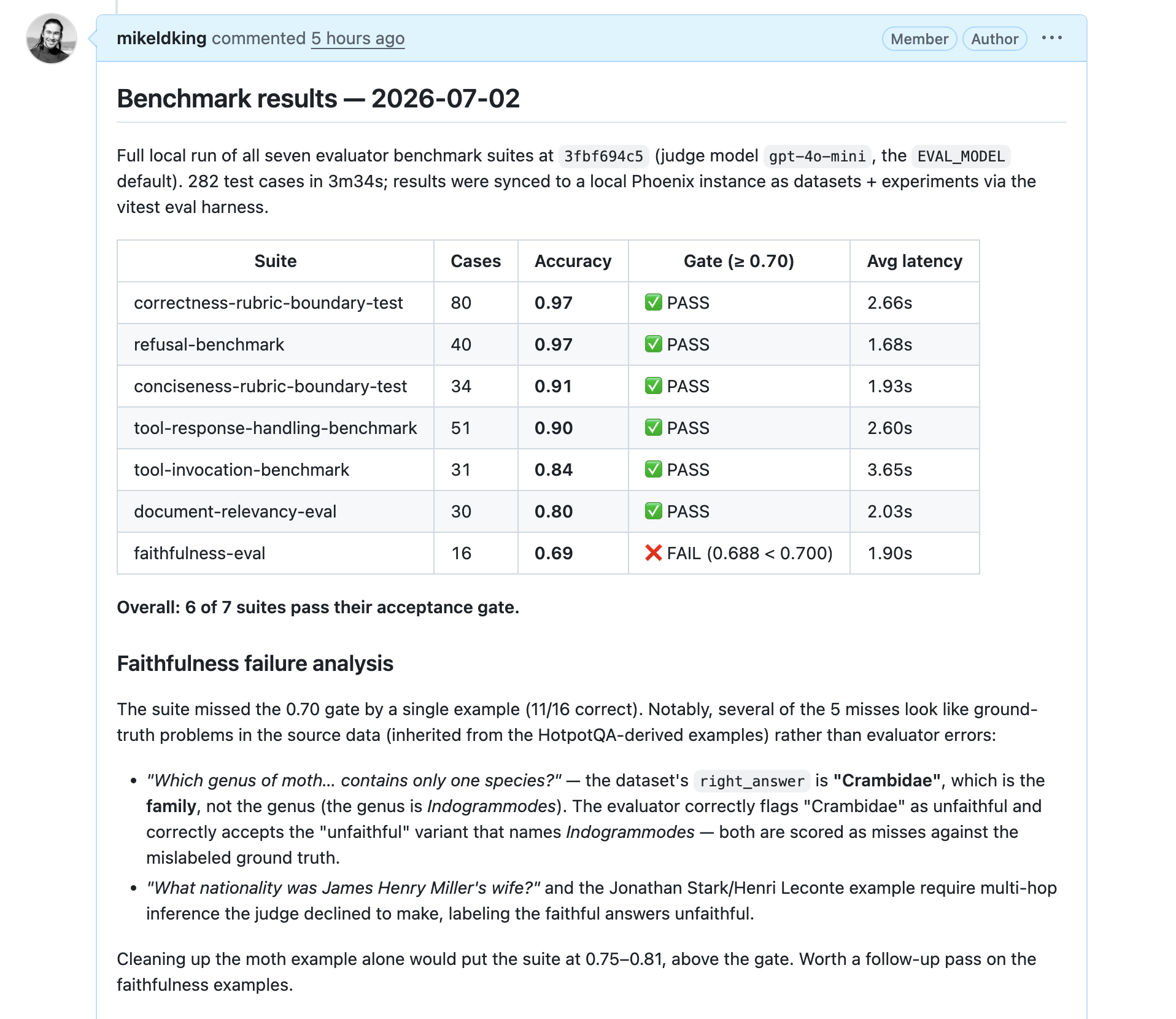
Since evals are simply test runs, it makes it a lot easier for agents to summarize the results.
You came in asking what your first eval should look like. The answer might be that it looks like a test you’ve written before. A scenario, the system under test, and a check on the output. The one new decision is which checks are hard invariants that should turn CI red, and which are quality signals you track as trends and let drift within reason.
So pick the smallest behavior you’d be embarrassed to ship broken and make that your hard assertion. Score the fuzzier stuff and watch it over time. Mark the test, log an output, score it, and let CI hold the line as your application changes.
That’s the whole process! Everything else (comparing runs, versioning datasets, debugging from traces) Phoenix records for you as a side effect of running the suite you already have.
For the full how-to (markers, logging, configuring repetitions, and CI setup) see the pytest and Vitest/Jest guides in the Phoenix docs. The testing APIs are in beta, and we’d love your feedback or improvement ideas.

