

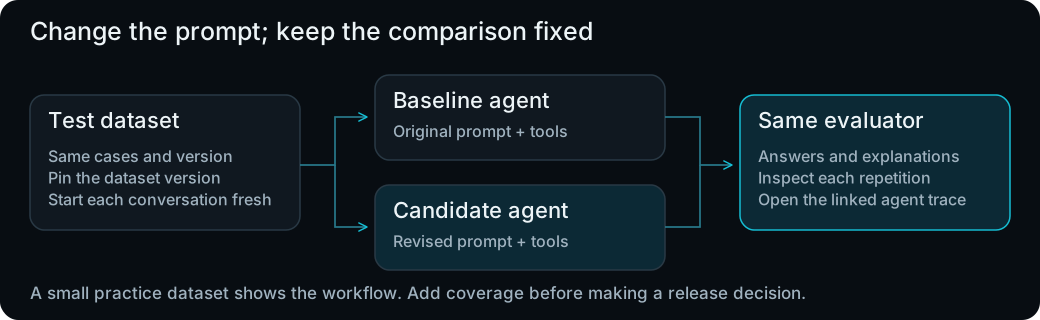
- The original Wonder Toys agent.
- The same agent with your added budget instruction.

Before you start
Use your Wonder Toys checkout with Python 3.11 anduv. Before running the commands, have these ready:
- Phoenix and Chroma from Capture your first agent run, both running. Chroma is the database Wonder Toys uses for product searches.
- Your saved shopping requests in the
wonder-toys-shoppingdataset from Turn failures into representative cases. - The rubric from Write and validate an LLM judge and the instruction you saved in Playground.
no-observability/langchain-py/.env.local. They make model API calls for both the agent and judge.
Use product-search requests that make sense without earlier messages, because every run starts a new conversation. For this exercise, leave out requests to buy or cancel orders.
Step 1: Plan the comparison
To test both agent versions on the same requests, the experiment uses:- Dataset: A collection of test cases. Here, each case contains a shopping request you’ll send to both versions.
- Task: The function that runs the application on one case. Here, it calls Wonder Toys, lets the agent use its tools, and returns the final answer.
- Evaluator: A check of the result. Here, your budget judge checks whether each recommendation respects the shopper’s limit.
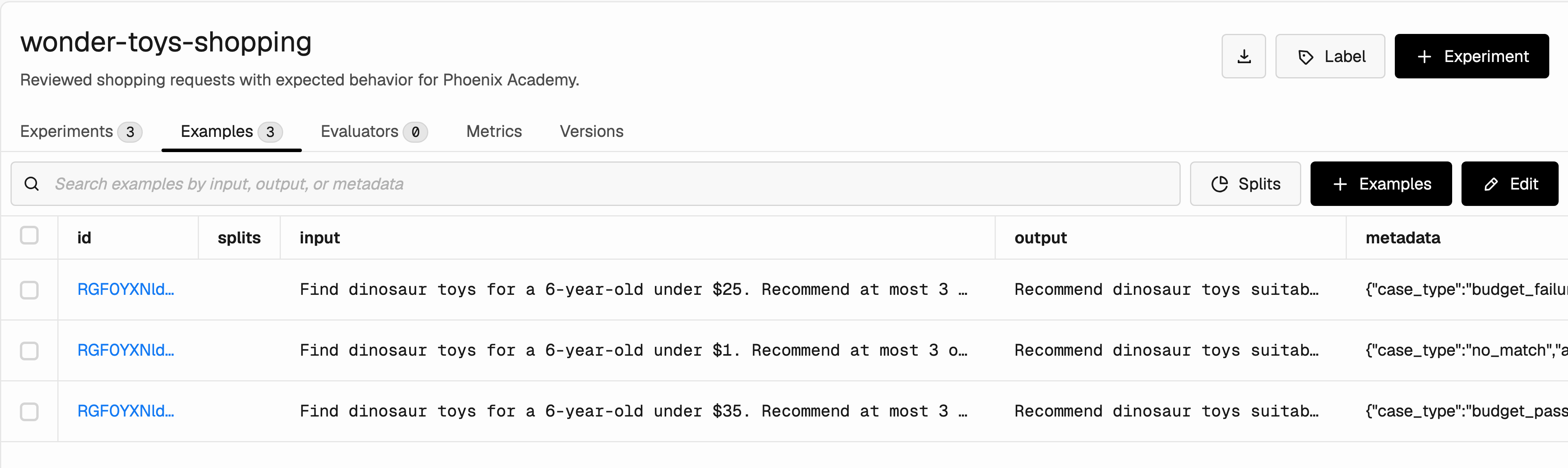
The input column holds the shopping requests both agent versions will answer. The saved output column describes expected behavior.
academy/evaluations/run_experiment.py connects these parts. We’ll walk through how it works, then run two versions:
baseline: The agent’s original prompt.budget-rule: The original prompt plus your instruction frombudget-rule.txt.
Step 2: Understand how the experiment runs
Openacademy/evaluations/run_experiment.py. We’ll walk through the functions already in this file before running it. In main, the script prepares the agent and loads your dataset. It also reuses the judge from budget_judge.py, which we explored in the previous lesson.
First, find the task function inside main:
example["input"]is the dataset example’s input object. The second["input"]reads the shopping request you saved inside it._lc_messagesconverts that request to the message format Wonder Toys uses. Each call starts with fresh messages.agent.invokeruns the agent and its tools.answer_textextracts the final text; the checks reject an unfinished or empty response.
budget_compliance_judge function directly below it. The runner calls your existing budget judge through this evaluator:
input contains the saved shopping request, and output is the new answer returned by task. The evaluator sends both to your budget judge. The judge uses your rubric to choose a label; the dataset’s expected_behavior text isn’t used for this check.
Finally, find the run_experiment(...) call below these functions. Its core arguments connect the workflow:
Core arguments in the existing experiment call
task for each case and repetition, sends each answer to budget_compliance_judge, and saves the results together. The metadata records which prompt, model, rubric, and package versions produced them.
The same pattern applies to another application: provide a task that returns its answer, then evaluators that check that answer. Now let’s run this workflow with the original prompt.
Step 3: Run the original version
Let’s run the original agent first. We’ll use its answers and budget scores when we compare it with the revised version. From the Wonder Toys repository root, run:- Replace
http://localhost:6006if Phoenix runs at a different address. - Use your app’s
.env.localpath for--env-fileif you configured it elsewhere. - If Chroma isn’t at
http://localhost:8000, add--chroma-url YOUR_CHROMA_URL.
--repetitions 2, you get 6 agent runs. If your dataset contains more cases, the count increases. Repeating a case helps you see whether the agent responds consistently.
Step 4: Run the revised version on the same cases
Now run the agent with your added instruction:- In the first command’s output, find the line starting with Dataset version:.
- Copy the ID after that label and use it in place of
YOUR_DATASET_VERSIONbelow. - Run the command with the same Phoenix and Chroma addresses as before.
Step 5: Open the recorded experiments
Once both commands finish, open their results in Phoenix:- Follow the experiment link printed by either command, or open Datasets & Experiments → wonder-toys-shopping → Experiments.
- Find
wonder-toys-baselineandwonder-toys-budget-rule. - Check that both have the expected number of runs and that the commands report
Task errors: 0; evaluation errors: 0.

Both experiments use the same dataset version. Each contains the agent answers, budget judgments, and linked traces.
- Execution error: An agent or evaluator call didn’t complete normally.
fail: The judge decided that a completed answer didn’t meet the budget requirement.needs_review: The judge couldn’t decide; the answer remains unscored.