

You’ve learned to inspect one request. Now you’ll review several requests from Wonder Toys, a shopping assistant agent, and check whether its answers meet the shopper’s requirements. You’ll finish with review notes you can use to choose a behavior to investigate.
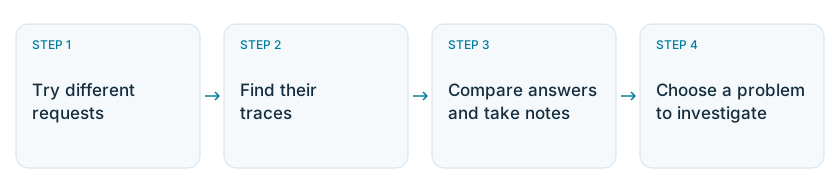
This lesson: try different requests, find their traces, compare answers and take notes, then choose a problem to investigate.This lesson: try different requests, find their traces, compare answers and take notes, then choose a problem to investigate.This lesson: try different requests, find their traces, compare answers and take notes, then choose a problem to investigate.This lesson: try different requests, find their traces, compare answers and take notes, then choose a problem to investigate.

Follow these four steps to choose a problem based on what your agent actually does.

Before you start

Keep Phoenix and Wonder Toys running from the previous lessons, with the agent span in place. Use the dinosaur request from that lesson as your first case. The examples below show recorded runs. Your answers may differ, so write notes about what your agent actually does.

Step 1: Try a range of requests

In the Wonder Toys agent, select its logo to start a new chat before each request.
Wonder Toys app with an arrow and outline highlighting the logo in the top-left corner.

Select the highlighted logo in the top-left corner to start a new chat.

Try these requests:
Together with the earlier $25 request, these give you different conditions to review. Check how the assistant handles both available products and a search that may have no suitable result.

Step 2: Find the requests in Phoenix

Shopper feedback, such as a thumbs-down rating, can help you choose which requests to inspect. Your review notes then record what you found in those traces. Wonder Toys doesn’t collect shopper ratings in this exercise, so you’ll start with the requests you just ran.
  • Open wonder-toys → Traces and choose a time range that includes your requests.
  • Enter this filter expression in the filter bar and press Enter:
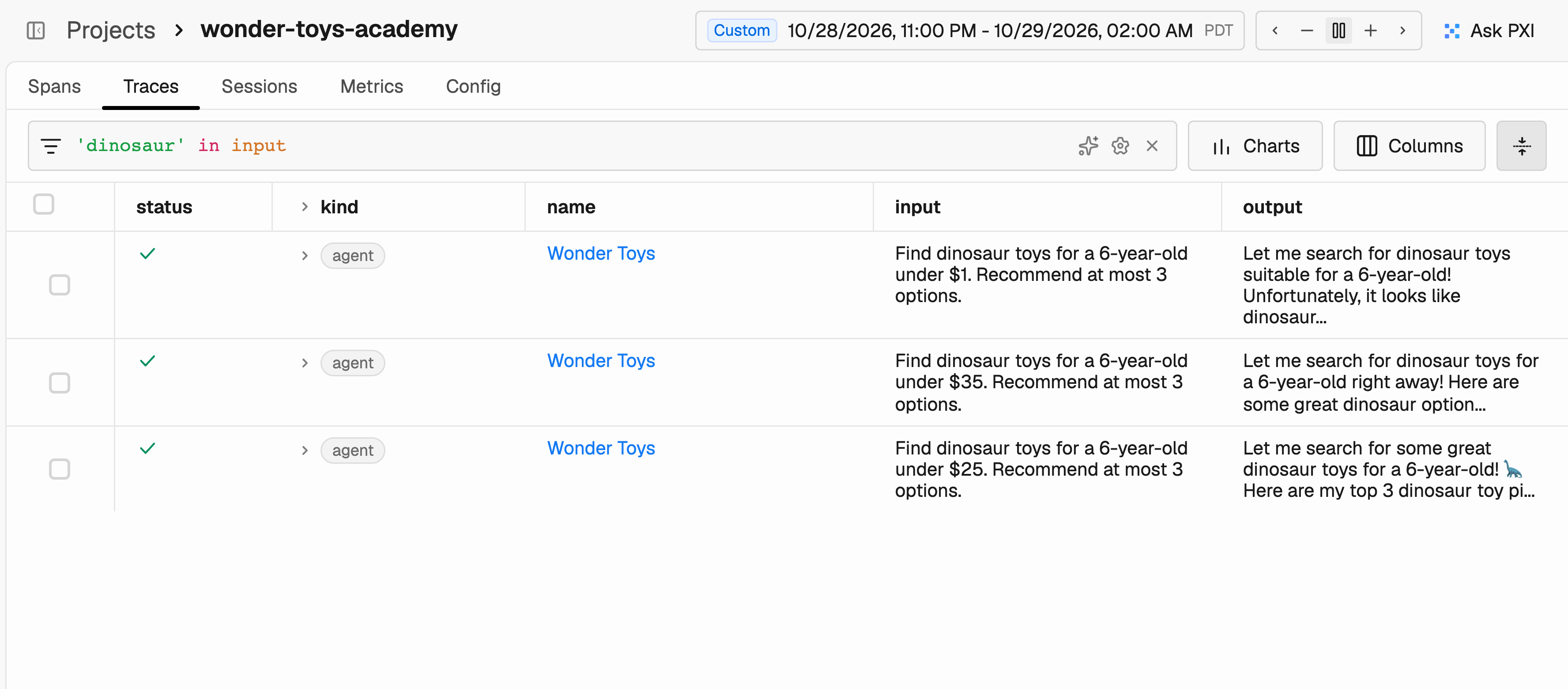
The filter searches the request text. Open each matching run and select Wonder Toys at the top of the trace tree to read its Input and Output.
Phoenix Traces table filtered to dinosaur requests, showing the shopper inputs and recorded answers

Filter the Traces table to find the shopping requests you want to review.

Step 3: Compare each answer with the request

For each answer, check:
  • Budget: Are the recommended prices below the shopper’s limit?
  • Suitability: Do the products and listed age ranges match the request?
  • No match: If no suitable product was found, does the answer say so clearly?
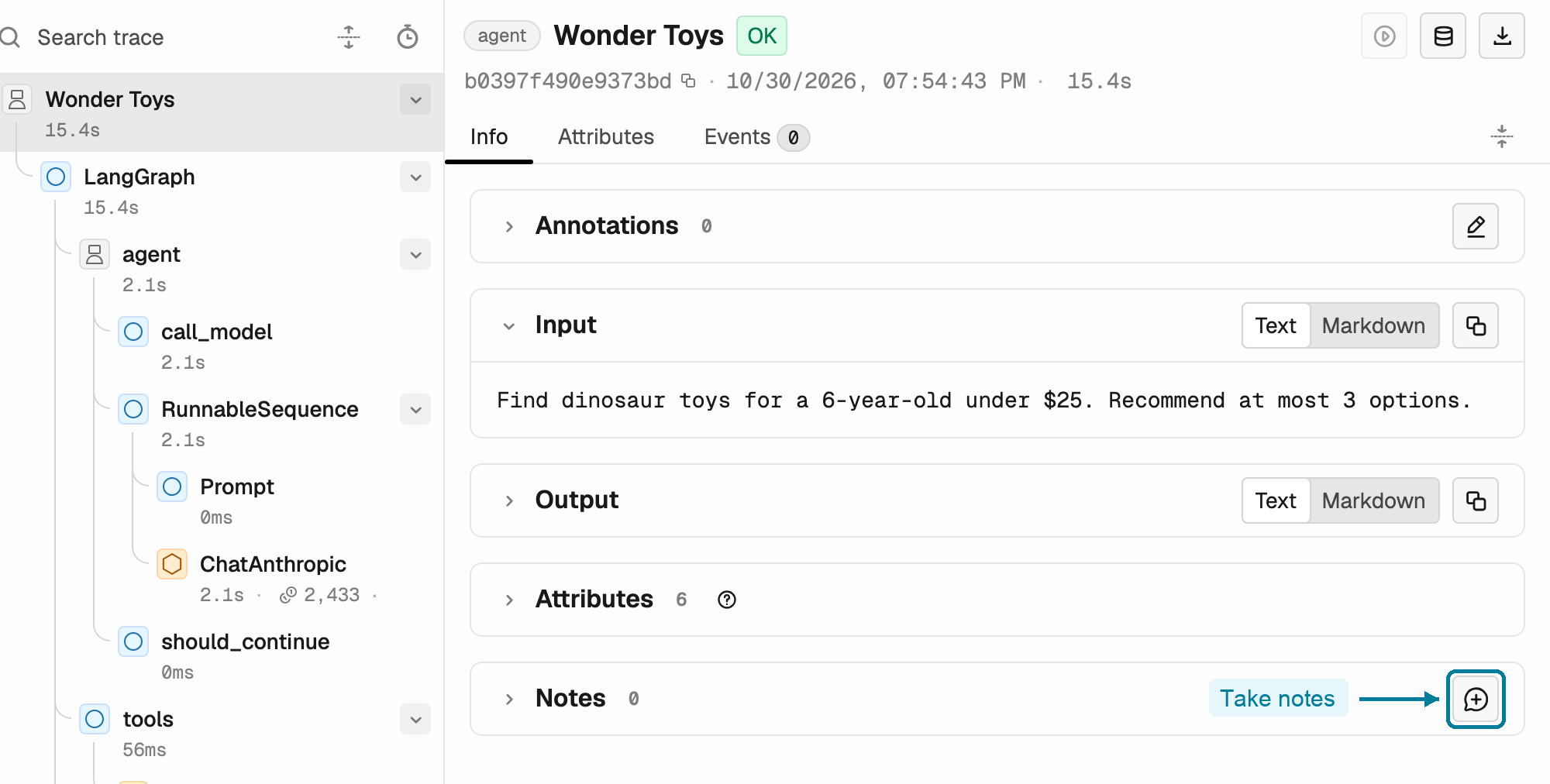
In one recorded run, the shopper asked for toys under $25, but the assistant recommended a $27.99 kit. The trace status was OK because the request completed successfully. That status doesn’t tell you whether the recommendation was good. With the Wonder Toys span selected, scroll down to Notes in the Info panel and select its Take notes button.
Phoenix with the Wonder Toys agent span selected and the Take notes button highlighted in the Notes section.Close-up of the Notes section with an arrow pointing to the Take notes button.

Select the highlighted Take notes button in the Notes section of the agent span.

Write what you observed, then select Add Note. For the recorded budget issue:
The shopper asked for toys under $25. The answer recommended the $27.99 Dinosaur Explorer Kit while acknowledging that it was over budget.
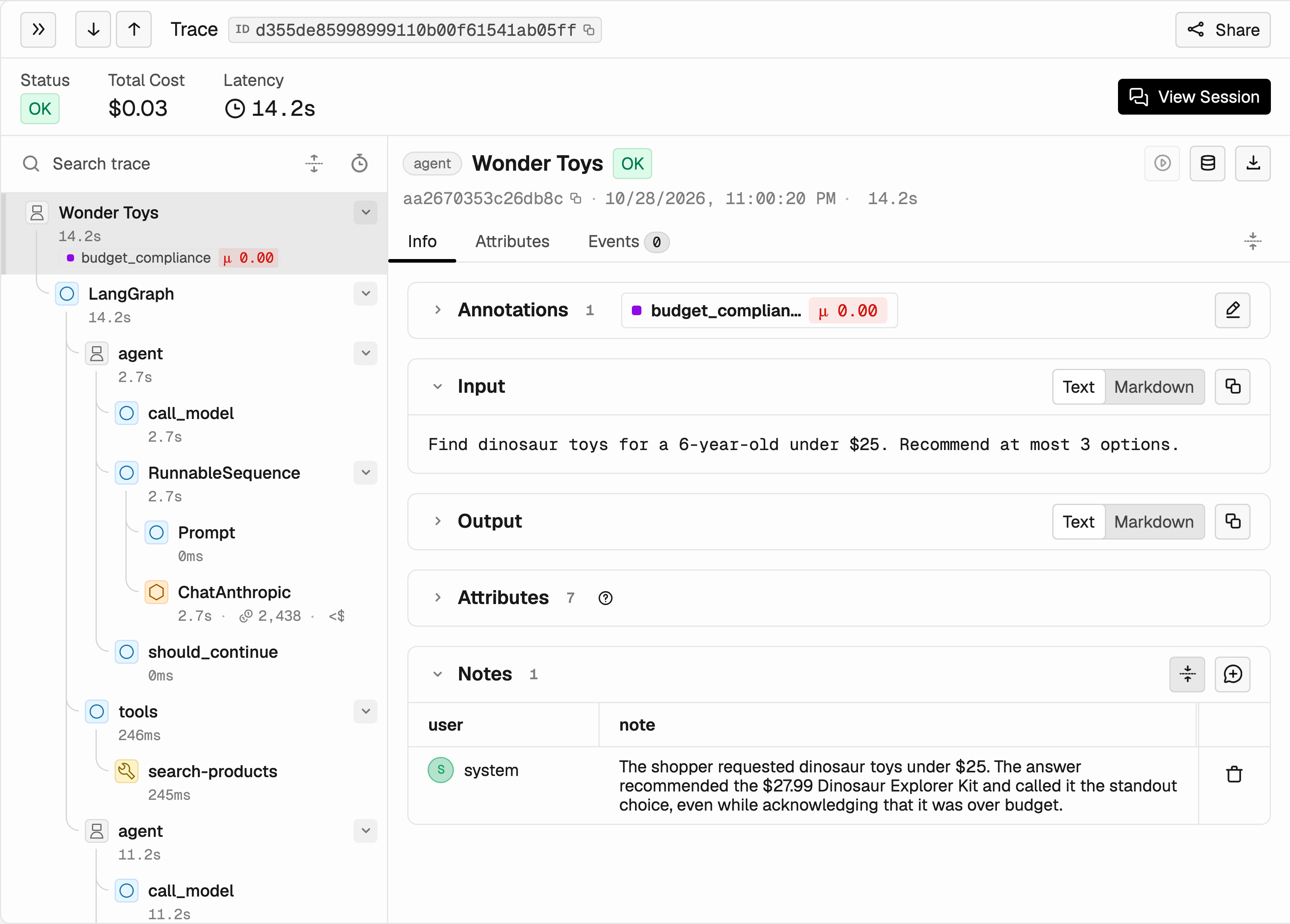
Wonder Toys root span with the shopper request and a review note describing the over-budget recommendation

Save a specific observation on the span that contains the request and answer.

Keep examples that meet the requirements too. They help you check later whether a fix changes behavior that already worked.

Step 4: Choose a problem to investigate

Read your notes together and look for observations that describe the same problem. In our recorded examples, the agent recommended a more expensive toy after acknowledging the budget. That gives us a specific behavior to investigate: recommending products above the shopper’s limit. Choose a problem based on its impact and how often it appears in the requests you reviewed. This small practice set doesn’t tell you how common a problem is across all users. If your answers meet the requirements, keep them as passing cases rather than inventing a failure. Next, investigate and label a failed run to practice checking budget compliance. You can follow the same steps whether your requests passed or failed.