

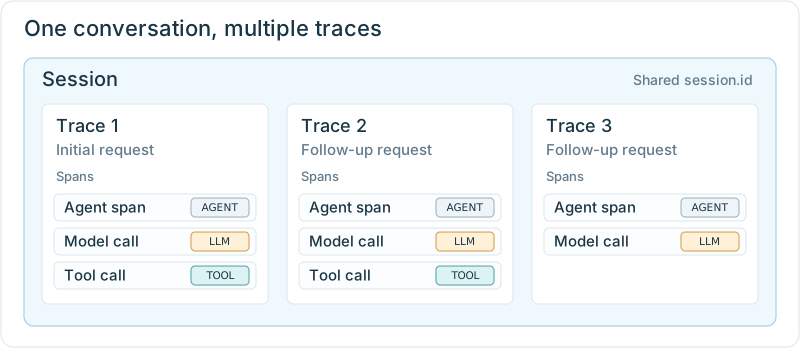
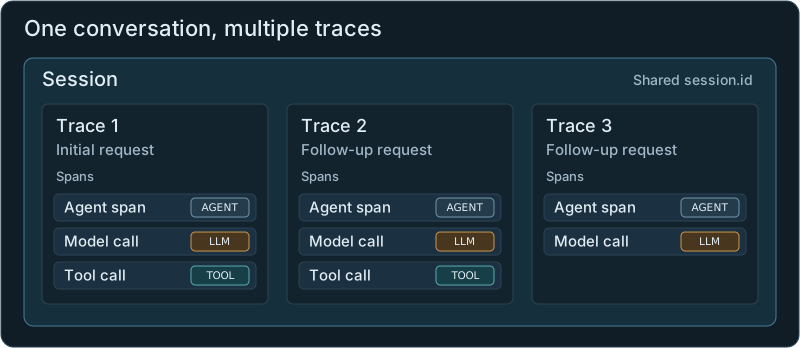
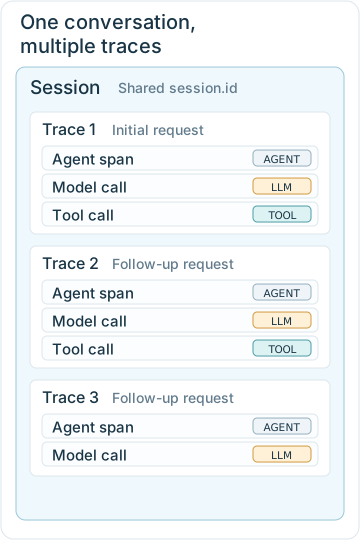
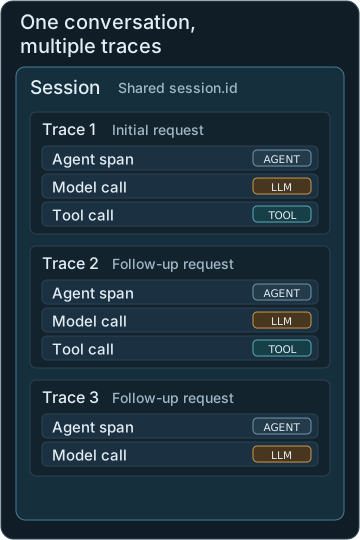
A shared session.id groups the traces. Each card lists example spans from one request.
Before you start
Continue with the browser app from Add an agent span. Keep Phoenix running and work in the sameno-observability/langchain-py folder.
The screenshots show one example conversation; your products and answers may be different.
Step 1: Connect requests from the same conversation
Let’s make Wonder Toys create a conversation ID automatically and send it with each message. You don’t need to choose an ID or paste one into Phoenix.- First message: the app creates an ID for the chat.
- Follow-ups: it reuses that ID so Phoenix groups the traces together.
- New chat: it creates a new ID for the next conversation.
backend/agent.py, using_session goes around the agent span you added earlier:
Key change in backend/agent.py
session_id for the current chat. using_session records it as session.id on the spans. Choose one setup method below to connect the chat to this function.
- Add the code yourself
- Use a coding assistant
The instrumented Wonder Toys app uses the same pattern. Expand the setup below to make all 4 file changes.
Set up session tracking in Wonder Toys
Set up session tracking in Wonder Toys
Create the ID in the chat. In This creates an ID on the first request and reuses it for follow-ups. Replace that fetch call’s existing In the same file, find the Wonder Toys logo’s Pass the ID to Python. The web app forwards messages to the Python backend. It needs to forward the ID too. In Add this field to the existing backend fetch call’s In In In that function’s Attach the ID to the spans. In Update the Add this at the start of the function. It also supports calls made outside the web app:Replace the opening of the existing Inside
src/components/Chat.tsx, find fetchResponse. Add these lines inside its try block, before fetch:headers line with:onClick handler. Add this after sessionStorage.removeItem("chat-messages") so a new chat gets a new ID:src/app/api/chat/route.ts, add this after const { messages } = await req.json():headers object:backend/main.py, add this import with the existing imports:chat, read the ID after the existing user_id line. The fallback creates an ID for requests sent directly to Python:StreamingResponse, update the agent call to pass the ID:backend/agent.py, add these imports:stream_agent signature to accept the ID:with block with this code. Keep its body at the same indentation:agent.astream_events, replace the existing config argument with:using_session tags the agent span and its calls. The LangChain metadata also carries the ID through the workflow.Step 2: Start a conversation and ask a follow-up
Open the app in your browser using the Local address shown in the terminal. Select the Wonder Toys logo to start a new chat, then send the original request again:Step 3: Open the session in Phoenix
A turn is one shopper message and the agent’s answer. Wonder Toys records each turn as a trace and groups them in the same session. To open your conversation:- Open wonder-toys → Sessions in Phoenix.
- Find your shopper’s request in the first input column.
- Select that row’s session id.

Select Sessions, then select the session ID for your conversation. Both click targets are outlined in blue.
Step 4: Compare the follow-up answers
Read the replies in order, using these checks for the toy questions:- Product: Did the first follow-up identify the cheapest recommendation?
- Age range: Did the next reply refer to that same toy and use the age range given earlier?

Turn 03 answers the follow-up about the toy discussed in Turn 02.
Step 5: Check the model’s conversation history
To inspect the messages sent with the final follow-up:- Select Trace beside the final turn.
- Select the first
ChatAnthropicmodel call. - Under Info → Input, expand the earlier message that the follow-up refers to.

The earlier assistant reply appears in the model's input, including the toy's age range.
- Message missing: The model didn’t receive that earlier part of the conversation.
- Message present: Check whether the follow-up answer agrees with it.
The model received the earlier reply naming the Insect & Bug Collection for ages 3 to 8. It then referred to the same toy and said it wasn’t suitable for a 2-year-old.Use your own trace to explain whether the follow-up answer matched the earlier messages in the model’s input.
Session IDs and user IDs
Session IDs and user IDs
A
session.id identifies one conversation, while a user.id identifies the person. If the same shopper starts a new chat, give it a new session ID and keep the same user ID.