Why is agent benchmarking so hard?
Offline experimentation is one of the hardest parts of agent development. Once an agent is deployed, we can observe what it does in the wild. Before deployment, benchmarking requires a reproducible setup: the same tasks, data, tools, and environment for every version, with state reset between runs.
We ran into this problem when trying to evaluate PXI, the coding agent built into Phoenix. We started with simple agent evals that tested PXI’s tool calling behavior on single turns, but we kept running into limitations. Our fixtures were missing context that the frontend normally supplied, like the current page and time. Some tools needed the frontend in order to execute at all. Adding an MCP server for skills and docs meant another thing to mock. And without a real Phoenix database, we could check whether PXI called a tool, but barely test what it did with the result.
Expanding that suite meant rebuilding or mocking more and more parts of the system. It was getting harder to trust that this Frankenstein version of PXI behaved like the one in production.
Run AI agent benchmarks in reproducible sandboxes with Harbor
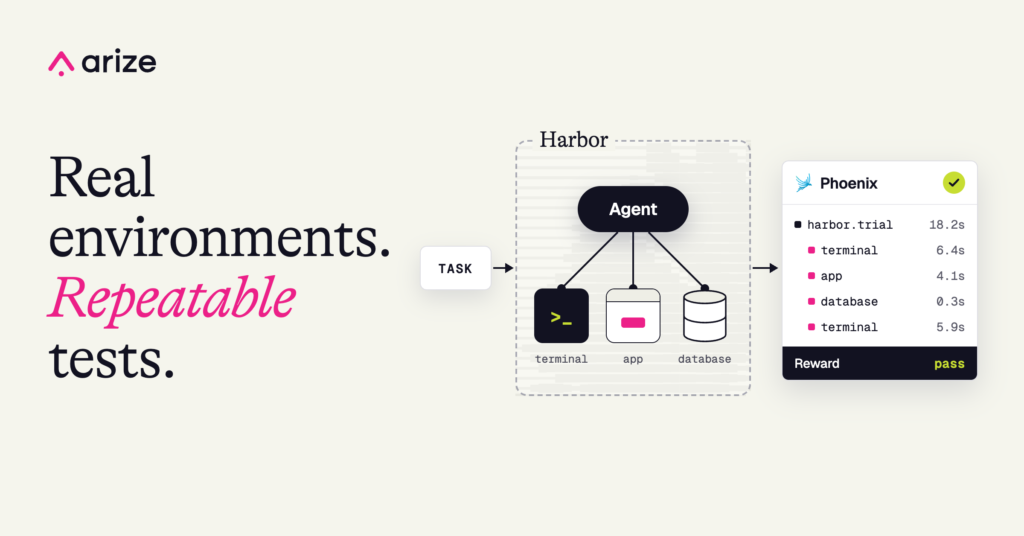
Harbor is the open-source framework behind coding-agent benchmarks like Terminal-Bench, but you don’t have to work at an AI lab to use it. Give it a task, an environment with your application and data, and a verifier to check success. Harbor runs each attempt in a fresh sandbox, using local Docker or your choice of supported cloud sandbox providers.
For PXI, this meant running the real agent endpoint against a Phoenix server pre-seeded with traces. We could test what PXI did with real tool results and inspect the database afterwards.
Benchmark MCP servers, skills, and CLIs with Harbor
You don't have to build your own agent to need agent experiments, though. If you ship an MCP server, skills, or a CLI, you want to know whether agents can use them effectively. Harbor natively supports coding agents like Claude Code and Codex alongside custom agents.
With Harbor, we can reuse the same tasks to test PXI, our MCP server, and the Phoenix CLI. If we ask an agent to annotate failing traces, we can check that it wrote the annotations to the right records in the database. We can also inspect the agent’s trajectory to evaluate its response and measure how many turns or tool calls it took. The same verifiers work across agents, measuring correctness and efficiency without prescribing exactly how each agent should get the job done.
Record Harbor benchmarks as Phoenix experiments and traces
The Phoenix plugin records Harbor tasks as versioned datasets, each agent configuration as an experiment, and verifier rewards as Phoenix annotations. It also turns Harbor's recorded trajectory into Phoenix traces, so we can inspect the model calls, tool use, and available usage data behind a reward without instrumenting the agent.
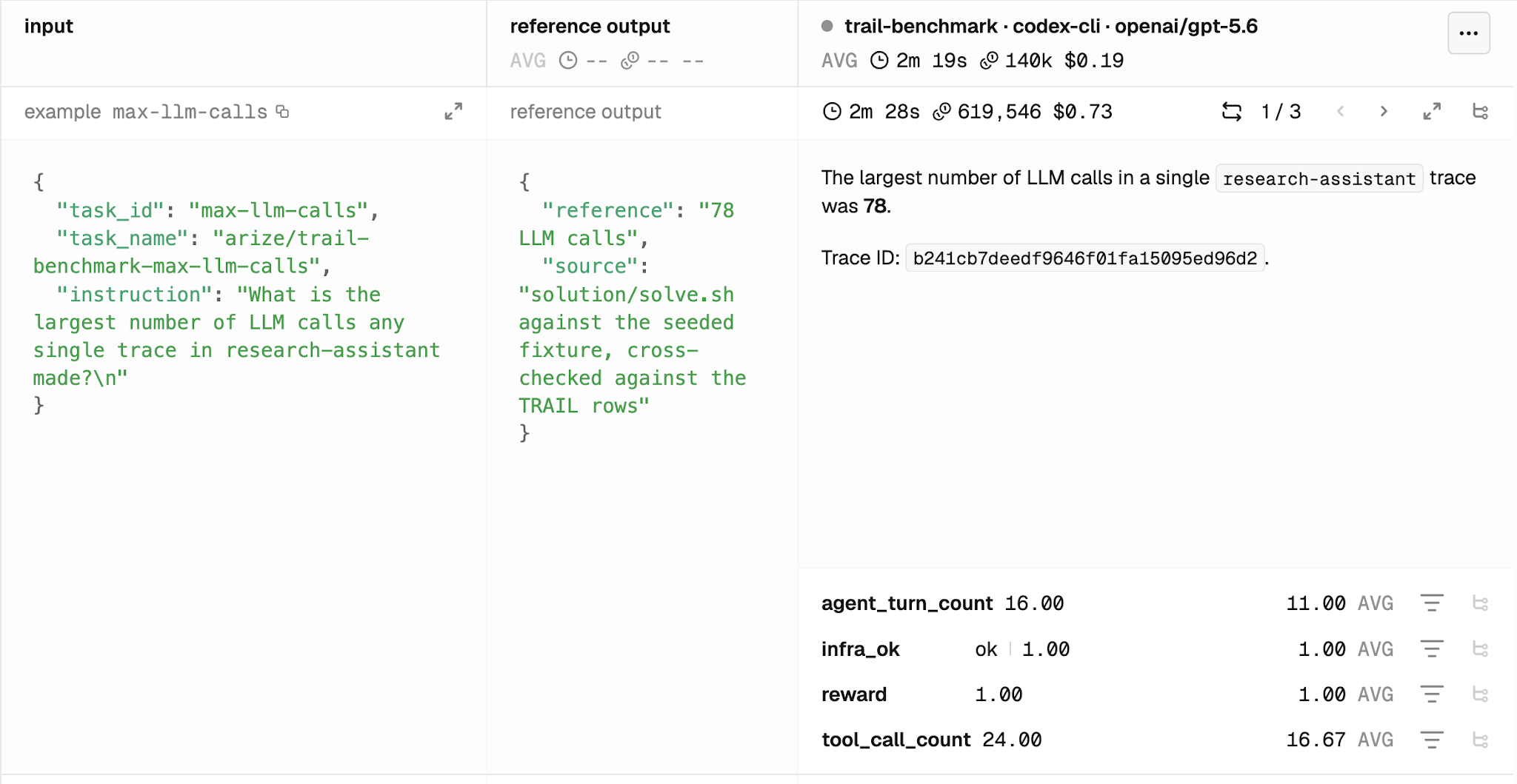
The plugin records all rewards produced by Harbor’s verifiers as Phoenix annotations. It also adds an infra_ok annotation to every run to flag execution errors.
When tasks change, the plugin creates a new dataset version, while earlier experiments stay tied to the version they ran against. That helps us distinguish an agent improvement from a change to the test.
Those results are also accessible through Phoenix’s MCP server and CLI. We can ask a coding agent to compare experiments or investigate traces, then review the evidence behind its findings ourselves.
Use traces to improve agents even when the benchmark passes
In our benchmark, we tested PXI, Claude Code, and Codex on the same questions about a Phoenix project. Almost every answer was correct, but the traces showed meaningful differences in how each agent reached the answer.
In one trial, Codex correctly diagnosed a failing tool but followed our error-analysis skill into a much longer workflow than the question needed. The trace showed us where to focus: help the agent distinguish a quick diagnosis from a full investigation. With the benchmark in place, we can test that change across tasks and check whether it reduces turns and tool calls without sacrificing correctness.
Run a baseline, change something, repeat
Here’s how to get started with Harbor and the Phoenix plugin. Pick one task your users care about, give the agent a realistic environment, and check the outcome. Run a baseline, inspect the trace, then change a prompt, skill, or tool and rerun the same task. For us, Harbor makes that loop practical without rebuilding PXI's world in mocks.
Once that loop is in place, we can automate parts of it. Optimizers like GEPA use evaluation feedback to propose and test prompt changes. The same Harbor tasks can measure those changes, while Phoenix traces help us track and understand their effects.
The Harbor integration guide explains more about the Phoenix plugin, and our internal benchmark suite may provide some inspiration for how to set this up for your own systems.
We're walking through this setup live, including the PXI benchmark, at Benchmarking AI agents & tool use with Harbor and Arize Phoenix on Oct 8, 2026.

