

Documentation Index
Fetch the complete documentation index at: https://arize-ax.mintlify.dev/docs/llms.txt
Use this file to discover all available pages before exploring further.
Table Ingestion Parameters
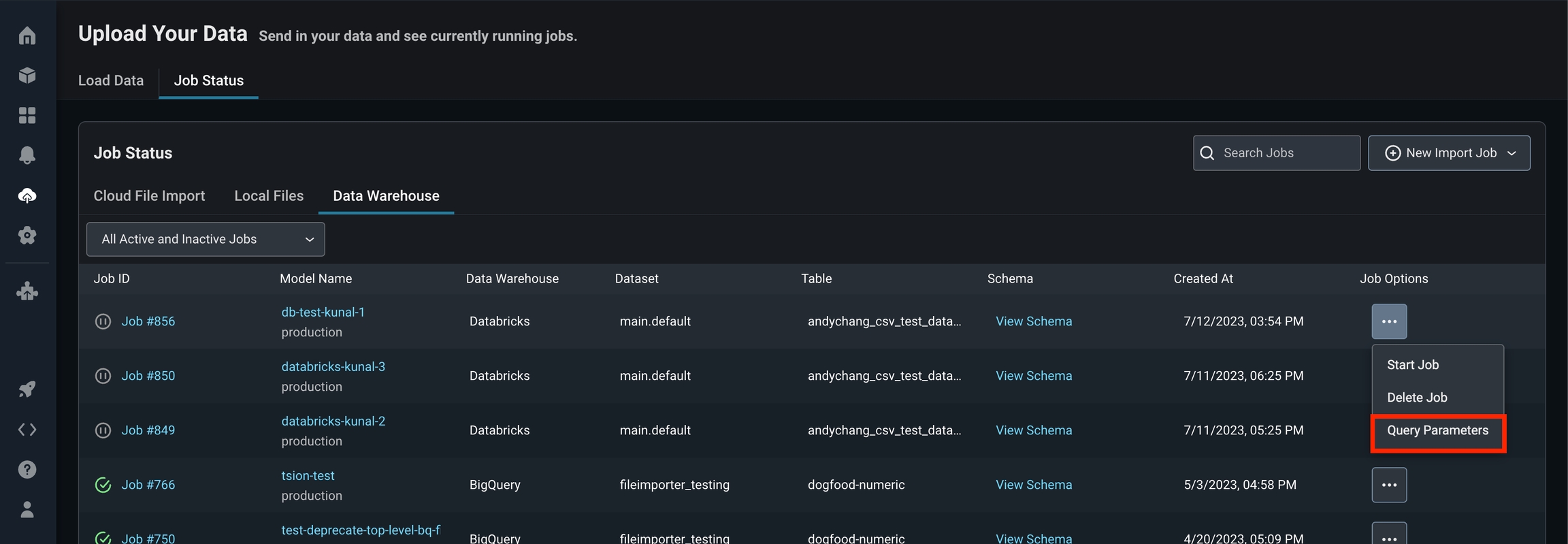
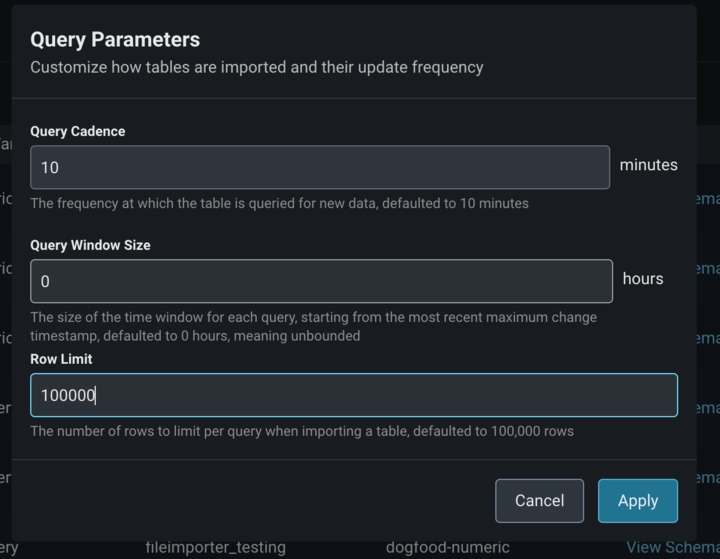
Data is ingested from tables by querying your table or view periodically. There are a few parameters that control how much data is ingested, as well as how often. To see the defaults of these parameters, as well as to change them, clickQuery Parameters on Job Options.
Query Cadence
This parameter controls how often, in minutes, we should query your table. It is relative to the last time your table was queried, which you can see by clicking theJob ID which gives you a chronological list of queries to your table.
Query Window Size
This parameter controls how large, in hours, of a query window we should use: a query window is the time interval of your data, where time is given in thechange_timestamp column you supplied when first configuring the job. The beginning of the query window is always the largest change_timestamp we have encountered while querying your table. The end of the query window is either specified in hours by this parameter, or if left to 0 as the default, means unbounded to the current time.
This is useful if you need to limit the amount of data scanned per query. If your table is large, we recommend partitioning your data by the change_timestamp column, so this parameter gives you a way to limit the number of partitions scanned per query if cost is a concern.