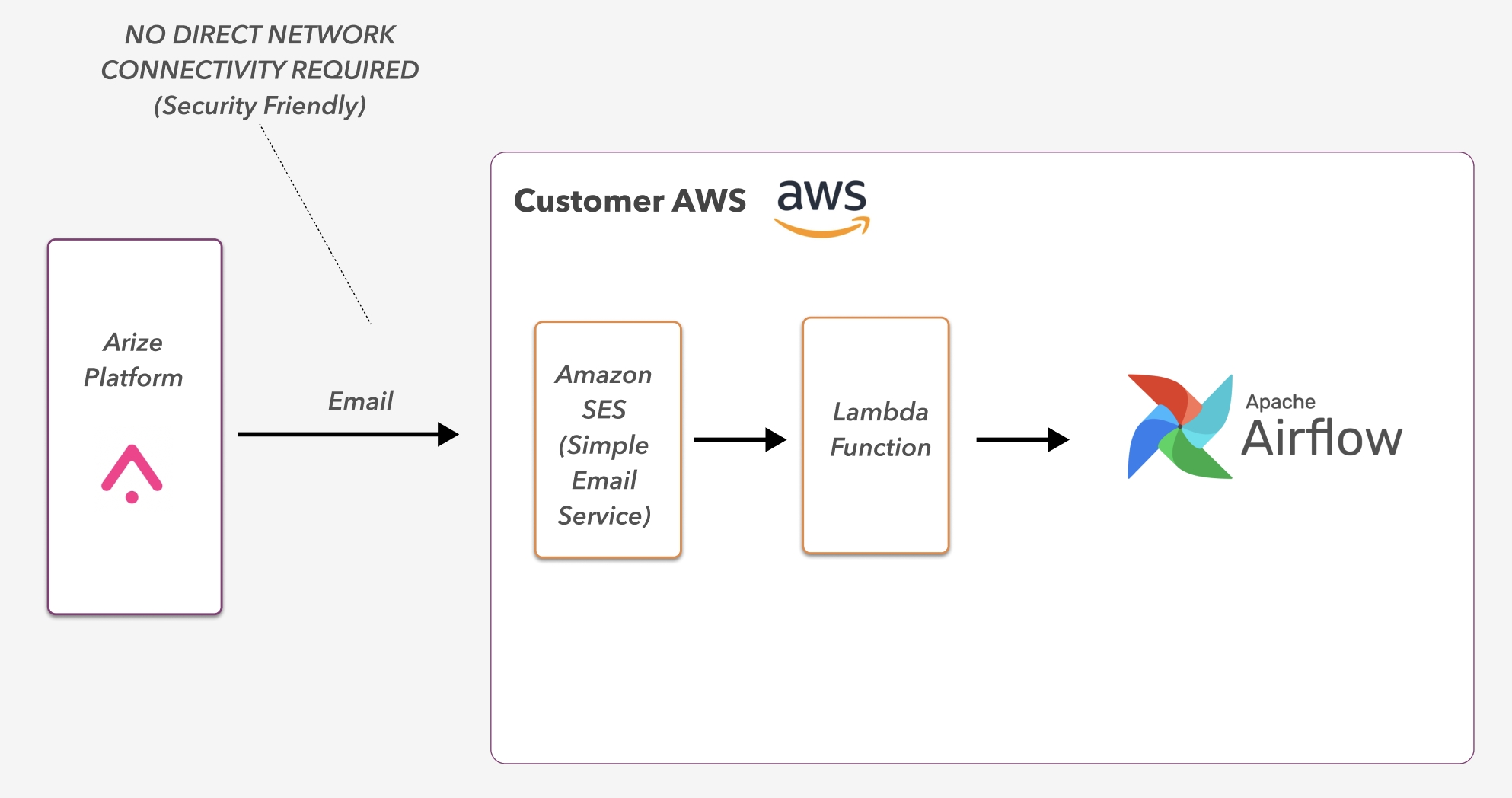
Arize to AWS event flow
- Email generated on monitoring firing
- SES receives the monitoring email
- SES triggers lambda function
- Lambda function contains all logic to kick off airflow retrain
SES (Simple Email Service) Identity
This section walks through setting up the SES service. Setup an SES Identity, this verifies the ownership of a domain or email address such that Amazon SES can receive emails sent to that address.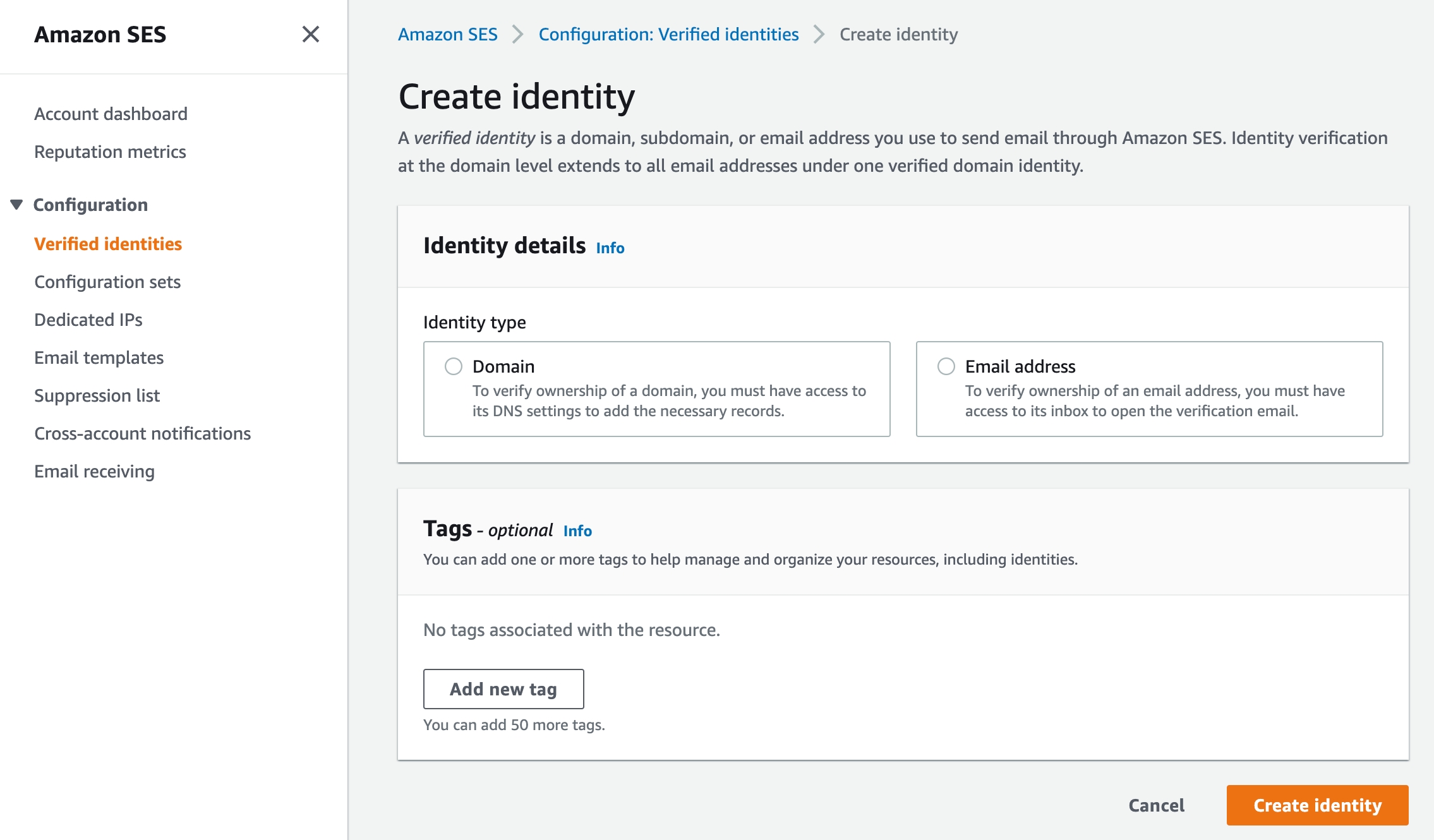
Create Identity
Create Lambda Function for Airflow Retrain
This section walks through creating a lambda function that we will reference in the email reception call.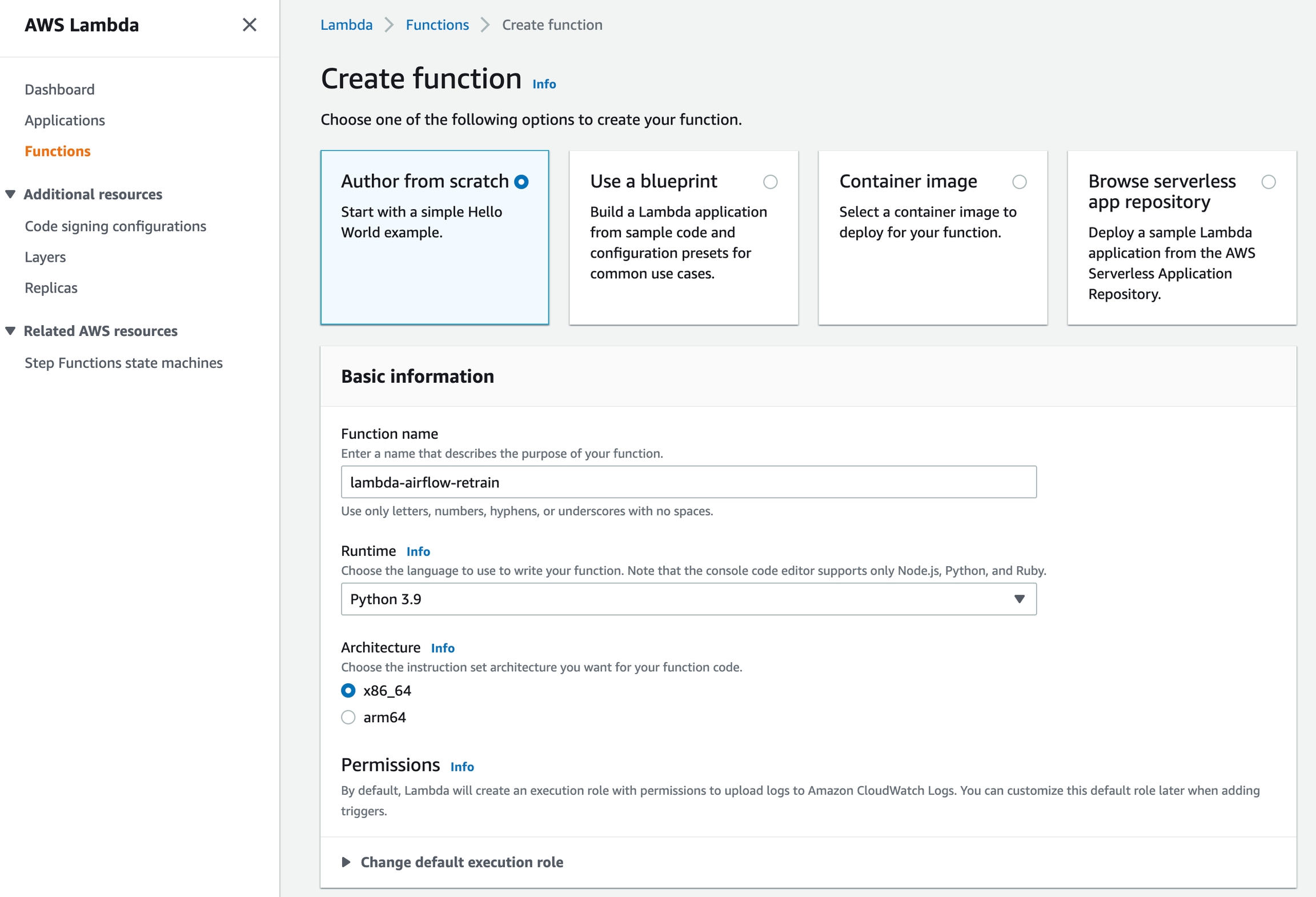

Invoking DAGs with an AWS Lambda function - Amazon Managed Workflows for Apache Airflow
Amazon Managed Workflows for Apache Airflow
Example Kicking off Aiflow in Lambda
SES (Simple Email Service) Rule
Lastly we are going to create a rule in our SES service that references the lambda function and calls it when the email is received.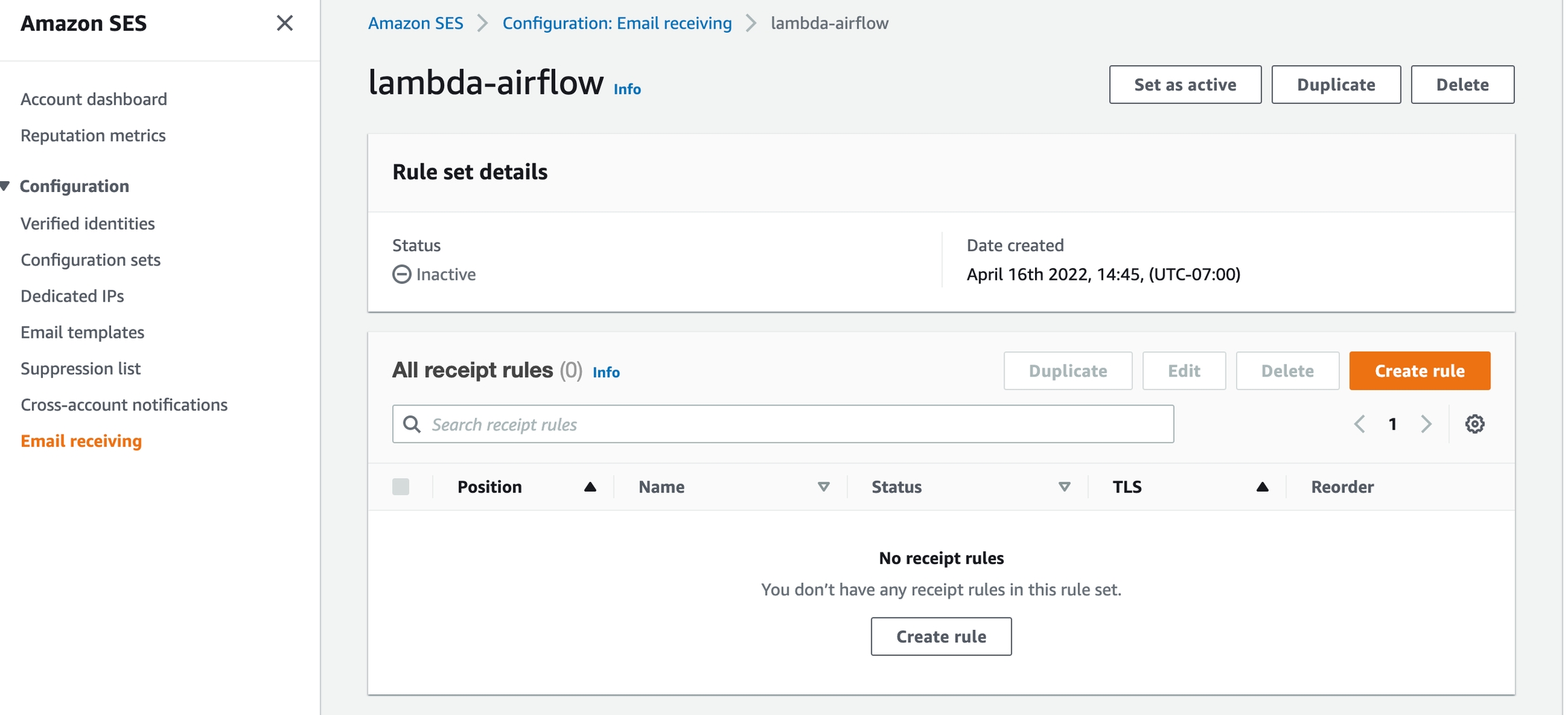
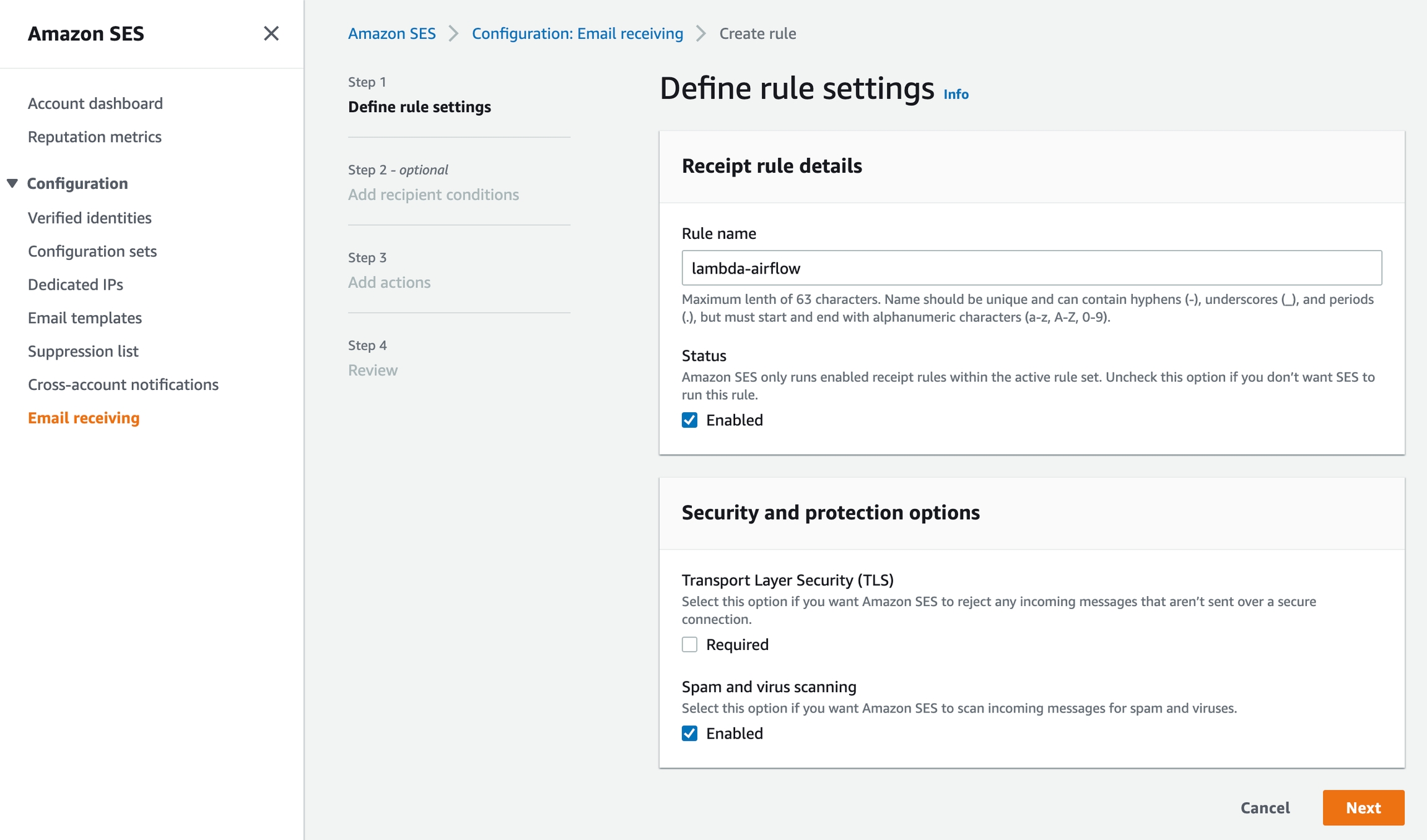
Create Rule
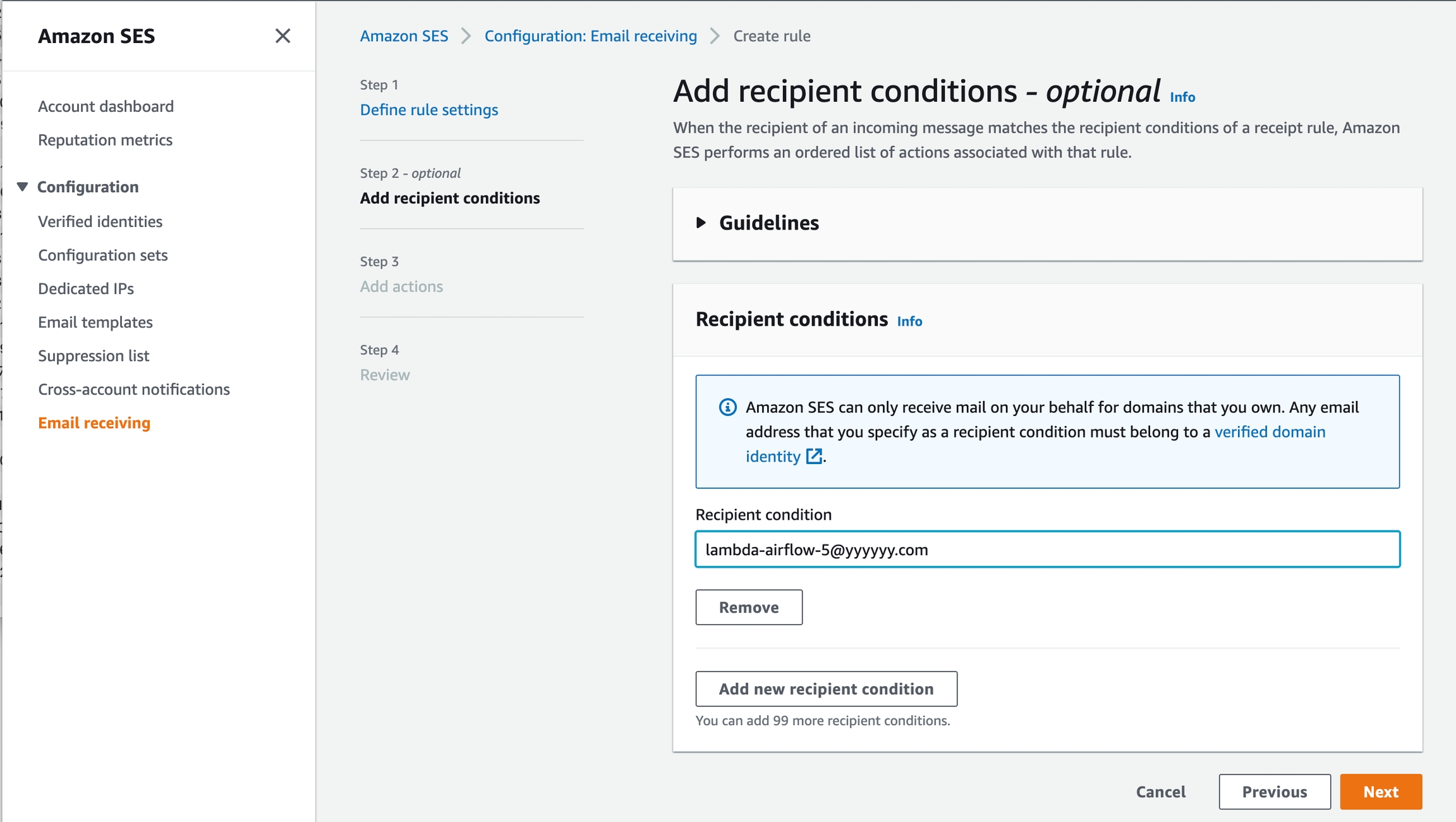
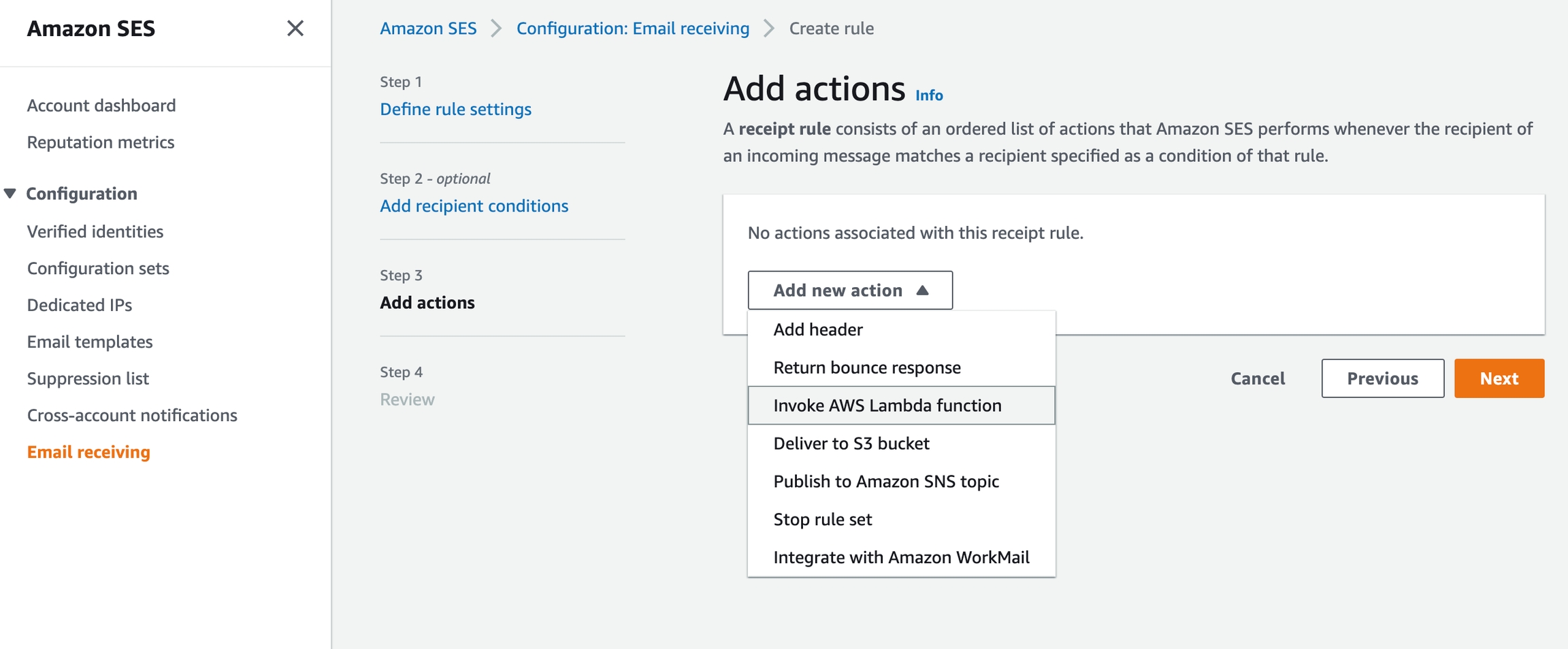
Lambda Reference
On initial setup when you are debugging, it can be useful to setup a 2nd action with “Deliver to S3 bucket” so you can review received messages as well.
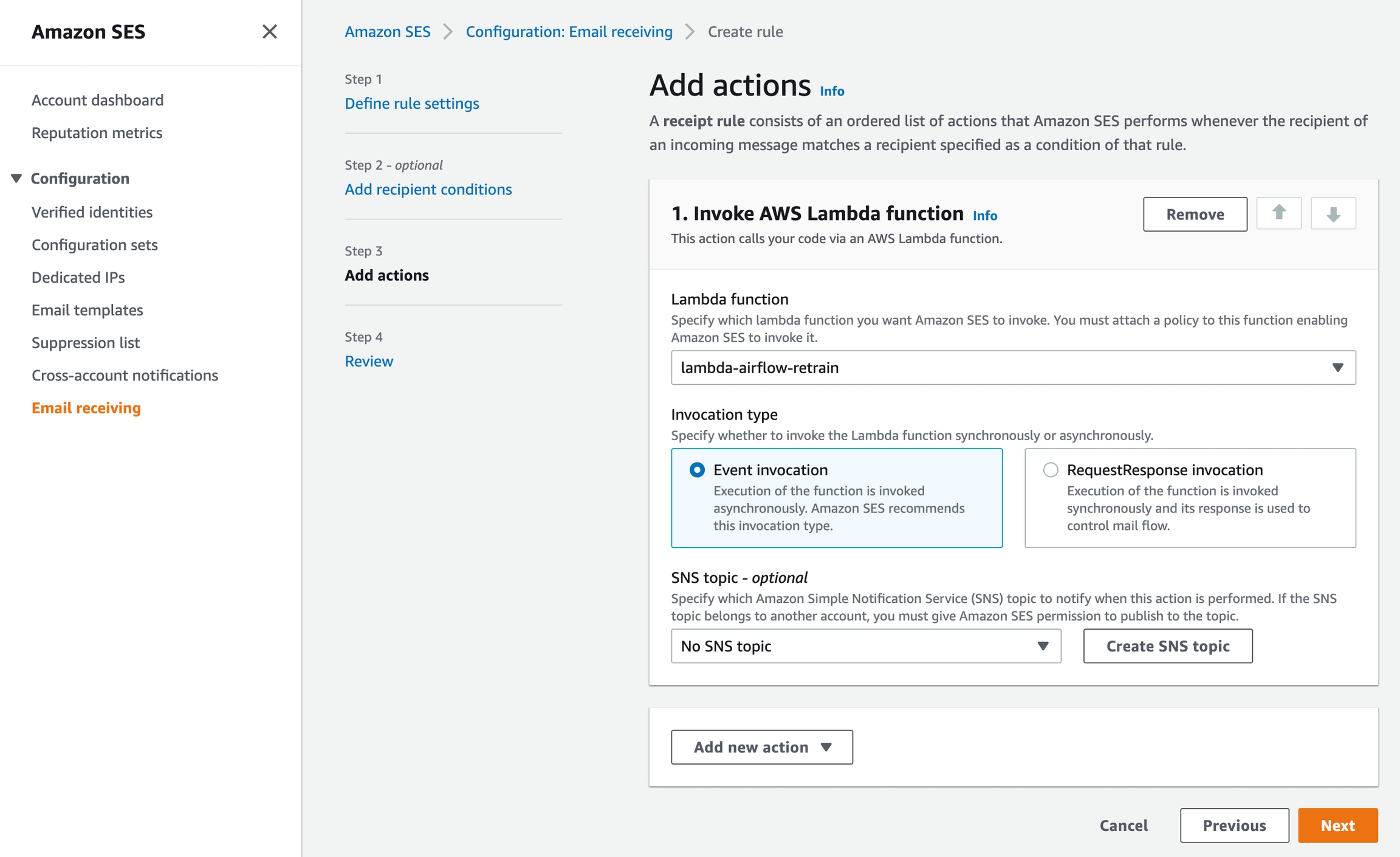
Lambda-airflow-retrain
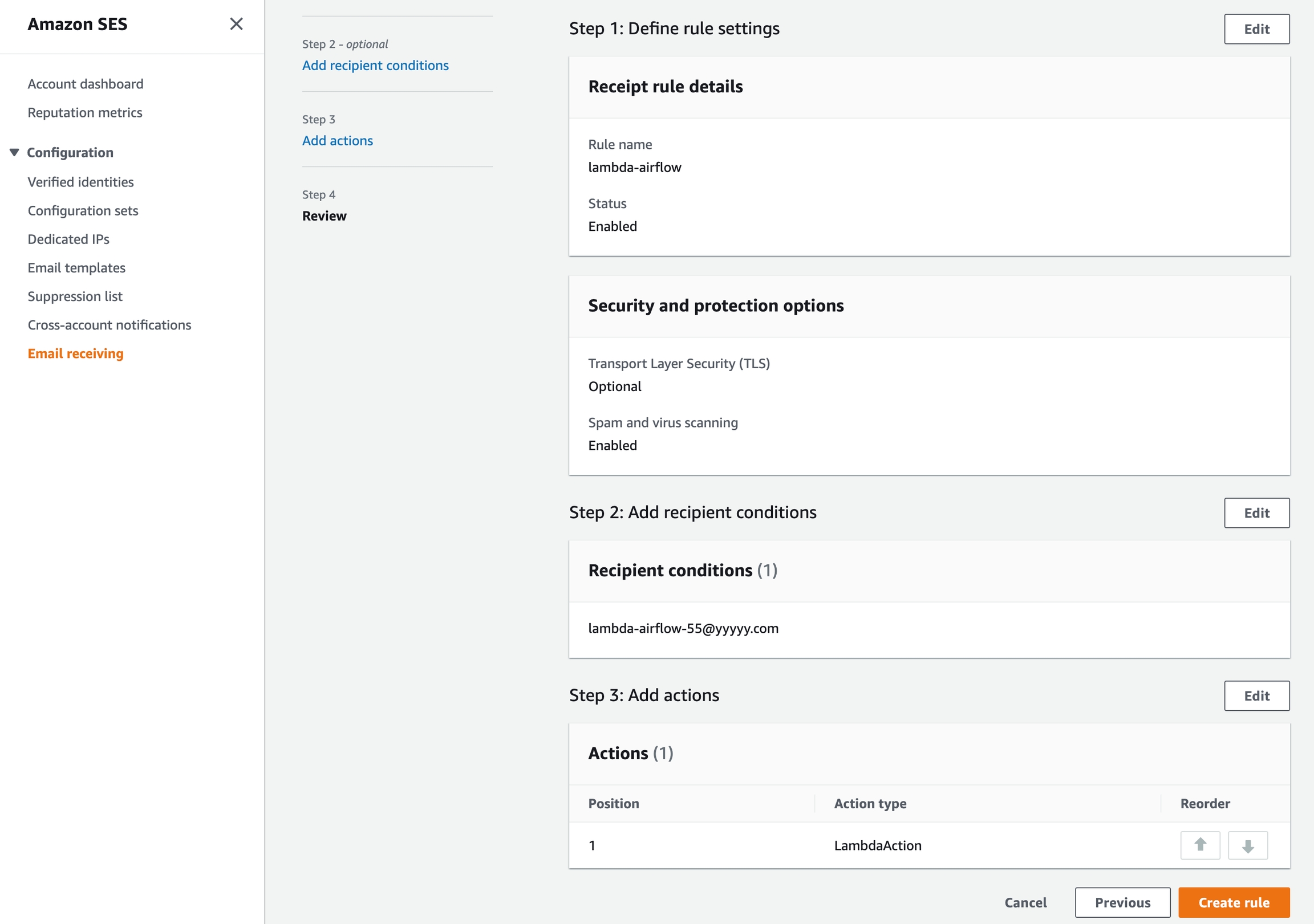
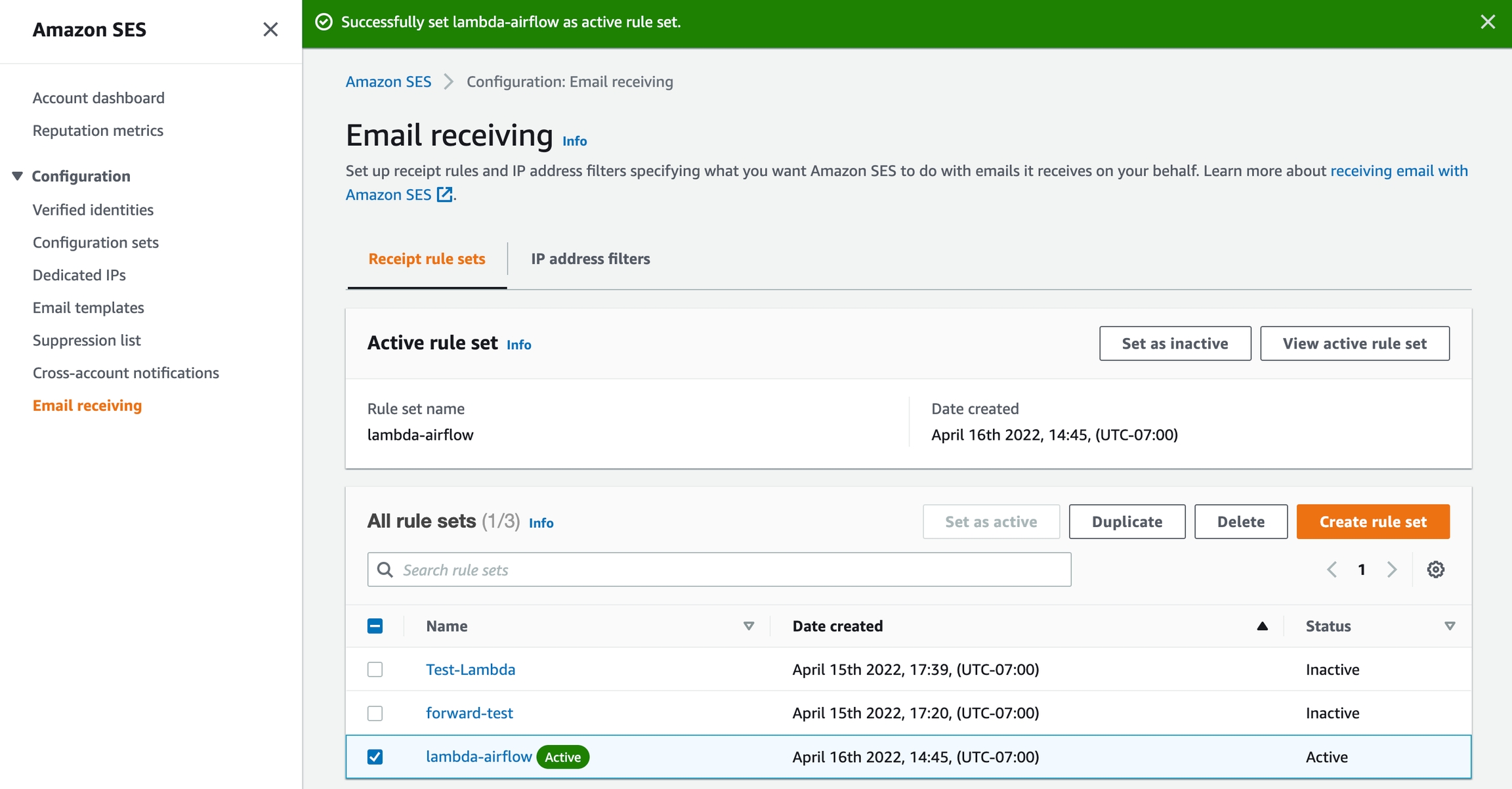
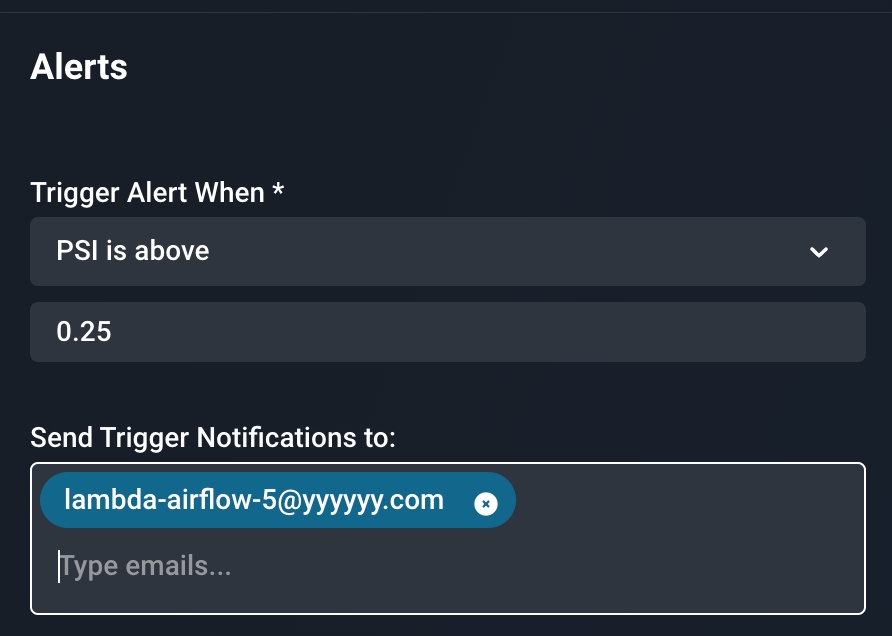
Use Lambda-Airflow Email Address in Arize
Use the email address created for the rule to send for key retrain alerts.