Documentation Index
Fetch the complete documentation index at: https://arize-ax.mintlify.dev/docs/llms.txt
Use this file to discover all available pages before exploring further.
Amazon EventBridge integration requires the use of a service like PagerDuty to publish your model monitoring events to Amazon EventBridge. See the PagerDuty guide for details
Why integrate with Amazon EventBridge?
Integrating with Amazon EventBridge allows teams to easily create event-driven workflows that connect native AWS services with Arize’s monitoring capabilities. Want to re-train your model automatically when your model’s predictions drift from your model’s baseline? AWS EventBridge can help you translate Arize AI’s monitoring events into powerful automated workflows.Connect Arize AI to your incident management platform
Amazon EventBridge integration requires the use of an incident management platform like PagerDuty to act as an event source. For the full list of Amazon partnered event sources, check out the EventBridge documentationConnect Amazon EventBridge to your incident management platform
Once you have Arize monitors integrated into your incident management platform, you’ll have to configure the incident management platform to publish events to EventBridge. In this example, we use PagerDuty as our incident management platform and integrate with EventBridge by following the steps outlined in their integration guide.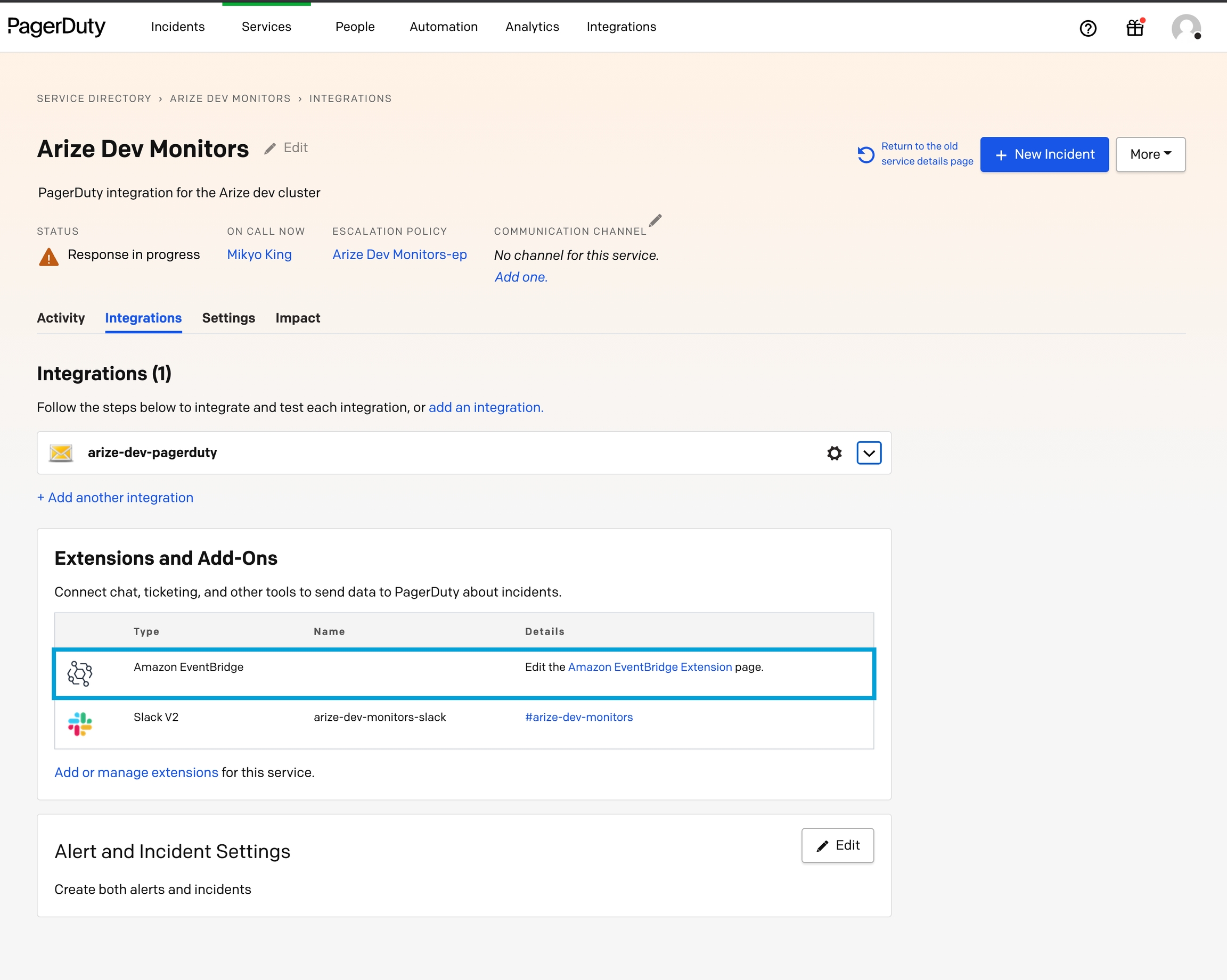
Leverage Arize’s drift monitoring capabilities to automate ML training workflows
Arize’s model monitoring capabilities can be used to auto-trigger ML pipelines within AWS. In this example, we will walk you through how to use Arize Monitors in conjunction with EventBridge to trigger AirFlow jobs to retrain your model whenever a model suffers from drift.Step 1: Setup a monitor to use as an event trigger
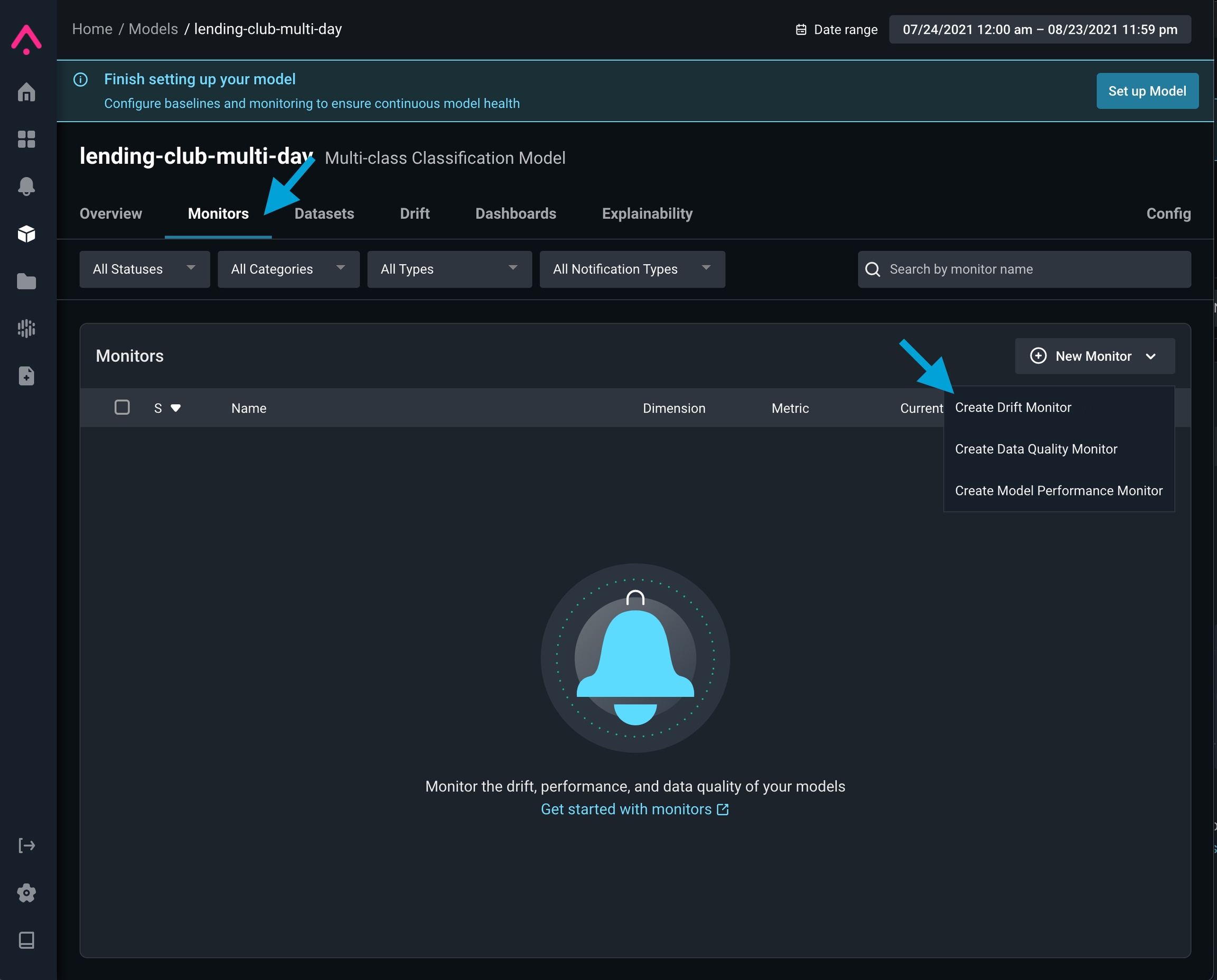
Navigate to your model’s monitor tab, click onnew monitor and select drift monitor
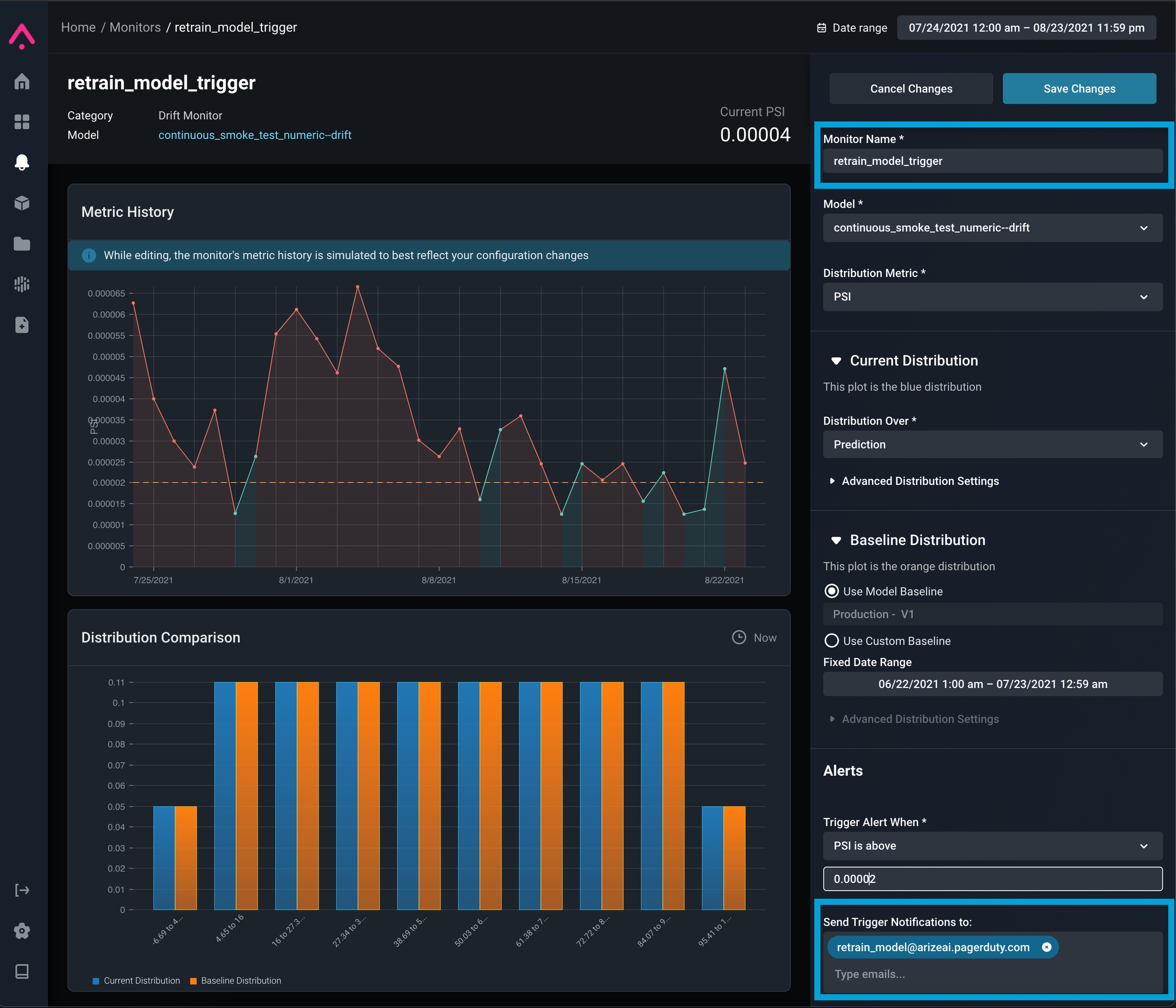
retrain_model ) and to use your Integration Email Address (ex. arize-model-integration@<company>.pagerduty.com - see the PagerDuty guide for details)
Step 2: Create a Lambda function to handle monitor events
In order to react to Arize’s monitoring events, we need to configure a Lambda function that will parse the incident details and trigger a custom workflow. Below is an example Lambda that can be used as a template when integrating with PagerDuty’s incident event payload:Step 3: Connect EventBridge with your lambda handler
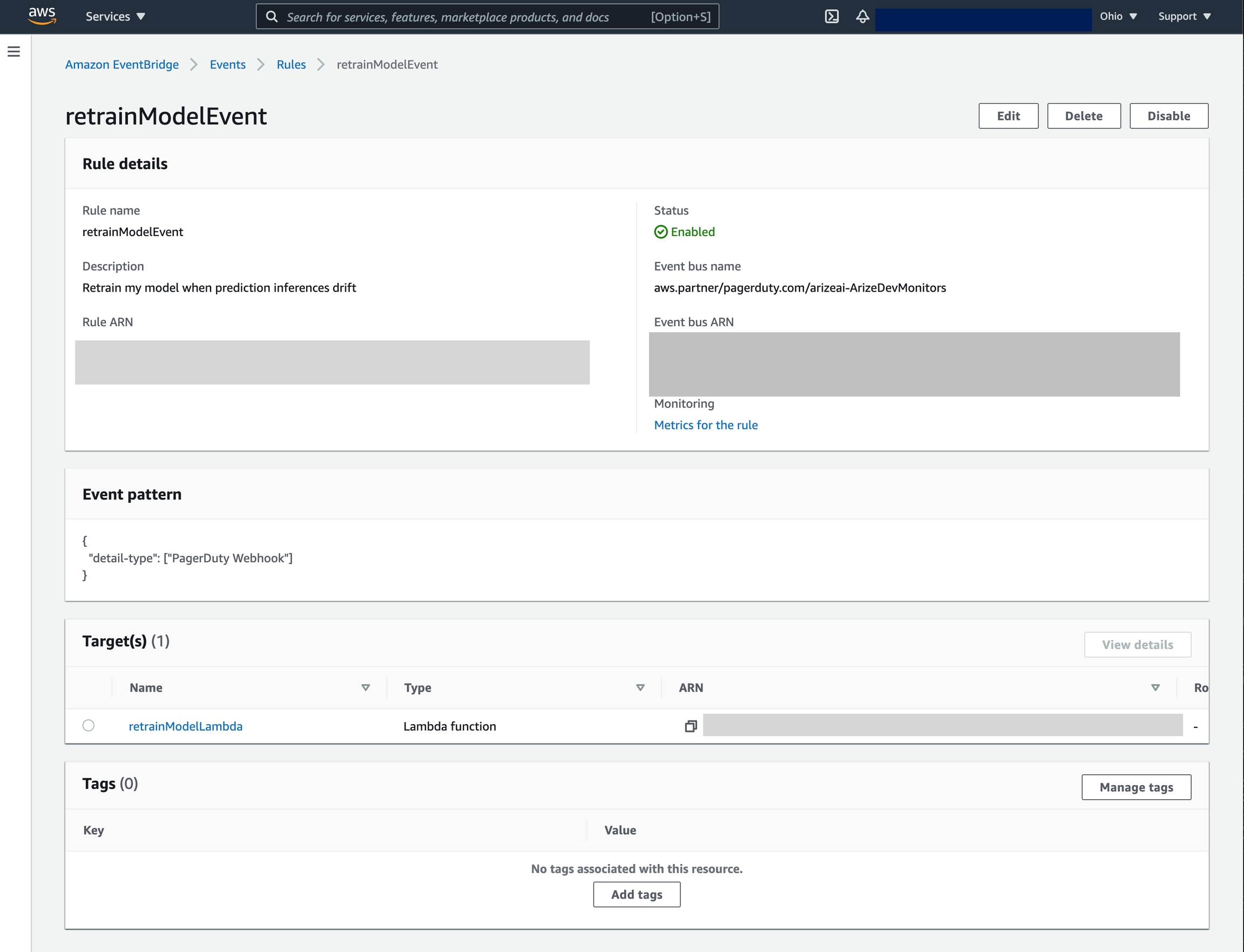
We now need to configure an EventBridge to utilize the lambda we created above. Navigate to EventBridge in the AWS console and configure a rule that will invoke the lambda whenever a matching event is fired. The event pattern and rule details may differ depending on your integration. (See PagerDuty docs for details.) Once completed, you should have a rule similar to the configuration below: