

By adding this integration, your data may be sent through your LiteLLM deployment to the underlying model provider for certain actions within Arize AX (e.g., prompt playground) and your account may be billed for usage.
Add the Integration Using the Arize Skills
Add a LiteLLM integration from your coding agent using the Arize Skills:Create a LiteLLM integration named 'my-litellm' with my proxy URL and key sk-...
Add the Integration from Arize AX
Select LiteLLM from the Providers List
Navigate to Settings -> AI Providers and select LiteLLM.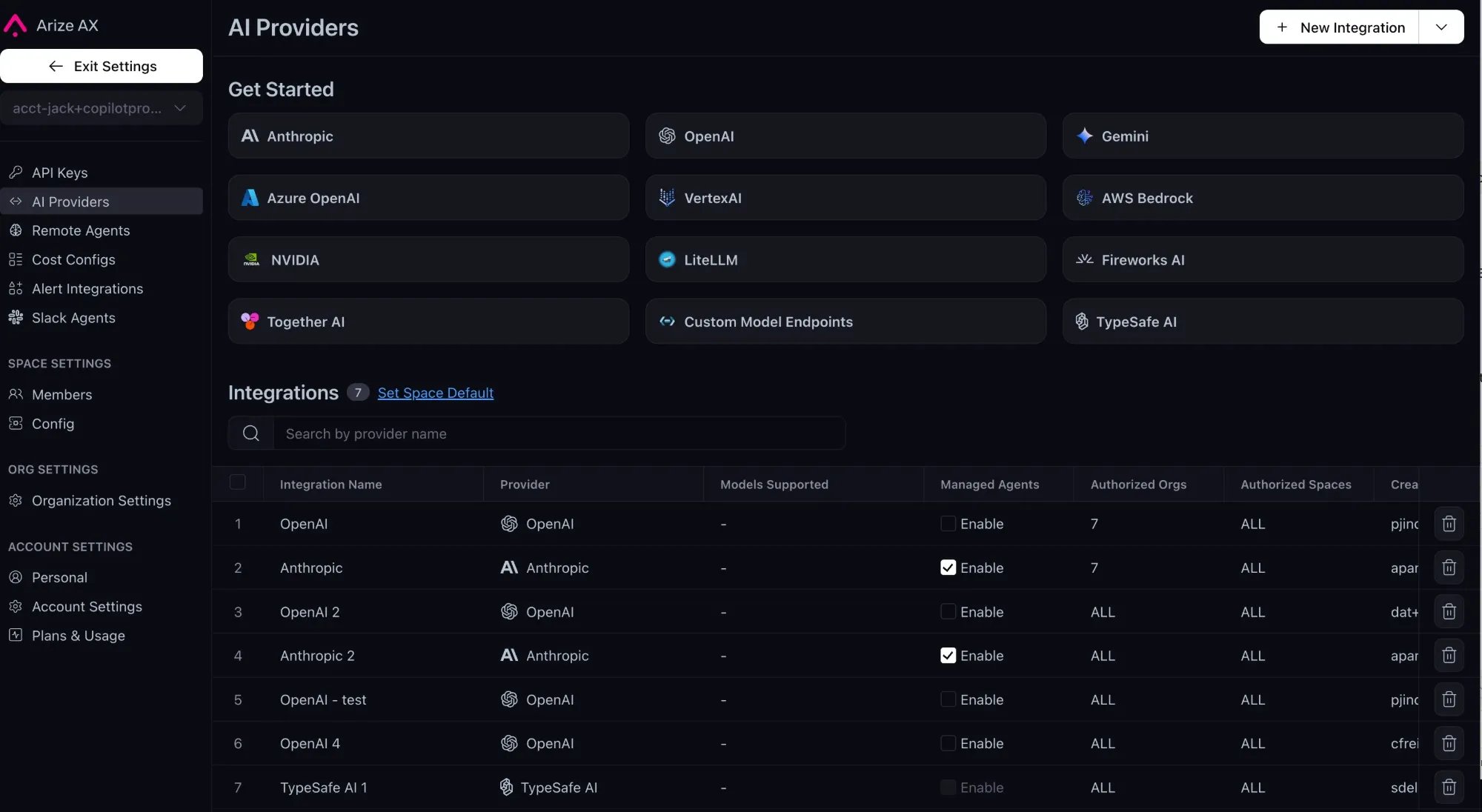
The AI Provider integrations tab
Fill Out Your Integration Details
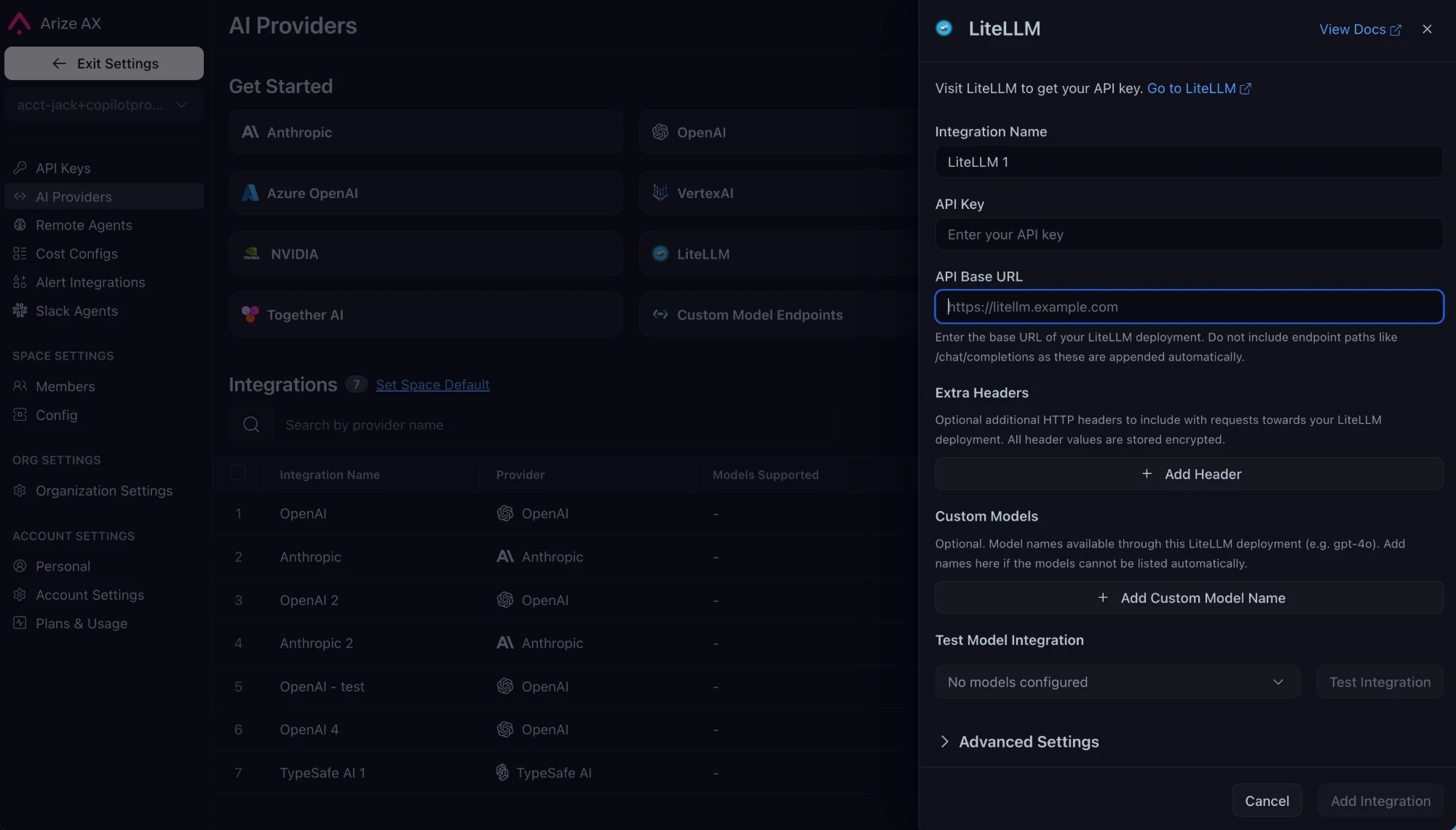
The LiteLLM integration configuration pane
/chat/completions.
Advanced Settings

The Advanced Settings configuration pane
- Supports Function Calling - Turn this on to allow the integration to use function calling features. This is on by default.
- Authorized Orgs - Configure which organizations have access to this integration.
- Authorized Spaces - Configure which spaces have access to this integration.