

Overview
In this guide, you will instrument an existing Google ADK application, run it, and read the resulting traces in Arize AX. The steps apply to any app built on ADK, whether it runs as a script, a worker, or behind a web framework such as FastAPI. This guide assumes you have familiarity with:- Python
- The ADK building blocks: agents, runners, tools, sessions, and the
adkcommand-line interface - Environment variables and package installation
- Initialize Arize AX tracing so ADK is instrumented before it runs
- Capture agent runs, model calls, and tool calls as traces with no changes to your agent logic
- Group traces by conversation using ADK sessions
- Verify and read the trace tree in Arize AX
Before you start
You need:- An existing agent built with Google ADK
- Python 3.10 or later
- An Arize AX account (sign up)
- Credentials for the model your agent uses. For Gemini, get a
GOOGLE_API_KEYfrom Google AI Studio. ADK also runs other providers, including Anthropic and OpenAI through LiteLlm; see the ADK models guide for what your agent supports.
Get your Arize AX credentials
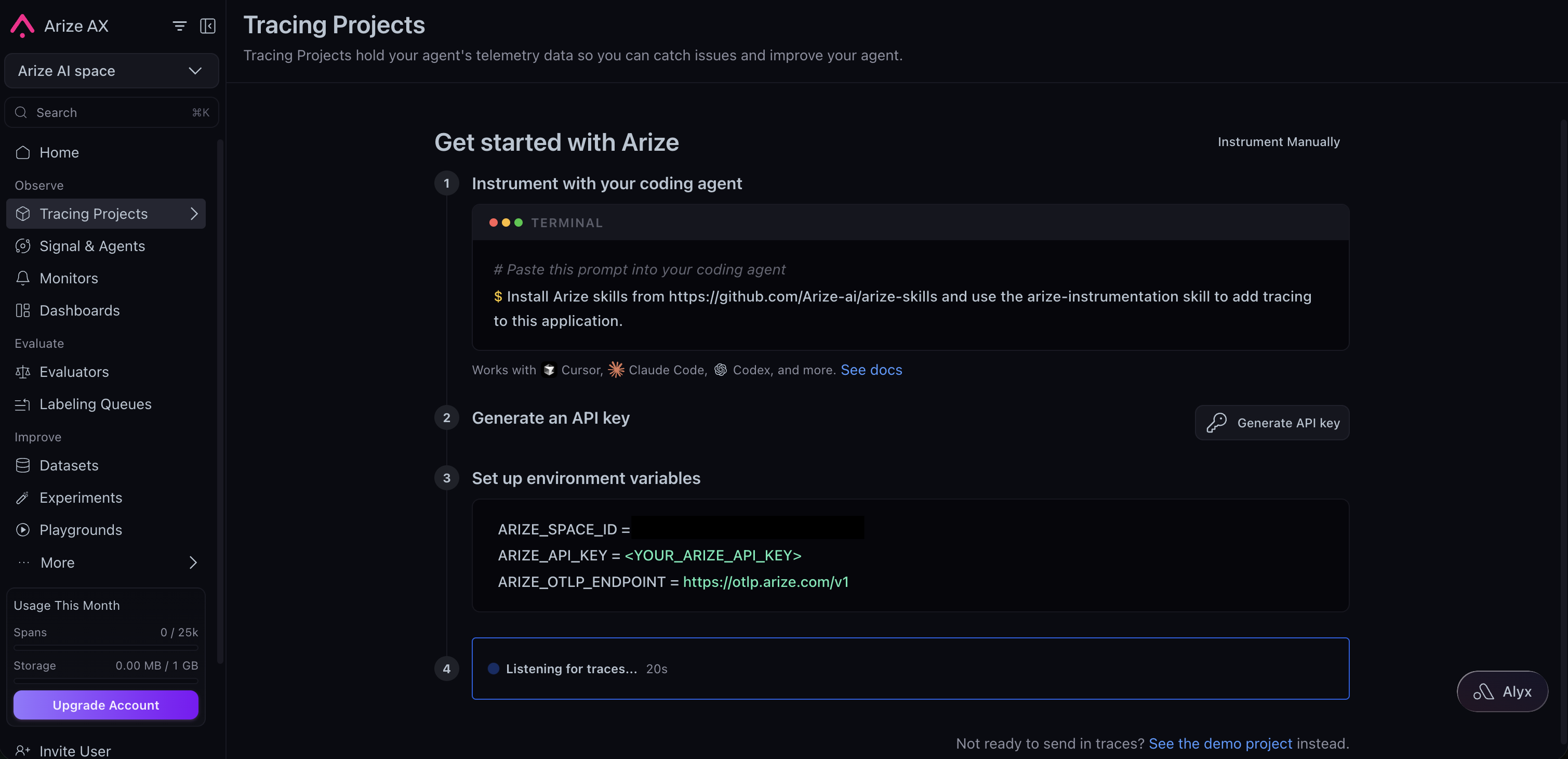
Sign in to your Arize AX account and open Tracing Projects. If you already have a project, click New Tracing Project. If you don’t, follow the steps under Get started with Arize, then click Generate API key and copy the pre-filled environment variables. Set them asARIZE_SPACE_ID and ARIZE_API_KEY when you configure your environment below to route your traces to the correct space.
1
Install the instrumentor
Install the OpenInference instrumentor for Google ADK alongside the SDK and Arize tracing dependencies.
2
Add tracing to your agent package
ADK loads an agent as a package: a folder with an The tracing module is where all the instrumentation lives. Import the tracing module before the agent module in the package’s Your
agent.py that defines root_agent and an __init__.py. Add a tracing module to that package and import it before the agent, so tracing is configured before ADK builds and runs the agent.register() builds a tracer provider from your Arize credentials, and GoogleADKInstrumentor().instrument(...) patches ADK to emit spans.instrumentation.py
__init__.py. ADK runs this file when it loads the package, so tracing is in place before the agent handles a request.__init__.py
agent.py needs no tracing code. For reference, the example this guide traces is a health coach with a single tool:agent.py
3
Provide credentials
ADK loads a
.env file from the agent folder before importing it, so place your Arize AX and model credentials there. The tracing module reads them at startup, which keeps secrets out of your source.health_coach/.env
ARIZE_PROJECT_NAME is the project your traces land in. Name it for the app so runs stay grouped where you expect them. Keep the .env out of version control; adk create adds it to .gitignore for you.4
Run your agent
Run your agent. Send the agent a message that needs its tools, and each run produces a trace. Multi-agent systems are traced the same way: when an agent hands off to a sub-agent, the sub-agent’s run and its tool calls nest under the parent in the trace tree.
adk web opens a browser interface for chatting with the agent, and adk run chats in the terminal. Both discover the package, load its .env, and trace every run.The example uses Gemini through a model string. ADK also runs other providers through LiteLlm (for example,
model=LiteLlm(model="anthropic/claude-sonnet-4-6")). The instrumentor traces every model backend the same way, so nothing in the tracing setup changes when you switch models.5
Group traces by conversation
ADK assigns each conversation a session and tags every span with its
session.id, so traces are already grouped by conversation. adk web and adk run create a session per chat and keep the same session.id across the turns in it, so Arize AX threads those turns together and you can replay the full conversation. When you drive the agent from your own code, you set the session_id yourself; reuse a stable identifier such as the user or thread ID across turns.6
Verify in Arize AX
Open your Arize AX space and select the project you set in
ARIZE_PROJECT_NAME. Within about 30 seconds of a run, a new trace appears with this shape:- An
invocationroot span (CHAIN) for the run. - An
agent_runspan (AGENT) carrying the agent name, input, and final output. - One or more
call_llmchild spans (LLM) with the prompt, response, model name, and token counts. A tool-using turn produces two: the first emits the tool call, the second consumes the tool result. - An
execute_toolchild span (TOOL) for each tool the agent ran, with the tool inputs and outputs.
invocation [health_coach], agent_run [health_coach], and execute_tool get_daily_calories.If no traces appear, see Troubleshooting.Run programmatically
To run an ADK agent outside the CLI, in a batch job, a test, or a web service, drive it with aRunner in your own script. Import the tracing module first so ADK is instrumented before the agent runs, and flush spans before a short-lived process exits.
run.py
.env for the CLI. Long-running apps and servers flush spans on their own, so force_flush() is only needed for scripts that exit right after a run.
What gets captured
The Google ADK instrumentor records the shape of each agent run:- Invocation and agent spans. An
invocationCHAIN span wraps each run, and anagent_runAGENT span carries the agent name, input, and final output. Sub-agents nest under the parent agent. - Model spans. One
call_llmLLM span per model call, with the prompt, response, model name, and token counts. - Tool spans. One
execute_toolTOOL span per tool invocation, with the tool name, inputs, and outputs, so you can see what the agent decided to do and what each tool returned. - Session grouping. The ADK session id, emitted as
session.id, which threads related runs into one conversation.
Troubleshooting
- No traces in Arize AX. Confirm
ARIZE_SPACE_IDandARIZE_API_KEYare available to the agent, either in the agent folder’s.envor in the shell that runs it. Enable OpenTelemetry debug logs withexport OTEL_LOG_LEVEL=debugand rerun. - ADK spans missing. The tracing module must be imported before the agent module in the package’s
__init__.py, soGoogleADKInstrumentor().instrument(...)runs before ADK executes the agent. - A short-lived script exports nothing. Spans are batched by default, so a script that exits right after the run can quit before they flush. Call
tracer_provider.force_flush()before the process exits.adk webandadk runhandle this for you. 401or403from the model. Verify the credentials for your model provider are set and valid, and that the key has access to the model your agent requests.404or model-not-found from the model. Providers occasionally rename or retire model aliases. Swap the model set in your agent for one your key can call.- No traces from a remote runtime Local instrumentation does not propagate to a remote runtime. Run
register(...)andGoogleADKInstrumentor().instrument(...)inside the deployed agent module, not the local driver, and confirm the remote environment has your Arize credentials.
Next steps
Set up sessions
Group multi-turn runs into conversations with session and user IDs.
Customize your traces
Attach metadata, tags, and custom attributes to your spans.
Evaluate agents
Score tool selection, tool results, and goal completion.
Google ADK integration
The reference page for the Google ADK instrumentor.