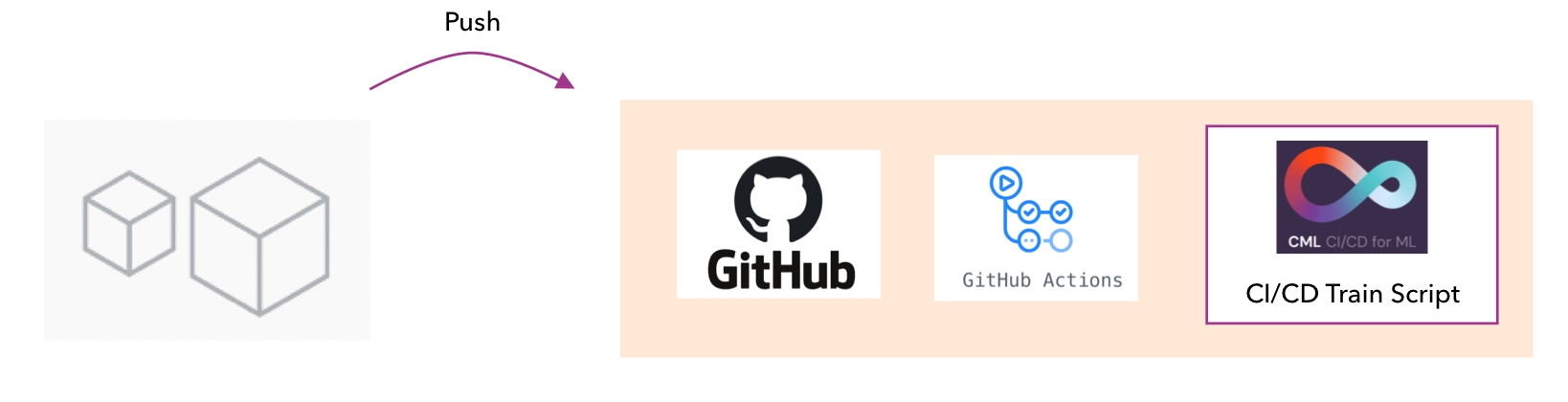
This tutorial runs through how to use Arize in a Continuous Integration and Continuous Deployment workflow for models.This tutorial is based on Continuous Machine Learning Groups work:
CML · Continuous Machine Learning
CML · Continuous Machine Learning”
This tutorial will show you how to:
Integrate Arize into the CI/CD workflow
Run Arize on Validation data every time a new model version is checked in
Capture data in the platform to compare different validated models
The CI/CD workflow for models with CML involves a training script and a linkage to Github actions.
The following describes the steps for training and validation runs:
A model directory is setup on Github which contains both model file and train scripts for CML
Train scripts are built to run a set of inferences across any newly built model
GitHub actions are setup to run the train script on any model checkin
On Model Checkin the train script is run
The train Script logs the validation inferences to Arize
Checks within the Arize platform can be setup to run on every new validation batch of data. These checks can include comparing against previous model data or fixed levels analysis
On check failure dashboards can be created for model analysis
Future*: The ability to quickly poll through API the validation checks as part of Github actions for pass / fail*
An example Train script for CML with Arize is included here:The github/workflows directory defines the github actions that are run on model checkin. This is derived from the CML example.
tutorials_python/train.py at main · Arize-ai/tutorials_python
GitHub
The Train scripts typically have 2 parts:
Train and Score the latest model
########################################### MODELLING ############################################## Fit a model on the train sectionregr = RandomForestRegressor(max_depth=2, random_state=seed)regr.fit(X_train, y_train)# Report training set scoretrain_score = regr.score(X_train, y_train) * 100# Report test set scoretest_score = regr.score(X_test, y_test) * 100y_pred = regr.predict(X_test)
2. Log artifacts and data to CML
# Write scores to a filewith open("metrics.txt", 'w') as outfile: outfile.write("Training variance explained: %2.1f%%\n" % train_score) outfile.write("Test variance explained: %2.1f%%\n" % test_score)
An additional 3rd section is added to send the feature data, inferences (predictions) and ground truth (actuals) to Arize
####################################################### Arize AI Validation Sample #########################################################SPACE_ID="SPACE_ID"API_KEY="API_KEY"model_name = "validation-wine-model-cicd"datetime_rightnow = datetime.datetime.today()model_version_id_now = 'train_validate_' + datetime_rightnow.strftime('%m_%d_%Y__%H_%M_%S')id_df = pd.DataFrame([str(id) + model_version_id_now for id in X_test.index])arize_client = Client(space_id=SPACE_ID, api_key=API_KEY,uri='https://devr.arize.com/v1')tfuture = arize_client.log(model_id=model_name, model_version=model_version_id_now, features=X_test, prediction_ids=id_df, prediction_labels=pd.DataFrame(y_pred))tfuture = arize_client.log(model_id=model_name, model_version=model_version_id_now, prediction_ids=id_df, actual_labels=pd.DataFrame(y_test))
If using version < 4.0.0, replace space_id=SPACE_ID with organization_key=SPACE_ID
The above workflow can be modified for any model CI CID flow where scoring is done from a set of validation inferences.