

Plain SDK or the Agents SDK? Reach for the OpenAI Agents SDK when you want handoffs, guardrails, and sessions out of the box, and its instrumentor traces all of that for you. See the OpenAI Agents SDK guide. Use the plain OpenAI SDK when you want a minimal dependency footprint and explicit control over the loop, which is what this guide covers.
What you’ll build
You will build a small math-solving agent that answers arithmetic questions by calling asolve_equation tool, then trace it end to end. By the end of this guide, you will be able to:
- Build a tool-calling agent on the OpenAI SDK using a manual reasoning loop.
- Auto-instrument OpenAI SDK calls so every model request and response is captured.
- Add manual
AGENTandTOOLspans so the full agent trajectory, not just the LLM calls, is visible. - Read the resulting trace tree in Arize AX to debug and evaluate agent behavior.
Get your Arize credentials
Open Tracing Projects. If you already have a project, click New Tracing Project. If you don’t, follow the steps under Get started with Arize, then click Generate API key and copy the pre-filled environment variables. You’ll plug them into whichever path you choose below.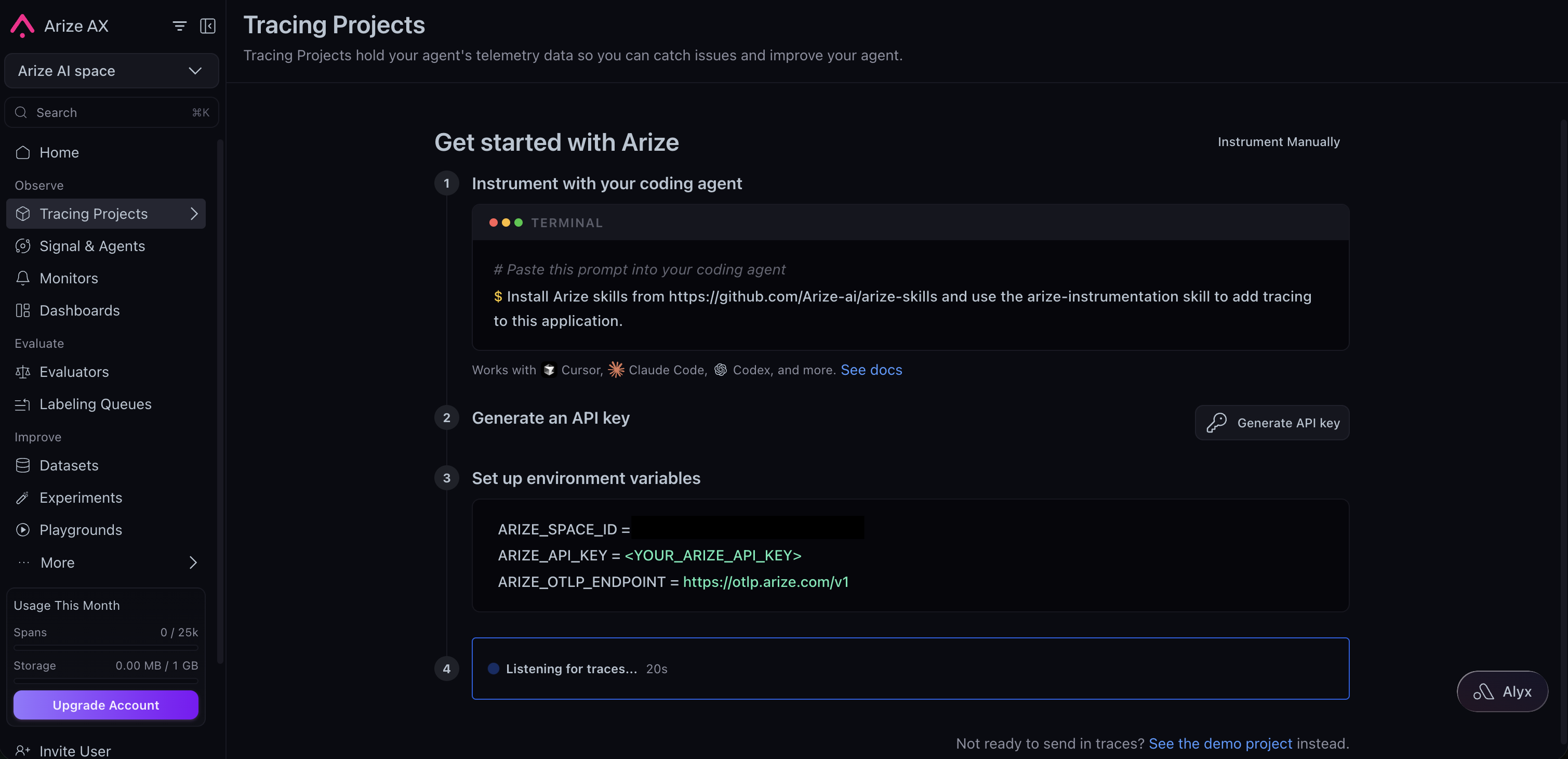
- Python
- TypeScript
Requirements
- Python 3.9+
- An Arize AX account (sign up)
- An OpenAI API key from the OpenAI Platform
1
Install
2
Set up tracing
First, export your credentials so the code below can read them from the environment:Tracing has two parts, and this step wires up the first: auto-instrumentation for the OpenAI SDK.
register() configures an OpenTelemetry tracer provider that exports spans to Arize AX, and OpenAIInstrumentor patches the SDK so every Responses API call emits an LLM span with the prompt, response, tool calls, and token usage. You do not have to write any span code for the model calls themselves.3
Build the agent
Now build the agent loop. Auto-instrumentation captures the model calls, but it cannot see the parts that live in your code: the overall agent run and the tool executions. Those run outside the OpenAI SDK, so no span is emitted for them at all. This is the second part of tracing: you add manual spans to fill the gaps.Two manual spans do the job:
- An
AGENTspan wraps the whole loop and becomes the root of the trajectory. Every model call and tool execution nests underneath it. - A
TOOLspan wraps each tool execution, capturing its arguments and result.
4
Run the agent
The entry point imports the instrumentation module first. This guarantees tracing is configured before the OpenAI client is used, so no early spans are missed.Run it with
python example.py. You should see:5
View the trace in Arize AX
- Open your Arize AX space and select project
openai-sdk-agent-example. - Within ~30 seconds you will see a trace shaped like the trajectory itself: a
Math Solver Agentspan (AGENT) at the root, an LLM span for the first Responses API call that returns the tool request, asolve_equationspan (TOOL) holding the arguments and result, and a second LLM span where the model turns the tool result into the final answer. - Select any span to inspect its inputs, outputs, and token usage.
AGENT and TOOL spans are what make this trace readable as an agent run. Without them you would still see the two LLM calls, but nothing would tie them together or show the tool execution between them. This is the combine auto and manual instrumentation pattern applied to an agent loop.Next steps
OpenAI Agents SDK
Build the same kind of agent with the OpenAI Agents SDK and let its instrumentor trace handoffs and tools for you.
Evaluate agents
Score tool-call accuracy, tool results, and goal completion once your agent is emitting traces.
Manual instrumentation
Go deeper on span kinds, attributes, sessions, and agent trajectories.