

messages.create with a set of tools, and while Claude returns stop_reason: "tool_use", run the requested tools, feed the results back, and call again until Claude finishes. You own the loop, so you decide what runs and when.
That ownership shapes how you trace it. Auto-instrumentation captures the model calls, but the loop and the tool executions are your code, so they are invisible until you add spans for them. The two layers combine: the OpenInference Anthropic instrumentor captures each Claude call as an LLM span automatically, and you wrap the loop and each tool call in manual spans. Together they produce a complete agent trace in Arize AX.
If your agent is built with the Claude Agent SDK rather than the Anthropic SDK, use that guide instead. The Agent SDK runs the loop for you and emits agent and tool spans automatically, so it does not need the manual spans shown here.
Overview
You will auto-instrument the Anthropic SDK, add manual spans around your agent loop and tools, run the agent, and read the resulting trace tree in Arize AX. The pattern applies to any agent built on the Messages API, in Python or TypeScript. Intended for developers who have built, or are building, an agent on the Anthropic SDK and want production observability for it. It assumes you are comfortable with:- Python or TypeScript, including
async/await - The Anthropic Messages API and the tool-use loop (
messages.create,tool_use,tool_result,stop_reason) - Environment variables and package installation
- Auto-instrument Anthropic SDK calls so each Claude request is captured as an LLM span
- Add manual AGENT and TOOL spans so the loop and tool executions appear in the trace
- Group traces by conversation using session IDs
- Verify and read the full agent trace tree in Arize AX
Before you start
You need:- An Arize AX account (sign up)
- An
ANTHROPIC_API_KEYfrom the Claude Console
Get your Arize AX credentials
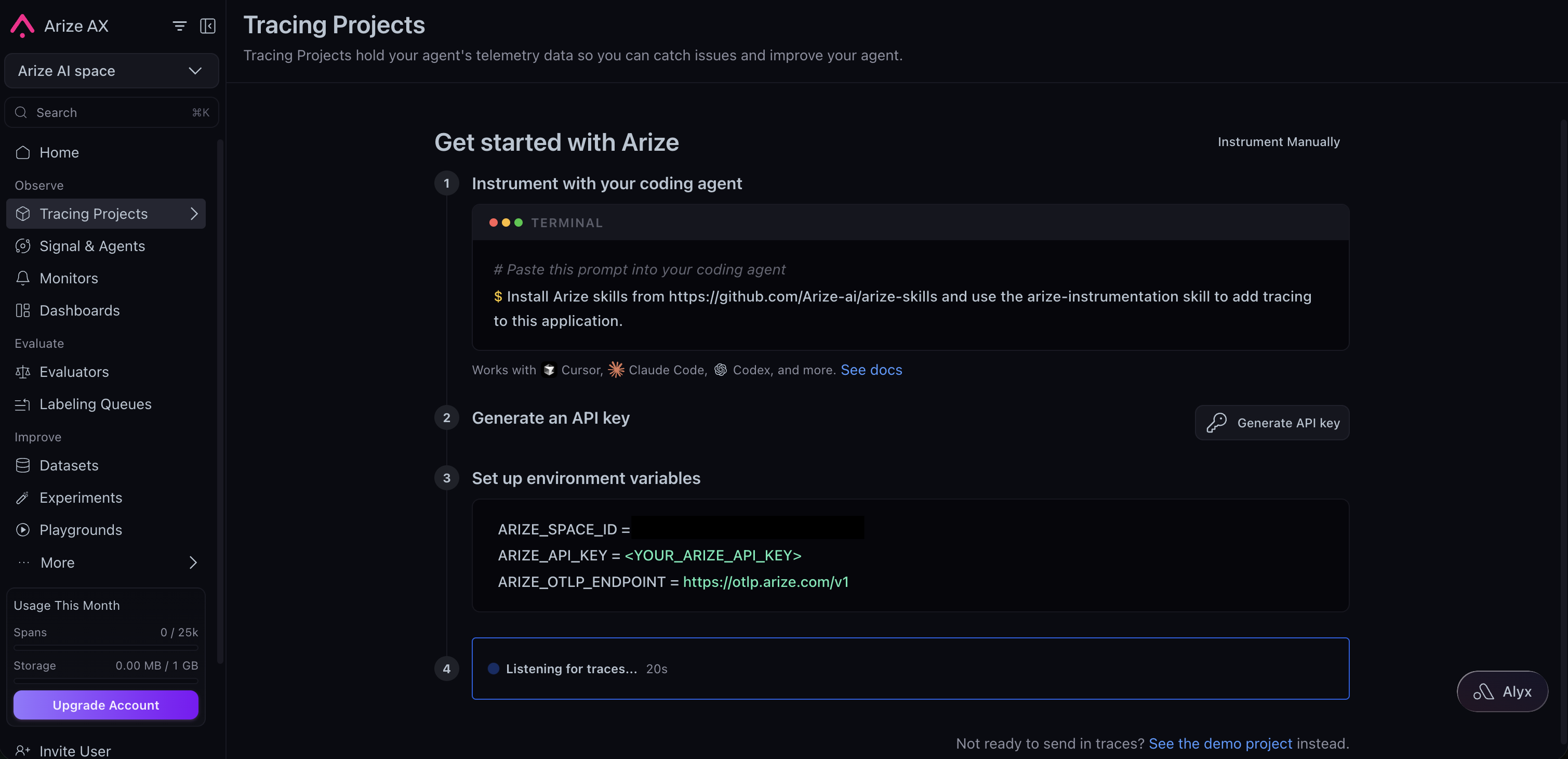
Sign in to your Arize AX account and open Tracing Projects. If you already have a project, click New Tracing Project. If you don’t, follow the steps under Get started with Arize, then click Generate API key and copy the pre-filled environment variables. Set them asARIZE_SPACE_ID and ARIZE_API_KEY when you configure your environment below to route your traces to the correct space.
- Python
- TypeScript
You need Python 3.10 or later and an existing (or in-progress) agent built on the
anthropic package.1
Install the dependencies
Install the Anthropic instrumentor, the OpenInference helpers for manual spans, and the SDK you already use.
2
Configure credentials
Set your Arize AX and Anthropic credentials as environment variables. The tracing setup reads them at startup, so you keep secrets out of your source.
ARIZE_PROJECT_NAME is the project your traces land in. Name it for the app so runs stay grouped where you expect them.3
Auto-instrument the Anthropic SDK
Set up tracing in a dedicated module so it runs once, before your agent uses the SDK. This registers a tracer provider with your Arize credentials and attaches the Anthropic instrumentor, which captures every
messages.create call as an LLM span.instrumentation.py
4
Trace the agent loop
Get a tracer from the same provider, then wrap the loop in an AGENT span and each tool execution in a TOOL span. The
messages.create calls inside the AGENT span are auto-instrumented, so they nest underneath it as LLM spans automatically. The OpenInference attributes are set as string keys ("openinference.span.kind", "input.value").5
Group traces by conversation
To follow a multi-turn conversation as a single thread, tag its runs with a shared session ID that is stable for the conversation, such as the user or thread ID. Wrap the agent call in the Arize AX groups the tagged runs together, so you can replay a full conversation.
using_session() context manager. Every span emitted inside, manual and auto, carries the same session.id.6
Verify in Arize AX
Open your Arize AX space and select the project you set in
ARIZE_PROJECT_NAME. Within about 30 seconds of a run, a new trace appears with this shape:- An AGENT root span (
nutrition-agent) carrying the user input and final answer. - One or more LLM child spans, one per
messages.createcall, with the prompt, response, model name, and token counts filled in automatically by the Anthropic instrumentor. - A TOOL child span for each tool the agent ran, with the tool inputs and outputs.
What gets captured
The two layers combine into one trace:- LLM spans (automatic). The Anthropic instrumentor records each
messages.createcall: prompt, response, thetool_useblocks Claude emits, the model name, and token usage. - AGENT and TOOL spans (manual). Your spans record the loop as a whole and each tool execution, so the trace shows what the agent decided to do and what each tool returned, not just the raw model calls.
- Session grouping. The
session.idyou set threads related runs into one conversation.
messages.create calls run inside it.
Troubleshooting
- Python
- TypeScript
- No traces in Arize AX. Confirm
ARIZE_SPACE_IDandARIZE_API_KEYare set in the same shell that runs your app. Enable OpenTelemetry debug logs withexport OTEL_LOG_LEVEL=debugand rerun. - LLM spans missing.
AnthropicInstrumentor().instrument(...)must run before the firstmessages.createcall. Import the tracing module first. - LLM spans not nested under the agent span. The
messages.createcall must run inside the active AGENT span. Keep it inside thewith tracer.start_as_current_span(...)block. 401or404from Anthropic. VerifyANTHROPIC_API_KEYis set and valid, and that your key has access to the model in the example. Swapclaude-opus-4-8for a model your key can call.- A short-lived script exports nothing. Spans are batched by default, so a script that exits right after the run can quit before they flush. Call
tracer_provider.force_flush()before the process exits. Long-running apps and servers flush on their own. wrap_function_wrapper() got an unexpected keyword argument 'module'. Awrapt2.x release changed that function’s signature, which older instrumentor pins do not yet account for. Pinwraptbelow 2 until the pins catch up:pip install "wrapt<2".
Next steps
Combine auto and manual
The general pattern for mixing auto LLM spans with manual spans.
Agent trajectory
Render the agent’s execution as an interactive graph.
Set up sessions
Group multi-turn runs into conversations with session and user IDs.
Anthropic integration
The reference page for the Anthropic instrumentor across Python, TypeScript, and Go.