

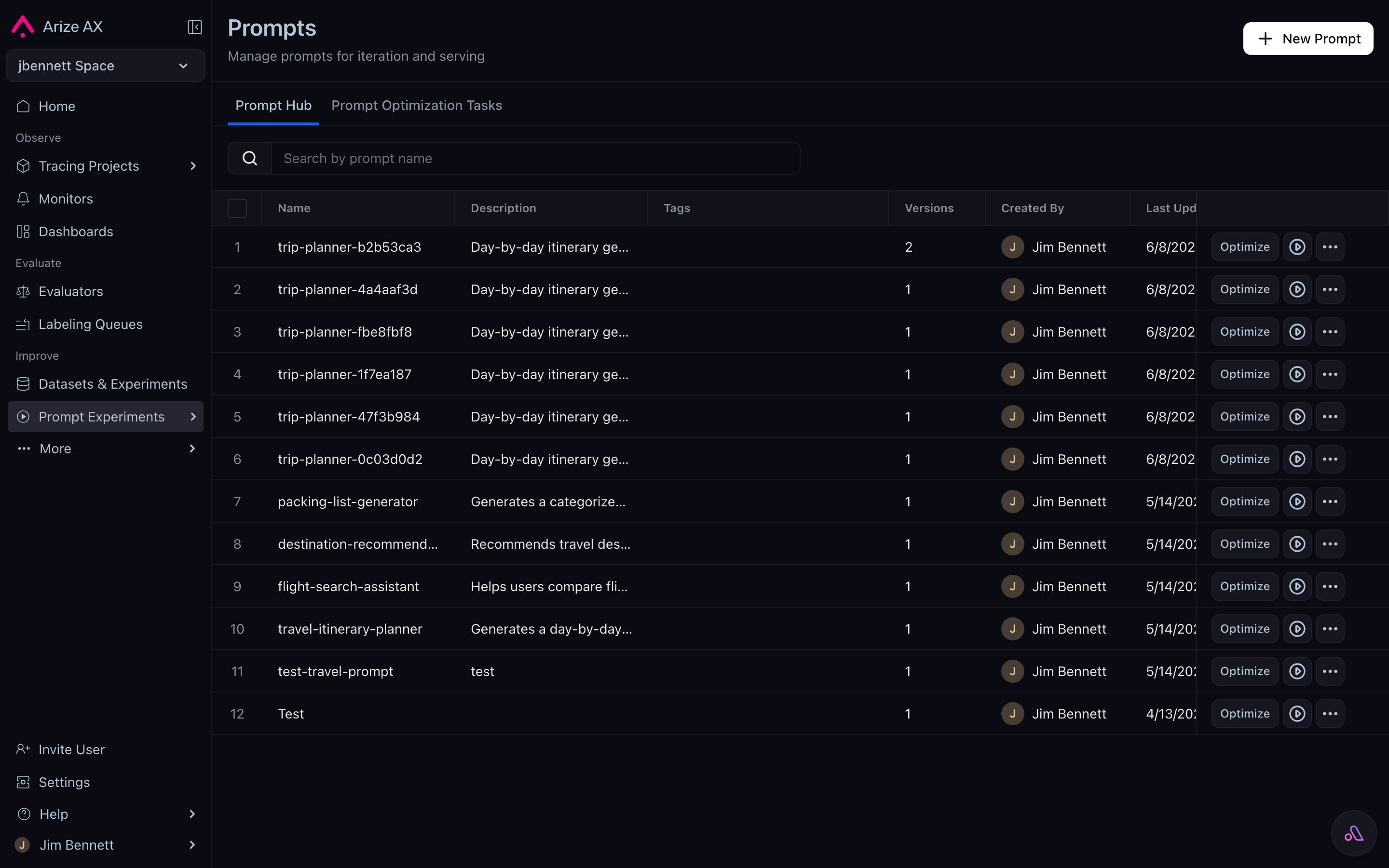
The Prompt Hub list view — every Prompt Object your team owns, searchable by name, with tag chips and version counts.
What lives in the Hub
The Hub stores Prompt Objects, not raw strings. Each prompt in the Hub has:- A name (e.g.,
support-agent,tool-selection-router). - A description that captures intent (“Routes inbound queries to the right downstream skill”).
- A version history — every save lands here as a new immutable record.
- Tags that point at specific versions (
production,staging,dev,prod-v1.2, …). - The current state of all five Prompt Object parts at each version.
production tag and uses gpt-5.4.”
Five pillars of the Hub
The Hub is shaped around five guarantees:- Unified prompt ecosystem — stop hunting through Slack messages or codebase comments. Every Prompt Object — template, parameters, tools, response format — lives in one searchable place. Past, present, and future versions sit together.
- Immutable version control — every save creates a hashed, immutable version. Tags move; versions don’t. Rollback is a tag move, not a restore.
- Rapid experimentation and comparison — load any version into the Playground, run against a dataset, score with evaluators, compare side-by-side, save the winner back as a new version. The loop closes inside one tool.
- Compatible, easy-to-use SDK — Python, TypeScript, Go, and CLI clients can list, fetch, create, and tag prompts. Your application reads from the Hub at runtime; your CI script can push new versions and move tags.
- Path to automated optimization — once versions and eval feedback live in the Hub, Prompt Learning and other optimization paths can consume them as inputs.
Where the Hub sits in the platform
Three other Arize AX surfaces talk to the Hub:
The Hub’s role is to be the one source-of-truth that all of these reach. If two teammates load
support-agent with tag production, they get the same version. If you re-run an experiment from three weeks ago, the same prompt version comes back. If you move the production tag, your live application picks up the new version on its next refresh.
What the Hub is not
A few things the Hub doesn’t try to be:- Not a prompt engineering tool. The Playground is where iteration happens. The Hub is where results land.
- Not a runtime execution surface. The Hub stores Prompt Objects; it doesn’t run them. The Playground, experiments, and your application do the running.
- Not a folder of strings. Don’t think of it as a file tree of template text. Think of it as a database of versioned objects with rich metadata.
Reaching the Hub
You can interact with the Hub from anywhere that suits the moment:- UI — browse, search, diff, tag, and edit visually from the Prompts section in the left nav.
- Playground — load and save during iteration.
- SDK — fetch in your application, push new versions from your CI script.
- CLI —
ax prompts list,ax prompts get,ax prompts create-version, etc. - REST API — same operations available over HTTP.