The OpenTelemetry component that intercepts spans at the start and end of their lifecycle — how BatchSpanProcessor and SimpleSpanProcessor differ, and how to tune them.
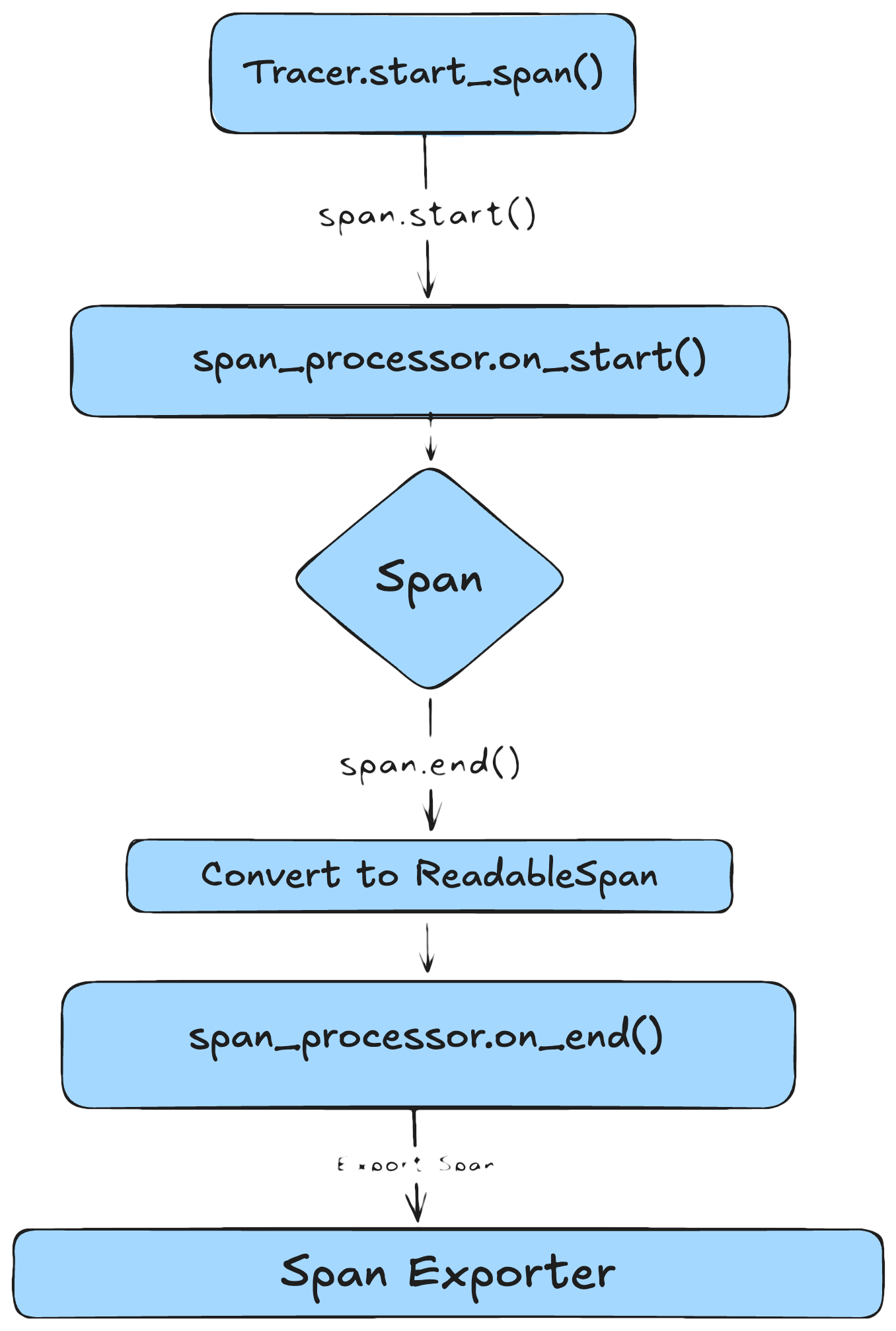
A span processor sits between your code and the Exporter. It intercepts spans at two key lifecycle points and decides what to do with them before they leave the process — filter, enrich, batch, or export immediately.
Add context-scoped attributes (session ID, user ID, request ID).
on_end(span)
After span.end() is called.
Passed in as a ReadableSpan — intended to be immutable.
Filter, enrich, or modify attributes; forward to the exporter.
A new processor method, on_ending, is in development. It fires before on_end and gives you a mutable span — useful for modifying attributes at the last moment without the workarounds described below.
The ReadableSpan passed to on_end is intended to be immutable, but language implementations vary:
Python — nothing is truly immutable. Attributes and context can be edited directly.
TypeScript — ReadableSpan properties are readonly, so the object can’t be reassigned, but properties can be mutated in place.
Editing a ReadableSpan in place can have unintended side effects. If multiple span processors are attached to the Tracer Provider, every downstream processor sees the modification. If you need to modify a span, prefer copying it with the edited attributes rather than mutating the original.
Each parameter has a matching environment variable, so you can leave the code unchanged and tune at deploy time. See the BatchSpanProcessor API reference for current defaults.
OpenTelemetry ships two built-in processors. The difference is fundamental — when each span leaves your process.
Property
BatchSpanProcessor
SimpleSpanProcessor
Best for
Production and staging
Local debugging, demos, CI
Export behavior
Async, in batches
Each span immediately (sync)
Impact on latency
Low — work done off the request path
Higher — export blocks the request
Throughput
High, optimized for volume
Low, can bottleneck under load
Reliability on exit
Requires force_flush() / shutdown()
Spans exported immediately
Visibility speed
Slight delay (buffering)
Immediate
Failure surfacing
Export failures logged in background
Failures raised inline
Tuning
Configurable (batch size, delay, timeouts)
Minimal
SimpleSpanProcessor is synchronous and blocking. It exports each span before your code continues, which adds latency to every traced operation. Use BatchSpanProcessor for production.
A few span-processor failure modes worth knowing about:
Using SimpleSpanProcessor in production — exports every span synchronously. Under load, this adds latency to every traced operation.
export_timeout_millis too short — in Python, export failures trigger exponential backoff up to 32 seconds. During that backoff, no other batches can export, the queue fills up, and spans get dropped. Set the timeout high enough that transient slowdowns don’t trigger retries.
max_queue_size, max_export_batch_size, or schedule_delay_millis too high — spans accumulate in memory, creating memory pressure. Big batches may also exceed the backend’s per-request size limit (see the >4 MB gRPC pitfall on the Exporter page).
Forgetting that processors run in order — multiple processors execute in the order they were added. If one mutates a ReadableSpan in on_end, every later processor sees the mutation.
The processor is owned by the Tracer Provider. You can attach multiple processors — each one independently decides whether and when to forward spans to its exporter.