

Immutable versions
Each save creates a hashed, immutable record of the whole Prompt Object — template, model, invocation params, tools, response format. Some properties of immutable versions:- Permanent. Once a version exists, its content never changes. The hash is the version’s identity.
- Recoverable. Every past version is loadable — into the Playground, into your application via the SDK, into a comparison view.
- Diffable. Any two versions can be compared side-by-side to see exactly what changed (template text, model, parameter values, tool definitions).
- Append-only history. Saves accumulate. Bad versions don’t get overwritten; they stay in history alongside the good ones, available for postmortem.
Mutable tags
Tags are labels you control. The platform doesn’t dictate what tags mean — you do. Common patterns:
A tag points at exactly one version at any moment. When you move a tag, the previous version it pointed at doesn’t change — only the tag’s pointer does. The application reading
production immediately starts seeing the new version on its next SDK fetch.
This is what makes “deploy without redeploy” work. You don’t ship code to change which prompt is in production; you move the production tag in the Hub and the application picks it up.
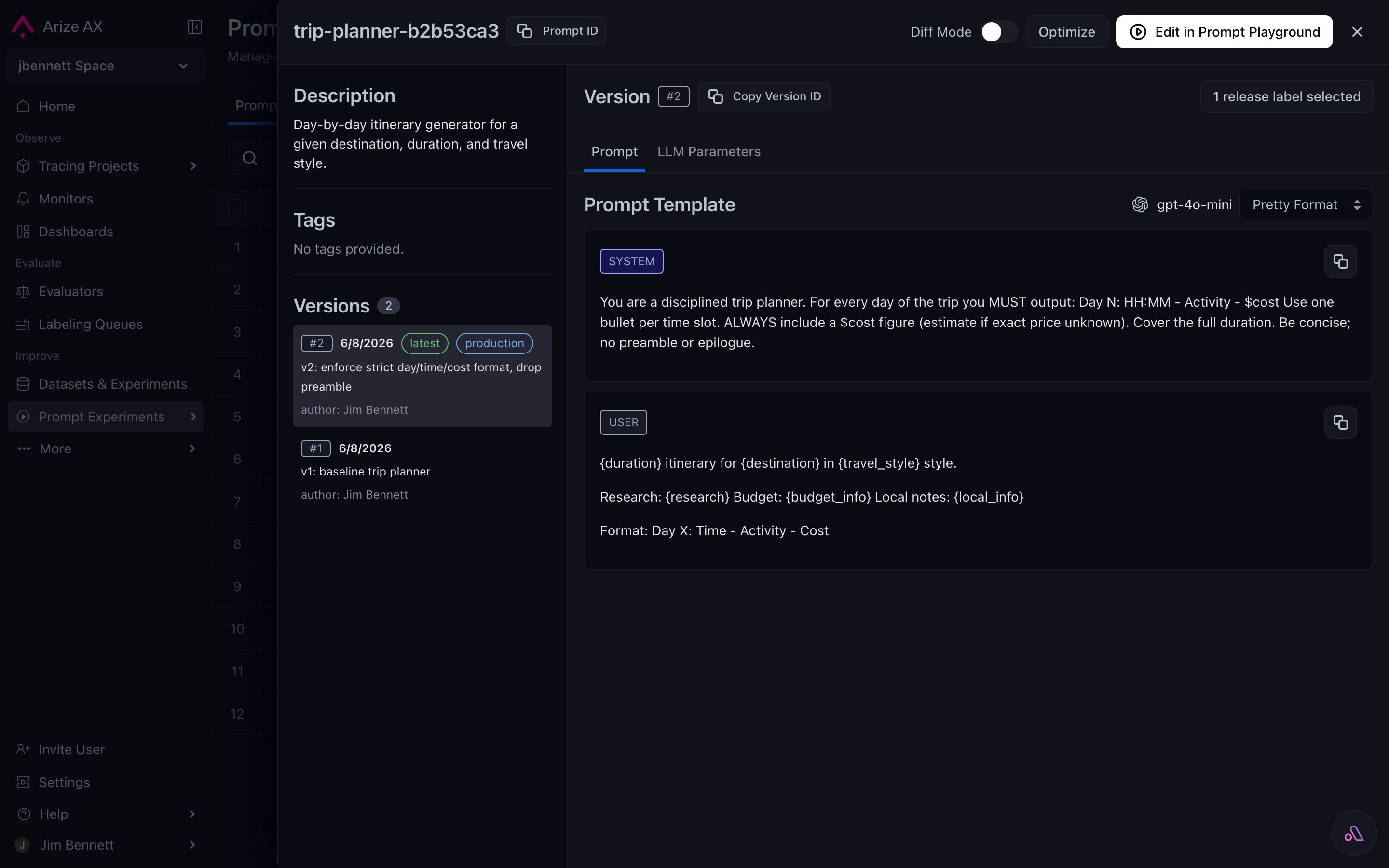
A Prompt Object's version history in the Hub — every save lands as a numbered immutable version, with mutable tags like latest and production shown as chips next to the version they currently point at.
The versioning timeline
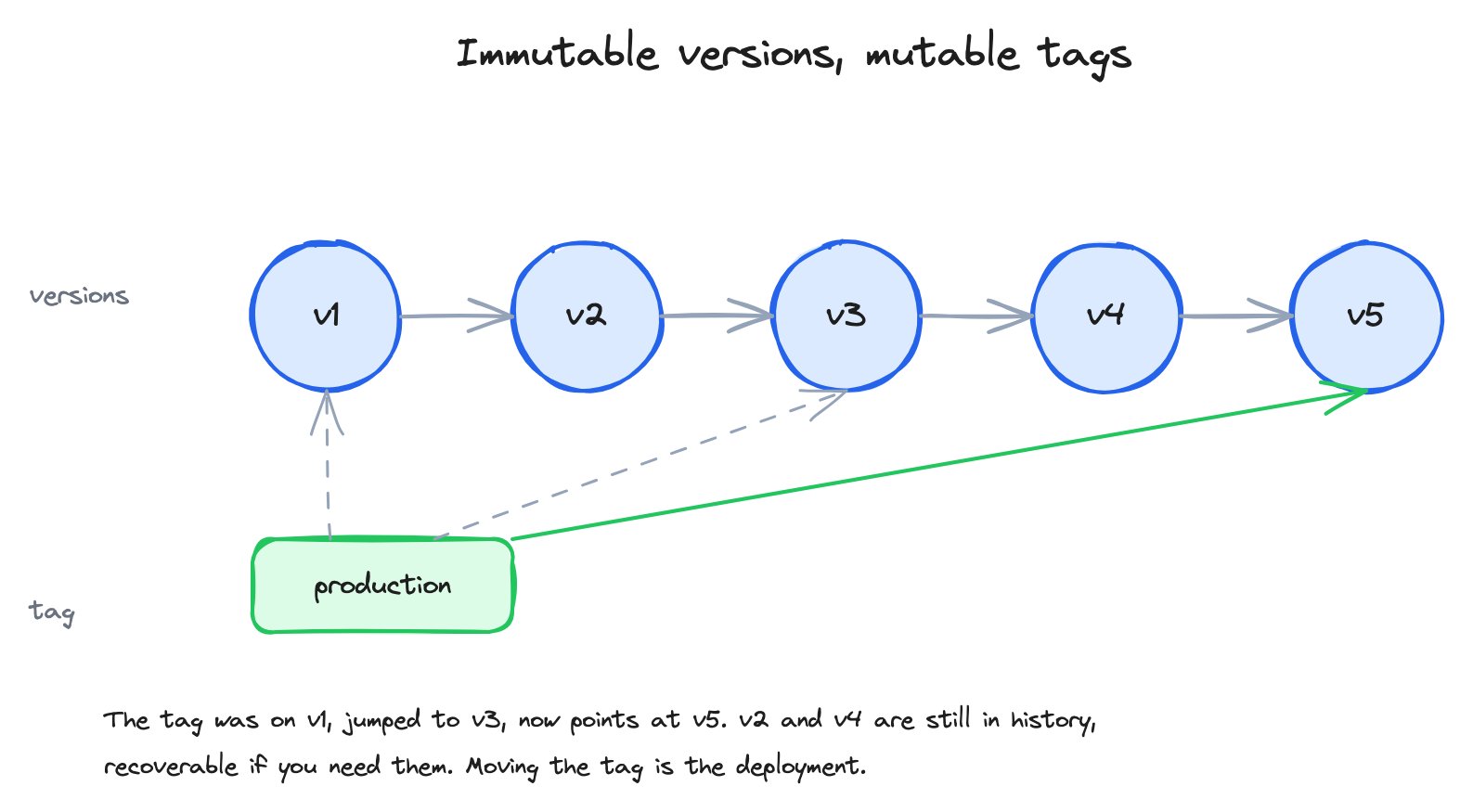
An immutable version chain with a mutable tag that moves over time — the same model Git uses for commits and branches.
production tag starts pointing at v1, jumps to v3 after a successful experiment, then jumps to v5 after the next iteration. v2 and v4 are still in history — they were intermediate iterations that didn’t get promoted. They’re recoverable if you need them.
Diff mode
Any two versions of the same prompt can be diffed in the Hub UI. Diff mode highlights:- Template text changes — added / removed words highlighted inline, the same way a code review tool shows them.
- Parameter changes — temperature went from 0.7 to 0.3, max tokens changed.
- Model swaps —
gpt-5.4→gpt-5.4-mini. - Tool additions or removals — a function definition appeared or vanished.
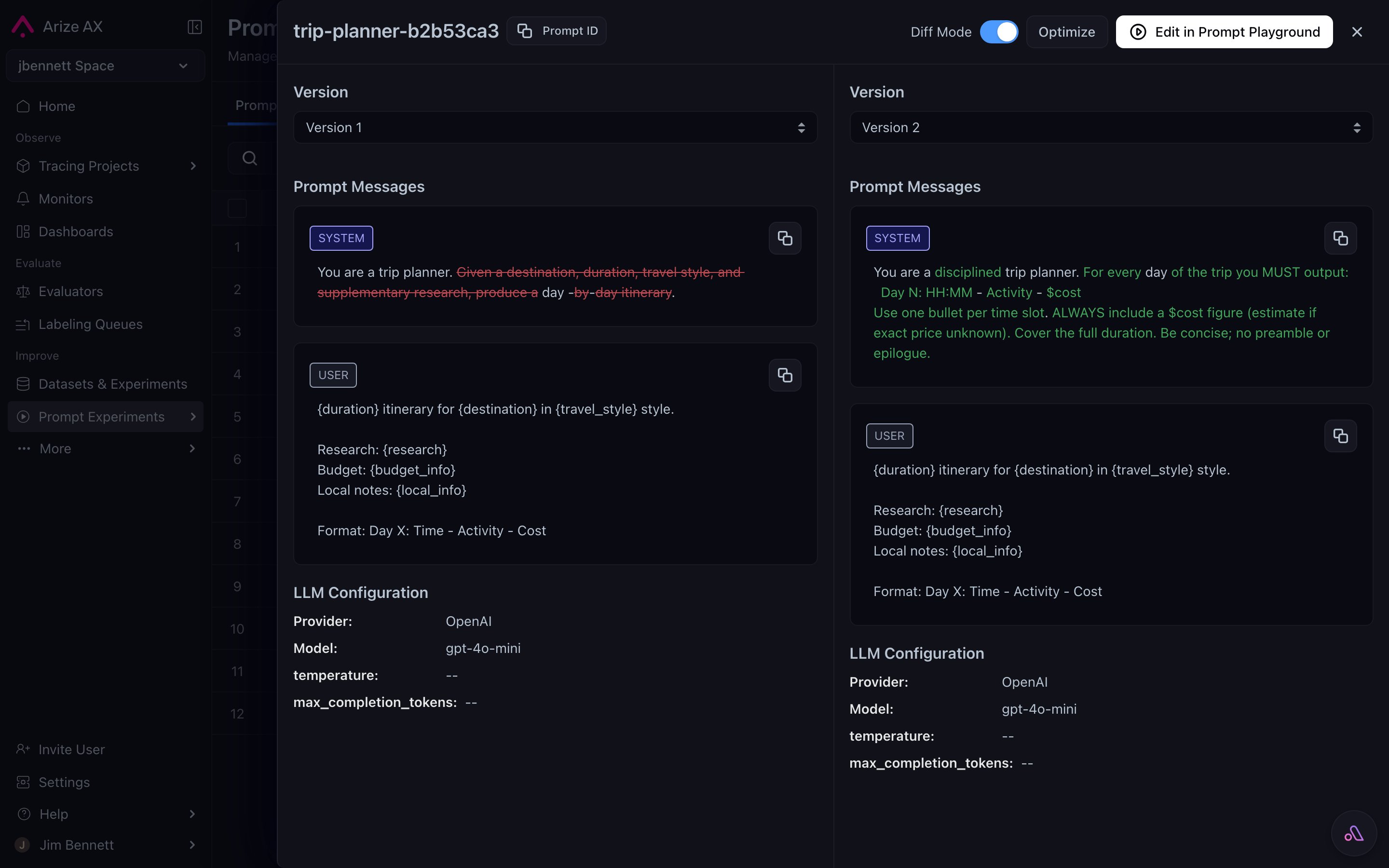
Diff mode comparing two prompt versions side by side — removed text is struck through, added text is highlighted, and the LLM configuration deltas are shown below.
What this buys you
The version + tag model is what makes the rest of the prompt workflow possible:- Safe rollback — bad version shipped? Move the tag back. Seconds, not a redeploy.
- Reproducible past results — a bug report from last month references a version hash you can load exactly.
- Unambiguous deployment — “use the
production-tagged version” is precise; “use whatever’s latest” is not. - Auditable history — who saved what, when, with what description. Useful for compliance and for postmortems.
- Concurrent collaboration — two teammates can iterate on the same prompt by saving new versions; nobody’s edit overwrites anybody else’s.