

The five parts
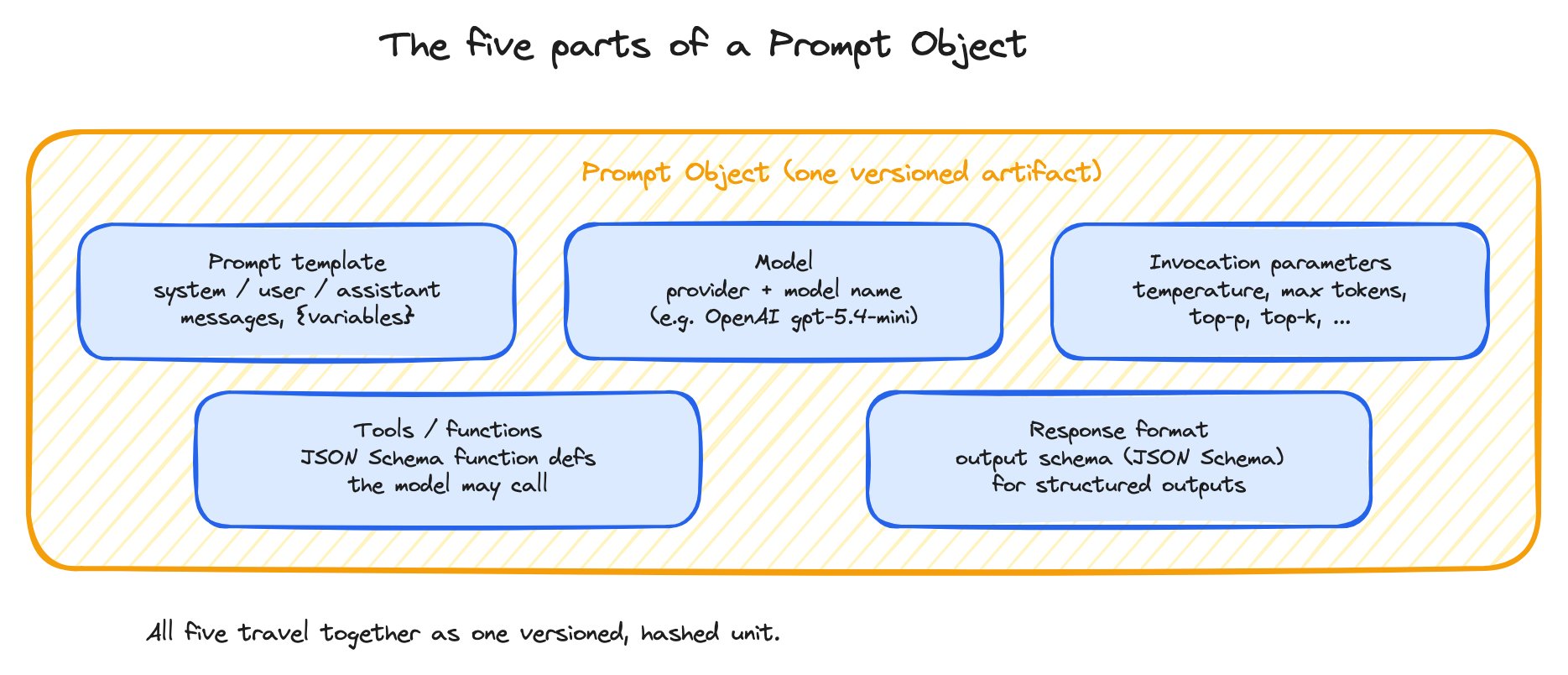
A Prompt Object bundles five inputs into one versioned artifact.
Prompt template
The sequence of messages — system, user, assistant — that becomes the LLM’s context. Templates use{variable} placeholders for values that get filled in at call time from a dataset row, a span, or your application’s runtime input.
{name} by default (Python f-string compatible). Mustache-style {{name}} is also supported as an alternate input_variable_format. See Loading prompts in your application for the SDK details.
Model
The LLM the prompt is bound to — provider plus model name (e.g., OpenAIgpt-5.4-mini, Anthropic claude-sonnet-4-6). The model travels with the prompt because swapping models is a behavior change. A prompt tuned for one model isn’t guaranteed to behave the same way on another, and a Prompt Object snapshot needs to capture that pairing.
Providers are configured once per workspace as AI integrations and referenced by name from any prompt.
Invocation parameters
The knobs that shape model output: temperature, max output tokens, top-p, top-k, frequency penalty, presence penalty, and so on. The available parameters depend on the provider. Two prompts that share template and model but differ in temperature behave differently; they’re different Prompt Objects.Tools and functions
Tool / function definitions the model can call, expressed as JSON Schema. For tool-using prompts (agents, function-calling pipelines), the tool list is part of the LLM’s context — changing it changes behavior. Bundling tools into the Prompt Object means a saved version captures which tools the prompt was tested with. Each tool has a name, description, parameter schema, and (optionally) a calling policy that tells the model when to invoke it.Response format
The output schema — typically a JSON Schema — that constrains what the model returns. When set, the provider’s structured-output mode enforces the shape. Two prompts that share everything else but differ in response format produce differently-shaped outputs; they’re different Prompt Objects.Why bundle everything
The temptation when you first version a prompt is to version only the template text — “here’s what changed in the words.” Two reasons that breaks down:- Reproducibility. If you load
support-agent-v3and don’t get the same behavior you saw last week, the first question is which model, which temperature, which tools were active? If those aren’t in the object, you can’t answer it. - Promotion is atomic. When you promote a Prompt Object to production, the deployment should be atomic — template + model + params + tools + response format move together. Otherwise you risk shipping a template that depends on a tool you haven’t deployed, or a model you haven’t allowlisted.
Where Prompt Objects live
Prompt Objects are stored in the Prompt Hub — see the next page for the full Hub model. Each save creates a new immutable version of the object. Tags (likeproduction, staging, prod-v1.2) point at specific versions and can be moved over time without rewriting the version itself.
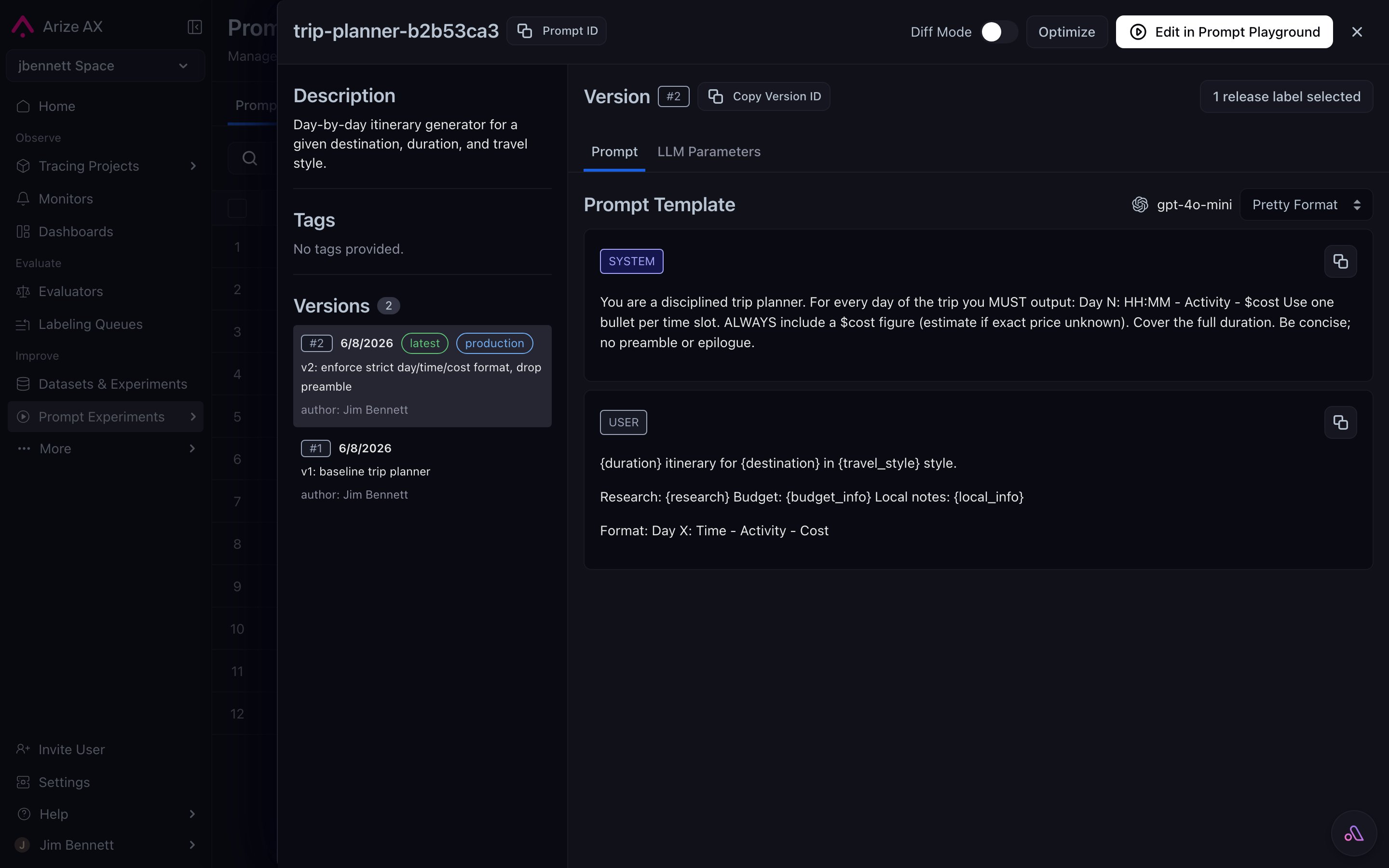
A Prompt Object's detail view — template, model, invocation parameters, and a versions panel with tags applied — all five parts visible at once.