

The two halves: template and task
The configuration of an online evaluator is split into two pieces with different lifetimes.
The split matters because the same eval question (“is this response factually correct?”) usually applies in multiple contexts (multiple projects, multiple environments, multiple span filters). The template captures the question. The task captures the deployment of that question in a specific context.
Templates live in the Evaluator Hub — the catalog every task pulls from:
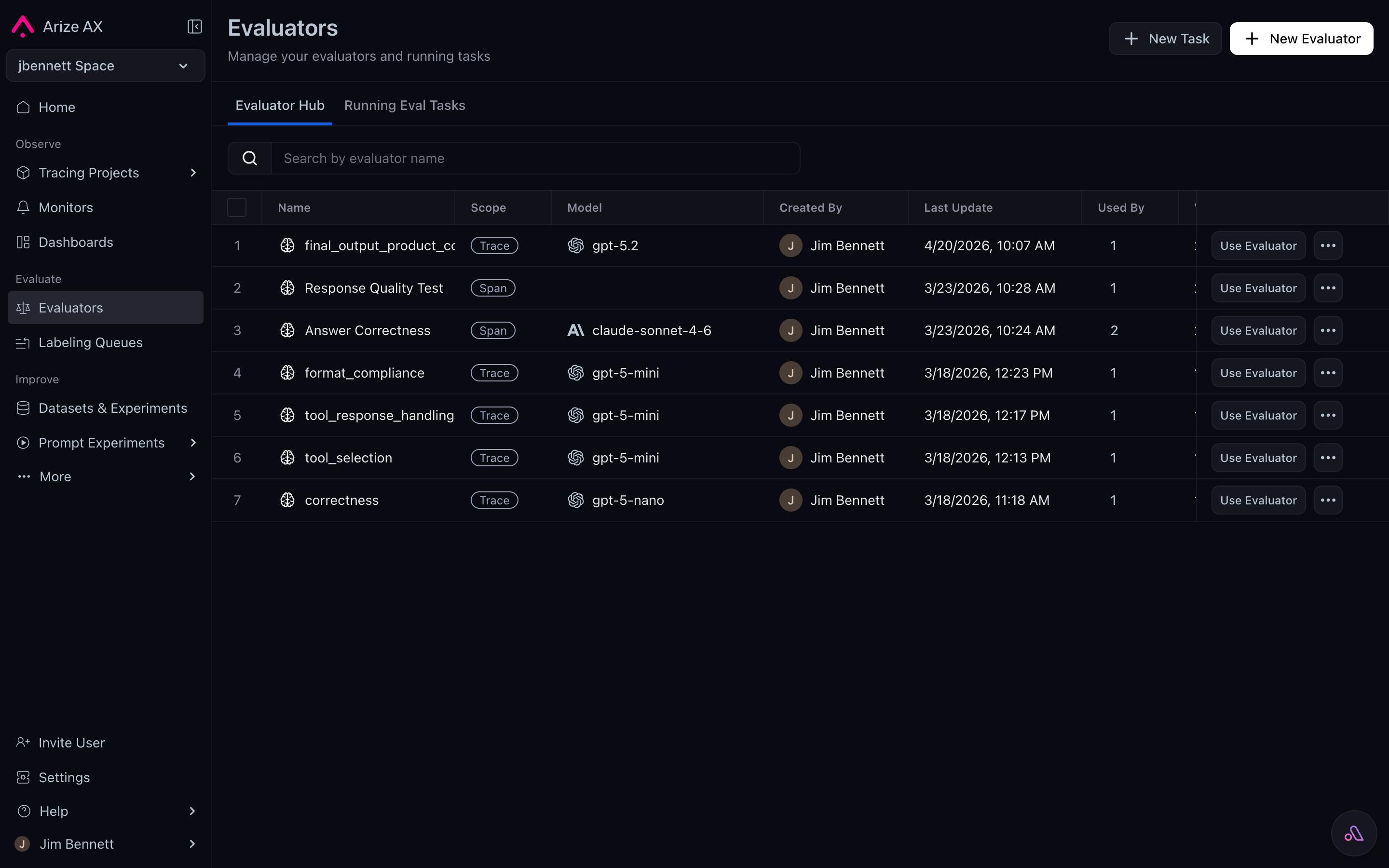
The Evaluator Hub — reusable evaluator templates with their scope, model, last update, and usage count.
What the platform manages for you
Once you’ve authored a template and deployed it as a task, Arize AX takes over. The platform handles:- Triggering. When traces arrive (for continuous tasks) or when you click run (for historical batch tasks), the platform fires the evaluator.
- Data binding. The platform reads the relevant span/trace/session attributes, fills the
{placeholders}in your prompt template, and constructs the actual LLM call. - Execution. The platform calls the model, retries on transient failures, respects rate limits, and parses the structured output back into a label and score.
- Joining. The label, score, and explanation are written to the originating span as
eval.<name>.*attributes. - Sampling. If you set a sampling rate below 100%, the platform decides which spans get evaluated.
- Scope expansion. For trace and session evaluators, the platform handles fetching every span in the trace or session, applying any evaluator data filter, and passing the right slice into the prompt.
Authoring with Alyx
Alyx is the AI agent built into Arize AX. For evaluator authoring it’s a first-class path, not a shortcut — the Eval Builder ships with an embedded Alyx panel, and Alyx is fluent in the evaluator surface. What Alyx does for evaluator authoring:- Build eval. Given a natural-language goal (“build an eval that checks whether the agent response maintains a formal tone”), Alyx produces a complete evaluator template — prompt, classification choices, direction, the lot.
- Variable mapping. When you load a dataset or point Alyx at a project, it auto-maps the
{placeholders}in the prompt to actual span attribute paths. The hardest manual step in evaluator authoring — figuring out the attribute path for the data you care about — becomes free. - Refinement. The conversation thread holds context across iterations. “That’s almost right, but only score the agent’s last message, not the whole transcript” refines the evaluator without starting over.
- Optimization. Once the evaluator exists, “Optimize my prompt to better catch hallucinations” is the same Alyx, working from a goal you state.
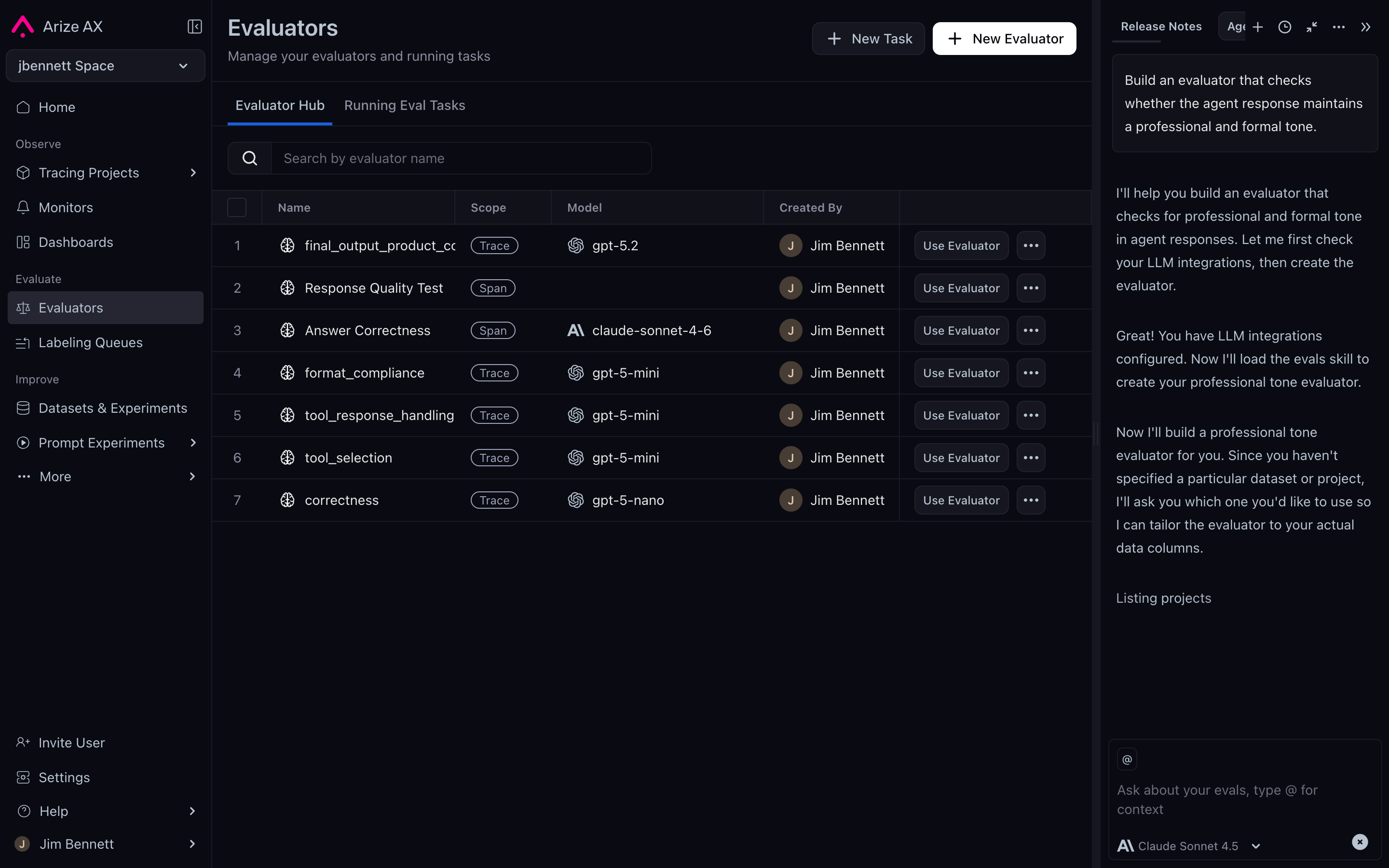
The Eval Builder with the Alyx panel open — Alyx authors and refines evaluators from natural-language goals.
The data flow
An online LLM-as-a-judge running against a project looks like this end-to-end:
Project spans and an Eval Hub template feed into the Evaluator Task, which calls the judge model and writes eval..* attributes back onto the span.
eval.tone.label = "informal" works the same way as filtering by any other attribute. Aggregates roll up automatically. The same data flows into the Spans tab, the Traces tab, the Sessions tab, and the dataset-export API.
When you iterate on a task and rerun it, the platform lets you overwrite prior eval results so the iteration cycle stays clean. See Validating and improving evaluators for the detail.
When to choose online LLM-as-a-judge
The default. Pick online LLM-as-a-judge when:- The question is subjective and can’t be answered by deterministic code.
- You want the platform to handle orchestration.
- You’re scoring spans, traces, or sessions in a live Arize AX project.
- The question is deterministic — use an online code evaluator.
- You need full pipeline flexibility — use offline evaluation with Phoenix.
- The data is in an experiment, not a project — that’s covered by the (future) Experiments concepts section.