

The shape
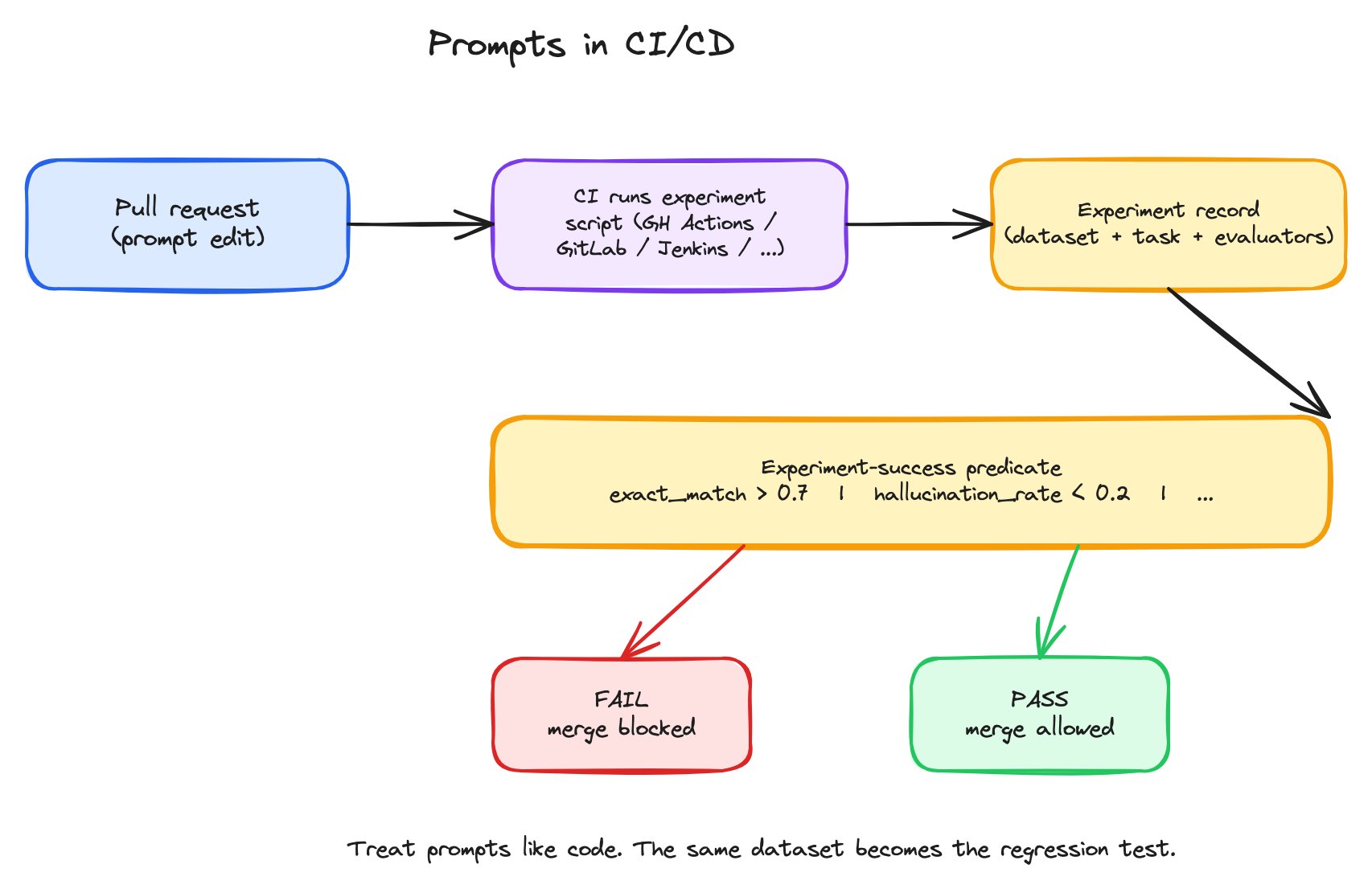
The CI/CD prompt flow — PR opens, CI runs an experiment, success predicate decides pass or fail, and the merge is blocked or allowed accordingly.
- An experiment script — Python, TypeScript, or
axCLI — that defines the dataset, the task (running the prompt), and the evaluator(s). Same shape as a code-driven experiment you’d run by hand. - An experiment-success predicate — a boolean expression over evaluator scores. Examples:
exact_match > 0.7,hallucination_rate < 0.2,accuracy >= baseline.accuracy. The script exits non-zero when the predicate fails. - A CI workflow file — GitHub Actions / GitLab CI / Jenkins / Harness — that runs the script on every PR and reports pass/fail back to the merge check.
Why this matters
Without CI on prompts, two failure classes are silent:- Prompt regression. Someone tightens the system message and accidentally makes the output less concise. Eval scores drop. Nobody notices until users complain.
- Model drift. A provider releases a new model version; the same prompt now behaves differently. Without a CI check, the drift only surfaces when someone happens to look.
The experiment-success predicate
The predicate is the smallest piece of code in the system, and the most consequential. It encodes the bar. Some patterns:
The right predicate depends on what your application cares about. Don’t regress on any previously-passing row is strict; average score has to stay above 0.85 is permissive. Both have their place.
What the workflow file does
The CI workflow is thin. It runs three steps:- Set up — install the SDK, set the Arize AX API key.
- Run the experiment script — same script you’d run locally.
- Report — the script’s exit code becomes the check’s pass/fail.
What you get
- Regression detection at PR time. A prompt change that hurts scores fails the check; you see it in the PR before merging.
- Confident prompt edits. Reviewers know the change passed the eval bar before approving.
- Auditable history. Every prompt version that shipped passed a specific eval against a specific dataset. The CI run record is the audit trail.
- Model-swap safety. Update the provider or model in the Prompt Object, push the change, and CI tells you whether the new model still meets the bar against your dataset.